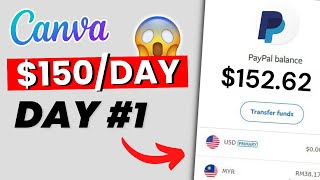
A YouTube tutorial that teaches a free method to earn money promoting affiliate products (via ClickBank or alternatives) using Canva to create promotional images and driving organic traffic through Pinterest and Imgur. The creator claims setup takes under 10 minutes and potential earnings of up to $150/day, and gives step-by-step instructions: create Canva and ClickBank accounts, pick an offer, design images (feed and story sizes), and post frequently (10–20 times daily) to generate leads.
Questions this video answers
Less than 10 minutes
Up to $150 per day
30 days (free trial)
Over 100 million people per month
At least 10 to 20 times daily
Chapters
It takes less than 10 minutes to set up this new method that allows you to earn up to $150 per day using Canva and affiliate marketing. The method is 100% free and you can start doing it today by following the steps I'll share with you in this video. Keep watching until the end because I'll show you a new way to drive tons of leads for free. Now, if you're unfamiliar with Canva, it's a graphic design platform with thousands if not millions of pre made templates and elements. It allows you to create logos, social media, posts, resumes, presentations, banners, ads and much more. And if you sign up for Canva Pro, you'll get access to even more advanced tools and elements. You can try Canva Pro free for 30 days using my link in the description box. So for step number one, you want to create a free account on Canva. Just go to canva.com, create an account and open it like that. As you can see, you'll be able to find all the different templates and ways you can use Canva. The next step you need to do is to go over to ClickBank and create your free account. If you don't know, ClickBank is one of the biggest affiliate marketplaces online with thousands of affiliate offers you can promote. Whether that's going to be about health and fitness, or going to be about gaming, relationships, organ, or how to make money online. As you can see, there are all sorts of different categories, so you can just create an account and then log in to grab your affiliate Link. But if ClickBank is not available in your country, you can use an alternative website like DigiStore24. This is another website you can use and it's pretty much the same thing. The next step is to pick a product to start promoting. For example, I'm going to choose this one. The dog training course. Once you've picked your product, generate your affiliate link. If you open it, you'll use the page your leads will land on. And every time someone buys the product using your link, you'll get a commission. Now we need to create our promotion image using Canva. So all you need to do is search here for templates by typing keywords related to the product you're promoting. In my case, dog training. And here, as you can see, you'll get tons of templates that you can use. Just choose your favorite one to start editing. You can now edit the image as you like. You can change the colors, the font style and add new text if you like. You should create two versions of your design, one in a feed format and the other in a story format. You'll understand why later in the video. If you don't know what information to include, you can simply look at the product page to get inspiration. Once you're done, save the image as a PNG or JPEG to move on to the next step of the process. After choosing the offer you want to promote and creating the promotion image, it's now time to drive traffic so you can start earning money. Since this is a free method, we won't use any paid ads to start. Instead, I'll show you the best two ways to get free traffic fast. The first way is by using Pinterest. Now, if you don't know Pinterest is so powerful in terms of organic traffic, and in my opinion, based on personal experience is the best way to start. It's super simple. Just head to pinterest.com and create a free account. After that, you'll be ready to start posting. As you can see, all you need to do is upload your image, add a title and description copied from the product page, and the most important thing is to add your affiliate link here. Now, if someone sees your image and clicks on the link, they'll be redirected to the product page. And if they buy, you get the commission. I suggest you post at least 10 to 20 times daily to get quick results. The second way to get free traffic will be by using a website called Imgur. This is a platform that's visited by millions of people every single month. In fact, over 100 million people use Imgur every single month. So you can just come over here and then create an account. Click on new post over here. You can upload the image you've created on Canva and then give your post a title. For example, I can type how to develop your dog's hidden intelligence. I can also add some tags related to the topic. So in this case it can be dogs training, brain training for dogs, and stuff like that. And in the description box here, you're going to say, for example, my personal recommendation, and then paste your affiliate link. Once you're done, you can post it again. I suggest you post at least 10 times daily to get quick results. Here's a quick recap of everything you need to do. Step number one, create your free Canva account. Step number two, sign up for ClickBank or an alternative website. Step number three, pick a product to promote. Step number four, create the promotion images using Canva for both Pinterest and imgur. Step number 5 Start posting at least 10 times daily on both sites and don't forget to include your affiliate link. Step number six Please hit the like button and subscribe to my channel to see all upcoming videos. Thanks for watching and see you next time.