Adobes New Text To Video Model Is Stunning.... (Adobe Firefly Video)
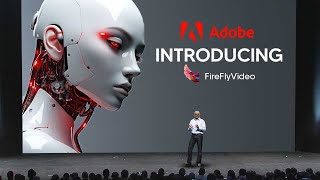
YouTube commentary/review analyzing Adobe’s Firefly video model (presented at Adobe Max). Speakers praise its commercial-safety stance and use of licensed training data, high visual fidelity, strong prompt adherence, temporal/character consistency, and efficiency; the video walks through many example outputs (cinematic portrait, cenote, Red Martian landscape, lava baby dragon, 3D baby octopus, stop-motion, text-as-visual-effects, and image-to-video edits) and highlights integration with Premiere Pro Beta and time-saving creative workflows for filmmakers and motion designers.
Chapters
The Firefly video model is the first publicly available video model designed to be commercially safe. It is really following everything we've done because just like all the other Firefly models, it's only trained on content that we have the right to use. And everything you're looking at behind me was made with the Firefly video model.
So there you just saw it. The Adobe Firefly video model is the first model designed for commercial use that is actually quite safe. And I have to say, hats off to Adobe for doing this, because many video model companies, I wouldn't say exactly, they're shady, but they're not exactly transparent about where they get their footage from. But this video will dive into the Adobe Firefly video model that has shaken up the industry today at the Adobe Max event, where they showcased a bunch of new features in their generative AI efforts to make the product even, even better than it is already. So I do want to start this video by firstly analyzing the video model. I have to say that the video model by Adobe is clearly one of the best video models out there. Now this is an incredible statement because if you are unaware of how ferocious the competition is currently in the AI space for video models, you would be rather surprised. I know many individuals have only been paying attention to SORA when we actually take a look at the quality of these clips. So we can see that there is a high level of clarity on these clips which makes them remarkable to look at. You can see this first clip, the cinematic close up of a detailed portrait of an elderly man in the middle of a street at night. The lighting is moody and dramatic. The color grade is blue and the shadows and orange highlights. The man has extremely realistic, detailed skin and visible paws. Movement is subtle and soft. The camera doesn't move. Film grain, vintage anamorphic lens. I have to say that what this is also a demonstration of from Adobe is that these models actually do have quite the prompt adherence. I do think that one of the largest things that video models do struggle with is prompt adherence because inherently making a video model is quite, quite hard. But when you can actually make a video model that is good at quality, at fidelity, at consistency, and also have that adhere to your prompts in a very consistent way, that actually makes the model more usable than anything else. And I think this example right here is one of those examples. Adobe also showed us this example which is a view of a beautifully lit cenote in Mexico. The water is a clear blue with a sparkle from the late afternoon sun. The color is warm and magic hour style. High quality Cinematic. Now, with certain clips, I always do like to pay attention to certain features because it allows me to gauge the quality of the model and what things it may struggle with and what things it may excel with. And currently with Adobe's model, I'm actually struggling to find any areas that this model is seemingly going to struggle with. For example, when we look at the reflections of the water on the left hand side, we can see that they look remarkably accurate and consistent. And as this character manages to move forward, nearly everything in the frame just seems ridiculously coherent and consistent, which means that, like, from a distance, I would genuinely not be able to tell that this is AI. And somehow Adobe have managed to source the footage to train this model responsibly, which means that not only are they doing, you know, something amazing on that front, but they've also managed to work out a way to get potentially a very efficient training process. One of the things that we do know is that of course, with these video models, they are really computationally expensive and somehow Adobe plans to release this very shortly, which means that they've managed to do this model in a very efficient way, which means that there's some pretty smart people working at Adobe. And if you want to see more character consistency, we can see that with this clip here. And I think this is one of the most important things, because if you aren't familiar with how AI video models work, you won't realize that as clips get further and further from the start point, and as they start to, you know, continue in length and of course change terrains, one of the major problems that they do have is they struggle with this area of consistency. And if you can find a video model that is able to consistently have coherence images that look like they're part of the same background, same video, at the start of it, then you know, you've got a good video model. And that's exactly what we see in this cinematic shot over a vast Red Martian landscape. Which is something that I honestly didn't expect from this model because it's such a hard feat to achieve. So this is one of the things that actually puts the Adobe model up there. And I think the craziest thing about this, which is what I spoke about before, is that Adobe models are integrated into their whole ecosystem, which means we're about to get a ton more in terms of the creative value with creators using this in their projects, and of course, the general public exposure. For those that haven't been paying attention to much smaller video models in the space that more dedicated AI enthusiasts would initially look at. So it's going to be really interesting to see how the wider creative community manages to use these tools. Now, we also have some fantasy areas right here, and I'm not gonna lie, this is one that I really do like, because the movement in this clip is shockingly realistic. If you've ever seen a small reptile move around, you'll know that they move exactly like this. So this was one that I was really surprised because I was watching and there are some really viral videos right now of, like, animals being merged. I'm not sure if you've ever seen those clips, and I've seen the movement on those and they don't look good at all. So this is a macro tiny shot of a baby dragon made out of lava scuttling around inside a volcano. And it looks really, truly fascinating. Now, enough of the videos. I'm going to show you guys some of the really cool things you can actually do with this to improve your projects. One of the things that Adobe actually talks about is that they want to be able to add, you know, from the community, the community have said that they want to be able to add visual depth to existing content by using the Firefly video model to generate, like, atmospheric elements like water, fire and light leaks. Which essentially means that you can actually use these models to generate short clips that you can then merge over existing videos in Premiere Pro, which is really effective because it allows you to up the creativity for small clips that you might not previously have thought about. So, for example, you can see that we generate a light leak here, which is just this. This is exactly what it looks like. Filmic light leaks on a black background, organic texture, realistic. And then of course, the user manages to composite this scene completely. And then we get the final clip here, which is something that looks really fascinating. So for me, this is going to be a big help in terms of looking at what individuals are able to do, because being able to generate these short clips on instant going to be amazing because sometimes you might download a pack of smoke or light leaks and it just doesn't look weird. And you have to spend 40 to, you know, up to two hours sometimes looking for the right small clip that just fits with the motion that you've got at that specific scene. And this is going to be something that works really, really well. Now, Adobe have also spoken about how they've managed to communicate their intent to animators and motion designers or ideating before your own creative processes manages to save time spent on iterations for finding the right style. You can see here that we have this prompt of this cute baby octopus with adorable cuddly eyes, holding a teacup in each tentacle and looking around happily. 3D render, octane, soft lighting, yada yada yada. But the point is, is that this is a remarkable, consistent 3D render that looks really, really good. I mean, it's quite surprising that we're able to get such consistency out of their first video model, which is just really nice. Now what I really do like about this model as well is that it also does text as well. So you can see right here that this stop motion video is something that I genuinely wouldn't have even pegged to be AI due to the realistic nature of this, which means that this model is also able to do certain video styles, which is of course what we saw before where we had the video model flying over in like Speedrun. I'm actually. It's probably not called a Speedrun, it's actually just called a drone shot flying over the horizon. But that kind of shot is quite different from this 2D stop motion kind of shot, which means that this is a truly, truly capable model in terms of the diverse scenes that it can do, which is something that's going to help out creatives a lot because sometimes you want to experiment with different ways to present your video and this is going to be something that individuals want to do. Now you can also see here that it manages to perform with text. Well, as we saw with the. The play area. You can see the word summer is formed from a fluffy iridescent clouds floating in a sky of swirling pastel colors. Yada, yada, yada. It just looks really, really well and it'll be interesting to see how people manage to use this. Now one of the things they also talked about, and I think this is largely one of the biggest areas, is of course the image to video area. And I think this is going to be something that most individuals are going to be using because it's always good to have your source footage and, and expand upon that. So essentially they announced of course, their image to video so you can use a driving image. So this was the start driving image, which is pretty standard image. And then of course they put that a beautiful butterfly is then going to land on one of these flowers and we can see immediately a butterfly manages to land on this. Now, I don't think most people realize the significance of this example. Imagine like you were a filmmaker and you wanted to get like a really important shot that had like some kind of creature on it. For example, you wanted to get a shot for a film where a butterfly lands. Maybe you're making a short film about how a butterfly represents something. I think you're underestimating how long it would take to get a butterfly to land on a specific piece of material. But if you could, you know, firstly pick up the shot and then just enter a prompt, this is going to be something that saves you a huge amount of time and a huge amount of effort. And another thing that individuals often struggle with in filmmaking is of course, fixing scenes initially. Here you can see we have a scene that showcases a hand flicking up a switch. But what about if we wanted to fix the scene because we forgot to use the scene, or we simply wanted to experiment? We could add the prompt. A gloved astronaut hand enters the cable and unplugged one of the yellow cables. That is something that we could easily do. And you can see that the Adobe Firefly model manages to film that and shoot that rather effortlessly. So this is something that I think is going to save people so much time, because I'm someone that's done a little bit of filmmaking before and I can tell you guys firsthand, that is the most time consuming thing that I have. I don't want to say I've ever been a part of, but it was something that was truly, truly time consuming. So stuff like this is definitely going to save people a lot of time. Now, Adobe managed to bake this feature natively into Premiere Pro Beta, and. And I definitely think you guys should try it out. I'm going to play you guys a small clip from Adobe and then the video will be over. So watch this to show you guys how video editing is most certainly going to change, but I think Adobe should take it from here.










