AI Images That Were Impossible before Dall-E 3
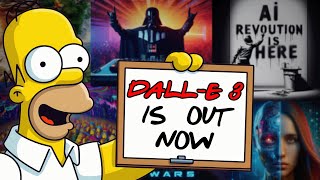
LARRUZ walks through DALL·E 3, showing how to access it free via Bing Image Creator and what it can do. The model recreates specific characters and artist styles with photorealistic detail, handles versus-splits and meme formats, and lets you build prompts from simple to complex. Join the Discord for weekly competitions.
Questions this video answers
October 3, 2023.
100 credits.
About 70 credits.
Announced for ChatGPT+ users in early October (year implied 2023).
Every Sunday at 8pm Central European Time.
Chapters
DALL E3 just released to the public through the Bing image creator and as of right now, it's freely available to everybody and the results are nothing short of incredible. So in just a few hours of exploring, I managed to generate the image of Homer Simpson DJing an underground party. Or look at this one. This is a simple one liner prompt. And of course our Discord community has been going crazy ever since this release. Look at what Hates got in one of his first generations. Just as incredible as midjourney, but with more flexibility, because now we can also do things like this. I just told it an MTV logo for the AI Advantage YouTube channel and it created this image right away. So today we'll be looking at some techniques I discovered and some of the best generations I came across. But first things first, let me show you how to use this, because as mentioned, this is freely available to everybody as of now. It was announced for ChatGPT+ users in early October. But if you go to Bing.com images create link in the description, you will be able to access Dall E3 right here. And it comes with 100 credits. So as you can see, I already used 70 of these in my experimentations. But the process is essentially the same as with any other AI art generator. If you're new to this, all you need is a little text description to what you want to see here. And don't worry, we have a free resource with a bunch of super useful prompts and it turns out that you can simply copy paste a lot of these into Dall E3 and they work equally as well. But then also we have some new possibilities. So let's start with that. Let's look at this logo example because look, I don't want to overhype everything that OpenAI does, but it's so hard not to because you can say something very simple as Coca Cola logo for a YouTube channel named AI Advantage. And there you go, the Coca Cola AI Advantage. Isn't this incredible? I mean, I know we could do this with Ideogram up until now, but the quality wasn't really there. And right now, no graphic design experience here, you just have the AI Advantage. Coca Cola. And hey, it's not perfect, right? There's like some mistakes here, but sometimes it comes out completely perfect. And these are things that are fixed inside of Photoshop in seconds if you know what you're doing. And if you're not, you can just keep regenerating. So let's just change Coca Cola to MTV logo and create another one. I mean, come on this is really impressive. It would be so simple to fix the text down here to be perfect. And there you go, you have a MTV style logo for yourself or your brand. So let's move on to the next use case. And this is kind of a fun one because it's really good at creating memes. Let me just show you. I'll just say AI meme. And my point here is the prompts don't have to be complicated. They can be, and we'll get into that in a second, but they can be as simple as this. And the results are very usable. I mean, look at this thing. This is kind of funny. There you go. I just created a Twitter post in 30 seconds while recording this video. And you can do it too. You can switch out AI for anything else. Let's just try Google meme and see what it gives us. And there you go. This is not as we expected it to, but this reveals another functionality. And it might just be the perfect transition here because you can also create something like a Darth Vader apology video on YouTube. And from what I've seen, it should use the YouTube interface with Darth Vader presenting his apology in a YouTube video. And yeah, expectations fulfilled. Not bad. We'll just generate once more because this was not quite perfect. But what I found is that usually I can arrive at a result that I'm satisfied with within one or two regenerations. I never have to go back in like five to 10 times unless I'm looking for something very specific. So that means the model is really good and it doesn't give many results that are just like, no, this is completely useless. There you are. This is more like it. A Darth Vader apology video on YouTube. Here's another variation. So that covers three different types of basic prompts that you can start using right away. But what if we want to get a little more advanced? What if we want something more specific or artistic? Well, in that case, you will need more specific and artistic prompts. And no need to reinvent the wheel here. If you're following the AI advantage since a while, you will be aware of the midjourney resource that we made freely available to everybody. So I'll include a link to this in the description below. And we'll be updating it for Dall E3, so you will be able to compare Midjourney V4, V5 and Dall E3 next to each other so you can make your decisions. But basically we have all the prompts here on the left side. So let's just test one of these. For example, this eagle. How is it going to do with a photorealistic eagle? All I'm going to do is just copy this prompt over here, paste it in here and say create. There we go. Look at that. These are some impressive results. As impressive as midjourney, but now we have it freely available. Right, let's do some more here. And again, you can just copy paste any one of these and then tweak it after the fact. So how about this one? This one is really incredible. Copy, paste, create. Okay, so here in this case, I would clearly prefer the midjourney generation here, right? But I would maybe need to rerun this to arrive at the same results. Because sometimes we generate it here too, right? We're looking for the best results. We didn't just take the very first one. So let's do the same thing here. All right, so really good job on the pattern. Let's move on to another one here. So this is one of my favorite keywords. This one is called nulling and it's basically a top down view where all the components of something are laid out on the table. I'll just copy paste the prompt and let's create. Okay, so the first attempt is not exactly what I'm looking for. And you know what I'll do because this is so good with short prompts, I'll just remove the latter part of this and let's see what we get here. Maybe it's better with shorter prompts. And at this point let's Talk about the ChatGPT version that is going to ship very soon here. It should be out in early October to all plus users in there. We're going to get a built in prompt generator so you can basically talk to it like a human and it will figure out the prompting part on itself. But. Ooh, right there. I did not expect this, but I really like what I'm seeing. Okay, all right. Not bad. I think I really like this one. It's not what I was looking for, but you can get some incredible results here by just copy pasting the results. So with the nulling I would still go to midjourney. But hey, most people probably don't need that on a daily basis. So let's move on to the next topic here. And that is recreating popular artist styles. And this is one of the biggest strengths here that I recognized. It's not just great with recreating artist styles just like midjourney, but it's also really good at accessing popular characters and brands. So as you saw with the MTV logo or the Coca Cola logo, it doesn't have a problem of pulling that in there. And same thing with Banksy with styles here. So look at these. Some excellent results. And it gets the text kind of rightish here, right? I didn't even ask for specific text. Let's just try and modify this prompt to alter what's written on the wall. We'll just say create an image in the style of Banksy that says, AI Revolution is here. Let's hit create. And here we are. This took about 15, maybe 25 seconds from idea to having the finished mock up right here. I actually really like this. I'll just save this one. So won't forget it. But you see the point here. And at this point, I would like to show you some other generations that we came up with inside of the Discord server to inspire you and to show you further possibilities. So here hates from the Discord ran this prompt. Cave butcher painting of a woman, monochrome. We'll create this ourselves. But look at the result he got. This was his very first generation with Dalle 3. Incredible. I would say this is even distinct from Midjourney 3. This is not the typical Midjourney style. So we're getting a new flavor here, new capabilities and way more access to popular characters and stories. And we'll talk about those next. But I think these artistic capabilities are on par with Midjourney. So this is what we got here. I kind of like hate result more here. But don't worry with more examples like this one, I mean, good luck painting this yourself. And you could totally reapply this style to a popular character. So let's try and do just that. So let's start with this one. A group of elderly people playing bingo. And what I'll do is copy paste this in here and let's just generate one like this. But then I'll try to alter the people into popular characters to show you how well this actually works. So there you go. This is the first result. Arguably, some of the Mid Journey results might be a little better. Not sure. You be the judge. This column is V4. This is V5. This is V5 1. And no actually comparing it like this. It's just the aspect ratio that is different here. I think the quality is very comparable. And the amazing thing that we can do here is we can go into the prompt and say, a group of elderly people playing bingo with Iron Man. And we say create. And there you go. You have Iron man playing bingo with Elderly people. Isn't this fantastic? This just wasn't possible before. And now you can place these characters in these scenes. So if we head over to X.com aka Twitter, here's a great example by Pietro Scirano right here. And he generated this image in Dall? E 3. Super Mario sitting on a dinghy couch. He's sad, and there are empty beer bottles covering the floor. Next to the couch is a picture of Princess Peach crossed out with a large red X. Perfect. And as you can see, it gets Mario right, It gets Princess Peach right. The whole scene, it just works. And here's another one. And this is a look at what is yet to come. Because once this is in ChatGPT, you're going to be able to use the prompt generator they built to create prompts. So here he asked it to create a list of 50 objects and then generated an image of them. And you get this. So you'll be able to use all the powers of ChatGPT to create lists, ideas, or you can even take a blog post that you generated in there and then create a fitting image inside of Dall? E 3, all within the same interface. That's going to be super powerful. And once it's out, you bet I'll be covering that in a separate video. But right now, we get to experiment ourselves. And explode here from the server did something right away that he couldn't manage inside of Midjourney. Although this guy has more time in Minj Journey than most other people I know combined. And right off the bat, he got this result. Very powerful. So then I moved on, and I started prompting popular characters into underground raves. So these are some of the results right here. This was the first one I got. So right here we have Witcher DJing at a club. But there's more. How about Homer Simpson headlining a Psy TR event? I particularly like this one. I think this came out really good. And hey, for the people always asking for the Borat beams to come back. So there you go. You have Borat DJing an underground rave. Or here's another one of Batman and Spider man appearing at some underground rave. Mahatma Gandhi DJing. Darth Vader. Homer Simpson in underwear DJING at an underground rave. You get the point. So I have two more things that I want to compare here. One is this particular prompt. I love the results so much that I actually had this printed. If you look in the background of the frame, this picture right here is generated inside of Midjourney. By the way, shout out to the Creech. From our Discord server for coming up with these prompts and Filip for running a lot of these generations. But as you can see right here, it does a few fantastic job at creating this digital landscape equally as good as this one. Now, it lacks the character, but when you run this multiple times, you will find that the character appears here and there, just like with Midjourney. So sometimes you just have to regenerate and pick the best one. But as you can see, this is very effective. But that's not all. So here we go. That's actually quite similar output to this one. Right. But to top things off, I want to show you one capability that I was particularly surprised with, and that is its ability to generate images like these. So this is one of my favorite midjourney prompting techniques, and you can simply use the keyword versus to juxtapose two various images and then it splits them in the middle and you get these absolutely stunning results. So let's just hit create and see what we get here. Wow. I mean, come on, let's switch this up to AI versus human nature. Yep, this did not disappoint. Look at these results. Wow. Or this one. I don't even know which one I like the most. These are all incredible. So feel free to experiment with versus meme logos. And yeah, just go ahead and check out the full free resource we put together here. You'll be able to really easily contrast midjourney with Dall E3, and you have all the prompts right here for you to copy and paste. So if you want to learn more about this, the best way to do it is with a little community. And luckily we have one inside of our Discord server that specializes in AI art. Particularly every Sunday at 8pm Central European Time, we have this little competition where we just try various techniques and there's a little bit of prize money on the line. But essentially it's a little group of people who do this on the daily, sharing what they found and what they learned throughout the last week and discussing AI art. So if you want to learn more, that's the perfect opportunity to to kind of get your feet wet. And also feel free to share some of the Dall E free generations in the server, as so many other people are doing. And if you want to learn more about AI art prompting, which is a little different from ChatGPT prompting, check out this video that talks about this full resource in detail. And good luck generating. I'll be honest, this is the most fun I've had with AI in a few months. And I can't wait to have more than 100 generations available because I'm almost out here. And one more thing. Don't forget to have some fun while you're out there generating images.










