AI is Now Powering All Microsoft & Google Products (Gmail AI + BingAI on Safari & more)
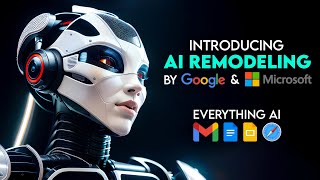
Microsoft is rolling out Bing AI to Safari and other browsers, while Google is adding generative AI to Gmail and Workspace. Both companies are racing to embed AI into their core products, reshaping how millions work daily.
Chapters
Microsoft and Google are now integrating AI into every single one of their products. So I guess now AI is taking over everything from search engines to productivity apps. In this video, I'll explain the most recent advancements in AI from these two major technology companies and how they're trying to outperform each other in providing superior AI features to their users. Alright, let's get started. First, let's talk about Microsoft and its Bing AI Chatbot. It has been available online since February, but only only works for Edge, Microsoft's own browser. That's because Microsoft saw Bing's exponential growth as an opportunity to push Windows 11's default browser to more people. But that could change soon as the tech giant finally prepares to expand Bing AI support to other browsers such as Safari and Chrome, according to a report by Windows. Latest Microsoft briefly tested Bing AI support in Apple's Safari over the weekend, but the support was rolled back in seconds, a Microsoft support staff confirmed the company tested expanded Bing AI support with some users. In their tests, they noticed that Bing AI beta in Safari seems to be the same experience as the existing site in Microsoft Edge. By bringing Bing AI to more browsers, Microsoft could increase the market share of the search engine and explore new ways to push users to Edge via Bing. This could be a big win for the adoption of Bing, but but Microsoft is also teasing some big Bing AI updates that could make it even more engaging and useful in an email to some Microsoft account holders, including Windows Latest the Redmond giant asked for feedback from Bing Mobile users. The feedback form seems to suggest new features are on the way to Bing, including new AI tool recommendations. Bing can soon suggest AI apps or tools for users. Microsoft is also considering a new community dedicated to the AI community, a platform for users to interact, discuss and learn about AI with each other, the feedback form reads. Another change could turn on support for characters with personalities in Bing AI. This is similar to an experimental feature modes we previously spotted in Bing. Bing can mimic human like personalities like Elon Musk as part of the character update. This could result in a more engaging experience, according to the tech giant. They may also reduce limitations and cut down on restrictions within Bing chat, allowing more flexibility and increased performance and reliability enhancements to the speed, accuracy and consistency of AI functions, Microsoft noted. We don't know when the company will begin rolling out these Bing AI updates, but the search engine is expected to gain support for plugins in a future release. Plugin Support like ChatGPT was confirmed at Build 2023 developer conference where Microsoft announced Bing powered Windows Copilot for Windows 11. With plugins and Windows Copilot, Microsoft could deeply integrate Bing into the operating system and significantly improve its market share. So that's what Microsoft is up to with its Bing AI chatbot. But what about Google? How is Google using generative AI in its workspace apps such as Docs, Slides, Gmail Chat and Meet? Well, Google has been using AI for a long time to make its products more helpful and smart. For for example, you probably know about Smart Compose and Smart Reply in Gmail and Docs, which help you write faster and better by suggesting phrases based on your context and style. So in March 2023, Google announced a new era for AI and Google Workspace, where it introduced a first set of AI powered writing features in Docs and Gmail to trusted testers. These features use generative AI to help you create content from scratch or refine existing content with suggestions from for example, in Docs you can now type in a topic and have workspace help you go from blank page to first draft. You can also use generative AI to summarize long documents or generate smart chips that link relevant information such as people or events. In Gmail, you can now use generative AI to write professional emails with context based suggestions for tone, style and grammar. You can also use generative AI to convert meeting notes into polished emails with just a few clicks. These features are designed to make writing easier and faster while also respecting your privacy and data governance. Google says it builds safeguards against abuse, protects the privacy of user data, and respects customer controls for data governance. Google is also using generative AI to help you bring your creative vision to life with auto generated images, audio and video in slides. So you can now use a new feature called Help Me Visualize in Slides to create stunning presentations with main minimal effort. All you have to do is type in what you want to show on your slide and Generative AI will suggest relevant images, icons, charts, diagrams or videos for you to choose from. You can also customize the suggestions by adding filters, keywords or colors. To be honest, this feature is amazing because it saves you time and hassle of searching for the right visuals for your presentation. It also helps you communicate your ideas more effectively and creatively with your audience. So how do you use this feature in slides with well, it's very simple. Let me show you a short step by step guide on how to use it. Step 1 Open a new or existing presentation in Google Slides. Step 2 Click on the Help Me Visualize button on the top right corner of the screen. This will open a sidebar where you can type in what you want to show on your slide. Step 3 Type in a phrase or a sentence that describes what you want to visualize. For example, if you want to show the benefits of AI, you can type in AI Benefits. You can. You can also add modifiers such as for education or in healthcare to narrow down your search. Step 4 as you type, generative AI will suggest relevant images, icons, charts, diagrams, or videos for you to choose from. You can scroll through the suggestions and click on the ones that you like. You can also use the tabs at the top of the sidebar to switch between different types of visuals. Step 5 Once you select a visual, it will be inserted on your slide automatically. You can then resize, crop, rotate, or edit it as you wish. You can also add text boxes, shapes, or animations to enhance your slide. Repeat the process for each slide until you finish your presentation. You can also use the Help Me Visualize feature to edit existing slides by selecting the content that you want to replace and typing in a new phrase or sentence. And that's it. You you have just created a beautiful presentation with the help of generative AI in Google Slides. Of course, this feature is not perfect, and it may not always give you the best suggestions for your topic. It may also have some limitations such as availability in certain languages or regions, or compatibility with mobile devices, but Google says it is working to improve this feature and make it more accessible for everyone. Now in the race for AI dominance, both Microsoft and Google have recently announced plans for AI enhanced search capabilities. However, the current standing between these two tech giants appears to favor Microsoft. Google's launch of its chatbot Bard experienced a significant setback due to a mistake during its demonstration, resulting in a considerable drop in Alphabet's market value. In contrast, Microsoft have done a successful application of OpenAI's ChatGPT technology in enhancing its Bing search engine and Edge web browser, which has driven considerable public interest and positive feedback. However, as we have seen in recent days, ChatGPT has also faced some inaccuracies indicating that both companies still have challenges to overcome. As Dan Ives put it, this race is expected to be a long one, implying that the current standing may shift over time. I'd like to hear your opinion on the AI transition happening with Google and Microsoft. Which company do you think is better positioned? Let me know in the comments below. I hope you enjoyed this video and learned something new. If you did, please give it a thumbs up and subscribe to my channel for more AI and tech news and reviews. Thank you so much for watching. And I'll see you in the next one.










