Apple Intelligence: Use Cases You Should Know About
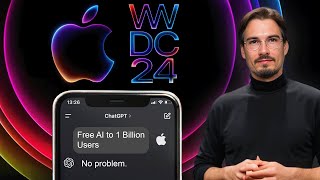
Apple announced Intelligence, a suite of AI features coming to iPhones, iPads, and Macs this fall. On-device models handle personalization and image generation, while cloud processing stays private with no data storage. Siri gets smarter, notifications filter by context, and new writing tools proofread and summarize.
Questions this video answers
June 11, 2024.
Beta in summer 2024; general rollout in fall 2024 (around new iPhone release).
Only iPhone 15 Pro and iPhone 15 Pro Max (previous iPhones excluded).
iPads with M1 chips or newer; Macs with Apple M chips.
OpenAI / ChatGPT (a native integration into iPhone, iPad, Mac).
Chapters
Oh boy, oh boy. Apple just came out with their WWDC keynote and they announced a bunch of AI features, including a ChatGPT partnership and so much more. There's actually way more to cover here than I expected initially. And we're going to break down everything you need to know concerning all brand new Apple AI announcements that are releasing in beta over the summer and are going to be on all iPhones, iPads and Mac devices in September. So let's take this step by step because as I mentioned, there really is a lot to unpack here. Okay. And there's several categories of AI announcements they just made during this event. The very first one being their very own model. They did not explicitly say this, but it was clear that they segmented what they can do by themselves as Apple with the proprietary models with stuff that they're using ChatGPT for. So their own model they're using for the on device AI and image generation. So let's talk about what exactly that means for you as a user of all this. But hold up, before we get into all the details here, one super important thing I need to address. When is this becoming available and what devices will be able to use everything we're going to talk about here, like the improved Siri or ChatGPT generation. Well, this graphic on their website says it all almost. In the presentation they pointed out that the beta is going to become available this summer. And then all of these Apple intelligence features, including Siri, ChatGPT, everything else are going to be coming to all of these devices in fall 2024, probably somewhere around the release of the new iPhone end of September. And there's one thing I need to highlight here which makes sense from Apple's perspect perspective, but a lot of people are not going to like this. No previous iPhones except of the 15 pros or the Pro Max are going to have Apple Intelligence. Meaning even if you upgraded to a new iPhone this year and you didn't end up getting the Pro version, well, if you want these features, you'll have to upgrade this year. As of iPads, you need M1 chips or newer. And with all the Macs, it's pretty straightforward. You need an M chip to run all this. Okay, so with that out of the way, let's talk about all these new features. So starting with the Apple models, and they don't call it this if you're following this channel, we cover all the iterations in the various models. Opus coming out, GPT4 all coming out, being better than GPT4 these are various large language models that have different capabilities. Apple chose a different style of communication as they're talking to a billion people, their user base, everyday consumers that are not that deep into this stuff. So what we got here is a multitude of models. They did not give us the details because they don't really matter. It matters what you're going to be able to do with it. And there's a lot. Matter of fact, there's more than I expected. And no worries, we're going to talk about all the specific use cases in a second here. But before that, I got to add that everything we talk about here is going to be system wide, not just limited to Apple apps. All right, Meaning all your favorite third party apps will have access to these features too. Amazing. So what can this new Apple intelligence actually do with your phones and Macs? So, first things first, and this one got me very excited, is that it will be able to prioritize your notifications for you. In other words, depending on your personal context, that the phone will automatically gather. What this means in practice is that it will be looking at your messages, your calendar, your notes, even your photos and videos to give you a better personalized experience. This is a word that you'll hear a lot today. Personalized because by looking at all of these different parts of your phone, it can prioritize certain notifications over others. Other things are important if you're at work versus when you're at dinner with your family. The next thing that they'll be integrating into iPhones, Macs, iPads is various writing tools. And these are very basic, but they're also the most used ones. If you're a power user of tools like GPT4O, it's changing the tone of things to be more conversational or shortening a text. There's only a handful of these, and I would like to highlight this option to describe your change, where you're essentially prompting it in a custom way. So even though they had a quote in a presentation saying no need to engineer the perfect prompt, yeah, there's no need, but doesn't mean there's no value left to it. I've been saying this since a while, but if you want this intuitive user interface, it is there for you. One funny side note is that they sort of revealed one of the prompts they're using here for the proofreading. So basically what happens if you hit this button that it checks the text you wrote for grammar, spelling and sentence structure? Something up until now you had to prompt manually. Now it's a button. And this theme spans throughout the whole announcement. All of these improvements, what you see right here, are accessible in the entire operating system also for third party apps. So this is not going to be limited just to their notes app or their mail app. No. All of your favorite apps will be able to introduce some of the features we talk about here. But now to the next one, which is summaries. And these span really across the entire os. Whether you receive an email or a message, it's going to be able to summarize everything for you to get you the essential information. I really like this in the context of emails because a lot of times the sender gets to decide what part of the email they show you. Now, this is going to be replaced by AI generated summaries that happen on your device. By the way, we'll talk about privacy in a second here. I know many people are concerned, and rightfully so. But look, there's more. There's not just this writing assistant, there's also the ability to transcribe wherever you are now. So there's examples of phone calls happening where you can just summarize what the phone phone call was about. All of these AI capabilities that you had to do manually now will be integrated right there. It's just going to be the press of a button or not even that. It's just going to happen automatically in the background. And it can look like this feature that they implemented. I'm a big fan of this one, by the way. If you know me personally, there must have been a point in time where you were frustrated with the fact that I set my phone to do not disturb way too often. I just can't focus on any work if there's notifications popping up. And there's this new mode which is called Reduce interruptions, which is a middle ground between having notifications on and having do not disturb on. Because these Apple models will look at the message, they will look at the context of it while considering your calendar or other conversations that you're having. And it's only going to surface the notification if it's relevant to you. How well will this work in practice? We shall see. Everybody will have access to this by September, which is not too far out. But I really like this idea. It feels like something that I would have set up on my phone most of the time. I want to reduce interruptions in my life pretty much all the time. And one more feature related to this text and summarization capabilities is the fact that you can have smart replies. So Basically, if you want to reply to a message, you can now have a little toggle interface where you basically can say, hey, will your partner be joining yes or no? Or will you be taking an Uber or driving? No need to type out everything. You can do it with one hand. Pick the reply, and the large language model drafts a response for you, and then you can edit it or send it right away. Okay, so those are some of the text and transcription capabilities. Pretty nice, pretty nice. Not going to lie, I'm looking forward to some of those, especially the new notifications and the prioritization. But there is more, way more, because they released some new image generation features that are going to be implemented. We'll talk about those now. And they overhauled Siri, even offering a ChatGPT integration. No worries. But we'll talk about it all. But we need to understand these image generation capabilities before we move on to Siri, because Siri brings it all together. Okay, so what is this image generator all about? Well, at its core, it's a decent image generation model that can do freestyles. None of those are realistic. Okay. Concretely, their animation, illustration and sketch. Important side note, none of these are photorealistic. So, you know, deepfakes are not an issue. But they also circumvented the biggest challenge in AI image generation, which currently not many models got right. How's the quality of these models? It's okay. Obviously nowhere close to leaders in this space like midjourney, but hey, all of this will be free and integrated right on your device, if you have the right device. By the way, it also does something that is referred to as fine tuning, where it regenerates images of you with the AI image generator. I mean, to be fair, it sort of looks like you turning her into a pretty generic but close enough type of image like this. And again, this integrates into everything. So you get to write messages with them, you get to add it as a contact. And there's actually one kind of fun thing here that I think people will be using a lot, and that is creating custom emojis with AI. They call this Genmojis. But basically you can express any sort of mood you might be in with the power of these image generators. This is what that would look like custom emojis for you. That's kind of fun. But there's more. Actually, there's a whole set of smart features that are integrated into various apps. So, for example, this shows a notes app where you have a sketch that you just quickly throw up with your pen. And using the image generation model, you can turn the sketch into a more detailed version of it. Great. Even better than that, it supports a feature where you can just draw on a certain part of your notes and it will generate the image in there, depending on what it sees on the screen. Right. It takes the context around it into account. So in other words, because this text is talking about architecture in India, it will generate an appropriate image that fits here. Just imagine you're creating some sort of presentation or word document. It's going to be really easy to enhance them with AI imaging. Now for everyday users, no need to round trip to Discord or installing a local model. It's just right there. All you need to do is circle and it works. This is what AI adoption looks like in practice. Nice. They also shut off this cleanup tool. This is very simply described. And actually Google Photos released the same thing last week. If you're following our Friday show where we update you on all the new AI use cases that come out every single week, you basically roughly draw around the subject and it just figures out what to do and in order to remove it. Oh yeah, and there's also this feature where they look at your photos and actually understand what's in them. And then if you want to edit them into a little movie montage, then you can do that with the power of AI. So you just give it a little prompt there at the bottom as into what you want to create and it picks and arranges them for you in a way that is apparently better than what we have right now. Very much looking forward to trying this out. This is really a baby step towards full AI video editing capabilities. And that brings me to the next point. And this one was so surprising to me, I still haven't wrapped my head around it, to be fair. They're going to allow you to semantically search over all of your photos and videos. In other words, you can tell your phone about any subject in any picture that you have on your phone or video and it will pull up those videos. And this surfaces one of the big questions I have with all of this stuff. How deep does the personal context it looks into go? If I'm going to be receiving a new email, will it be looking at videos from 2009? Probably not, but it could, right? Not to get too technical, but it seems almost impossible to create embeddings for all photos and, and videos that people have on their phones. I mean, people use this as an external hard drive these days. They just never clean the phones. And now all of that is going to be accessible by these new large language models as they help you in your everyday life. I don't know, we'll have to wait to see how deep that personal context really goes. But that's a big deal because there's a lot of data on your phone and we haven't even considered the data that comes from the Apple Watch or your everyday usage of your computer. They haven't talked about that, but it's sort of implied. I mean, if it's looking at your calendar and all your videos, well, in the same breath we should also talk about privacy, which they made a big deal out of. They have a brand new animation where the Apple logo kind of unlocks. That's pretty neat. And they made it clear that all of these Apple intelligence features are extremely secure and private. Matter of fact, they stated that everything that can be processed on device is happening in that way. But obviously a lot of these computations, especially when we talk about the ChatGPT integration in a second here, will not be able to happen on device. You just cannot run GPT4O on an iPhone. It's too large, too demanding. So for that you need to go out and you need to send a request to the cloud. Now when that happens, you kind of lose control over your data. Now they have an answer to that too. They called it private cloud compute. And what they promise with it is whenever data goes out to the cloud, it is never stored and it is auditable by experts. And they stated this multiple times and backing it up with the fact that all of this is going to be happening on custom Apple servers that are built for specifically this, resulting in all of these Apple intelligence being aware of your personal context without collecting any data. And for anybody who's new around here, just a quick Primer on local versus cloud models. You can run a lot of these AIs that we have these on your local device even if you don't have a very beefy device. Models with smaller parameter sizes like Meta's, Llama 8B, I think that would be kind of the king in terms of performance versus size. Right now you could run this thing on most MacBooks. Matter of fact, I have a video on the channel showing you exactly how to do that. And it works. If you turn off your Internet because you have the model locally, it only has 8 billion parameters, but the big models have way more than that. Well, we don't know exactly what the numbers are. OpenAI hasn't published them, but they're training right now to compete with GPT4 and GPT4OH will be 400 billion parameters in size. And if you're new around here, just a quick primer on model sizes. There's really small models and there's really ginormous models. Something like GPT4O is massive. They haven't even released how large exactly it is. But a competitor from Meta that is training right now will be 400 billion parameters. That's going to be the llama 3 400B. Now, if you want to fit the model onto the phone, meaning you do not need the Internet, you do not need to send anything to the cloud to run the model locally, you're going to be looking at something like a 8 billion sized model. Now these are very limited and they don't have as much or as density deep of a knowledge of the world as these larger models. But you don't need that if you're just summarizing or if you're just generating one tiny image. And that's while having local models for everything that can be done locally and then going to the cloud if necessary is a fantastic combination. But the privacy issues are the concerns. So I'm definitely curious to hear more details about their privacy approach. But again, this type of stuff didn't even show up in the presentation because it doesn't matter. At the end of the day, you're going to hit a button, it's going to summarize, you're going to hit another one, it's going to do something more advanced, you're not going to know if it's going to the cloud or not. It's like going into that sometimes. So you can understand how these things work under the hood in order for you to get the most out of all of these tools that are coming our way. Oh, and if you're enjoying this video, don't forget to hit the like button. It really does help out the channel. Okay, so now let's bring it all together and let's talk about Siri. Because that's exactly what Siri does. It brings it all together. You're going to be able to use a voice interface, by the way, no new voices. A lot of people expected something like the GPT4 announcement. No, same old Siri voices, which are decent, but the capabilities changed a lot. First of all, the new Siri has a new look. And whenever Siri is working, you can see this little pink purplish type of glow to indicate that you're using Apple Intelligence. Gosh, Apple Intelligence people are barely getting used to the word artificial intelligence. And now they're changing the definition or what? Anyway, this is the new logo for Siri and everything we talked about will be accessible through it. Plus so much more because Siri already integrates with actions. They're actually called shortcuts on an iPhone. You might be familiar with them. And these are automations that can happen on your phone that are already there today. It's just not easy to access them for the current Sierra Siri because it's pretty clunky. You gotta be super specific. And now Siri is going to be powered by LLM, meaning you can make mistakes as you speak. You can speak at different paces, you can leave out certain words. It's going to understand the context of the sentence and you don't have to get every single thing right. So something like Siri set an alarm for. Oh wait, no, set a timer for 10 minutes. Actually make that five. It's going to be a command that understands where, as of now, Siri would refuse to collaborate with you. And that's the reason why I have her turned off on my phone right now. It's just not good enough. Except for setting timers, maybe. And you can start making these requests like you would to a human, which just didn't work up until now. If you say, show the files June sent me last week, it needs to understand who is June in your contacts, which June you may be referring to. And it needs to know about all the files and email communication from last week. Now that it has all this access. And not just that it has all this understanding of this context, it is able to perform actions like this for you now. Yes, this is a very first look at this exciting agentic feature where our devices perform some of the work for us and don't just assist us in us performing the work. Oh, and if you thought that Apple has already enough data on you, well, Siri is also looking at your screen. So when you're using her, she will be able to see what you're doing right now and use that context, recognize all the images, the people, the context of that within your day. Because it also sees your calendar, it will be able to consider all that to make better recommendations or take better actions. Right now we've seen something like this during OpenAI's GPT4 announcements. If you're not up to speed on that, you definitely got to catch up there because those capabilities are even more advanced than what we see here. But you're going to have them in here, right? You can just install the ChatGPT app on your iPad here and just use it as a part of your workflow. And then the even more advanced voice assistant that is able to pick up on tonality and assist you with the multimodal model is going to integrate into here. As a matter of fact, you might not even need an external app because they announced a collaboration with OpenAI where ChatGPT will be seamlessly integrating into iPhones, Macs, iPads, all of it. So look at that. There's no icon here. When I open my ChatGPT app, there's an icon here on top. But what they're showing, it's natively integrated into the os, making Siri even better, because all the stuff that we talked about here, you might have caught the fact that there's no advanced features like data analysis or writing or accessing all of the deep knowledge that GPT4O has. These local models, they're not going to excel at writing backstories or simulating conversations between some of the greats in history. This is stuff that GPT4O is good at. And now it's going to integrate into everything. Just because OpenAI is so far ahead. Apple just had to sort of partner with them, and I'm really looking forward to that because all of their innovation is going to go right back into my devices today as a consumer, that's great. If they get the privacy piece right, which, you know, they seem to be on the right track and everything. And one thing, as a ChatGPT power user, I think that's fair to say. I mean, it's sort of all I do, and then I teach you guys what I find along the way on this channel. So as a power user, I'm really excited for the fact that actually all the advanced features are going to be coming to this integration too. So if you have a paid plan and the voice assistant will roll out, it's going to be natively integrated. And then my guess is that the chat histories will just translate from my Mac mini to my phone to my MacBook to my iPad. And yeah, if you didn't know, I'm a heavy Apple user. I really like the convenience and I do a lot of creative tasks. I just like the ease of use. But with that being said, for most of my life, I always had a PC on the side for specific applications, or now I'm looking at it to run some of these more advanced large language models locally with rag. So I really have full control. Anyway, these are the Apple innovations. But there's one more thing we need to point out. And that is that all of this is going to be available to developers. I mean, heck, this was the developers conference and I was kind of surprised. I mean, it makes sense in hindsight, but I was sort of surprised that they opened all of this up to third party developers. Meaning you can enhance your own apps with these integrations. There's a whole developer kit they call Sirikit, just so you can integrate that deeply into your own applications. So as a consumer, this means that by fall 2024, all of our Apple devices are going to be running large language models, image generation models. With all these little quality of life improvements across most relevant apps in the App Store, you're going to be able to use all of this for free. If you have one of the compatible devices, that is. And that's it. A summary of the events that announced AI features for the largest amount of devices and therefore people in human history. So yeah, it's official. AI is going mainstream and they even have this tagline saying AI for the rest of us. In other words, this is AI for all the people who are not watching this type of channel. Because we do like to go deeper, we do like to do custom prompts, we look at all the bleeding edge innovations, but now they're all being natively integrated into the devices that you might already have. That doesn't mean I'm stopping with the in depth coverage and the tutorials on how to get the most out of this technology, matter of fact, it means the exact opposite. Once we'll have this, I'll show you how to get the most out of it, how to create the custom shortcuts. We're always looking at how to get the most out of ChatGPT and similar applications. So subscribe for more content like this if you want to stay on top of this technological revolution happening right in front of us. And if you're not sure where to begin learning more about this, we have a newsletter that comes with a massive template that you get for free on signup. That newsletter and the template are my best attempt at helping you on your first steps in sign staying up to date with all this madness. All right, that's it for today. Have a good one.










