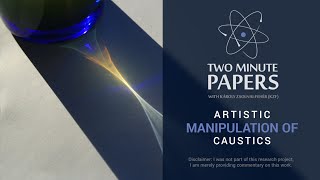
A Two Minute Papers YouTube episode (Two Minute Papers #48) hosted by Károly Zsolnai-Fehér explaining caustics and presenting a paper that gives artists algorithmic control over caustic patterns in photorealistic renderers. The technique lets users specify a target pattern and obtain a blend between physically simulated caustics and the artist’s desired appearance; it also supports animated sequences. The video recommends Blender and Cinecat Pro tutorials for artists and includes a short cameo from Cinecat Pro discussing physically based shading.
Chapters
Dear fellow scholars, this is two minute Papers with A Caustic is a beautiful phenomenon in nature where curved surfaces reflect or refract light, thereby concentrating it to a relatively small area. If it's not your favorite visual phenomenon in nature yet, which is almost impossible, then you absolutely have to watch this episode. If it is, all the better because you're gonna love what's coming up. Now if you imagine that we have a photorealistic rendering program that simulates the path of light rays in a scene that we put together and creates beautiful imagery of our caustics. However, since we humans are pretty bad at estimating how exactly caustics should look like, one can manipulate them to be more in line with their artistic vision. Previously we had an episode on a technique which made it possible to pull the caustic patterns to be more visible, but this paper offers a much more sophisticated toolset to torment these caustic patterns to our liking. We can specify a target pattern that we would like to see and obtain a blend between what would normally happen in physics and what we imagined to appear there. It also supports animated sequences. Artists who use these tools are just as skilled in their trade as the scientists who created this algorithm, so I can only imagine the miracles they will create with such a technique. If you are interested in diving into photorealistic rendering, material modeling and all that cool stuff, there are completely free and open source tools out there like Blender that you can use. If you would like to get started, check out CineCat Pro's YouTube channel that has tons of really great material. Here's a quick teaser of his channel.
Thanks Karai. Over on Cinecat Pro I do a bunch of art related videos and I also a while back did a physically based shading series talking about how light interacts with materials and how we can model that in Blender Cycles, which is a renderer that Karoi has used on a couple occasions to show off ray tracing. It's actually a really fun program and worth checking out. If 3D art or anything in that vicinity is your jam, maybe come check me out and yeah, thanks for the time Karoi. And back to you.
Thanks. There is a link to his channel in the description box. Make sure to check it out and subscribe if you like what you see there. I just realized that the year has barely started and it is already lavishing in beautiful papers. Thanks for watching and for your generous support and I'll see you next time.