Best Apps For Stunning AI Art (Midjourney Alternatives)
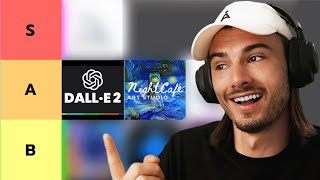
LARRUZ ranks AI art generators from S to F tier, with Midjourney V5 at the top for photorealism and human figures. DALL·E 2, NightCafe, and Leonardo AI land in A tier, each with different strengths in custom models and image quality. The video covers dozens of tools and includes a Wirestock sponsorship for selling AI art.
Chapters
AI art generators have been all over the Internet lately, and for good reason. They can be really useful and they're actually a lot of fun. But not all of them are created equal. And this can make it really hard, especially now that Midjourney removed their free trial. So if you ever wondered what other alternatives are actually out there and which ones of those are actually useful, you're in the right place. Because now I'm going to show you a ranking of my favorite AI art generators and a bunch of examples to help you decide. So let's get started from the top by looking at the very best ones first. And as you might already know, the best one right now is Midjourney V5. And now 5.1 is even better. So that's why it's S tier. And if you're not familiar with these tier lists, it's very simple. This is similar to grading with school, with S tier being just perfect. So down here, F is the worst and S tier is the best. And the reason Midjourney is the best is because it's very aesthetic and they managed to fix the issue with human hands. They mostly fix teeth, bodies and human faces. And they're also the best at generating photorealistic images. And I don't think this is a large discussion. Most people that use AI art Extensive would agree that Midjourney is king right now. And I just quickly want to note that in the free resource that we published, we updated all the prompts to 5.1, so now you can really compare the difference between the three models to gain a deeper understanding of why it's the best right now, as per usual link in the description. All right, so Midjourney is best, but what's the problem? Well, it's quite simple. They charge for their services and they now remove their free trial. So you don't get 25 images for free anymore, as you did over the course of the last few months. If you follow the server closely, sometimes they re enable it for a few days, but usually it's going to be paid. And that brings us to our next tier here, because most of these underneath Eve are actually free to use. And in our A tier category here, we have Dall E2 by OpenAI, we have Nightcafe Art Studio, and we have Leonardo AI. And all three of these are very different. So let's talk through them one by one. So Dall E2 is a model created by OpenAI, and it's particularly interesting because Dall E2 is actually based upon a custom model. Most of These other ones are based upon Stable Diffusion, which is the most popular AI image generator that is fully open source, so anybody can build on it for free. Dall? E And now Dall? E 2 is different because they built their own model, and if you didn't know, also Journey is different in that way, and that's why they're better. Any further details are not known to the public, but all they state is they have their own model now, which seems to be better than all the stuff out there, and that's why they're doing so well. So how do you use this? Well, you're going to need an OpenAI account, just like you do with ChatGPT. And then you can go to labs.OpenAI.com and start generating images with Dall? E 2. And there was a wait list for this first, but around the end of 2022, they just put it out to the public and everybody can use it. So you can upload images, you can take inspirations here, or you can just use the text to image features in this text box. And that is pretty much Dali. And the quality here is very high, especially when it comes to cartoonish or abstract items. But I do have to say this. When it comes to generating humans characters, like anything that involves humans within the picture, which is actually one of the most common motifs that you will want to generate in a lot of the cases, Dall? E 2 is not great. And what we did is we generated the first two example prompts from our resource here. So look, this right here are the results you would get with midjourney. And here is what you get with Dall? E2. So. So really no detail in the face. And if you look at the ballerina, this is just very different. So if you're looking for this stylized look within humans, it's fine. But if you're looking for photorealistic images of humans, none of the models presented here are as good as midjourney right now. That's just a fact. But with that being said, let's move on. And we'll keep these two examples in mind as we rerun them for all of these image generators. Okay, so next one on the list is nightcafe. And this one is actually super easy to use and yields very good results. All you need to do is go to nightcafe Studio, and again, all the links will be in the description below. And all you need to do is with nightcafes, just create an account and you can start generating. And even these daily challenges are kind of fun to participate in. And as you can see, these results are really good. So while crafting this tier list, we also considered user friendliness. And nightcafe is very user friendly because it offers some of these presets, competitions and a lot of quality examples for you to get inspired. And what intrigues me personally about this is that they have this social feature. Plus the quality of this image in particular is just excellent. This is a 10 out of 10 when it comes to generating this type of image, and that's what I love here. It might not be able to do everything, but the things that it can do are excellent and that's why I would recommend it. And for nightcafe, if we do our little comparison here, it's just going to be absolute catastrophe for the app because it's based upon stable diffusion, and stable diffusion by default is terrible at humans. It will create these monstrosities that I will show you now, so just be prepared. So here's what it did for the image of the homeless woman. As you can see, the environment is okay and actually quite good. But when it comes to showing the people, it's absolutely unusable. It's at least smart enough to cover up that fact in some of these other images. And when it comes to ballerina, that is kind of the ultimate test, because you have to get the anatomy right, you have to get the face right, and usually the body posture. Answers are quite extreme, but they need to make sense, otherwise us humans will pick up on the fact that it's not right. So now have a look at the atrocity that this produced. Well, there's like 50 things to critique here, so we'll just close it off. And now you know that this is not meant to be used for humans. Okay, let's move on to the next one. So the next one is Leonardo AI. And Leonardo is interesting because it's free. Ish. Currently it comes with 150 credits a day if you get an account. And in order for you to get an account, you need to sign up to early access with your email, from what I've heard, usually takes three to five days for you to get accepted. And then you can start using your free accounts every day. And don't get thrown off by the fact that they market this to be a game asset generator. This is excellent for so many other use cases too. So again, they're really marketing this towards game designers. But if you look at the examples of the homeless woman and the ballerina, you will find that Leonardo yields some of the best results here. And the reason for that is that once you're inside the app, you get to pick from various models and some of them are actually quite good with humans. Look at this. This is not perfect, but it's quite good. And I would say the homeless woman is actually quite usable. So Leonardo is really great. And what you'll see once you're inside is that you get all these various models to pick, pick from. So Leonardo Diffusion is a fine tuned model of stable diffusion that is dark and very aesthetic in my opinion. I really like this one. And with this deliberate model, you will actually be able to create decent humans. And there's many more in here. And one more thing that I should point out is that it actually allows you to fine tune your own models. So I could actually take one of these models and train it further with my own data, which is absolutely amazing and it's so user friendly on here. Honestly, this is shaping up to be one of the best AI art platforms as their mission is trying to be the Photoshop of AI art. So I strongly recommend you check this one out. And again I get a bunch of these credits, which is more than enough to get you started. And now I want to take a moment to tell you about a possibility that you could use to make some extra money on the side with your AI art generations. And that is through today's sponsor, Wirestock. It's the easiest way to sell your AI generated art. With over 230,000 creators and more than 9 million media items, Wirestock makes it a breeze to upload and sell content on the world's largest stock marketplaces. And as we are discussing AI generated images today, it's important to mention that not all of these platforms accept AI generated art. But with Wirestock, you get to upload to Adobe Photo Pond 5 and deposit photos simultaneously. All of those three are good to go. And if you sell images on there, you're going to get an 85% cut. Additionally, creators get individual portfolios for free where they can sell content directly, create collections, and even sell prints. But it should be noted that you need to upscale your images before you upload them to wirestock, otherwise they won't be accepted. Right now there's many tools to do that, but very soon they're releasing their very own AI upscaler that will help you upload the to their platform. That's going to make it super easy to enhance and upscale your AI art so it has the necessary resolution for all of these sites to accept it. And guess what? They're going to be Integrating that with Discord, which will allow you to directly send images from Discord to Wirestock and they will distribute it to the partner marketplaces, making everything as seamless as it could be. So here's the deal. With Wirestock, you get direct access to selling on the world's largest marketplaces without the hassle of separate signups, extensive forms or payment on multiple sites. And all that for a 15% fee. As someone who has been uploading and selling stock photos and videos since seven years, let me tell you that's a good deal. Especially when generating some of these images takes seconds and then distributing them amongst the platforms will take beginners hours. So if you're an AI artist or just looking to sell your creative work online, give Wirestock a try. Click the link in the description to try it out for free. And if you decide to upgrade, make sure to use my code ADVANTAGE20 for a discount at checkout. And now let's get back to exploring the best AI image generators. The next category, the B tier, are ones that I have bookmarked, but I only come back to them for specific use cases. So, for example, Dreamlike Art is a very, very beginner friendly way to get started with all of this. And it gets you up and running with stable diffusion like no other app. Extremely beginner friendly, and I would strongly recommend this one. Deep Dream Generator, on the other hand, is a fantastic app, very artsy results, but their plans start at $19 a month, and for that I would just go straight to mid journey. And then in this tier I also put Stability AI, which is actually the company that brought out the stable diffusion model that I talked about so much and that most of these are actually built upon. And they have their very own app called Dream Studio, which you can access for free. And this allows you to do some fun stuff like aut expand images, and it's quite good at that and just fun to play with. So if you're an AI art enthusiast, I would recommend you play with all seven of these and see what they're good at, what those different models are capable of and where the weaknesses are. And if you're gonna pay for one, I would make that midjourney with the most useful free one being Leonardo right now. And that brings me to the last category. So here we enter. That's kind of interesting territory, but honestly I don't really return to many of these because they have major weaknesses. And in the categories above you will usually find better results that are also free. So for example, the Canva Image Generator yet again is based upon stable diffusion and will get you results like this or this when it comes to humans. So absolutely unusable. But it is inside of Canva and we actually use Canva to design some of our Instagram posts. And there it's just super useful to have it right there. So for the sake of convenience and ease of use, it actually got C tier, although it's really not that great. So the same thing would go for most of these. They're either easy to use or integrated into something interesting. And this is the category where I would say if you're interested in this stuff, check all of them out because they could introduce one upgrade and all of a sudden they would be great. But right now they're kind of in this weird in between spot. One more honorable mention should go to runways. So they're doing some fascinating stuff in text to video, but their text image is just average at best. And I'll give them this, they actually generated the worst ballerina out of all the examples. Have a look at this one. Oh God, I'm sorry. This is gonna haunt your dreams now. And then we also have Crayon which is based upon the Dall E mini model, which is a lightweight model of Dali that we talked about above. And this generates results like, like this. And look below this. We enter the territory of apps that tried but honestly are not very useful. I mean, okay, text to Pokemon might have some niche use cases, but otherwise all of these I would rather avoid. I mean you might recall Lensai, that was the viral app where everybody created AI variations of their own photos. But it costs money and it does nothing but generate images. And midjourney right now can remix your photos way better than Lens I was ever able to. And also the Jasper Image Generator costs money and it's not even as good as the free stuff in A and B tier. So that's why it's down here. It's not horrendous, but I don't see a reason to use it. And then the category down here are just the ones that you should stay away from. It's not even worth your time exploring them. But hey, look, I might have missed something here. So leave a comment below if you disagree with one of these rankings, but make sure to leave a reason. And then over time we can update this tier list to reflect the current reality, including all of your guys feedback to make this resource as good as possible as we'll make this amongst many other midjourney resources available for free on our website from here on out. So you'll find a link to that below. You can check it regularly and we'll be updating the rankings as these apps evolve. And lastly, I would like to bring your attention to the events that we started running inside of our Discord server. It's completely free. The events are free. They're just there for you to have fun. And we actually just ran an AI art remix contest to remix various images. So we had 50 participants and I gave them Spongebob and they had five minutes to generate a remix. And look, this is what the winner of this round, Gratty, came up with. Isn't that just incredible? So these are some of the possibilities here. And right here you can see the four winners. So this one was Success Kit. Before this was Nyankat, and this was the ChatGPT logo. So if you're interested in participating in the next one, we're holding it on May 20th and there's going to be regular contests after that. So feel free to join us, generate some AI art and learn while you're doing it. I hope this video was useful. And if you want to learn even more about midjourney and how to get the most out of it, you will love this video, which introduces you to a bunch of tips and tricks on how to do interesting stuff with AI art.










