BING is AI Now - Microsoft's Answer to Google AI Search (AI VOICE CHAT)
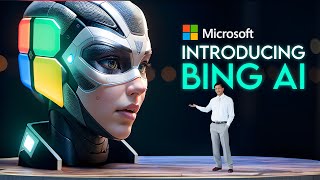
YouTube creator LARRUZ explains Microsoft’s updated Bing as an AI-powered “web copilot,” summarizing new features that turn search into conversational, multimodal assistance. The video covers voice chat, persistent chat history, images-in-chat, knowledge cards, topic-optimized answers (travel, health, entertainment, etc.), and improved copy-paste with citations, and points users to bing.com/new or the Edge browser to access it.
Chapters
Microsoft has just released a new version of its Bing search engine that is powered by artificial intelligence. So Bing is now an AI co pilot for the web and it can do some amazing things that honestly will blow your mind. In this video I'm going to tell you all about new AI features that Bing has to offer now and why you should give it a try. Trust me, this is huge update. But before we get into it, make sure you hit that subscribe button and turn on the notification bell so you don't miss any of my future videos. And if you enjoy this video, please give it a thumbs up and share it with your friends. It really helps me out a lot. Alright, let's get started. So Bing is Microsoft's search engine that competes with Google and other search engines. But unlike other search engines, Bing is not just a tool to find websites. Bing is a tool to find answers, create content and complete tasks. It is powered by AI, which means it can understand natural language, synthesize information from multiple sources, and generate content on demand and chat with you interactively. Bing uses some of the most advanced AI technology in the world, such as OpenAI's GPT4 language model which can produce human like text on any topic. It also leverages Microsoft's huge search index which contains billions of web pages and documents that are constantly updated. Bing combines these two sources of knowledge to give you the best possible results for your queries. Now I'm going to explain all new AI features that Bing has introduced recently like voice chat, chat history, images in chat, answer knowledge cards, optimized answers for certain topics, and improved copy paste support. These features are designed to make Bing more than just a search engine. They are designed to make Bing your co pilot for the web, a copilot that can help you with anything you need on the web, whether it's finding information, creating content or completing tasks. You can access the new Bing by going to bing.com new or or by downloading the new Edge browser. Okay, now the first feature I want to tell you about is Voice chat. Voice Chat is a feature that lets you talk to Bing using your voice instead of typing your query. This is great for convenience, speed and accessibility. You can use voice chat for any kind of query, whether it's simple or complex, factual or creative. To use voice chat, all you have to do is click on the microphone icon on the top right corner of the Edge browser. This will open a chat window where you can see your voice input and Bing's response response. But you can also type your query if you prefer. Voice Chat works by using speech recognition technology to convert your voice into text and then using natural language processing technology to understand your query and generate a response. The response is then converted back into speech using Text to Speech technology and played back to you. Voice chat allows you to ask complex questions that require summarizing information from multiple sources. For example, you can ask Bing about the benefits and drawbacks of nuclear fusion as an energy source or about the history and culture of Hawaii. Voice chat also allows you to create content on demand using natural language generation technology. For example, you can ask Bing to write a poem, a story, an email or an itinerary for you on any topic. Alright, the next new feature is Chat History which lets you access your previous chats with Bing On Edge browser and resume them anytime. You can find this feature by clicking the chat icon on the top right corner corner of your screen. It uses cloud storage to keep your Bing chats and sync them across your devices. This allows you to continue a chat anytime, anywhere, like planning a trip or researching a product. It also helps you stay organized by keeping track of things like bookings, receipts and reminders from Bing. Overall, this feature improves your productivity and keeps your chats relevant. Okay. Another interesting update is Images in Chat Answer that lets you see pictures in your chat. It makes things clearer, more fun and and engaging. To use it, just ask Bing a question that needs images. Bing will automatically show related pictures and a bit of text explaining them. This feature uses image recognition to find pictures from the web or Bing's image database. The pictures also come with a short description. You can see pictures that help you understand the topic better, for example pictures of cute animals, famous places or historical events. You can even ask Bing to create pictures like memes, cartoons, logos or collages based on your description. In short, Images in Chat Answers lets you see and make pictures in your chat, making your experience more enjoyable. There's also cool new feature called Knowledge Cards that give you quick info on different topics in a card like format with additional details and actions. This is great for simplicity, comprehensiveness and interactivity. To use it, you have to ask Bing a question that involves a specific topic or entity and Bing will automatically show you a knowledge card that summarizes the most relevant information about that topic or entity along with some links, images, videos and actions. Knowledge Cards work by using Knowledge Graph technology to extract and organize information from various sources to structured data that can be displayed in a card format and it also provides some additional resources and options to explore more about the topic or entity. So basically, Knowledge Cards allow you to get concise information on various topics or entities without having to browse through multiple websites or pages. For example, you can get information about Microsoft, Barack Obama, Titanic, or Eiffel Tower. Knowledge cards also allow you to access more details and actions related to the topic or entity by clicking on the tabs below the card. For example, you can see more information, images, videos and actions related to Microsoft such as downloading software, buying devices or contacting support. Alright, the next feature I want to tell you about is Optimized Answers for Certain Topics, which gives you specific answers for popular topics such as travel, health and entertainment. Using Language Models and Search Index let's say you ask Bing something about a popular topic. Bing will give you an answer that fits your question and context really well. It uses Language models and search index to do this. Language models help Bing talk like a human and make sure the answer is right for your question, and the search index helps Bing find the newest and most relevant information from the Internet for your question. For example, you could ask Bing what the best way to lose weight is, what good movies to watch on Netflix are. Optimized answers also let you find out more about the topic. You just need to click on the tabs under the answer. For instance, if you ask something about earthquakes, you can see more info like data, graphs, maps and news about it in your country. The last feature I want to tell you about is improved Copy Paste support, which is a feature that improves the functionality of copying from Bing to other applications or websites. With proper formatting, citations and links, you can easily copy text or images from Bing and paste them somewhere else. Bing will make sure it looks good and includes any needed references. This Copy paste feature works for any text or image like poems, answers or pictures, and you can paste them in documents, emails, presentations or social posts. You can also go back to the original source by clicking on the reference. This feature makes copying from Bing easier, better and more reliable. I think Bing is a powerful AI driven search engine that can help you with anything you need on the web. You can access the new Bing by going to www.bing.com new or by downloading the new Edge browser. Okay, thank you so much for watching. If you liked this video, please give it a thumbs up and share it with your friends. And if you haven't already, please subscribe to my channel and turn on the notification bell so you don't miss any of my future videos. I'll see you in the next one.










