Building Machine Learning Apps with Hugging Face: LLMs to Diffusion Modeling
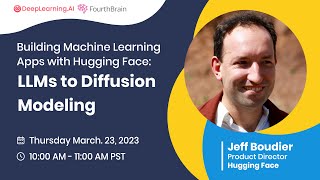
This is a March 23, 2023 DeepLearning.AI webinar (host Greg Lochnane) featuring Jeff Boudier (Hugging Face) that explains how to build ML applications using Hugging Face tools. It reviews the evolution of MLOps toward transfer-learning and transformer-dominant workflows, Hugging Face’s mission/ethics and recent product highlights (Transformers, Diffusers, Bloom/Bloomz, ControlNet, ModelScope, JavaScript client, Mac app). The talk demos the Hub (search, model cards, files/history, community), task/pipeline abstractions, AutoTrain for fine-tuning, Spaces for publishing demo apps, and Inference Endpoints for production deployment, including partner testimonials and live demos (text→image, guided image generation with ControlNet, short video with ModelScope). It closes with audience Q&A about LLM customization, instruction tuning, RLHF, and community-driven open-source models.
Chapters
Sa. Hi everyone and welcome to Building Machine Learning Apps with hugging face. LLMs to diffusion modeling. My name is Greg Lochnane and I'm the Director of product at 4th Brain. We appreciate you taking the time to join us for this event. We're glad to see you tuning in from all over the world if it's late for you. Thanks so much for staying up late with us during our event today you'll learn all about Hugging Face from their famous Transformers and Diffusers libraries to how you can leverage their entire stack of ML models, libraries and tools to solve your most important AI problems. You'll also learn how to build shareable generative AI applications without worrying about any deployment infrastructure. We're going to get right into it today. If you hear anything during our event that prompts a question you'd like to ask, please follow the slido link in the description box on the YouTube page. If you're just listening, please go ahead, check out the slido link and upvote your favorite questions that are there to make sure we get those answered. At the end of our session, we'll do our best to answer all of the most upvoted questions. Without further ado, it's my pleasure to to welcome our speaker today to the stage. Jeff Boudier builds products at Hugging Face, the leading open source ML platform. Previously, Jeff was a co founder of Stupaflix, which was acquired by GoPro, where he then served as Director of Product Management, Product Marketing, Business development and Corporate development. Jeff, welcome off to you my friend.
Thank you so much Greg. And thank you so much to the Deep Learning AI team for setting this up today. I'd love to tell you about how to build apps with Deep Learning with Transformers, with diffusers, from large language models to the latest stable diffusion. So let me get into it. Going to share my screen with you one second. All right, there it is. The way I want to go about it today is in four main parts. The first one, so we're talking about building ML apps and I thought it'd be useful to sort of walk you through the evolution of MLOps to where it is today. In the second part, I want to tell you a little bit about Hugging Face, specifically looking at the latest things that we shipped in the world of large language models and diffusion models and generative AI. Then I want to show you how you can use the Hugging Face hub to build machine learning apps without worrying about infrastructure. And then because telling you about it is only half of the story, I want to show you some live demos of how this actually works. All right, and before I get started, of course, if there are any questions, ask them in the chat. We'll respond to them at the end of this session. If there are questions that are not answered, you can always send them over to me. I'm at Jeff at Huggingface Co. All right, well, let's get started with the first part. A quick history of machine learning ops and how did we get where we are today? And I'm going to roll back the tape quite a bit. Ten years ago, when Marc Andreessen famously say that software is eating the world, what enabled that prediction, which came true is high level abstractions and accessible toolings that let developers collaborate around code and build code reliably and robustly. And what happened just a few years later is that deep learning started to work. The recurrent neural networks and convolutional neural networks were sort of resurrected from the dead, pulled out of the lab and put into production for real use cases at companies. And that prompted Jensen Huang, the CEO and founder of Nvidia, to say that now deep learning is eating software. And so what enabled that deep learning not only to work, but to get into production at companies is the combination of this alignment of stars. Stars, These are planets, but star stick with me. So it was enabled by these new architectures of neural network. I mentioned convolutional recurrent neural networks and the availability of large data sets and new kind of available compute through GPUs and tools that were very much expert tools, PyTorch, TensorFlow, to build deep learning networks. And so that enabled this first cycle of deep learning. And in terms of ML ops, like what would a typical project look like is look like something a little bit like this, where a lot of tedious work has to be done in order to collect data and prep it and clean it and label it and massage it to build a model that then needs to be evaluated. And this whole process would typically take up to a year at companies. And that really slowed down the adoption. And then the other thing is that you go through this whole process to solve one use case, build one feature, and then once you want to tweak that feature or create a new one, you have to start the whole thing all over again. The consequence is that in terms of the adoption and the business impact of deep learning, it really limited how it was being used by companies. So Venturebit reported that 87% of data science projects never make it into production, with only 25% of companies reporting adoption of deep learning. Like that has been a limiting factor, but something happened five years ago and, and I think the most significant thing that happens in deep learning of late is the advent of transfer learning. And what transfer learning is is the ability to take a huge model that's been trained on a gigantic corporate data, using massive amounts of compute, sometimes millions of dollars of compute, to create these large pre trained models that can then be easily efficiently adapted downstream to a task, a use case, a domain. And that's what transfer learning is. And transfer Learning enabled the 2.0 cycle of deep learning. And once again we had planets that were aligned from the transformer architecture enabled by transfer learning and new types of hardware that was designed from the ground up for machine learning, and most importantly, new developer friendly tools to take these models to work. And that's Deep Learning 2.0. And the resulting trend is that now transformers are eating deep learning, meaning that transformers are becoming the default architecture to build machine learning for whatever problem you're looking at. In fact, the state of AI reported that transformers are emerging as a general purpose architecture for machine learning and replacing sort of traditional ways of doing machine learning. So in this new world of transfer learning, what does a typical machine learning project look like? Well, the first thing, it's actually a two, maybe three step process. And the first step is to identify the machine learning task that is going to match your problem. And there are machine learning tasks for any kind of modality, whether it's text or images or speech. So for instance, large language models deal with text. We can apply them to many different tasks. For images, we can of course generate images with stable diffusion, but we can also classify images, we can detect objects, separate background, etc. On speech, we can transcribe the speech, we can generate speech, we can identify speakers, etc. So pick the machine learning task that corresponds to your problem and then the next step is when you've identified your task, you want to go find a pre trained model that does a pretty good job at solving your problem. And that's what transfer learning enables. Like, you can start from those pre trained models. You don't need to build, you don't need to do this whole cycle of labeling data, building features, cleaning things up. You can start from a pre trained model and to do that, it's only really two lines of code to download and test the model on your own data. And finally, if you need to, you can improve the performance of that pre trained model pretty easily, efficiently by fine tuning that model on top of your data. And that's typically the process that Hugging Face users go through when they build machine learning apps, new machine learning features. All right, so that was the first part. That was a quick history of the evolution of machine learning ops to sort of set up how you can go about building machine learning apps with. With Hugging Face. Now, I want to tell you a little bit about Hugging Face and focus on maybe things that you didn't know. I assume that some of you, most of you have probably heard about Hugging Face, maybe you've used a Transformers library. But I wanted to tell you some, some of the things that you may not know that we very recently shipped. So the first thing, our mission, our mission is to democratize good machine learning. And we do this through open source. Everything that we do is open source. That means open source implementation of code. That means publicly accessible model weights, that means publicly accessible data sets. So you know how a model has been trained. And that means a generally open scientific process that enables the community to contribute. And that's the second point, which is everything that we do at Hugging Face is community driven. And the third thing is that we want to have an approach which is considering ethics at the beginning of every project. So that's why everything we do is built from ethics first principles. And speaking of ethics first principle. So that's number two, something you may not know, but we are building a whole suite of tools for the community to operate. Opera, I never can say that word. Operationalize ethics in AI. And if you go to HuggingFace Co, you can find our Ethics and Society page that curates all the different tools that we have built and made available, the events that we participate in to educate the community to do things like measuring bias in the data set, to do things like improving, using best practices to release models. And on this point, we are also operationalizing ethics in AI by publishing ethical guidelines at the beginning of a project. So, for instance, for the Diffusers Library, we published a couple weeks ago, I think, ethical guidelines for the library. So everything is out in the open and we can discuss it with the community. Number three, Hugging Face is one of the top developers in the world for open source. When I made this slide a week ago, Hugging face was the 38th organization on GitHub in terms of number of stars. Today I checked Yesterday, we're at 35. So it's growing very quickly. And as I say, you probably know the Transformers library, you may know the Diffusers Library, but there is a whole universe, a whole ecosystem of tools for you to build with machine learning from data sets and tokenizers. From the ground up to acceleration for training with the Accelerate library, with the Optimum library and more. Fourth thing I told you about Transformers and Transformers is the fastest growing open source project for machine learning of all time. But what is maybe less known is that Diffusers, the library that makes available all these generative AI models, is actually growing faster in its first six months than Transformers did. So it's really, really exciting to see the community, the community drive this adoption. Number five, there are over 150,000 free and publicly accessible models. I talked about how the first and second step are to pick the task and find the right model. We have over 150,000 of them covering every single task you can think of and, and many libraries. Number six, actually, what is maybe less known is that most of the models that we host are private models that you don't see. We have actually over 300,000 models hosted on the hub. And that's because when you go to create a model, so you create a model repository, you can choose for it to be either public, share it with the community, or private to collaborate with your team, which is a really great option for data science teams. Number seven, there are over a million model download downloads happening every single day on Hugging Face. All of our stats are public. You can check them out in that space. And yeah, it's been amazing to see the increase of usage of the Hub as more of you use it to build machine learning apps. Number eight, that one's funny to me because maybe it means that I'm not doing a very good job, but most people do not know how Hugging face makes money and so I get the question a lot. So how does Hugging Face make money? We sell compute services on top the Hub. You'll see some of them today. And we offer expert support to companies to be successful with machine learning with our models and libraries. Number nine, I'm going to talk about this a little more in the talk and demo, but for developers who don't have a PhD in deep learning, it's really easy to get started with all this. And the abstraction that we built to easily get started for developers is tasks. I say the first thing was to select which task. You can do that very easily by just going to huggingface.com tasks and selecting the one that fits your problem. Number 10. So I talked about how important it is to our mission of democratizing good machine learning to do everything open source. There's been a trend in recent months for models to be less and less released in the open, which hampers the scientific community to contribute to the field. So it is important for us to build in the open reproduction of those state of the art closed models and something that we're investing a lot in. So Here I have two projects featured. One is Big Code in partnership with ServiceNow through which we are building code generation models and their data sets. Everything in the open and builds ethically. Like you can opt out, you can ask for your code to be opted out from the model. The training also featuring our Flamingo replication progress. Flamingo is a model from Deepline that is pioneer in multimodal models. Multimodal same way that GPT4 is multimodal. So some very cool project that I invite you to follow. Number 11 a lot of people know about Bloom. Bloom is a large language model, the largest open source multilingual model with 176 billion parameters that came out of an open collaboration called Big Science which Hugging Face initiated. We had over 1000 scientists leading scientists from the field participate, work together In I think 80 working groups to have a fully open process from the get go and eventually release those models and data sets. What is less known is that we actually built and Big Science released an instruction tuned version of Bloom and that model is Bloomz. It's the lesser known cousin of Bloom, but it's probably the more useful cousin of Bloom and I'm excited to demo it to you. Number 12 Many people, most people know about stable diffusion by now which is sort of the open source replication of of Dall? E, Dall E2 by Stability, AI, Runway, ML and Convis. But few people know about ControlNet and ControlNet is super super cool. It's a way to guide the image generation by providing a guide via an image and human pose, etc. Also excited to show that to you later. Number 13 so we talk about all these generative AI models. Many people do not know that we have an app for that and it's on the Mac App Store. If you have one of those M1 or M2 capable Macs, you can use them to generate all those images from your prompts in an app with your computer actually generating the images. So really cool. Check it out. Number 14 if you're interested into everything that I just talked about stable diffusion models, how to create fine tuned models, we have a free diffusion course that's available on GitHub so you can learn everything in order to create your own models that generate images or audio. Last one number 15 we just released JavaScript client for hugging Face which enables now developers to use hugging Face models directly in the browser without having to build backend, backend apps in Python, etc. Everything works in JavaScript. You can call a model, you can interact with the hub and its repositories and serve predictions right from the browser. All right, so Those were like 15 latest and greatest things from Hugging Face. Now I want to talk to you about how you can apply all these things to build machine learning apps using Hugging Face and using the Hugging Face Hub so you don't have to worry about infrastructure. What can you do with the Hugging Face Hub? The first thing that you can do, the first thing that you want to do is to explore to find that model to fit your needs. This is what the model Hub looks like. As I told you, There are over 150,000 models available here. This screenshot is a little bit old, it's six months old, so I need to catch up with that. But the important thing is that you can very easily filter through this jungle of models. We surface the most popular based on how much they've been downloaded and liked. But you have access to very easy to use filters to narrow down to the tasks you want to use, the library you're using, the language you're targeting, etc. That's explore. The second thing you can do with the Hugging Face Hub is to manage your own models. You found a model and now you want to manage your own. Everything on Hugging Face, from models to data sets to spaces, are under the hood GitHub repos. That is so that you can have complete robust version control and know everything that's within a model and know everything, all the changes that happens. So looking at this model page, what you see is the model card, right? So this is Whisper Large from OpenAI back when it was open. And so the model card gives you all the information that you need to know about the model, how it was built, what data was trained on, what are the possible limitation risk biases inherent to the model, etc. On the right hand side, you have a very easy way to interact with the model to understand how it works, what could be its limitations. The best way is to just use it. We have those easy no code widget experiences to support any kind of machine learning task that is supported by Hugging Face. Now if you go to the files tab, that's where you can see the contents of the repository. Every single file with the complete history for all of these files. You can see which contributor did what change and when they did something. You can have access to the pull request and see exactly what was changed. So for full transparency around the models, whether they're public, so with the community, or whether they're private with your team, every single one of these changes has a unique commit associated. So you can build apps that enforce version control for each of those models. We have easy options for you to use them. Use them with our open source in Transformers or use them in our experience to deploy them to inference using inference endpoints. I'll show that later on or on Sagemaker for instance. All right, so now you know how you can explore the model hub. You know how you can manage your own models. The next thing that you want to do is collaborate. And that's super, super important for collaboration for us at Hugging Face. So that's what the relatively new Community tab is all about. So here we're looking at stable diffusion 1.4. If you go to the Community tab, you will be able to see not only all the discussions that have happened around the model, but also to make and review pull requests. So if you want to say, ask the model author to edit the model card, to ask a question about the license, to make a change, to add a new file to the repository, you can do so using pull requests. Again, everything is transparent. You see exactly what's happening. If you're familiar with GitHub, you'll be familiar with pull requests and discussions and here discussions, which is a great way to interact with with model authors on hugging face. All right, so now you know how to explore the hub, how to manage your own models, how to collaborate around models. The next step is how to use these things. And remember I had this three step process where the first one was to select which task corresponds to your problem. So speaking about the tasks experience, we have tasks for any kind of modality of machine learning. Of course, natural language processing, that's where we started. But also computer vision and audio, and now even tabular, multimodal and reinforcement learning for each of those tasks. Like if you don't know which model you want to use, that's a great way to get started so that we can recommend like this, the best model for that particular task and you can get started without having to think about models. Now, in the open source, the notion of task is implemented within a Transformers Order Diffusers library as a class called pipeline. And what a pipeline does is it encapsulates the whole logic around machine learning tasks so you don't have to worry about tokenization, how to break words into pieces. You don't have to worry about pre processing and post processing. You Send for instance, text in, you get text out, and the whole process is just a couple lines of code. So here in this example, we're targeting the task zero shot classification, meaning we're going to send some text and say, does this correspond to these classes without the model being ever trained on those classes or being given example about those classes. And we're going to use the Facebook BART large MNLI model checkpoint to run that prediction. So you import a pipeline, you instantiate the pipeline, you send the input, you provide the candidate labels or classes, and you get a result in just one line of code that tells you that this sentence was in fact about finance, 68% confidence and the other class predictions. So that tasks, and that's how they are implemented in the open source. Now that you find a task and that you found a model that sort of works great for your business case, the next step is to train or fine tune. And the great news here is that we wanted to make this super, super easy for people to do that. And we built a new experience called Auto Train so that you can fine tune models or you can create new models just with a small training data set. To see how it works, I have a quick little video. The whole process can take up to an hour if you're training 15 or more models. So I'm not going to walk you through the whole flow, but this is how it works. The first step is to select the task and then you can just drag and drop your CSV training data, set up the columns and just ask PhotoTrain to start training. If you didn't start from one model checkpoint, you will select the best possible checkpoints to start from for that task and create brand new models which are going to be automatically evaluated for the task that you chose. And the best part about it is that every single model that's created by Auto Train is automatically deployed. So once it's available, you can send request via the Inference API. All right, so that was Autotrain. Now the next thing I want to tell you is how you are able to not just build models, but then demo them in hosted machine learning apps. And that's what Spaces, Hugging Face, Spaces is all about. Spaces allows you to easily create machine learning applications with a single simple Python file, leveraging Streamlit and Radio libraries to publish any kind of machine learning app. And here I have a fun app from Hugging Face called Huggy, which is a reinforcement learning app where you can interact with an agent here, Huggy, the dog that's going to be retrieving the stick. Huggy has been trained by using Hugging Face reinforcement learning tools. So and yeah, every week there are amazing experiences that are created by the community. I invite you to check out the training spaces of the week as you go to visit Spaces and to tell you about it. I want to bring up Nate that's going to walk you through the process of creating a new space.
The team here at Hugging Face is super excited to announce the public release of Spaces, the quickest and easiest way to build, deploy and share machine learning Demo Apps Machine learning projects come in all sorts of different flavors. We built Spaces because we wanted to provide a more flexible solution for folks to share their projects. With Spaces, you can take any existing code you might have, build an app around it in minutes, and share it instantly on our site, all for free. Let's see just how easy it is to create a new space. First, make sure you're logged into your Hugging Face account. Then simply click your user icon in the top corner and click New Space. Here's where we can name our project and choose one of the supported open source libraries we'd like to build our app with. Right now, you can select either Streamlit or Gradio. We'll name our app Demo App and choose Streamlit for the sake of this demo. Once we're ready, we can click Create Space to create a new project. Now, this project is actually a git repo, so we could clone it locally to edit the files if we wanted to. We also have the option to just add and edit the files in the browser, so that's what we'll do. For now, let's add a requirements.txt file to our repo, which is how we can define our app's Python dependencies. To do that, we'll navigate to the Files and Versions tab and create a new file using the dropdown on the right. We'll name the file Requirements txt and add a couple dependencies, in this case Pytorch and Hugging Faces Transformers. When we're done, we'll hit Commit New File to add it to our Spaces repo. To create the app itself, we'll add in another new file named App py. In this file, we'll quickly define a simple Streamlit app that uses the default sentiment analysis pipeline from Transformers to predict how positive or negative a given input text is. Just like before, when we're done, we'll hit Commit New File to add the application file to our repo. In just a few lines of code, we're finished and we can view our running app from the app tab. If we choose to make our space public, we can easily share our app with anyone around the world by sharing the link to this space. In this video, we saw just how easy it is to build, deploy and share machine learning demo apps with Hugging Face Spaces. Now it's time for you to get out there and share your own awesome demo with the world. For more information on Hugging Face Spaces, you can check out the docs or explore spaces shared by the community. Until next time, thanks for watching.
Thanks Nate. Since Nate recorded that video, I think we went from 200 spaces to over 20,000 spaces. Definitely check it out. A new feature we also released recently is the ability to upgrade the infrastructure, the hardware that powers your space from the default free CPU option to accelerators, various kinds of GPUs. So check that out. So now I told you how you can explore the hub, find a model, how you can manage your own models, how you can not worry about models and just go to tasks, how you can fine tune models, how you can build demo apps with spaces. The next thing is probably my favorite, which is how you deploy models into production to power applications at scale. That's what we're really here for. When you go out to try and do that yourself, what people quickly tend to find out is that it's a little more complicated than you want it to be. All of a sudden you have to deal with GPUs and memories and docker containers and setting up the right environment and scaling that thing up. That's quite a headache that few people have experience in. To solve all that and abstract all of that away, we created an experience called Hugging Face inference endpoints that work right from the hub and you can use it a very easy way. What that does is that essentially we made all of Those models, those 150,000 models that are pre trained and available on the hub, all those private models that companies and teams use the Hugging Face hub to work and collaborate on. We made all those models plug and play for applications. And how it works is really, really simple. You start from the model repository, you pick the cloud you want to deploy and the region you want to deploy and you can select the the right compute instance. You want to use the auto scaling with two simple parameters and security setting and you're basically off to the races. Once your model is up, you have unique URI for you to hit to integrate it within your app. It's a production service, so you have access to all of the logs for the container to see exactly what's going on and access to analytics to see how much usage you're getting on that endpoint. And that makes it super easy for you to manage like any number of model deployments with various settings of security all the way to like a fully locked down setting, leveraging AWS private link. So that's the data never leaves your VPC as you make requests and get responses. And to talk about it, I want to bring up Gareth. Gareth is on the product team at Pinecone. Pinecone is a vector database company and inference endpoints was really useful for them to solve the whole infrastructure and deployment part of the model deployments. And so Gareth shares that they were able to choose an off the shelf model. It's very common for customers to get started with and set it so that it can be configured handle over 100 requests per second with just a few button clicks. And to hear more from Gareth, I have a quick conversation with him.
Hi, I'm Gareth. I'm a product manager at Pinecone, a fully managed vector database company. A vector database is a tool used by teams to build all sorts of applications like question answering, semantic search, image search and recommendation engines. Hugging Face is probably the most popular framework our customers use to create embeddings that are stored in Pinecone. Customers are using Hugging Face and their very first MVPs or all the way into their production systems. Embedding that comes from a hugging face model is used to create kind of a learned encoding or representation of every single piece of data that's then used in a vector similarity engine. Like Pinecone, Most teams who are working on building vector search or a vector application, it's their first time actually building this solution. And it can be quite challenging to move as a small team that is maybe more expert in building and training models than actually deploying or managing infrastructure. Many of the same reasons that the hugging face inference endpoint is so valuable is that teams don't need to think about that infrastructure. It's the same reason customers use Pinecone. They don't have to worry about computers running or scaling things up. It happens for them and that allows them to really focus their energy on the things that matter most to them, their models. When we first started evaluating the Hugging face inference endpoint, we were amazed by how simple it was to create a horizontally scalable model. We were able to choose an off the shelf model that's very common for our customers to get started with and set it so that it can be configured to handle over 100 QPS just with a few button clicks. We were doing this evaluation to understand just how well Hugging Face solution would work for customers who are looking to build either their first MVP or move to a hosted solution for their models. And we were quite impressed by just how easy it was to kind of meet the kind of typical throughput and demand that an in production application would see. The release of the Hugging Face inference endpoint, we believe there's kind of a new standard for how easy it can be to go build your first vector embedding based solution, whether it be semantic search or a question answering system. You don't think it's ever been easier to get started and also move those solutions into production. These same principles are the same principles that Pinecone has, which is why we're so excited to be working with Hugging Face to launch this feature.
Awesome. Thank you so much, Gareth. So yeah, hopefully we demystified in the last 10, 15 minutes how you can take advantage of everything that we have available on the Hugging Face Hub from all the models, the data sets, to create your own models, manage your own models, to build great machine learning apps around your models and deploy those models in production so you can have great features for your users. And that's machine learning ops with Hugging Face. So I talked a bunch. Now I think it's time for, for the fun stuff which is to go play with all this. Okay, let me try to get that set up for you. If you have any questions out there. And Greg, if you need to stop me, go ahead, otherwise I'll just go go to the demo. Cool. All right, let me share my browser. So I talked about the Hugging Face Hub and here it is. So there are 159,000 models today contributed to by the community. If you're already a user and you use the hub every day, maybe something that you want to check out is the new full text search experience. What that does is it's going to be looking through all the repositories within models and data sets and spaces. If you're looking for something in particular so that you can very easily surface the thing that are most relevant to you. Very cool power feature for existing users. If you are a new user, then probably the thing that you want to do is to quickly narrow down to the most used models that correspond to your problem. So say that you want to translate text into German. So I will first look within the tasks here on the left hand side click Translation. And then I will look for a language tag here and click German. And here I will find some of the best models to translate into or from German. Now if I want to, if I want. I talked to you about Bloomzy. I'm gonna go over there but first I want to show you how to deploy a model using inference endpoints. The whole process is automated so it can take about 10 minutes. I want to get started with that process now. Here, let me switch my tab. Cool. Now you are seeing the inference endpoint management experience. What I want to do is to deploy a stable diffusion model, the latest from stability AI which is stable diffusion 2.1. And if you want a step by step for this, I invite you to check out Philip Schmidt's blog which has examples for many different types of models how to deploy them easily using inference endpoints or using SageMaker. So now I found my model checkpoint and all I need to do is to select the cloud here AWS I'm going to deploy deploy it in US East 1. It's suggesting a type of instance because it has a pretty good idea of how large and what the memory requirement for that particular model is going to be. And now all I have to do is click create. Now everything is happening in the background, right? And it's a production service so I can actually see what's going on. If I go to logs is going to be showing me the build logs so I can see exactly what is happening under the hood. Many, many, many, many things are going to be happening under the hood including downloading the model weights which is a huge checkpoint. So this whole process can take between say 5 to 20 minutes depending on how large your model is. And you can follow that along. But I'm not going to have you wait 20 minutes. I'm going to switch back to the model hub where I want to show you Bloomz. So again you're probably familiar or maybe you're familiar with Big Science Bloom 176 billion parameter large language model that is exceptionally good at multilingual tasks. But you may not know Bloomz and in a lot of respects Bloomz is the more useful cousin of Bloom. Why? Because it has been trained. And again in the model card you can see exactly how it has been trained, on what data it has been trained and all the information that you may want to know about the model. But this model is Bloom fine tuned on instruction data set. And what this instruction data set allows the model to do is to understand when you ask it to do something like here in this example the task will be write a code snippet with I'm not even trying to say that computational complexity and it will write the actual code snippet. But so let's use this on content that's more relevant to you. So if you register for this event, you probably went on this page where we tell you about the talk. There is nice little talk abstract here. Summary. I'm going to copy that and then come back to Bloomz and I'm going to ask it to write session title for the following talk abstract and I'm going to paste what I just copied. And now I'm going to be asking for prediction. And here it is. Hiding face. Build ML features with ease. I think that's a pretty good title. Maybe we should have changed the title and maybe I should have used Bloomz. But maybe let's try something a little bit different to sort of illustrate the ability of those large language models to quickly adapt to whatever task you throw at them. So translate the following paragraph or text into French. All right. And let's compute. Okay, it's right here. I need to scroll down. There we go. I'm going to keep on generating the hugging face. Sorry for the scroll functionality. Okay, that's actually pretty, pretty good. I think it's probably better than what I would have attempted. So that's Bloomzy. If you're interested into large language models, consider Bloomz as an open source alternative to a GPT4 or chat GPT. You can do very cool things. And the cool thing with open source, that you can actually deploy it in your own environment and you can control its versions and you can fine tune it yourself. Cool. That was Bloomz. The next thing I want to do is illustrate what I talked about earlier about how you use the Hub on Bloomz. I showed you the model card, I showed you the inference widget. Now I want to show you the content of the repository. So I switched to the Files tab and here again you can see every single file for the Bloomz model and you can see the full history on all of those files. If I click on the model card, that's the readme markdown file. We have access to its history and the latest pull request. We see the difference for each pull request. So everything is traceable, everything is transparent, and you can easily collaborate with authors. Another cool trick for you if you're an existing advanced user of the Hugging Face hub is tensorboard Metrics. And what this does is because there is a tensorboard Traces file within the repository, Hugging Face will automatically populate a tensorboard instance. So you can visualize and interact with all of the traces. You can See, well, I'm not going to walk you through everything, but everything that is tracked within the tensorboard is explorable. You can filter it, you can play with it. So very, very good way to learn from all your training experiments and build in the open, whether with the community or within your team. And last, for the model experience, I want to show you the community. So I told you that through the community tab you can either interact with the model authors and the community. You can also suggest changes directly through pull requests. So here you can see the history of both pull requests and discussions. I can filter on pull requests. The last one was an update of the model card with actually that pull request was not merged but super, super important feature. If you have requests or questions about a particular models, often users ask us hugging face questions about a model. The best way to do this is to ask directly the model author who contributed the model for questions or to update the model card or to add a new checkpoint. All right, so that is the model experience, how you can explore, how you can use, how you can manage your models and how you can collaborate around models. And because we only have five more minutes to go, I want to maybe set up an experiment with a space and as a, as a bonus, hopefully by the end of the of the talk you will be able to see the results. So you know about Stable diffusion. So you know about text to image. You send some text as a prompt, you get an image as a result. But a very cool model that just popped out on the hub is Model Scope. And what Model Scope does is the same but for video. So that's super, super fun. So here we're going to type a prompt. Say llamas are very popular right now. So a llama eating carrots on the moon, right? Yeah, that sounds like a, that sounds like a video I want to watch. All right, so it's going to generate a video that's going to take a couple minutes. While this happens, I want to show you the stable diffusion 2.1 space since we created an inference endpoint to integrate that within our apps. So let me. While this happens, I'm gonna switch tabs to find a stable diffusion space. So very convenient way to browse through everything. Go through search here, I'm going to select stable diffusion 2.1. And then for the model we have a list of all the different spaces and you probably have played with Stable Diffusion before. So maybe instead of looking at, instead of looking at Stable diffusion, we're going to look at ControlNet. Let me go to the ControlNet space and tell you a little bit about it. ControlNet is a way to guide the image generation in various ways. With the canny mode, you supply an image and what the ControlNet is going to do is, is to sort of infer the edges from that image and fill it, denoise it based on your prompt. And as an experiment, what I want to do is to go get.
The.
Deep Learning AI logo. So let's go to Google Image Deep Learning AI Logo. Okay, so I'm going to save this image image in a new tab. Thank you, Deep Learning AI for licensing your logo for the use of this demo. I'm going to save it on my computer. That's done. And now back to ControlNet. Now you can see control nets. I'm going to upload that image. It's right there. And I'm going to give it a prompt. What do we want to do? I'm feeling like a birthday cake, a chocolate cake even. Yeah, that sounds yummy. It's almost lunch.
All right.
And I'm going to run this. So we're going to see how with Control. Net you can guide the generation of the image. There are multiple other modes that are available to you. You can doodle. You doodle sort of a contour and that will help stable diffusion. To create an image that corresponds to those contours, you can use a human pose. So if you take a photo of me like this and you submit it with a prompt, it's going to create a composition with somebody in the same pose. You can use the depth segmentation of an image so that the composition of the resulting image respects that depth composition. So many different modes that are super cool to create new images. And of course, while I was doing that, the model scope had an error. So I'm not seeing my llama eating a cat it on the moon. All right, and then maybe while ControlNet is working, I want to show you the endpoint that we created just a few minutes earlier. So let's go back. Sorry for the back and forth here, but I want to keep showing you things as things are built. Now our stable diffusion endpoint is running. It is available at this URL. You have its actual revision. So you can build your app targeting specific revisions. And if you send requests to that endpoint, you're going to be to get the image responses. And of course, like anything at Hiking Face will make it easy for you to test things. So if you want to have an image of Yama on Mars, you can get that using your endpoint right from here. All right, I got my chocolate cake. So what do you think? This is a chocolate cake that is sort of guided by the Deep Learning AI logo. I think for the next birthday of Deep Learning AI, you should definitely make this. It's going to be super awesome. To finish this talk, I want to go back to my llama and I have now a video of a llama eating a carrot on the moon and that took actually less than a minute to create this two second video that was hugging face inference, endpoints, spaces, how you can use that to build great machine learning apps to integrate machine learning models into your own apps. And now yeah, if you have any questions, just shoot them at me.
Jeff, that was awesome man. The demo gods really smiled down on you in the last few minutes there. Great work. I want to go ahead and just at least get to a couple of the most upvoted questions today. Number one is one of the most popular things anybody is trying to do or build right now. What is the best approach to feed your own data a large set of files to an LLM and have it behave like a chatbot? What do you think?
Really great question and very current, right? There are many teams currently working to build open source alternatives to closed models like ChatGPT or Bard. I think what's important to understand is that when we talk about large language models there's really three types of models. There is the base large language model and that would be for instance a Bloom or an OPT model. Then there is the instruction tuned model and that's what I showed you with Bloomz, right? You can ask it zero shot questions instructions and it will respond and those are the instruction tuned versions. So it's the Bloomz of Bloom, it's the instruct GPT or of GPT etc and in that category you can put GPT3 and then the next category are models that have been tuned via reinforcement learning from human feedback and that's what the chat GPT is. That's what. And so today there is no Really? I mean we have the first open source versions of models that have been fine tuned from reinforcement learning. It's an active subject and we have great open source replications of instruct models. So I talked about Bloomz but there's a new model by Together Computer, Together XYZ that is available on the Hugging Face hub. It's a 20 billion parameter model, part of the open Chat kit. There is open assistant from lion that is being developed right now with some artifacts already available. So super exciting to follow this step, this, these developments and to the question, okay, so I have a large corpus of data. So these large language models have a context window which represents like how much information can you feed, fit it as input to one single query. And depending on the context window, you can feed it like larger documents, etc. If you need to fine tune, if you need the model to learn from an actual corpus of data. That's really the experience of fine tuning, which is computationally pretty expensive for very large models, but something that, that we enable and that we enable through our open source and through our partners.
Yeah, great. I love the nuance sort of going into the different models, the idea of the different sized inputs and then also the fine tuning with model size versus data coming in. So there's a lot going on. I think best practices are still, still sort of TBD and a lot of interesting stuff happening in the human feedback space as well. So a lot to look at, really exciting times we're living in with these customized chatbots. In the second most upvoted question, Jeff, your perspective, We've actually got a new second most upvoted question which is how to make, how can we make improved models similar to alpaca out of various open source LLMs out there? What do you think?
Alpaca was really, really cool, right? It's an announcement from Stanford, a release from Stanford fully open source that came out at the same time that OpenAI announced GPT4 and Google made a whole bunch of announcements of closed models. So, so it was really cool to see that. The exciting piece is that by using an open source model as the base model, so in that case llama and adapting it on instruction data sets that had been synthetically generated, alpaca was able to be built on very small amount of computer. And so that's really, really cool. And there are many initiatives out there to do the same on various instruction data sets. And so I think we're going to see a Cambrian explosion of open source alpaca like models in the, in the weeks to come.
Wow, that's such a keen insight. You know Jeff, we're going to go ahead and close up the questions there. I mean we are trying to kind of coming up to time here. But thank you everybody so much for all of the great questions in the chat. Thank you Jeff, so much for that. Really like that was, that was an amazing breadth and depth that we saw today on Hugging face and really deeping deep dive on LLMs in general. So I think this was useful in a lot of different dimensions. And thank you everybody for contributing out there in the chat with your questions and with your comments. This brings us to the end of today's event which has been brought to you by Deep Learning AI and Fourth Brain and also Hugging Face. Fourth Brain is excited to announce our upcoming one day workshop on building Generative AI applications like we saw today. In just six hours on April 5th from 9am to 3pm Pacific, individuals and teams can create data sets, fine tune an open source LLM or diffusion model, deploy a working application to Hugging Face just like we saw today using many of the same tools, and finally prompt engineer your way into a final awesome output for judging. Winners of the workshop will be announced at the next live 4th brain and deep Learning event. So if you're looking to build, ship and share generative AI applications from end to end, definitely check it out. And stay tuned for more upcoming LLM and Generative AI programs coming soon. Deep Learning AI is also going to send out a follow up email with a survey for all of you that attended today. We would love to hear about how we can make these events even better for you. A selected 100 of you will receive 50% off of a one month subscription to Deep Learning AI courses coming out on Coursera and look for new ones of those coming soon as well. Another big thank you to Jeff. Thank you to everybody for joining us today. We'll see you all next time. Until then, keep learning.
Thank you so much. Thanks 4th Brain. Thanks Deep Learning AI. Bye everyone.










