CANVA'S NEW Insane AI TOOL SHOCKS The Entire Industry! (FINALLY ANNOUNCED!)
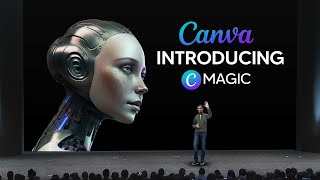
A hands-on YouTube demo by LARRUZ showing Canva’s new AI-powered features released in beta (Magic Design, Draw, Magic Eraser/Magic Edit, Beat Sync, and presentation generation). The narrator demonstrates uploading images, generating templates and presentations from prompts, sketch-to-graphic conversion, object removal/replacement, and background edits, while comparing results to Photoshop and praising Canva’s rapid usability improvements for creators.
Chapters
So Canva on stage just announced that they're going to be releasing a bunch of AI tools. And in this video I'll show you exactly all the tools they used and they demoed and exactly how you can use these to improve your Canva designs and how these compare to the newly released tools that many other software companies are working on. So you can all see that right here, that one of the first features that Canva actually did announce was Magic Design. Now from the GIF here, it is pretty self explanatory as to how it works. You can you simply get your own high quality image and once you import it in it, then immediately, immediately based on your image resolution, colors and all of that kind of stuff, it gives you an immediate template. Now I'm going to go and try this to show you exactly how this works. But it definitely is very, very good because Magic Design is not just for this. Of course you can see it's not just for posters. You can actually use this for PowerPoints and many different other things. And it's actually very, very good because essentially what this tool does, it automates the tedious process of picking out the best templates that will fit your design. So if you want to try this out, just make sure you go to canva.com magic design and of course you click this button right here and you can see right here, this is where we are. So we just click try it out. And you can see right here, this is Magic Design. We're going to insert our media. So, so I'm going to go ahead and import a recent file that I was working on and you'll see exactly how Canva manages to translate that into an instant design. So essentially what I did import was a robot that was essentially the face of GPT5. And this is honestly just a concept. It wasn't released by OpenAI or absolutely anything. So I've decided to import these. And of course, remember it says the templates are going to be improving. So what's cool about this is that even if the templates aren't right the first time, over time it's definitely going to improve. So you can see right here we have the media, then of course we have the style. So one thing that here that is really cool, we can actually pick certain color styles that do fit our theme. And I think that theme right there does actually fit ours very, very well. To be honest, this image is actually pretty hard to pick for. But I do want to test the limit of how well these AIs actually are because if I can test how well they actually are, then we can see how far we have to go. So once you click see results, you'll see then able to see this. So for now it's only given us a flyer which is definitely a little bit less than I was expecting. And of course if we do change this, it only does change the color. So I'm guessing that based on the kinds of image that you do have, it's probably going to give you a little bit more. But we are going to try this with a little bit more basic image and you're going to see hopefully it give us a bit more variation. So you can see right here, all I really did was input the Nvidia logo and you can see right here it's actually given us many different things that we could use this for. Now bear in mind I haven't actually thought about previously using this to. So when I actually got the image, I wasn't actually thinking about exactly what I would design. I'm guessing that based on canva's outputs that the image recognition software recognizes exactly what this image is. Maybe it's a logo, maybe it's a picture of something. Then it tries to best allocate whichever format would be best for that image. So I'm guessing that canva probably does have some unique kind of AI software that no other competitor does have the, that they're using to classify these. It could be completely random. But essentially what will happen now is that every single time, if we report a template canvas, AI system is going to take this data and then get better. So I only imagine this getting better because as you can all see right here on the left hand side, this is only in beta. So for Canva, this is actually a huge W in their book. This is a huge win for them and they definitely seem like they know exactly what they're doing. So one thing I did just do was I did actually just add my image that you can all see right here. And this is a thumbnail that you may have seen before. And you can see right here that this image actually does get decoded by whatever software that Canva is using. Because on this image right here that you can all see it, actually I'm not sure if you're going to be able to see. It actually is pretty small, does actually say technological inventions you can't live without. So it clearly does know that this image right here is somehow related to technology. It isn't just taking the colors. It, it clearly has something that, you know, identifies exactly what is inside of this image and then presents that in some kind of data to the format. And then, of course, you can see right here that is presented with some kind of template. Now, it's actually really cool because you can see right here that this one literally says robotic operator. And honestly, this actually looks really cool. Like, if I saw this on an Instagram story, I would say that this looks really, really cool. Now, what's also cool is that this one, of course, has the technological inventions, but some of them aren't actually accurate. Like you can see right here. Grow your business. Cool. Now, that one's not accurate. Of course, there are going to be some that are accurate, but you can see right here that it's really, really cool. This one as well here actually has game review. So, of course, this could be from a video game. But this one here as well is someone that I found to be absolutely amazing, because you can see right here that it actually does add some of these, you know, some of these buttons right here. And let's say, for example, I was to edit this. Of course, this is on Pro, and actually do remember that I do actually have the Pro version of Canva. So if I go ahead here and I'm going to show you guys why this is actually really cool. If I was to just change these guys, if I was just to change this to a color, for example, I was to grab the color of this right here, you can see that immediately I'm able to create something that actually looks really, really cool. And yeah, I'm not gonna lie, guys, this is definitely something that could really, really work if I just change the colors with this magic design, you can see that this actually looks. In fact, that wasn't the color I meant to change. But you can see right here that immediately this is definitely something that you could instantly use. And you can see right here that this is definitely a lot smarter than you think. And this definitely goes to show that Canva is actually working on some secret AI software that they definitely haven't told anyone about. And they've just kind of quickly released this. And it shows that they've definitely paid attention to the AI landscape and that they're really, really adapting now. Once again, this just goes to show how advanced Canvas software is. So essentially the only image that I inputted was was of a dog's birthday. And you can see immediately that Canva's AI software immediately identifies exactly what has gone on and prompts the right template, right? Then even add some animations. Now, what's also Cool about this is that you can see exactly where you're going to post these. So, for example, if you need a poster, if you need an Instagram post, if you need your story, this is actually going to be really cool, guys. So imagine your friend has a birthday and you want to quickly design them something cool. You grab a screenshot of that, you put it into here, you edit this template, and you can immediately post this to your story. And they're going to be thinking, wow, this person put so much effort in. Now, of course, the reason I tried to use a dog was I didn't think that the software was going to be able to recognize that it was a dog. But of course, as you can see, Canvas Advanced AI software immediately understood that this was a birthday and immediately located the relevant file. So, honestly, Magic design by Canva is absolutely insane. This is going to save people so much time. Rather than looking for, for a birthday template and trying to find the right one, you can immediately see that this one right here, the first one that it gave, actually matched the colors. And honestly, guys, I would actually pay for this as a design if I was someone that was using this. So like we said before, AI is simply going to supercharge people who are using these services. So although this isn't the only tool they released, I do think that by far, this is definitely the best one because this is going to be the biggest time saver. So the next tool that Canva actually did release here, which was actually pretty cool, was a tool called Draw. Now it says, create your way with Draw, a free online drawing tool made for all ages, and you can kickstart your ideas. So if you're someone who is a creative, someone like myself, who actually likes to sketch out ideas, this is going to be a really good tool because essentially what you do, you essentially draw, customize things, and essentially it allows for that little bit of creativity to your workflow. And this is really, really cool because sometimes you don't just want to type and move things around. Maybe you don't have your notebook with you. You're able to literally add these little things. And to average user, you might be thinking that this is, you know, boring and this is awful, but I literally have a draw tool here that helps me, you know, circle things, helps me underline things, helps me, you know, say 1, 2 and 3 if I need to, because it just adds that little bit of creativity that is really, really useful for, you know, just honestly, ideas and generating great content. So you can see that there are many different ways that you can use this. You can see right here, someone's developing some kind of flowchart. And you can see right here that they're literally converting this sketch into a workable flowchart. So Canva, the software is going to be able to identify exactly what you're working on and convert it. And this is something right here as well. You can see that when you're drawing your stuff, you can see that this is going to be, you know, a sketch to graphic. So I'm guessing that they said add some magic, which is coming soon. This is going to be a really cool feature because, for example, let's say I draw 1, 2 and 3. It's going to be able to turn these into great graphics. And imagine I'm just trying to draw something really quickly, you know. And let's say for example, I have my pen that's hooked up to this. It's going to be really, really quickly to be able to work effectively and efficiently. So you can see right here that I'm actually using Draw. So just again, just like before, if you want to use draw, go to canva.com and/draw. I'll leave a link to all of these in the description. But essentially you can see right here, this is what you want to do. And of course you can use Draw. Now what's really cool about this is, is the current tool that I'm using, you can see that it's very, I guess you could say rudimentary in the way how it's, it's done. But you can see right here with Canvas Tool, it actually does have pens and markers that look like markers. You can see that it thickens at certain points, and certain points it doesn't thicken as much, which is definitely really, really cool. So I got to be honest, this AI tool is really, really cool. Like canvas stuff is very, very cool. You can see right here they've got a lot of stuff. Can you draw a perfect circle? A lot of this stuff? Can you make your way through the maze? A lot of stuff is actually really, really interesting. What I am super duper excited for is when you know you're going to be able to draw certain icons and then, you know, maybe if you're drawing a love hole or maybe if you're saying, you know, you're just writing certain things, maybe you're writing chat GPT, maybe it just like, you know, does certain arrows and stuff like that. It definitely is going to be very interesting to see how this software will does work. So you can see Right here as well, that there is a highlighter. So if you want to highlight something that someone has done, because they also mentioned that this is going to be a document that is going to be shareable as well, it's definitely going to be very, very interesting to see how this all plays out. And you've got a rubber right here. You can rub out certain things. Definitely. Very, very effective. And I do think that like I said before, Canva is going to be very, very effective at this. And you can see right here, you can set the weights of your thing right here. And that's going to be something that you can do. So you can also see here that Canva has also released another tool you can, which is very, very effective. And this is going to be a tool, I know that is wanted and used by many different people. Now, essentially a thing that many people do in Photoshop is they erase stuff. And honestly there is a tool which I'll show you right now, but essentially what this tool does is it erases stuff. But this is, I guess you could say a better tool because it says it's easy to remove unwanted objects or erase people from photos. Clean up your travel slots, let your product shine, or polish your next Instagram post. Brush over distractions instantly to remove them with Magic Eraser. So I'm guessing that this tool is very similar to one in Photoshop. I'm going to show you that tool right now and you might be wondering, why are you comparing this tool to Photoshop? Guys, it's important to understand how these new AI tools compare to the old industry ones where they've spent millions of dollars perfecting these tools and they've been around for decades where new tools are disrupting the space. So in Photoshop you can see right here that this is a spot healing brush tool. Essentially it's like Magic Eraser. This does work very effectively sometimes, essentially you just go to your size tool and, and of course you can see right there you can just simply exit this crate straight away. And of course if we just want to remove that shadow, it pretty much is gone. Now this is a very, very effective tool that you can see right here. But sometimes in Photoshop it doesn't always work that well. But definitely very good because remember, this is Photoshop and remember this is what is designed to do. Now remember Canva is a software that isn't designed to be for Photoshop users. It's for. Designed for. It's mainly designed for people who have a hard time with Photoshop and stuff like that. It's mainly designed for people who are in between these tools. So I'm guessing that we can use the Magic Eraser when we are designing. So you can see right here that this is the Magic Eraser. So I'm going to go ahead and click the Magic Eraser and it says to brush over the image. So essentially, if you want to use this, you just need to come over to here. I'm going to show you because it is pretty confusing to see this. So essentially what you want to do is on the front page of Canva, just go to Design Spotlight, then go to Photo Editor, then click Edit a Photo. Then when you're in Editor photo, you're simply going to simply upload a photo you and then that's when you're going to be able to use this edit. So essentially I'm going to brush over this right here and let's see if it can do this pretty quickly. Now, for starters, what I'm instantly realizing is that Photoshop was very quicker on this metric, and so far this is actually quite slow. But it actually does get rid of it pretty quickly. And to be honest, I think it might actually do a better job than Photoshop because there are some artifacts that were left in the Photoshop version, although you couldn't really see them, that do make it look a little bit better. So let's go again and let's see if we can remove the shadow. And I'm just seeing how quickly this generates. I don't want to cut out my voice because I want to show you all how quickly this does. And yeah, I got to be honest, that does the job pretty pretty well, if I'm being honest with you guys. So, so far, the Magic Eraser tool, if I'm being honest with you guys, is very, very, very good, guys. So this is really, really insane, if I'm being honest with you. And this is the Photoshop one for reference. I'm being honest, there's not really that much of a difference. But definitely impressive for their new tool that they did just launch. So now this is going to be really cool and this is going to be where image generation is taken to the next level, because this actually allows you to add your creativity to the mix and create things that you possibly never thought you could. So you can add or replace things with your Magic Edit. So if it's missing something and you want to swap it out, just decide and then simply just add that thing. Now, this was teased in Adobe's new software, but remember, it's still in beta, and it's only been released to a select few handful of people. Whereas canva, you can literally try this out right now. So I'm gonna essentially try to replace this with, I guess you could say, some beach beds that are commonly found on the beach. So I'm gonna go ahead and I'm gonna go ahead and see if I can replace these two people with three beach beds. Okay, so let me go ahead. I'm gonna click, continue, and I'm gonna put three sunbeds. Okay. And I'm going to see if it can generate this. Now, I don't think it will get this right, but if it does, it will be a very interesting result because, of course, this is their new tool that they did just release. But definitely remember that you can also use this for many different things. Now here you can see that it offers many different things. And I got to be honest, guys, this is absolutely insane because not only does it generate these guys, and that's actually really cool right there, but you can see right here that it actually generates these with striking accuracy. Like, this is actually pretty scary. I mean, look at that shadow, guys. Like, those shadows are pretty much perfect. Now, of course, the sun was actually facing that way in the picture. It was actually facing this way. But I got to be honest with you guys, this is very, very good. Like three sunbeds, and sometimes it does glitch, it does just disappear. But this is really, really good, guys. Like, I think this is going to be scarily good because now, I mean, if you combine this with the likes of Mid Journey, I mean, Photoshop doesn't have this just yet. Of course, they do have Firefly, but how good is image generation going to get once we have all of this integrated in? Guys, this is going to be really, really cool. And remember, guys, this is just improving. And what's cool here, guys, is you can always generate new results, just like you can in Mid Journey, where you have four of these options. So this is definitely going to be something that is very, very interesting to creators like myself who, who want to be able to create many different things. And you can see right here, we've got three different sunbeds here. Here. It didn't really get it. Here. It didn't really get it. But if we continue to generate new results, guys, it's always going to give us many different things. So I got to be honest, guys, right here, this is actually pretty, pretty crazy. So right here we're going to test the background remover, and we're going to See if it can actually successfully remove the background of this picture of this car. And let's see if it can actually do this. Now some of these features do look really good and honestly guys, that is pretty epic. I mean, once again, Photoshop does have the object selection tool and you can see right here that it does actually manage to select the object. In fact, all you have to do is click the object selection tool and if you highlight around these objects, you can see exactly what it does. And if we click this, I simply do layer via copy and you can see right there that I get the image very, very quick. So some of you might argue that Photoshop is better, but just remember, this is canva, guys. Photoshop is supposed to be a tool that can do literally everything and everything. And of course it can, but this is not the big bolstery tool that you think it is. And it can literally do stuff that is on par with the likes of Photoshop, which is really, really cool. So I'm going to try the Magic edit one more time just to see how well it is. And I'm going to see if I can add maybe a dent to this car or maybe a broken part of this car, just to see if that is actually possible because it's a lot more difficult to do. So you can see right here, this is actually really, really cool. So essentially what I did, the prompt was, the prompt was a destroyed tire. And, and you can see right here that although this doesn't look that realistic, it definitely does look very interesting with regards to how this image is being perceived. And I've got to be honest, the accuracy that which it identifies the tire, replaces the tire, adds accurate shadows, is definitely very, very interesting. So here you can see, it adds like an off road tire. Here it just adds like a tire you could see. I probably, I guess we could have actually done our prompt a little bit better. But honestly guys, this does have some absolutely breathtaking results for a software that is honestly only in beta. Imagine what happens on the tenth version of the software when it is completely perfected and we have something that instantly understands and recognizes what a destroyed tire looks like. Now, of course, because we do have the backwards tire for reference, this isn't going to look good. In fact, let me say supercar tire with scratched. So for this prompt I've actually added more detail. I've put a supercar tire with scratched alloys because that's exactly the look I'm looking for. And, and we're about to see if this can actually give us the kinds of detail that we do need. Now, of course, you can see right here that this definitely does give us a lot more accuracy when regarding our final image generation. And this is definitely very interesting because what's crazy about this is that it actually manages to crop out everything perfectly. It doesn't kind of merge in. I mean, of course we do have this generation, which doesn't look really well, and of course it does glitch from time to time. But this is definitely really, really cool as to how it merges the arch and identifies the tire. And honestly, if someone told me they photoshopped that, I would honestly tell them that they've done a great job because it even actually adds the shadows at the bottom there too. So I've got to be honest, although it does say that faces and hands won't work right now, this is common in early AI development. This definitely, honestly does look really, really good for a early stage of AI. So here you can also see I've actually clicked on both of the tires and tried to make them golden. And you can see that it actually does look quite realistic if you just a normal person that doesn't really understand exactly which car tires are which. And I got to be honest, Canva has honestly smashed it out of the park with this tool because it honestly does look really, really good. I mean, just look at that, guys. That definitely looks so realistic. And I honestly wouldn't be able to tell if this had been changed. So this is definitely going to be honestly have a million different tools. For example, I could change this car to make it have a dent in it. I could make it look rusty. You can see I've just changed the tires. This is honestly truly, truly a game changer. And like I said, companies like Photoshop and Adobe are going to have to really step their game up because the AI race is honestly here. And companies that continually innovate are going to be doing the very, very best. Now, another tool here that I won't go into too much because I don't want this video to be hours long is the beat Sync. And essentially this is something that just essentially syncs a soundtrack to your video. So if you've got essentially like text and images and stuff like that, it adds a soundtrack and syncs it to your video, which is of course going to be really, really cool. Now another tool here that is really, really cool. I honestly should have made a video for every single one of these, but I just have to put this all into one single video because it is a lot of stuff that is going to be really, really cool. So you can see right here, it says generate a presentation instantly with magic design. And of course you can try it out. So let's try and see if we can generate a presentation based on ChatGPT5. Now, of course, this is really hard. We're not going to do something simple because we know Canva is already amazing at that. So let's try it out. So let's say a presentation for the launch, GPT5. Now, this is going to be pretty. In fact, let's put GPT4 and let's see if it can actually do this, because of course, this is something that's new that it may not be trained on. So you can see right here that it is already made this presentation and it understands exactly what this is. So this is actually really, really cool. So it says we can't solve problems using the same kind of thing you use to create them. GPT4 is the next generation in AI processing. This is honestly crazy, guys. Like, this is honestly, I personally didn't expect it to understand what GPT4 was, just because I expect that training models are usually trained on not current data. So I would expect this to be something that doesn't understand, something that was just released two weeks ago. But you can see right here that these presentations are really, really good. And what's also cool here is that this exactly uses my brand style, guys. So you can see right here the AI grid. This is the brand style that we use. And you can see right here that this looks absolutely insane. For example, if I sent out this presentation, this would be pretty crazy, guys. So imagine if you run a company and you have a brand and you need to send out presentations based on certain things. This is pretty insane, guys. If someone sent this out to me and told me that they were going to design presentations for me for this YouTube channel, I would be happily saying that they could do this. Because this presentation is really good. Like, this is really good, especially with the branding, you know, I've already selected my colors. This is absolutely insane, guys. Like, genuinely so I'm not gonna lie, guys. Microsoft also did release a tool that was very similar to this. I'm definitely going to be adding this to my workflow because I definitely do make presentations from time to time. And this is honestly really, really good. Like the way how the text is the way how the points are there, just the way how they've chosen every single kind of thing. It's honestly really, really good, guys. And I'm someone that knows Color schemes, text, and just honestly, guys, this is very, very effective stuff. So I would say that Canva is very, very good at this. I would say that they're probably the leaders in this field at the moment in time, things are definitely ramping up. And this was done in seconds, guys, just off a single prompt. Now, this just goes to show what could be in the future, guys. Now remember, this presentation was created from a single prompt. What happens when we get entire websites created from single prompts that are working, guys? Like, this is definitely something that is going to be happening in the future. And. And of course there's going to be stuff that's based on no code. I mean, this presentation is ready to go. If you guys saw this, you'd be like, well, this is pretty good. All it would need is some extra details and some extra images. And of course, I can literally just. Let me see if I can just replace this image. I could simply just replace this image, guys. So, yeah, this is definitely absolutely insane, guys. So, for example, I could literally just delete this and I could literally place this right here. And you can see that this is definitely going to look very, very interesting. So with that being said, guys, I'm not gonna lie to you guys, Canva has smashed it out of the park with these AI tools and this is definitely going to be part of my workflow now. So with that being said, if you have enjoyed this video, do not forget to leave a comment down below. Canva is definitely going to be something that I'm going to be using and I would recommend that if you are creative, if you are someone who does make this kind of content, maybe you work for a marketing agency, something like that, you need to create a quick pitch deck. Definitely use this because it is very, very good. And so far.










