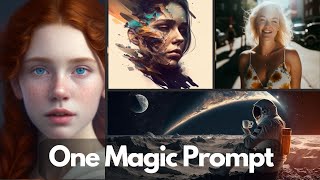
Use ChatGPT to generate detailed prompts for MidJourney image creation. The presenter shows a compact ChatGPT prompt that converts simple concepts into copyable MidJourney prompts, then demos it with orange pie, glass snow globe, samurai robot, and other images.
Chapters
As you probably know, Midjourney is an amazing tool for creating beautiful images with very simple prompts. But if you combine it with the power of ChatGPT, you can take your creativity to the next level. In this video, I'm going to show you a ChatGPT prompt which takes a simple prompt, converts it to a very detailed prompt that you can use in midjourney to create stunning images like these. So let's get started. In a previous video, I showed you how to use ChatGPT as a prompt generator for Mid Journey. In that video, we gave ChatGPT a set of rules to follow in order to generate a prompt for Mid Journey. I'll put a link to that video. In this video, we want to explore what happens if we provide examples of good prompts rather than the set of rules ChatGPT and to ask it to follow these examples. This will make our chatgpt prompt a lot shorter compared to the defining these set of rules. So let's look at an example. So here's our prompt. It's very simple and pretty short. So let me walk you through this. First, we are asking ChatGPT to act as a concept to prompt AI, which converts concepts into prompts for generative AIs that create images. Next, it expects a concept from the user and then provide a prompt in a copyable code box. Next, once it generates a prompt, we want it to as the user is interested in three different options or they want to try a new concept. In this case, rather than defining the rules how a good prompt should look like, we simply give it examples. So for example, here's a concept, a micro shot of a steampunk insect and the prompt should look like this. Here's another example concept and the corresponding prompt. Now, each prompt has three parts. First is the concept. Then we are giving it a style in terms of like the artist and then like defining the other characteristics. You will note that I'm not including any Mid Journey specific code. For example the aspect ratio or the style or the chaos or quality it had. Like, I found it to be a bit tricky in this case, but you can play around with it. But I have another video that you can check out on how to include those automated prompt generation using ChatGPT. And then we provided a third concept, a close up shot of a plant with blue and golden leaves and then what a good prompt can look like. We're simply providing examples and ChatGPT will generate prompts, keeping these different examples in mind for a new concept that we provide. So let's Run this. Okay, let's run this. So now ChatGPT is waiting for us to provide a concept. Let me first copy one of them. So, so let's say this is the example that we provided, right? So an orange pie on a wooden table. Let's say we simply ask it to generate a prompt. Okay, so it completed the prompt in a copyable code box. Now you can simply copy it and paste it in mid journey. But let me copy it here and let's compare this to the actual example that we had provided. So the concept was an orange pie on a wooden table and then a pie sitting on top of a wooden table by Kari Morris. The prompt that it generated is a photorealistic image of an orange pie on a wooden table by Anna Peterson, Desert Photography Contest winner and then adds a lot more details. For example, the pie has a golden brown crust with a lettuce top and its fillings are made with fresh oranges and so on and so forth. So let's copy this and run it in mid journey. All right, so here are the outputs. These are very detailed pictures. I really like them. Actually it did a really good job. The great thing is you can simply ask it to generate few three more alternative prompts for that concept. So you can compare and contrast between different prompts if you want to. But let's experiment with some other examples. So let's say the concept that I'm providing is going to be a glass ball with a house inside of it. And let's see what it generates. So ethereal 3D rendering of a glass ball containing a miniature house by Daniel Lee, 3D art contest winner and the ball, the glass ball has a forested texture, a few visible air bubble. And let's actually ask it to generate three alternatives as well. I think I misspelled it, but let me copy it and run it in journey. So in this case it was able to generate three different alternatives that you can try. Now I generated images based on all those three different prompts. So this is like one example, then another one, and then another one. And they all look pretty detailed and beautiful. For example, in this case the glasses are a bit rusted. Let's try a few more concepts. So the next one is going to be Big Bang space creation. And so far it's actually able to generate it within a code code box. S9 Sometimes what I notice is with this you might want to run it in another session if it starts to forget things. So let's copy this. Here are the outputs. So I run it the Couple of prompts here. So this one example is another example. All of them are extremely detailed and pretty nice and beautiful. I also tried it with a prompt of black hole. So here are different variations. You see that there are a lot of differences between these images because they were generated using different prompts. Next we want to see whether it can help us create prompts for more abstract concepts and structures such as buildings or not. So the first we will try a futuristic samurai robot. So based on the prompt for ChatGPT, I generated these different images. It's actually looking like a robot is another one. And here's another one. All right. One thing you might notice is the aspect ratio for these images are different and that's because I actually set it up myself. So it's not as a part of the prompt generated by ChatGPT. So you will have to play around with that one thing. I want to test it how it's going to do on portraits of people. So if you notice in our examples, we didn't provide any examples that contain portraits of people. Right. So let's see what it can do with that. And so I'm going to ask it to imagine. Actually let me remove this one. So here are the outputs based on the prompt. So, for example, this is a bit more dramatic. Then here's an artistic one and here's a beautiful medium shot. So you notice that in each case the prompt has a different composition. So it could be really helpful as a starting point in your own work. At the end, I'm going to show you some example images that I've been playing around with, so known as astronauts. Then this is a close up of an insect, some art style, a red wood wolf. And these are some of the stuff that I played around with it. The outputs are really nice. I had a lot of fun. I hope you enjoyed the content. Please consider liking and subscribing. Thanks for watching. See you in the next one.