ChatGPT Can SEE: Here’s How it Works!
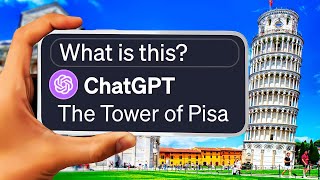
Sam demos GPT-4 Vision, showing it can read whiteboards, solve math problems from photos, analyze circuits, and identify locations. It handles grocery lists and interior design but struggles with reading clocks and sometimes hallucinates details.
Chapters
So GPT4 can now see, hear and speak. And in this video we're really going to hone in on that seeing element, the hearing and speaking that mostly has to do with the ChatGPT app. You can now speak directly to it like you would Siri and it will actually respond to you with one of the voices that's available in ChatGPT. Of all of the new updates that they've rolled out recently, this GPT4 vision, the ability to upload images and actually get it to interpret and respond to those images and is definitely the most mind blowing thing OpenAI has rolled out into ChatGPT in a long time. We're really going to dive in in this video and show some example use cases as well as a free alternative. And we'll compare some of these use cases with the alternative to see what does it better. GPT4 Vision or Free Alternative. Let's dig in. Before I show you some really cool examples and start experimenting with it myself, I want to point you to this really cool resource that I learned about from igor from the AI Advantage, this YouTube video called 100 Plus Insane ChatGPT Vision Use Cases. In this video he shows off a research paper that he came across called The dawn of LMMS Luminary Explorations with GPT4V is a PDF that's available over on archive.org and you check out this PDF Here it is, 166 pages of various use cases of GPT4V or GPT4Vision. Scrolling through this document gives us all sorts of use cases like reading receipts, explaining what it sees in images, pattern recognition, pulling data from things like driver's licenses, and just so many more use cases. And the reason I'm pointing this out is A I will share this PDF below in the description so you can check out all of these use cases. But B because this video that you're watching now is just going to scratch the surface. This is just the very tippy top of the iceberg of what you can do with gpu. And if you want over a hundred more ideas, check out this PDF because there's quite a few. Now let's dive into some example use cases that I've come across on social media so that you can see some real world use cases and ways that people are using this right now for their own workflows. Now this first one comes from Paul Bratcher. This is a post that he shared on LinkedIn. Now in this video he uploads an image of a whole bunch of sticky notes up on A whiteboard and says, convert this whiteboard into a well ordered list. One post it note per line. ChatGPT then explains its approach and then creates a to do list based on the sticky notes that it saw in the photograph, even including some of the sticky notes that were already marked as done. Now, when it comes to learning and actually helping with schoolwork, GPT4Vision is going to be a game changer or a student's best friend for cheating. Here's an example from Peter Yang where he uploaded this image of the anatomy of a human body and gave gave it the prompt, I'm in first grade. What does each part do and why is it important? You can see that GPT4V then proceeded to explain each body part and then also explain what it does. The brain, this is like your body's control center. The trachea, this is the tube that carries air to and from the lungs. The lungs, these are like big balloons that fill up with air when you breathe in, etc. Here's another example from McKay Wrigley over on X. You can see that he uploaded an image of a human cell and then gave it the prompt. I'm a 9th grade biology stud and I'm really struggling in school. Can you help me understand this? It then responded with an explanation of each of the areas of the human cell, just like the last image that we looked at. So the topmost one is coromatin. I don't know if I'm saying that right. And then you have nucleus and nuclear envelope. And if we take a look at the response here, we've got the nucleus. This is the cell's control center, the nuclear envelope. This surrounds the nucleus and controls what enters and exits it. The chromatin. This is the material within the nucleus consisting of DNA and protein. And it explained everything from the picture. He then added another prompt. I'm totally lost. Can you make this easier for me to understand? And then maybe we can work our way up. Absolutely. Let's simplify things and use an analogy. Think of a cell as a city. The nucleus is the city hall. The nuclear envelope is the city hall's walls. The nucleolus, a factory inside of city hall. So then it then breaks down each of these things into an analogy to help you better solidify in your mind which what each element is and what it does. Here's another little thread I found on X. This original tweet said, can you test it with some complicated questions, provide it with the whole page and ask it to answer all the questions? And here's a photo of a full page from some sort of workbook. Dietro Shirano here, then followed through, uploaded the screenshot. Solve all of these problems you see here. Take a deep breath and think step by step. You are incredible at this. I always think it's funny when somebody tells a a chatbot to take a deep breath. But then it goes on to say let's solve these problems step by step. Problem 73, given the potential difference equals 10 v I, current intensity equals 2A using Ohm's law, V equals I times r. And it goes on to solve the problem you could see it basically shows its work and then moves on to problem 74. When the length of the wire is doubled, the resistance becomes this formula, moves to problem 75, shows its work, shows the answer to 75 and as far as I can tell, figured out the answer to these problems. Now, I'm not good enough at math or know these symbols well enough to tell you whether it answered the questions correctly, but I feel like if I follow along to the logic that it maps out here, then it seems like it's most likely correct. And here's another example from Peter Yang of somebody cheating on their homework. I mean, using school homework as an example, they uploaded an image with 16 different math problems on it here and then gave the prompt give me the answers. Certainly, let's solve these addition problems and. And then one by one it solved all of the addition problems. Here's Another example from McKay Wrigley ChatGPT Vision takes an image of groceries and converts it to JSON based on the instructions. So this image of some fruits and vegetables was uploaded. The prompt was given convert this to JSON following the instructions, identify all of the fruits. And then for each fruit I need an object with a name, property and nutrition property with estimated calories, carbs, fat and protein properties. ChatGPT then went on here. Here is the JSON representation of the fruits identified in the image along with their estimated nutritional values. You can see it created the Code Name Apple Calories, 95 carbs, 25 grams fat, 0.3grams protein 0.5grams, and so on, all in this JSON code. Here's an example from Marco Mascoro. He uploaded this image of a circuitry diagram and simply typed what is this? GPT4 Vision then breaks it down. This image presents a schematic diagram of an electronic circuit. Let me provide a breakdown of the components and their interconnections observed in this schematic at Mega 328p Au this is the central microcontroller, a popular choice in DIY electronics, especially known for its use in Arduino boards. And it goes on to explain each piece. If this was me, I would probably ask it to further simplify it because even this information's kind of over my head. But pretty awesome that it can interpret what is going on in this diagram. Diagram here. Another example from McKay chat. GPT vision breaks down Christopher Nolan's early diagram for Inception. And the best part, the diagram doesn't mention the word Inception once. So let's take a peek at the diagram here. We've got heist into Escape. There's this whole sort of plot storyline here with some notes on the side. The prompt was given, Analyze this diagram. Break it down for me in as much detail as possible. The diagram appears to be a representation of the dream levels and the progression of the events in the movie Inception. The movie involves navigating through multiple levels of dreams, each deeper and more time dilated than the previous one. Let's break down the diagram. And then it goes through and breaks down the diagram all about the movie. And it figured out it was from Inception without the words Inception being even mentioned once. There's two main sections of the plot, the heist and the escape. You've got the main characters of the film. You've got the kidnap, the chase in the hospital, the limbo, the various annotations, the lines and arrows, the lines connecting different levels and characters to pick the flow from one dream level to the next. Crazy. Here's another example from Pietro Scirono here where he says, who is this? And then he also has something added in the custom instructions. But from his tweet, he doesn't share what's in the custom instructions. But when asked, who is this? GPT4 Vision says, this is Joaquin Phoenix portraying the character Theodore Twombly in the movie Her. And finally, here's another example from Pietro. GPT4 vision for interior design. He uploaded this image from a apartment or a condo here and said, how could I improve this room? Certainly from the image you provided, here are some suggestions to enhance the room. Can introduce color. Consider adding layered lighting, add plants, add art, the rug, the storage furniture, mirror, window treatment, personal touch. It gave all sorts of ideas on how to better improve this room here. Let's do some experimentation ourself. I actually just took this picture in my living room where I was just lying on a couch and I took a picture of the room just randomly with my iPhone and said, name as many things as you can see in this picture. It found a television screen and noticed that it was turned off. A wooden entertainment center or TV stand which you can clearly see here. Multiple framed pictures slash art on the wall, which you could kind of see over here. In this corner. A wooden coffee table. Yep. A section of couch. Yep. You could see the couch that I'm lying on here. A cactus plant in a pot. It found that right there. A small pumpkin or decoration with a face. You can see the pumpkin right here. An open display case or jewelry box on the coffee table. Now I think what it's seeing is this back here, which is actually our tortoise enclosure. We have like a little teeny mini baby tortoise that lives in this enclosure over here. It thinks that's a jewelry case, a sign or decorative piece with the word home. I don't know where it found that because I don't see that actually anywhere. A pair of legs slash feet. Yep, those are my legs slash feet there. A rug or carpet. Yep, you got your rug here. Various items inside the entertainment center. You know, you've got the Nintendo switch here. A chandelier or light fixture in the background, which you can barely see up in the top left here. A window partially visible. Now, there is no window in this picture, but you can see the reflection of my window on the TV screen here. And finally, a pair of shorts. Yes, I'm wearing shorts in this picture. So it did a pretty good job of identifying various things in this image here. Now what was really interesting to me is I wanted to do another test. I said, what time is it? And I took a picture of my watch and you can clearly see that it's about 5:34 on my watch. But it said the time displayed on the watch is 1:54. So not even close. So I said that's incorrect. And it said, my apologies, Matt, I made an error looking at the watch again, the time is 1:52. Thanks for pointing it out. Which still incorrect. And then I said the time on the watch shows 5:34 and it says, you're right, Matt. I apologize for the oversight. The time is indeed 5:34. Thank you for correcting me. Now I did mention that if you don't have GPT4 Vision, meaning maybe you haven't upgraded to ChatGPT plus, or maybe it just hasn't rolled out in account yet, or you're in a country where maybe it's not available yet. Well, there is an option called LAVA or Large Language and Vision Assistant, which according to the GitHub page is actually open source, so it's publicly available to anyone and anyone should be able to use this. Now if I drop the same image in of me sitting on my couch, I give it the same prompt, name as many things as you can see in this picture and send it in. It starts to respond. In the image there's a person sitting on a couch in a living room with their feet up. The room features a large flat screen TV mounted on the wal which is the main focus of the scene. There is also a potted plant placed near the tv, adding a touch of greenery to the space. Additionally, there are two books visible in the room, one located near the person and the other closer to the tv. Now I don't believe there's any books in the picture. A remote control can be seen on the couch. Also not true. Likely used for operating the tv. The overall atmosphere of the room appears to be relaxed and comfortable with the person enjoying their time on the couch. That part probably true, but it did make up some stuff. It mentioned that there were books that don't exist and a remote that is actually not visible. Not quite as good as GPT4 Vision, but it can do some similar stuff. Let's go ahead and upload the picture of me looking at my watch here and say what time does the watch show? And for some reason Lava also screws that up. It says the watch shows 12:16. I just did a quick google search for funny meme. I was going to pick a random meme and see how the two models interpret the meme. Here's one me puts on hand sanitizer a cut I never knew existed. I'm going to create a new chat here in GPT4. Make sure default is set. This is the one that has vision in it. Let's go ahead and upload our meme. Describe what is funny about this meme. The meme humorously captures the unexpected and painful sting one feels when applying hand sanitizer to hands that have an unnoticed cut. The exaggerated reaction of the character Elmo engulfed in flames emphasizes the intense burning sensation. It's relatable to many people who've experienced this, making it funny. All right, let's test Lava here. Toss the same meme in. Toss the same prompt in here. Describe what is funny about this meme. Not quite nailing it here. The humor in this meme comes from the juxtaposition of the Elmo character, a well known and beloved children's television character, with a hand sanitizer. Elmo is known for its innocence and Playfulness. Hand sanitizer is typically associated with hygiene and cleanliness. Caption adds to the humor by suggesting that Elmo is being put on hand sanitizer, which is an unusual and unexpected scenario. This combination of the familiar character and the unrelated object creates a humorous and unexpected twist that makes the meme entertaining. Yeah, I don't feel like it's totally got that one. Now. GPT4 Vision should also be able to recognize locations. I'm going to upload this picture of a lake here and say, where was this image taken? This image depicts Moraine Lake in Banff national park, located in Alberta, Canada. The distinctive color of the water and the backdrop of the Ten Peaks make it one of the most iconic and photographed locations in the Canadian Rockies. Let's try the same thing here in Lava. This image was taken in the Rocky Mountains, specifically the Canadian Rockies. So that's true, but it didn't actually notice that it was Moraine Lake and doesn't have nearly the detail that GPT4 had. Let's try one that I know fairly well, but I don't know if Chat GPT will know where this is. Gonna use the same prompt. Where was this image taken? And let's see if it can recognize my hometown. The image was taken in San Diego, California, showcasing a view of the downtown area. The prominent baseball stadium you see is Petco park, home of the San Diego Padres. The surrounding high rise buildings and urban landscape are indicative of San Diego's downtown district. So this isn't the normal San Diego skyline view that most people are used to. This one is kind of a funky angle taken from a building that kind of shows off a piece of Petco park, and it still figured out exactly where this was. Lava, on the other hand, didn't quite nail it. This image was taken in a city, likely in a downtown area with a baseball stadium in the foreground and a large city skyline in the background. Now, some of the areas where I see this being really, really useful. Things like this where you can upload your radiology report and look at X rays and have it actually break down what's going on in the X rays for you. Here's another example of the same idea. I also think it would be very beneficial for people that need help with work like math work or engineering work. They'll be able to take pictures of the problems and then have the problem sort of broken down and get a little bit of help solving those problems. But the most valuable use case that I can see for GPT4 Vision isn't going to come on a desktop computer. It's going to come when using your smartphone with the GPT app on it, because you can take pictures with ChatGPT now using your phone and ask GPT about what it sees in the images. Let's pretend for a second that I'm using ChatGPT on my iPhone and I come across a tree and I'm curious what kind of tree it is. I can upload an image of the tree that I took with my phone and say, what type of tree is this? And get a quick response. The tree in the image appears to be an oak tree based on its bark texture and leaf shape. Or maybe I came across this tree here. I could type, what kind of tree is this? The tree appears to be a ponderosa pine. Plugging it into Lava, I get the tree and the image is a tall pine tree. So it got that it was a pine, but didn't get the specifics that it was a ponderosa pine. But again, I think the most valuable use case for GPT4 Vision is going to be when you're out and about, you have your phone on you, you've got the Chat GPT app on your phone, you can take a picture of anything and ask questions about that. That thing. In fact, even in OpenAI's own demonstration, they upload a picture of a bicycle, give it the prompt, help me lower my bike seat. Chat GPT gives them some instructions. They then upload another picture and say, is this the lever? Chat GPT responds, no, that's not a lever, it's a bolt. But then gives them an explanation that once loosened, you can adjust the seat height. They then take a picture of their tools and say, here is my manual and toolbox. Do I have the right tool? Yes, you have the right tool. In the left section of your toolbox, there's a set labeled DEWALT. Within that set, find the 4 millimeter Allen key. Use this to loosen the bolt on the seat collar and adjust the seat height. It worked. Thanks. So there you have it. There's a whole bunch of ways that you can use chat GPT4Vision in your own workflows. And like I mentioned at the beginning of this video, this is just scraping the surface. There are so many other ways that you can use this. Again, I'll link to this PDF below that was shared by Igor from his YouTube video. But it's pretty mind blowing what you can do with this new Vision model of Chat GPT. Again, there is this Lava version that you can use for free. And it's open source, but it does still leave quite a bit to be desired when comparing it to Chat GPT. However, saying that I do think these open source models are going to get better and better people are going to iterate off of them. It's only a matter of time before tools like Lava catch up to chat gpt4vision model and you can do all the same stuff with open source. So hopefully you enjoyed this video. Hopefully you found some new ideas, new ways to use Chat GPT and this new vision model. I'm super excited about it. I'm excited to use it on my phone and take pictures in the wild and actually have those pictures interpreted by Chat GPT. That's where I think the biggest use case is and I'm excited to use it more for that use. But I'm also excited to explore more use cases. If there's a use case that you've seen for it and you want to share it with the world, make sure you share it in the comments. And if you're watching this and you want more use cases that I didn't say in this video, make sure you read the comments comments because I'm sure there's some really smart people showing off some really cool use cases in the comments to this video. Thank you so much for tuning in. If you haven't already, make sure to check out FutureTools IO. This is the site where I curate all of the coolest AI tools that I come across. I keep the AI News section up to date on a daily basis with all the most recent news and I also have a free newsletter where I will send you all of the most important AI news and coolest AI tools directly to your email inbox. You can find it over at FutureTools IO. Thank you once again for tuning into this video and nerding out about AI with me. I have so much fun making these videos and I'm so excited that you love nerding out with me about this stuff as well. I can't say thank you enough. I really, really appreciate you and I will see you in the next video. Bye. By. Sam.










