ChatGPT & MidJourney: One Prompt to Transform Your Imagination into Reality!
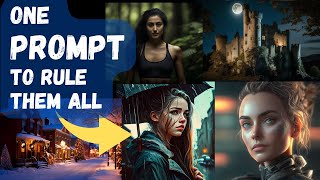
A tutorial-style YouTube video by LARRUZ showing how to use ChatGPT to transform simple concept prompts into detailed, MidJourney-ready prompts. The creator presents a long "magic prompt" template that instructs ChatGPT to produce six components (subject, expanded description, scene, mood, atmosphere/style, lighting) plus MidJourney control parameters, and demonstrates the workflow with examples (lone astronaut, ancient Egyptian temple, etc.).
Chapters
Have you ever stumbled upon those mind boggling AI generated images from stable diffusion or midjourney and thought to yourself, how on earth did they create that? Well, guess what, I have this secret and trust me, it's a game changer. It all boils down to just one word. Prompts. The more detailed your prompts are, the more stunning your images will be. For example, let's look at this mid journey generated image. Here is the prompt that was used to generate the image. You can see it's a very detailed prompt with a lot of moving parts. But if you are anything like me, you want to have a very simple mechanism which takes a simple prompt like this and converts it to a detailed prompt. Well, in this video we will use ChatGPT to actually achieve this. So our workflow will look something like this. We will provide a simple concept or a subject to ChatGPT. ChatGPT will then convert that into a detailed prompt. We will use that detailed prompt in mid journey to generate stunning images like these. And we'll achieve all this using a magic prompt. So here is our magic prompt. Keep in mind this is a very long prompt. I'm going to provide this prompt in the description of the video. And now I'll go over each part of the prompt, but if you don't want to listen to me reading it, you can skip ahead to the next section. This prompt was inspired from a Reddit post. I will provide a link to the original post in the description of the video. So let's go with the prompt. Create an imagine prompt with a word count limit of 1500 words for the AI based text to image program mid journey using the following parameters. So imagine and then we want the prompt to have six different components or parts. The first component or part is going to be the user specified subject or concept. The second, we want ChatGPT to provide a summary of the subject, so add more details to the subject. Then the third part, we want it to focus on the scene or the environment where the subject is going to be. The fourth part, it will simply set the mood of the scene. Fifth part is going to be the atmosphere, like overall style of the image or atmosphere. And the sixth part is going to be different lighting conditions and lighting effects that we want to create. For the rest of the prompt, we ask ChatGPT to actually add some mid journey AI specific parameters that are essential to create stunning images. Okay, so in this prompt, one should be replaced with a user specified concept and two should be a concise descriptive summary of the subject. Ensure that the Description is detailed, uses descriptive adjectives and adverbs and a diverse vocabulary and sensory language. Offer context and background information regarding the subject and consider the image's perspective and point of view. Use metaphors, metaphors and smiles only when necessary to clearly explain abstract or complex ideas. Use concrete nouns in active verbs to make the description more specific and lively. So in the first two parts we are simply asking it to add more details to the subject itself. Next three should be a concise summary of the scene's environment. Keep in mind that the desired tone and mode of the image and use language that evokes the corresponding emotions and atmosphere. Describe this setting using vivid sensory terms and specific details to bring the scene to life. So These image generation AIs like very detailed descriptions and that's why we are setting the tone of the environment in this case. Four should be a concise description of the mood of the scene using language that conveys the desired emotion and atmosphere. Five should be a concise description of the atmosphere using descriptive adjectives and adverbs to create the desired atmosphere while considering the overall tone and mood of the image. 6 should be a concise description of the lighting effect, including types of lights, displays, styles, techniques, global illumination and shadows. Describe the quality, direction, color and intensity of the light and how it impacts the mood and atmosphere of the scene. Use specific adjectives and adverbs to portray the desired lighting effect and consider how it will interact with the subject and environment. Okay, Next we give it general directions. So it is important to remember that the description in the prompt should be written together, separated only by commas and spaces, and should not contain any line breaks or columns. Brackets and their content should not be included and the prompt should always starts with Imagine prompt. Next, ensure that the grammar is consistent. Avoid using cliche or excessive words. Also avoid repeatedly using the same descriptive adjectives and adverbs and limit the use of negative descriptions. Use figurative language only when necessary and relevant to the prompt, and include a variety of both common and rarely used words in your description. The last part are some control parameters for mid journey. So there are specific parameters that we need to pass on. For example, the C AS defines the style, Q defines the quality of the images, and we provide different whole numbers. We want ChatGPT to actually randomly assign them in this range. I have another video coming up, so to go into more details, there are a couple of things I think I would like to highlight. So this parameter AR is basically the aspect ratio and this defines the overall size of the image. So we asked ChatGPT to look at the concept that we have provided and decide how it's going to look better, whether it's going to look better horizontally or vertically. In that case, like if it's. It looks horizontally better. So the aspect ratio is going to be three by two. If it looks vertically better, then the aspect ratio is going to be two by three. With all these details. Next we simply ask it to wait for a command to give it a concept. Right, so let's run this. Okay, when we run this, it seems to have generated a prompt, but let's provide it another concept. So let's say the concept is alone astronaut. Let's run this and let's see what it comes up with. This creates a very detailed prompt based on our input concept. Frankly, it does a much better job than what I could have come up with by my own. So once complete, we'll simply copy this and go to Mid Journey. If you're using Mid Journey for the first time, you will have to join their beta. It will take you to their Discord server. So here there are a number of channels for the Mid Journey Discord server. Find the one that you start with newbies. So let's say I'm going to join this. There's a specific syntax if you want to provide a prompt. So say imagine and then the prompt that was generated by ChatGPT. So let's input this. It's waiting to start, but here you can explore the different people provided different prompts and Mid Journey Bot is actually processing those to create different images. So you can explore while you're waiting. This is going to take some time. So while this takes time, let's create another concept. So let's say the second concept is an ancient Egyptian temple. While we wait for ChatGPT to generate the prompt, let's look at the progress on the image generation. So it still seems to be generating the image. It's now 93%. I think the prompt should be generated by ChatGPT. So let's go ahead and copy it and let's execute this in Mid Journey while we wait for the other one. So it's going to be imagine and then we'll simply provide the prompt that we had. Okay, so actually this finished. So lone Astronaut. These are pretty amazing actually. So you open in the browser, it actually added details based on the description we give it. That's pretty neat. Okay, let's look at the ancient Egyptian temple. It's almost done, 62%. And the Egyptian temples are also pretty neat. There are like highly detailed I was actually playing around with it. So before this I provided like for example this beautiful religion Christmas right And it came up with this beautiful description based on it actually created these images, these stunning images. Then I so this is another one. I really like the majestic castle that I asked it to create and it's actually pretty beautiful. Attention to detail is awesome. These are great looking images. Here is another one that I previously asked it to create an image of a girl standing in the rain with an umbrella and you can see these beautiful pictures that it comes up with. These were just a few examples to show you how easy it is to generate these details. Prompts for mid journey using ChatGPT I'll provide the prompt in the description of the video. Play around with it and share your creations. I hope you liked the video. Please consider liking and subscribing. Thanks for watching. See you in the next one.










