Crazy AI-Powered Webcam Technology!
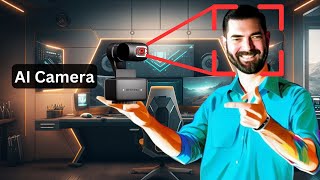
LARRUZ reviews the Insta360 AI webcam, a $299 device with gesture control, face tracking, and AI zoom that automatically frames your head, half-body, or full body. It has a three-axis gimbal, 4K capture, and whiteboard mode for presentations.
Chapters
Now this video is going to be a little bit different because in this one I'm not playing with online software this time, I'm playing with some hardware. So the people over at the camera company insta360, they saw that I had a channel all about AI and they said, hey, our new webcam has AI built into it. You should check it out. And I said, okay, let's check it out. So they sent me this little guy here and it's pretty small actually. Here's a Rubik's Cube and here's the camera next to it. So about the same height, I guess. And what's cool about this camera is it's a webcam, but it's got a gimbal on it, it's got a three axis gimbal, so it could spin this way, it could spin up and down like this and it could spin this way. So those are the three axises on the three axis gimbal. What's also cool about it is it's got this little screw here so that you can hook it onto a tripod. But then just like any other webcam, this part here folds out and then it just kind of loops around your monitor just like any other webcam would. They also sent this little mini three in one tripod here. And with this thing you can actually screw it onto this like so it locks into place, but then this also opens and becomes a little tripod that you can use. If you don't even want to put it on your monitor, you can just set it on a tripod and put it right on your desk. There's been a ton of videos that are doing reviews of this little camera here. If you look on YouTube, you'll probably find 100 of them and they all kind of compare them to different cameras. And I'm not going to do that in this video. Pretty much every review out there is going to tell you it's a really good camera and it's probably the best webcam on the market right now. What I want to talk about is the AI features. I'm an AI channel, I'm not a camera review channel. Let's take a peek at all of the cool AI stuff that this thing can do. Now before I get into it, I do want to point out that this camera has a half inch sensor on it, which is great for a webcam. It should give us like a DSLR or mirrorless camera style video. And it can shoot in 4K. But again, it's the AI stuff that I'm really excited about. I'm going to hook this thing up. We're going to take a look at what the software looks like when you do hook it up and we're going to play with some of the features on it. Now if this is a camera that you're interested in, it does sell for about $299. So as far as webcams go, it's on the higher end. It probably has similar quality to this mirrorless Sony camera that I'm using for half the price. And it's got this gimbal with cool AI technology built into it. So let's go ahead and play around with it. So this is what this camera looks like. Not too bad, honestly. It's got good color, it's got good contrast. And here's one thing that's really cool about having the gimbal on it is I can do stuff like this. I can press a button here and it'll go boop. And it'll show you what's going on in my hands and I can just go, hello, look, it's me. It's a smiley face. I could draw stuff for you. My lights are reflecting off of it, so it's kind of hard to read. But I have like basically a top down camera. Now I can go, go to Future Tools dot I o and then I could bring it back to myself. And now here I am again. It seems like it takes a second for it to adjust to the light because it comes back real bright. But you can see it's finding my face too. Now here's where the AI stuff comes in. It actually recognizes hand gestures. So if I go like this and make an L sign. Watch this. I can move my hand up and it zooms in on me. And if I move my L hand down, it'll zoom out. And another thing I can do is, let's say I want it to follow my face. I can actually go like this. Put one hand up like this. Now it just switched into tracking mode. I could try to dodge my camera. I could stand up if I want. It'll follow me as I. It'll follow me when I stand up. I can try to go low and hide from it. Do stuff like this. I could turn off the tracking mode and now I'm a little off frame. So I've got my little joystick over here so I can adjust it manually with my joystick stick. Let's go ahead and adjust it so my head's a little bit closer to the top there like so it's got this really cool whiteboard mode here, where if you have a whiteboard, you can put these little stickers in the corners of a whiteboard. And then when you flip it into whiteboard mode, it zooms into just the whiteboard. And you can give, like, a little peace sign or something like that. And every time you give it the peace sign, it'll switch between the whiteboard and you. So that's another cool A.I. now, I don't have a whiteboard set up behind me right now, so I can't really demonstrate that part. But that's one of the other cool AI features that are built into this. And let me turn the tracking back on. Right, so tracking's back on. Trying to outrun it. All right, so let's go ahead and leave it on normal, because I think normal seems the best. So there's an AI zoom here. So let's go ahead and turn on the AI zoom. So right now it's zoomed in on my head. When I scoot back, it continues to zoom in on me, and it kind of gives this, like, real cool, like, almost like cinematic effect. Like, all right, I'm going to zoom. I'm going to scoot my chair back. Watch this. That's cool. It just continues to zoom in and make sure that my face is still there. So if I set on half body and then I zoom out, you can see it tries to keep it cropped from the waist up. Now, what happens if I put it on whole body? If I zoom out, I can stand up now. All right, so I'm going to turn off the AI zoom. That's kind of cool. There's anti flicker that's on auto. You can actually turn on a manual focus here. Makes me really blurry. And then I can focus it to the optimal level if I actually use my mouse, you know, finger zoom here, that zooms out on my face as well. So let's bring it up here like this. Let's zoom in on the guitars back here. Save this as a position. Call it my guitars now. Here's me, here's my guitars. And it seems to remember that I want this position one on auto tracking. And when I switch to my guitars, it turned off the auto tracking down here. When I switched back to position one, turned on auto tracking again. So there's hotkeys as well that it looks like we can use. And if you're someone like me who uses one of these stream decks, you could program various hotkeys and just use your stream deck to switch Positions, I'd imagine as well. This is my Sony A6400 camera. Now, I am using the Insta360 camera, so you can tell this one's a little bit more zoomed in and maybe a little less contrasty, so you can see a difference. But as far as webcams go, this is pretty dang good. I mean, this is the Sony right here. This is the insta360. You can tell because it follows me around, and this is what it looks like when I have both cameras going at the same time. What's cool about this is you can see me on camera, but it also allows me to, you know, show off what's on my whatever is below me right here. So if I wanted to do product demos and I can go, ooh, look at this. Look at how pretty this is. Yeah, how nice is that? Pretty cool stuff. I'll be using both of these cameras, combine them together. There's my crotch shot, and then there's my guitars. So one last thing I wanted to do here is take a quick peek at their website. This is the insta360 link, so you can get a better view of what it looks like here. We got 4K resolution, AI tracking. We've got the gesture control, which I showed off. That's another thing I haven't really tested is how quickly the auto focus works. You can see it focuses in on that, but it also follows it around, too, when I move it around. So right now I'm looking over at my monitor to make sure it's on camera, but it actually keeps it in frame for me. I really like this insta360 camera. I can see using it for a lot of video stuff. I mean, especially the tracking. I can make some fun cinematic stuff using this. So there you go. There's my first ever look at a hardware tool instead of a software tool on this channel. I want to thank insta360 for sending me this camera to play around with. Cost about 300 bucks, if you want one yourself. I'd say the camera quality on it's pretty dang good. It definitely beats my Logitech Brio that I had before and definitely beats the Logitech C930 that I had before that. Not quite sure the camera quality is up to the same level as the Sony A6400 camera that I have here, but it's also half the price of that camera. So as far as webcams go, this is probably the best webcam I've used. So far. Honestly, I really like it a lot and I think it's pretty cool. And hey, if you like nerding out about all this cool AI and tech stuff like I do, make sure you check out futuretools IO. This is where I share all of the really cool tools that I come across. And if it's pretty overwhelming, you know, do a little search. Let's say you're a YouTuber. Type in YouTube and see what kind of stuff comes up. There's 51 tools in here that are relevant and helpful to YouTube. If even searching the site is too much for you, Join the free Newsletter Every single Friday I'll send you my five favorite tools that I came across for the week. A handful of cool news articles, a handful of YouTube videos, and one cool way to make money with AI. And I send it every single Friday. It's basically the TLDR of the week. You can find all of that over@FutureTools.com I oh, thanks so much for tuning in. I really, really appreciate you. If you haven't already, make sure you like this channel and press the little subscribe button that I'm sure you see a whole lot more AI videos inside of your feed and YouTube and I appreciate you. Thanks for hanging out. I'll see you guys in the next video. By.










