Create a Passive Income Stream with ChatGPT Ai: A Step-by-Step Guide
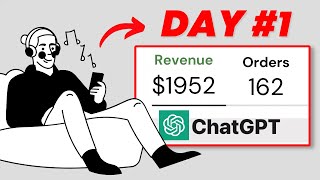
LARRUZ walks through selling printable products on Etsy using ChatGPT to write content and Canva to design. Pick a niche like self-improvement, validate it by checking what sells on Etsy, use ChatGPT to draft layouts, design in Canva, then list with optimized titles and tags.
Questions this video answers
February 6, 2023.
40 free listings.
$0.20 (20 cents).
Chapters
This is a brand new way to build a passive income stream using ChatGPT. I will not only explain the process, but also put this method to the test with you and document my entire journey in upcoming videos so you'll be able to follow and see the results firsthand. But first let me explain the business concept so you can better understand what we'll cover in this video. So we're going to use Chat GPT to create digital products and then design these products and list them on Etsy to generate passive income. So by the end of this video, you will learn powerful techniques to find winning products and use ChatGPT to speed up the process. We will also cover the creative side by showing you how to design a professional looking digital product on Canva. You will also have the chance to get my custom built templates pack which will help you stand out from the competitors. Then I will show you how to open an Etsy shop and get 40 free listings so you can start for 100% free. And finally, I will show you step by step how to publish the products on Etsy the right way. This video contains tons of value, so make sure not to skip any part. When it comes to selling digital products on Etsy, it's important to sell something that people actually want to buy. And most importantly, you should always aim to create unique products that stand out from the competition. And that's where my research techniques come in. There are many ways and tools that help you find products to sell. However, I have a very simple yet effective way to do the research for free, which is by using this search bar up here. But first you need to have a clear idea about what you want to create. So I asked the chatbot for suggestions. As you can see, we have some broad ideas to pick from and I know in fact that digital planners are always selling very well. So I decided to move on with this product type. But instead of digital, I'll go with printable. Now it's time to niche it down so we get a specific product targeting of a particular audience. So again, I ask for potential niches and target audiences. And as always, ChatGPT never lets you down. If you watched my previous videos, you surely know that health, wealth and relationships are my favorite categories to start with. That's why I choose number 10, which is the self improvement niche. And to be honest, I was proud of the end product. So keep watching to see how it came out. To recap, our goal now is to create a printable planner targeting people who want to improve themselves. And now it's time to do the research on Etsy to verify the product idea and see real examples of what's already working. Start by typing your keywords in the search bar here. So in my case I'll type something like Self Improvement Planner. You'll get tons of results and now all you need to do is look through the different listings and see what catches your eye. Once you find something, you can move on to the next step which is analyzing the product. And there are two essential things to look at. First, you must pick a product with enough reviews. And second, ensure that it gets new reviews consistently. Because if a product receives new reviews regularly, it's a sign that it is selling well. As you can see here, this product is getting a lot of reviews and all of them have been published recently. And if a product receives multiple reviews on the same day, it's a strong sign that it is selling very well. So I decided to create something similar to this product. Let's start analyzing. First try to get an overall idea so for example, what it includes, how many pages, what style they've used, etc. And then check the reviews to see what people like and most importantly, what they don't like. For example, this review says that the design is easy to use and that means we should keep our design simple and not too complicated. And this review says there are too many options. That means we can try to create a one page design. For example, just go through as many reviews as possible to collect enough information. And in the end you should have a similar list of what people like and dislike. Because understanding what people like will help you create something that has proven to work. And understanding what people don't like will help you improve your product. Therefore you will stand out and attract more customers. That means what people like plus what people dislike equals unique high quality product. So after doing the analyzing process, this is what I decided to create. A one page habit tracker with two other pages to sell as a bundle. And now it's time to design the end product using ChatGPT and Canva. But please don't forget to like and subscribe if you're enjoying the video. So far. I usually create something similar to the competitors and this method actually still works very well. However, I decided to try something different using ChatGPT. So here's what I did. I first typed the design I wanted to create and then design layout and after many tries and conversations with the chatbot, it has generated a detailed layout I can now use as a base. But remember, you don't need to Copy the design as it is instead, use it as a starting point to save time. And once you get an idea of what your end product will look like, head to canva.com to start the actual design process. All you need to do is search for the design you want to create and you will get tons of ready to use templates and then you can easily start moving things around. Change the colors and fonts, add elements, remove elements, and a lot more. So I spent about one hour on Canva and this is what I've managed to create. I first designed a habit tracking template which is the main design of my product and obviously I didn't copy ChatGPT's answer. I also created two more designs, Daily Planner and a Gratitude Journal. And as you may have noticed, I kept the same style for all three templates because one of the competitor product reviews complained about the pages being inconsistent. So hopefully we can now distinguish ourselves even more. Once you're done, download the template as a PDF. Print after that in under 10 minutes I created the listing images. As you can see, this will be the main image that shows all three templates and then each template individually with a short description generated using ChatGPT. But if you're wondering how I did that quickly, it's because I used my pre built templates pack. I've created 20 plus templates to help you uniquely present your product. All you have to do is drag and drop to create high quality product images. So if you want to stand out and save time, you can check it out while it's still available. And as a Bonus, the first 50 people will receive a list of winning digital products to sell on Etsy. So if you're interested, check the first link in the description below. This video. You should now have your product and listing images ready. This means you are ready to open your Etsy shop and list your first product. Now opening an Etsy shop is free, but listing a product costs 20 cents. However, if you use my link in the Description, you'll get 40 free listings to get started. Once you click Open a Shop today, you'll need to fill in details about your store and some personal information. Also, Etsy requires you to list one product to open your store. You can put anything here and then delete the listing afterward. Once you're in, your dashboard should look something similar to that. You'll have all the settings you need to manage your store on the left hand side and the first thing you need to do is edit your shop profile, add a photo and banner and add your Picture here as the shop owner to build trust when people visit your store you can use Canva as they have tons of templates for Etsy sellers. After that, click on Listings and then add a listing. Upload the listing images you've created on Canva. You can also add a video if you want, but I'll leave it for now. Then you have to type the product title. This is very important because you have to include keywords that help people find your product. The best thing you can do is look at your competitors and try to do something similar, but please don't copy them word for word. Then choose the product category. In my case it's under Calendars and Planners. After that, set the renewal option to Automatic and most importantly ensure the product type is set to digital. Then you can provide more detail about your product such as what it includes, its features and benefits, how to use it, and so on. You can also use ChatGPT to write the description for you if you like. After that, add tags here related to your product and here you can set your price and quantity. I suggest you start at a low price and after you get some sales you can increase it. But of course it's up to you. Here you can upload your product the PDF print file that includes all templates. This is what your customers will download after the purchase. After that, click on Publish. Congratulations. You've now listed your first product successfully and all you need to do is keep listing new products consistently. The good part is that Etsy will handle the rest. You don't have to worry about delivering the product or collecting payments. That's why selling on Etsy, especially digital products, is the best way to build a sustainable passive income stream in my opinion. I know this video might be confusing as it contains a lot of information, so I suggest you watch it again and follow it step by step. Let me know if you have any questions and also let me know if you want me to continue the series. Please don't forget to like and subscribe as this helps me produce more videos. Thanks for watching and see you next time. Subscribe.










