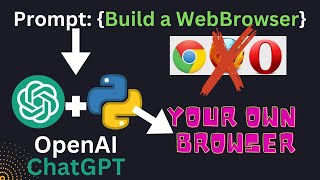
LARRUZ shows how to use ChatGPT to build a desktop web browser in Python with QtPie. Prompt ChatGPT for code, paste it into Visual Studio Code, run it to get a working browser with a URL bar and navigation, then ask ChatGPT to add back and forward buttons.
Questions this video answers
January 17, 2023
Chapters
If you are concerned about your privacy and you don't want to use web browsers like Chrome, Firefox or Opera, you can actually use ChatGPT to help you build your own browsers. In this video, we will ask ChatGPT to do exactly the same for us. So here we have a prompt. Build a web browser using Python in QtPie. After executing the prompt, Chat GPT will start giving us some information about what it's going to do, and then it actually starts writing the code for us. Once the code generation is complete, we can simply copy this code and paste it into a visual Code studio file and then we can run that. So let's copy this code and open a new file. We are calling this browser py. Paste our code here and simply execute this file. Once executed, it will show us a simple web browser that simply has a URL bar where we can type in our URL. We are able to minimize and maximize and resize the window so it has the basic functionality coded in there. Let's try to access a website. So in this case we will try to access Reddit.com so you type in the address and let's hit enter. It seems to be working fine. We are able to access a website and at the same time we can actually resize the window as well. So that's pretty neat. You can also click different links to see whether it can navigate to other pages or not. So in this case it takes us to a subreddit. So this is pretty nice. You can actually start using this web browser where your data is private. So let's say Chrome or Firefox doesn't have access to the data that you what you are browsing on the web. Okay, but so far we have a very basic browser. Let's say we want to add some more functionality to it. For example, you want to have the ability to go back and forth between web pages. So in this case we can ask ChatGPT to modify the code for us. So we are asking it to add some functionality. For example, a button for going back and going forward between the pages. Based on our request, ChatGPT actually starts modifying the code. So it based on the existing code, it adds two more functionalities. One is the ability to go forward, and the other one is the ability to go backward. And it will add just two buttons to the existing browser code. So let's wait for the code to finish. Once the code finishes, we can again copy the code and run it in our visual code studio. So the code is finished. Let's copy this and paste it in the visual code studio. If you run the code again. So now we will be able to see another browser, and it has actually these two buttons, one forward arrow and the other one for back arrow. So using these two buttons, we should be able to navigate between pages. So let's say, let's open the Reddit page again. We can click on a subreddit. Now, if we click on the back button, we should be able to go back. So here we are able to actually go back. Now let's go forward. So if you click again, that will take us to the website that we just visited. So here you have it. A new web browser entirely made by ChatGPT. And using this web browser, you can actually safely and privately browse the web. Thanks for watching. Consider subscribing. Thank you. Bye.