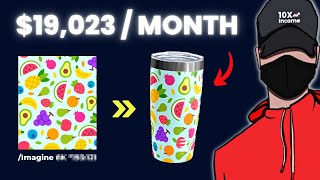
YouTube tutorial by LARRUZ explaining how to start a side business selling drinking tumblers using AI-generated designs. The video highlights two approaches: (A) sell physical tumblers via print-on-demand (Printify) connected to an Etsy/Shopify store—covers account setup, using Midjourney to create wide-aspect designs, listing steps, pricing guidance (60–70% target margin), and fulfillment flow; and (B) sell digital tumbler design bundles—create designs in Midjourney, host files on Google Drive/Dropbox, provide access via a PDF (made in Canva) attached to an Etsy digital listing. The presenter cites example store performance (high revenues and upload volume), promotes a paid Midjourney prompts guide and an affiliate link for free Etsy listings, and stresses that effort/time are required to see results.
Chapters
This store is only seven months old and has made over $150,000 in total revenue. But it's not the only one. 66,000, 45,000, 19,000. All these stores are selling a product that is currently trending, and I've not seen anyone talk about it on YouTube. So in today's video, I will reveal this product and show you step by step how to launch a similar business and how to use AI to beat your competitors and scale stand out. Let's get straight to the point. The product is this drinking tumbler, and it's currently doing well in a variety of designs and shapes. So if we look at this store, for example, we can tell from the name that it specializes in tumblers only. They're focusing on selling Tumblr designs in different niches, which means they're simply selling a PNG image with a specific design on it. And even though the prices are low, they're making lots of money. And we can tell that by looking at the number of daily reviews they're getting. I've also used a paid tool called Alura to get more information about the store. As can be seen, the store launched in September 2022, which is around seven months ago. And till this time, they made over $100,000, which is insane in such a short period. And if we look at the monthly stats, we can see that they're making about $20,000 a month, which is also insane. This listing alone, for example, makes about $3,000 per month and has generated over 6,000 in total revenue. And as you can see, they've uploaded over 1300 listings. That's why they're able to generate these numbers. And that's why I always say the more you upload, the faster you'll see results. And this is not the only store, as there are also different ones who are making crazy numbers as well. So you might be thinking now how to make money with this product. Well, there are two possible ways. The first way is by selling physical tumblers, and the second by selling digital designs like the store we've seen before. Both methods are currently popular, so no matter what you choose, there will be room to make money and we will cover both ways anyway, so don't worry. Let's start with selling physical tumblers. This method works by creating a design and then uploading it to a print on demand platform like Printify, which will help you fulfill and ship the orders straight to your customers. Let me explain everything in detail so you can understand. So the first thing you need is to open an Etsy Store if you don't already have one, and connect it to Printify. Now, opening an Etsy Store is free, but listing a product costs 20 cents. However, if you use the link in the Description, you'll get 40 free listings to get started. So after opening your Etsy store, head to printify.com and sign up for a free account. From there, you can connect your Etsy Store by clicking on Add New Store on the top and then signing in to your Etsy account. And if Etsy isn't available in your area, you can still use the same strategy on platforms like Shopify or WooCommerce, which you can also connect with Printify. So after completing these two steps, we can start creating the product design using Midjourney. If you still don't know what Midjourney is, it's simply an AI image generator. So you can basically generate any image you want by writing a line of text, which is called a prompt. To use Midjourney, you need first to create a free Discord account. After that, head to midjourney.com and click on Join the Beta and just as simple as that, you've now joined the Midjourney server. However, to use the images commercially, you must have a paid subscription. And if you're just Getting started, the $10 plan will be enough. So to generate images on Midjourney, it's really simple. All you need to do is type forward slash and then choose the Imagine option. After that you can describe the image you want to create. Let's say for example, you want to do a similar design to this product right here. All you need to do is choose the right keywords that describe the design and use it to write the prompt. Then you can get more creative and choose the image style. For example. So this could be something like watercolor style, cartoon style, hand drawn style, and more. And since we're creating a Tumblr design, the image needs to be wider and not square like the normal Midjourney images. To do that you need to change something like the aspect ratio. This could be done by typing AR and then your preferred aspect ratio, which in this case will be 16:9. So by using the right description, image style and and aspect ratio, you'll be able to generate cool looking designs. But there are more advanced techniques to generate images in midjourney, and that's what you'll find in my brand new Midjourney Prompts guide. The guide includes pre written prompts with many styles and techniques to get the best results and stand out no matter what you're planning to create. It'll be a good starting point, as all you have to do is copy and paste the prompt and use your imagination to create unique stuff. So if you're interested, check the first link in the description while it's still available. And now let's continue. So after generating the design, you can move to the final step, which is listing your product and the process will be the same. Whether it's a T shirt, mug, poster, or whatever. Simply go to Printify and pick the product you want to sell. In this case, we want Tumblers. So I'll hover over the catalog and choose Bottles and Tumblers. As you can see, you'll have different options and you're free to choose whatever you like. Let's use this one, for example. Once you open the product, you'll need to choose a print provider. Usually you'll have multiple providers, but there's only one option for this product. So I'll click on Start Designing Now, Upload the design you've created in midjourney, and make sure it fits the print area. By clicking on this option right here on the right, you'll have the option to add text in case you want to create personalized products like this one, for example. And if you click on Preview, you'll be able to see what the end product will look like. Once you're done, click on Save Product to move to the final step. Now, on this page, you can edit the product information and make it ready to publish, starting with the product title and description. The best thing you can do is look for similar listings and see what's already working for them. Just make sure not to copy everything word for word. So moving to the price section, having a profit margin of 60 to 70% will be great. However, I suggest lowering your price at the beginning to get a few sales, and after that you can increase it. Once you're done, click on Publish. And just like that, you've listed your product on Etsy and you can still edit your listing from your Etsy dashboard. So, for example, you can add more images or add tags, which is also something important. So now when you get an order, it will be automatically sent to Printify. Printify then makes the order ready and ships it straight to your customer. So let's say you got an order for $30. You then go to Printify and order the product for $15. Printify will print the order and ships it directly to your customer. That way you've made a $15 profit without worrying about printing, shipping, or even inventory. So that was the first method. Let me know in the comments if you have any questions and I'll be happy to answer. And now I'll show you the second way, which is selling Tumblr designs like the store you've seen before. The process is pretty much the same, except for how you list the product, because now you'll be selling digital products, not physical ones. So let's say you want to sell a bundle that includes five different tumbler designs. Like before, you'll start by creating the designs in midjourney. After that, upload your designs to a Google Drive or Dropbox folder. So your goal now is to redirect your customers to this folder after the purchase so they can access their product. The best way to do that is by heading to canva.com and creating a simple PDF page. And that page should have a button leading customers to your created folder. So when you have that ready, download the PDF and head to Etsy to create a new listing. Again, start by adding the product information such as title, description, price, etc. But most importantly, make sure the product type is set to digital and then scroll down to where it says Digital files and attach the PDF you've created. Now that means that anyone who buys the product will receive this PDF file, and when they click the button, they will be taken to the Google Drive folder to access the designs. Finally, finally, click on Publish and you'll be ready to go. But please remember that no matter what you do, if you want to see results, you must put time and effort into it. And I'm not saying that you'll make $100,000 in seven months. I'm just trying to tell you that it is possible to make money online if you work hard and take everything you do seriously. That was the end of today's video. Thanks for watching and I'll see you soon.