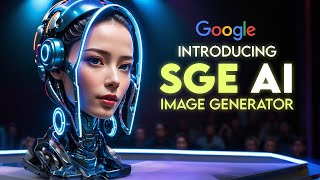
Google's search bar now generates images from text prompts using Imagen technology. You can specify styles and aspect ratios, input prompts in multiple languages, and the tool integrates with Bard. It's still experimental with content restrictions: no realistic faces or famous people, and all images get watermarked.
Chapters
So Google has just launched a new feature that lets you generate images directly from the search bar using text prompts. This, part of their Search Generative Experience initiative, aims to make searches more creative. Sge, powered by Imagen, a text to image diffusion model, creates realistic images, understanding text deeply. Imagen operates on Google's Lambda, a large language model managing natural conversational language. Now, Sge accommodates over 100 languages, so feel free to use any language you prefer. You have the option to select the image's aspect ratio like square portrait or landscape and pick from various image styles including 3D, oil painting or cartoon. Suppose you want to create a picture of a giant cobra snake on a farm with the snake composed of corn. Just type these details into the search bar and hit Enter. The resulting image showcases how well the AI model grasped the prompt, generating a realistic yet corn made snake amidst a typical typical farm setting. Should you wish to alter the image, maybe having the snake in blue or depicting the farm in winter, it's a breeze. Just add or change details in your query. For instance, entering a giant blue cobra snake on a farm in winter, the snake is made out of corn will give you a new image. Now with a blue snake and a snow covered farm while maintaining the corn texture, SGE provides substantial control and flexibility in image generation. The choice of words is entirely up to you and the AI model strives to produce an image aligning with your description. How does SGE stand against other AI tools for creating images? There are many others like Microsoft's Bing Image creator with Dall E3 Midjourney with stable diffusion Crayon with Dall E, Mini Night Cafe with Dream by Wombo, all using unique AI methods to turn text into images. Each has its strengths and weaknesses. For instance, Bing Image Creator is user friendly and lets you easily modify images once made Midjourney delivers high quality images and works in many languages. Crayon is easy and quick to use, plus you can download images at no cost. Night Cafe lets you add a fun touch by animating images with music. Lastly, Dall E has a robust model capable of tackling complicated prompts, but I think SGE has some advantages over these tools as well. Firstly, it's part of Google Search, so you don't need a separate app or website. Just type your query in your browser like usual. Secondly, SGE utilizes Imagen, a sophisticated text to image diffusion model, to create lifelike images with a good understanding of language. Imagen learns from a vast amount of text and images found online, including Google search results, so it's well informed. It can also process multimodal queries, letting you mix text, images and emojis in your requests. This way you can get very detailed and realistic images based on your descriptions. Thirdly, SGE can work with Bard, Google's AI chatbot, letting you generate images while chatting with Bard. And now you can ask Bard to help draft written content within sge, like requesting an article on a specific topic. With SGE providing relevant images, this combo of Bard and SGE can be a big help for content creators, writers or students looking for some assistance or inspiration. But before you start using sge, it's important to know a few things. Firstly, SGE is in its experimental phase, so it might have some bugs or errors. It's possible that the AI might not always understand your request or create the image you're envisioning, since it's still improving with ongoing feedback and data. Secondly, SGE has put measures in place to prevent misuse. It won't create images that are harmful, offensive or misleading, and it also won't create realistic images of people's faces or notable individuals without permission to uphold privacy and prevent false information. Thirdly, SGE includes features for labeling and watermarking to show where the images come from, promoting transparency and accountability. You can see the text prompt used to create the image by hovering over or clicking on it. Lastly, only Those who are 18 or older can use SGE as some of the content it generates might not be suitable for younger users or might need parental supervision. Knowing these points will help you as you use sge. I hope this video provides the insight you need. If you enjoy it, please like it and subscribe for more. Share your thoughts on SGE and the types of images you aim to create with it in the comments below. Thank you so much for watching and I'll see you in the next one.