Google's BARD NEW Insane Update Changes Everything! - Finally, Beyond ChatGPT!
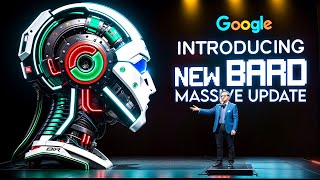
Google's Bard now connects directly to Gmail, Drive, Maps, YouTube, Flights, and Hotels. It can verify its own answers by searching Google. The update adds support for over 40 languages across 230+ countries.
Questions this video answers
September 21, 2023.
February 2023.
LaMDA and Google's PaLM 2 (Palm 2).
Gmail, Docs, Drive, Maps, YouTube, Google Flights, and Hotels.
Over 40 languages and over 230 countries and territories.
Chapters
Google Bard recently received its most significant update since its launch, and it's genuinely impressive to see the capabilities of Bard. Now, many of the initial testers of the new Bard have started to believe that Bard might be even better and more efficient than ChatGPT. So please watch the entire video and share your opinions on this. Do you think Bard is Now superior to ChatGPT? Before we dive in, remember to subscribe to my channel to stay updated with all the latest AI news and developments. If you don't know what Bard is, it is Google's AI chatbot that lets you collaborate with generative AI. You can ask Bard anything from tips to reach your goals to explanations of complex topics to creative ideas for your projects. Bard is powered by a large language model called Lamda, which can generate natural and coherent responses based on your prompts. Now, Google's Bard boasts an impressive backend with its usage of the Palm 2 model. This isn't just any ordinary model, it's considered Google's most advanced offering to date. What does this mean for you and me? Essentially, Bard isn't limited to just answering questions or having conversations. Its capabilities stretch much further, excelling in a myriad of tasks, making it one of the most versatile chatbots on the market. Bard was launched as an experiment in February 2023 as a response to the popularity of ChatGPT from open AI. Since then it has been evolving and improving, adding new features and capabilities. And now Google has just announced the biggest update ever for Bard, which makes it even more useful and powerful. So what's new in Bard? Well, there are three main things that I want to talk about in this video. Bard's new integration with Google services, Bard's new double check options, and Bard's new language support. Let's start with the first one, Bard's new integration with Google services. This is probably the coolest feature of the update. With Bard extensions, you can now connect Bard to your Google apps and services such as Gmail, docs, Drive, Maps, YouTube, Google Flights and Hotels. This means that Bard can find and show you relevant information from these tools, even when the information you need is across multiple apps and services. One of Bard's standout features is its ability to delve into your emails seamlessly. Ever had trouble remembering when you last emailed someone? Or what was said in a particular email? With Bard, you don't have to go through your emails one by one. Just ask and it will find the email for you. Plus, if you need to reply to an email, Bard can assist by giving you suggestions or even writing responses based on what was discussed. You can also choose to connect your Gmail docs and Google Drive to Bard. This lets it help you sort and understand your personal data. For instance, if you ask, find the latest lease agreement in my drive and tell me the security deposit amount, it can do that for you. Now think about planning a trip. Bard can get dates from your Gmail, display up to date flight information, provide directions from maps, and even suggest YouTube videos about the place you're going to. All of this can be done in a single conversation with Bard. You won't need to jump from one app or tab to another. Instead, you can have a chat with Bard and get everything sorted. Similarly, think about when you're applying for a job. Bard can retrieve your resume from Drive and help you write a strong personal statement using the information from it. You can also ask it for assistance in creating a cover letter or getting ready for an interview so it can act like your personal assistant and mentor. Bard extensions are a game changer because they allow you to interact and collaborate with Bard in a completely new way. It's not just about fetching data, but about creating an integrated and cohesive experience. You can use natural language to access your Google tools and services without leaving the conversation. Of course, you might be wondering about privacy and security. Well, Google says that your content accessed by Bard isn't seen by humans, used for ads or to train the Bard model. It also says that you're always in control of your privacy settings and you can turn off the extensions at any time, so that's reassuring. The second important thing I want to talk about is Bard's new double check option. Bard now has a Google IT feature for its English responses. When you see the G icon, you can click on it and it will verify its response by searching the web. It will then highlight certain phrases in its answer, and by clicking on them, you can see additional supporting or contradicting information from web search results. Ensuring accurate information is essential these days. That's why Bard has this unique capability to double check its own answers. It's like having an inbuilt fact checker. So if you're ever unsure about something Bard says, you can ask it to verify the information. By cross referencing its responses, Bard makes sure the information it provides is both accurate and dependable, giving users an added level of confidence that not many chatbots offer. Bard has also introduced a new feature that allows you to customize its responses to your preference. With this feature, you can decide how Bard communicates with you. You might want Bard to respond in a concise or detailed manner, in a formal or casual style, or with a friendly or professional tone. There are many other choices too, like opting for humor or seriousness, or expressing optimism or caution. In addition to style, you can also choose the format of Bard's response. You can pick between a text or voice response and whether you'd like the information presented in paragraphs, bullet points, or tables, among other options. What's great is that you can change these preferences anytime during your conversation with Bard. For instance, if you're looking for a quick answer, you might select a brief text response, but if you need a thorough explanation, you might opt for a detailed voice response now the third important thing I want to talk about is Bard's new language support. This is another huge improvement for Bard because it makes it more accessible and inclusive for people around the world. Before this update, Bard was only available in English and only in the US and UK. But now Bard supports over 40 languages and over 230 countries and territories. This means that you can use Bard in languages such as Arabic, Chinese, German, Hindi, Spanish, and many more. And not only that, but you can also use all the features that were previously limited to English in these languages as well. For example, you can listen to Bard's responses in voice format in any of these languages. This is amazing because it opens up new possibilities for learning and communication across cultures and languages. You can use Bard to learn a new language or improve your skills in an existing one. You can also use Bard to translate between languages or explore different topics and perspectives from around the world. Bard's new language support is a testament to Google's ambition and vision in the AI chatbot space. It shows that Google is not only competing with Microsoft and OpenAI, but also trying to create a global and diverse platform for AI collaboration. But when we look at Bard and ChatGPT Now, Bard seems to have a clear edge over ChatGPT. This advantage comes from Bard's deep connection with the Google ecosystem. This means it can work smoothly with Google services like Gmail, Google workspace, Maps, and YouTube. ChatGPT, even with added features, finds it hard to offer the same level of convenience as Bard. Another thing that makes Bard stand out is its self verification feature, or Google it button that lets Bard check its own responses to ensure they're accurate, making it more reliable and trustworthy. In contrast, ChatGPT lacks this feature. Therefore, while using ChatGPT, we have to rely on its integrity, and there's no way to confirm whether the provided information is factual or hallucinated. Bard also has an impressive ability to understand and switch between 40 different languages, reaching more people worldwide, and ChatGPT hasn't achieved this yet. In summary, even though Both Bard and ChatGPT have their unique features, Bard's recent updates make it a more powerful and flexible tool in the world of conversational AI. Right now. Remember, this is just my perspective and I'm eager to hear what you think. So share your thoughts in the comments, and if you liked this video, please give it a thumbs up and subscribe to my channel for more AI content. Thanks for watching and I'll see you in the next one.










