Googles GEMINI ULTRA Just SHOCKED The ENTIRE INDUSTRY! (GPT-4 Beaten) Finally RELEASED!
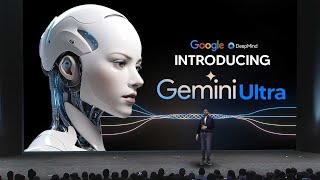
Transcript of a LARRUZ YouTube video covering the public release and hands‑on impressions of Google’s Gemini Ultra (Ultra 1.0). The speaker describes pricing and subscription tiers, routing/disclaimer about human reviewers, head‑to‑head comparisons versus GPT‑4 (speed, summarization, coding), and a deep look at image-generation features powered by Imagen 2 (outpainting, inpainting, text rendering, seeds, Synth ID watermarking). The speaker’s overall stance: Gemini Ultra is fast, highly capable, often on par with or better than GPT‑4 in many tasks, and notable for strong image tools and personalization potential.
Chapters
The Google's Gemini Advanced SL Gemini Ultra is finally here. And what an exciting day because there is so much to cover on how capable this AI system is. I'm going to be showing you guys all the quirks and features. So without further ado, let me show you guys the promo video and then I'm going to get into every single feature you need to know about. Sam. So that was the magnificent trailer for Google's Gemini. And my, oh my, I'm really excited because I. My preliminary findings on this AI system are really, really good. And this definitely does look in its current state to be better or at least on par with most of the capabilities that exist in GPT4. So you can see right here, if you are trying to access Gemini Advanced, the first thing you need to understand is that it is currently in the UK around £18 or £19 for Gemini advanced. You can see that it says with Ultra 1.0, our most capable AI model. This is of course Gemini Ultra. So when you access Gemini advance, you are going to have to pay £20amonth or £19amonth, or in the USA, $20 a month. But of course they do actually give you two months free at no charge. So essentially you do actually get to try it out for free, because when I signed into Gemini, I didn't even pay anything. And then of course I actually was able to access it. And of course, something that you do need to know is that this is really, really good for what you are getting. And of course, price, you know, may vary based on currency conversions around the world. So I would just check when you log in to see how much it. And of course, Bard is now gone. So essentially what that means is that there'll be no more Bard. It's simply just Gemini and Gemini Advanced. Now, of course, essentially when you get Gemini Advanced, you're going to see here Gemini Advanced, you've got our Gemini Advanced plan. Of course, I did sign up to the plan on another account and it says with our most capable AI model, Ultra 1.0. And for any confusion for people that might be a little bit confused, this is the Ultra model. Okay, so as in when we got the previous demo where we saw Gemini Ultra and all of the crazy, crazy benchmarks, like for example, when we saw these crazy benchmarks for Gemini Ultra, this is the current system that we are going to be using. So when you use Gemini advance, that's what you can expect. Now, there is one thing that I do want to talk about. There are two, in fact, two things I do want to talk about before we get into the capabilities of this model? Because people should be aware of these things. Okay. Number one is that of course, there is occasional routing. So essentially here they state that Gemini Advanced gives you access to Google's most capable AI model, Ultra 1.0. And with Ultra 1.0, it's far more capable at highly complex tasks like coding, logical reasoning, following nuanced instructions, and creative calibration, and plus, yada, yada, yada. Now, essentially, they say Gemina advance gives you access to Ultra 1.0, though we might occasionally route certain prompts to other models. If you aren't familiar with what they essentially mean by this is that, for example, if you ask Gemini Advance a basic question, I'm guessing what they might do for people who haven't paid and for those who are just on the free trial is they will route other simple questions to other models like Palm 2 and Gemini Pro. That's not Gemini Ultra. So, essentially, in layman's terms, if someone asks a really basic question that doesn't require extra compute and doesn't require some advanced reasoning engine, they are going to route it to a smaller model that can simply give you a very, very simple answer. And that's just to save money on compute and, of course, to deliver faster responses. So that is something you need to understand, because sometimes, if your response isn't as advanced as you might think it is, sometimes the responses have been routed to a different model. Now, before you start interacting with this model, here's one more disclaimer. Okay. It will say that your conversations are being processed by human reviewers to improve the technologies powering Bard. So don't enter anything you wouldn't want reviewed or used. So essentially, every time you input a message into the Bard system, human reviewers are going to be looking at that data and reviewing it to make sure the responses that you get are either good or either bad. That way, they can improve the system with the human feedback. So don't enter any passwords, don't enter any personal information, because there are humans out there that are going to be looking at the conversations to improve the technology. That is a disclaimer. And now, of course, we can get into some of the actual features of this amazing technology. So now let's take a look at some of the comparisons that I did between GPT4 and Gemini to show you just how good Gemini is. So you can see right here, I essentially just asked GPT4 and Gemini to some questions that I could ask the LLMs AI models to see how Good. They were. And they both gave me some very interesting responses. ChatGPT gave me a complete list. You can see it says complex question and answering. And of course I did actually prompt it again to ask it additional questions. But with Gemini, I did just have to prompt it once and you can see that says factual knowledge, direct questions, follow up contextual queries. I don't have the full responses here, but I will be showing you them in the next bit in a moment. But one thing I do want to say is that if I'm being completely honest, as I've used GPT4 and Gemini, one thing that I've really noticed is that I can't really tell the difference between the two, other than formatting and sometimes length, because these models are really, really similar. Okay. Like really similar. And that's a good thing. Now, one thing that you do need to know about these models is that because Gemini's reasoning is now so advanced and definitely on par with GPT4, one of the things that you do want to know is what sets it apart. So one of the things I wanted to test out was of course, the speed. So in this video, essentially what I did here was I wanted to test out how quick they could both answer the same question. And one of the questions I wanted to ask them was what are the mental frameworks for generating good questions? Because sometimes when you're doing an interview or you wanted to talk to someone, you want to have a mental framework for answering questions. Now, in the bottom left you're going to see a timer. And on the left hand side of the screen you can see Gemini Pro. And on the right hand side of the screen, not Gemini Pro, Gemini Ultra 1.0, just to make that clear. And of course, on the right hand side you're going to see GPT4. So when I set the timer, I actually, you know, set the timer off and I recorded both sides of my screen at the same time. And essentially we can see that. You know, one thing that Gemini Ultra 1.0 does have, and Gemini has had for quite some time, is the fact that it is blazingly fast. Like really, really, really, really fast. And the speed doesn't compromise on the quality because we can see here that this finishes at around 21 seconds. And then of course, GPT4, I'm not sure what's going on with the inference time or what's going on with their, you know, compute on the back end, but I'm guessing that it's a little bit slower because as I was continuing to time this, you can see that it's on 38 seconds now. GPT4 is still going. It's still going. It's still going. And then of course, eventually we do get to 44 seconds around where that, you know, it does give us a response. So I think that was pretty fascinating because I think that whilst GPT4 was always touted as the smartest one, but a little bit slower, I think when we look at certain responses that aren't too crazy and too different in nature, if you can access something that's nearly as twice as fast in many different use cases, I would argue that Gemini could be utilized more for other people because one thing people are trying to do inherently is with these AI systems is they're trying to save time. So the fact that this is, you know, a lot quicker in terms of, you know, one takes 21 seconds, 44 seconds to answer the same question. And you could, you know, I guess you could say you could go to the responses and say that this one talked about, you know, first principles, five whys, inversion, critical thinking, then Socratic questioning, Bloom's tax money, then decision making, yada, yada, yada. And then this one here, did, you know, eight points. You could say that this one had more text, so it had, you know, more to do. I mean, it's really up to you. Okay. But I think overall we do know that GPT4 is a little bit slower. And somehow somewhere, I think Google did actually prioritize speed and that's why we do get these results. Because I'm pretty sure that Google does want this to be a very fast and powerful system and it seems like they've managed to deliver on that. So that was something that I wasn't, you know, surprised by when I did see this. I was actually a little bit surprised that it was able to do this. Now, of course, this question isn't something where I guess you could say you want to be, you know, asking and looking at in too much detail because of course, it's like, it's, it's. I guess you could say it's a, you know, subjective answer because it's not like, you know, a math question where the answer is either right or either wrong. So I guess you could, you know, measure the compute in different ways on how accurate they are for, you know, answering different coding questions, which I actually did, and they were, you know, pretty similar. But Gemini was still faster once again, and it's pretty crazy how faster it was. Now, if you aren't familiar with the benchmarks, like I talked about before, if you want to screenshot this or just share this, these are the benchmarks from Google's official page on how the systems actually perform on the recent benchmarks and if you don't know what the benchmarks are, these are essentially tests, like standardized tests that they have across all different categories. So for example Math, Reasoning, Encoding, these are the different tests that they take and whatever percentage they get on these tests that all these LLM systems or new AI systems do, this is basically how we grade and see how powerful the system is. And on the left hand side we can see that Gemini Ultra surpasses GPT4 in nearly everything other than the hello swag common sense reasoning for everyday tasks. So that's why I said even though it surpasses it, the thing is the percentage gains like 2% here, then like 7% here, then 2% here, like 1% here, it's not that noticeable when you're using both these AI systems side by side. And one thing I will want to see is how this does perform in of course the arena chatboard, not actually chatboard, but of course actually the leaderboard. And essentially the leaderboard is an arena where you can see how LLMs are performing in the real world based on users. Because one thing that I didn't know about tests like the MMLU is that they actually do have some small problems with them. So that will be interesting to see. So another thing that we do need to check out and something that I know people will want to see is of course the responses okay, and that is when we are doing summarization. Now I do want to do a quick caveat here because GPT4 unfortunately recently has become very inconsistent with its summarization capabilities and I know it's got some good ones because Sometimes I'll message GPT4 and I'll ask it a question and it will do pretty, pretty decently and then other times I'll ask it to summarize a question or paper and it just won't do well. And you can see right here that it summarizes this paper. And this was a paper that I covered in yesterday's video and it was about self discover a framework used to enhance the abilities of LLMs through a different reasoning approach and it's a different way to get out improved capabilities from the model. But unfortunately and I even tried ChatGPT Classic which is like the raw version of GPT4 and it just didn't perform as well as Gemini did in terms of performing this kind of summarization with the key points. Like, Gemini actually did a lot better, and it actually did it a lot quicker. Now, of course, like I said, this is just one. This is just my experience in terms of what I would be using this for. And I know that summarizing the text is something that other people are going to be using this for. Now, I wasn't able to upload it. I was able to just paste the text into Gemini because it doesn't actually suit that at the moment. But I'm sure that that's going to be a feature that's there, or if it is, maybe I just don't know how to use it. But like I said, I think this goes to show that Gemini is definitely on par with GPT4. So despite some rumors saying that it's not that good, because I think the problem with Gemini is that it has had a PR problem and GPT4 does actually have the ability to do this as well. But in some cases, for some reason, it just didn't. And of course there's something to remember is that Gemini 1.0 is of course, the model in which they have uniquely skilled at uncovering knowledge that can be difficult to discern amid vast amounts of data. And its remarkable ability to extract insights from hundreds of thousands of documents through reading, filtering and understanding information will help to deliver new breakthroughs at digital speeds in many fields, from science to finance. Now, one of the things that I actually did like about Gemini was this feature right here. And I know most people won't realize that this feature is there because it's kind of hidden, but essentially, if you click the button right here after getting a response from Gemini Advanced, I'm not sure if this is in Gemini Pro, but essentially, if you click this button right here, you can modify your response so you can have it simpler. So if you don't want it to be very long, you can have it simpler, you can have it longer, Maybe you want to have it for a blog post if you want it shorter, if you want it more casual, if you want it more professional. And I think this is something that's really cool and it's just ease of use, because a lot of times in ChatGPT you have to click, you know, can I get this more casual? Can I get it simpler? Can I get this longer? Can I get shorter? Can it get more professional? So I think that this is something that's really cool and I'm going to show you guys how it actually works right now. So here I've just asked it for some good mental models for improving my life. And essentially, if you don't know what a mental model is, a mental model is just a way of thinking. So instead of just thinking how you usually think, you apply that thinking to your problem. I guess you could say it's kind of like prompting for an lm. So right here we got inversion, which is essentially instead of trying to solve a problem, you flip the problem and ask what would be a bad outcome and then take the actions to avoid those pitfalls. And you can see right here that this is a really, really good response. And like I said, you can click shorter, longer, simpler, more casual, more professional. And I really do like this, Like I really, really do like this as a feature and also as well, you can click Show Drafts here. This is something as well that, you know, GPT4 doesn't currently have. And if you're wondering why, keep comparing this to GPT4. And I think the answer is obvious because this is what other people are going to do as well when they are looking at this, because the large majority of people when talking about AI systems, would regard GPT4 as the very best system. So you can see right here the other drafts. I think this is really cool because allows you to see different versions and then you can think, maybe I like this one, maybe I like that one. And one thing that I do want to say about this as well, one thing that I really do think, and I don't know what, I think this is going to change in the next model. And I'm not sure if you guys have noticed this as well. Okay, compared to every other model, GPT4 for some reason always usually just generates list, whereas I think other models generate, for example, they just generate X. That seems a bit more human. Like, so, for example, right here, when I asked it a simple question, it just generates 1, 2, 3, 4, 5, 6. Of course, you could always ask it to generate in a different format. But it was something that I did know about GPT4 that was always just 1, 2, 3, 4, 5. And it was just something that was just constantly frustrating. But I'm not hating on GPT4. It is still a very, very capable and powerful system. This was another example of an environmental question. And there's not really much nuance here in the details in these environmental questions. This one says prevention at the source, cleanup and removal, improving waste management, cleanup efforts. It was just a simple question. I asked about plastic pollution. There was another one about explaining concepts. Now this was kind of fascinating because this is where we get into how explaining stuff is, I guess you could say translated, and I guess you could say that this essentially means that we can see from this how well an AI system really understands the problem, because they always said that if you can't explain a problem to someone who is less well versed in that area than you are, then you don't really understand it as well. And essentially what I've asked them to do is explain the Monty hall problem. So if you don't know what it is, it's basically a problem about probability. And I've asked it to explain them. And I've read both of them because I understand the problem and why it is what it is. And I think they're both pretty similar. But I think chatgpt slightly, slightly does it a little bit better in terms of the conversational, because, you know, he talks about a toy, this one talks about a bike. But like I said, these answers are very subjective because they're not based in a definitive answer. So one of the things I did want to do was test the coding capabilities, because on the benchmarks, they actually said that on a human eval and a natural to code, it was really, really better. And I expect coding capabilities to take a huge jump next year based on some of the things that we've seen with things like Alpha Codium. So I did my own test. So I did my own test, and I'm going to show you guys how that worked. And after this, I'm going to be talking to you guys about the native image capabilities, because when we do take a look at the image capabilities in Imagen, which is Gemini, and Dall E3, which is ChatGPT, there's some very interesting things, even though I did an entire video on it, that you're going to want to know. So right now I'm going to be looking at the coding. Okay, so let's take a look at how good the coding is, and I'm going to show you guys an example that shows you why I think most people are going to be switching to Gemini based on these thoughts. But let me know your thoughts, because I'm going to show you guys the coding now. So essentially what I've done here is I've asked Gemini Advanced Ultra 1.0 and GPT4 the same exact question, and I said, can you create a trading bot that uses the moving average to have entry and exit points for maximum profit? Do it for TradingView for Pine Script, please. And within a couple of seconds, like literally 10 seconds, it gave me this. And I tried this and it didn't work. And before you're like, whoa, it didn't work. I literally just put in the error code and then I got this back and then this worked. And this entire process took around 20 seconds. Okay, I know you guys are going to see because I show you guys how it worked. And of course, let me show you guys the other version. So we have ChatGPT right here. It output this code. It did take around 30 or 40 seconds. And this one I'm going to show you guys what happened. So this is the code I got right here. So I come over to my trading board, I put this into the pine editor, then I click Save. And you can see it says compiling. Then it says saved and updated on chart. And then of course, we can see on the strategy tester, it shows us. I think that's actually different. But the point I wanted to prove is that it does code, you know, perfectly. So GPT4, you know, then of course, with Gemini Advanced, I'm going to take the first one because I'm going to show you guys the first one right here. So we get the first one. And of course, I tested the first one. I click save. And of course it didn't work straight away, but of course, after updating it and then clicking Save, it did work, and it did do it pretty, pretty quickly. Now, I think, like I said, this is just one example of stating that, you know, sometimes, you know, different things work on different things and maybe that GPT4 has experienced, you know, those kinds of problems more nuancedly. But definitely before, Bard's coding was completely awful, like when it was released. And the fact that it now is able to get the coding stuff really, really well. And of course, based on what we saw before, this is something that is very, very surprising considering the fact that before, you know, this just wasn't possible. And something that I do like about Bard is that it is really, really, really, really fast. And maybe I should have just, you know, you know, looked at the drafts, or maybe I should have asked it in a different way, because there are different ways that you can ask it. But I think that Bard is. And it's actually not called Bard, that was actually a mistake. But I think the Gemini here shows us that, you know, it's still able to improve itself. And that's actually what they did say in the coding part of the section of Gemini. So now what I want to take a look at as well is of course the native image capabilities, because based on most of the individual tests that I've ran, it looks like Gemini Ultra is really, really good. And I really can't see a huge difference between these two models. I mean one of them I would say, if I'm just being honest, is a little bit faster. And although there are going to be some use cases where Gemini might fail because it hasn't been tested as much. And I would say that GPT Force had over a year to be red teamed to be tested to figure out all the bunks and kinks just because of the fact that it's had like over 100 million users every single month. It's got a crazy user base so people are reporting issues. I think that you know that that is probably going to be the only area where it falls. I think right now both systems based on what I've seen are really, really good. Now something different is happening in the image capabilities because it was something that I did another video on. But I'm going to show you guys a section from that now because if you don't know, okay, essentially what Imagen 2 is, Imagin 2 is the image based system that is inherently in this Gemini Ultra system. So essentially this AI model has a very, very advanced image generation system that I'm going to show you guys about from now. So essentially I'm going to just have a part of that video in here and then I'm going to come back to this because there's no point repeating everything. So you can see right here that this is a really, really nice photorealistic image. Quite surprising actually, just how the lighting is. Like I said, I wouldn't know that this is AI generated. It doesn't look AI generated to me. But in fact this next image does look a bit more AI generated because it's got that. I'm not sure if this is like a bokeh effect or what kind of effect it is, but it definitely is like I guess you could say have that AI generated thing. But Google's photorealism, it is definitely most 100% there. Now we do need to take a look at something else because this was one of the features that you may have not seen. So here we have outpainting from Google. Now in other Google products that they did talk about, they have actually mentioned outpainting and inpainting before. Essentially if you don't know what that is, that's essentially where you zoom out and essentially where that image, you can just, essentially just increase the size of that. Now that is something that we did see in mid Journey. But it is good that we are now getting this from Google as well. And I think this will be better implemented in Google just because of how they've made the software. And of course, like I said, they also did include inpainting, which is, of course, if you want to add something. Like right here in this example, they wanted to add a shelf, and it looks pretty, pretty cool. And you can see they just had a shelf with a couple of books on and vases hanging on a green wall. And then of course, they just managed to add that right into the image. So I feel like that is basically, you know, it's essentially just Photoshop's generative fill. If you do remember Photoshop's generative fill, it was essentially just this, which you can access natively in Photoshop. And of course, that was something that definitely went down well with a lot of people. And I'm sure that now that Google has it, especially with its photorealism, it could definitely compete, because we know that generative fill, while it's okay with it, sometimes doesn't always give you the best results. So if Google manages to get this area right, and currently you're going to see in Vertex that I don't think they gave us this feature, but you're going to see that it actually is really cool. Now, what we also did get was we also did get text rendering support. So essentially you can see right here that there is text being able to be put into these images with a remarkable degree of accuracy. So the prompt says a tube of toothpaste with the words symbol written on it on a bathroom counter. Advertisement and you can see that it's got the words all the way down to the blur really, really perfectly. Then, of course, a cup of strawberry yogurt with the words delicious written on the side, sitting on a wooden tabletop next to a cup of yogurt is a plate with a toast and a glass of orange juice. And you can see that the text here looks very, very accurate. And it even manages to do it with like the, you know, the blur going on there and of course with different fonts that look really, really, really creative and stylistic. So I think that text rendering support is definitely one of the things that was really hard and was only recently achieved by, I think it was Dall E3 and Midjourney. So now that Google has added this as well, it goes to show us that they are not messing around when it comes to this. And I'm sure that this image release is going to be there because they want Google's Gemini to be very, very good when it does release in its complete model. Now, Gemini Pro is actually pretty good, but of course, Gemini Ultra, they want that to be absolutely astounding. Now here is where we talk about the intuitive editing. So this, ladies and gentlemen, is image effects. So essentially, if you don't know what this is, this is from Google's test kitchen. And this is why I said this is probably even better than midjourney if you are using this. So essentially what you can do, you can see that when you generate a photorealistic image, you can essentially break up the words into different sections and, and these different sections can be changed to your preference if you want to adjust how that image is. So you can see that he changed it from a jungle to a city and you can just simply break that down and it allows for greater creative freedom. So I really like this so much because being able to switch from city to jungle and just instantly get a new generation, I think that that is a feature that we have been asking for for quite some time in many of these AI generators, for example. And this is no hate to midjourney or whatever, but it's just a comparison. Like midjourney is absolutely incredible if you don't know what it is. It's arguably the state of the art model in terms of image generation. But you know, just how it is on Discord. It is a little bit harder to use than just a simple, like drag and drop, you know, a simple, you know, drag and drop and just, you know, change things with, you know, just a click of a button. And I know that they've made it easier and I know that they are working on a website. But if Google manages to roll this out, you know, globally, I think this will become more adopted because of how easier it is to use. So I think something like this goes to show us as well. And I'll show you guys the demo of this later because like I said, you can actually use this with a link in the description. So you can see right here there's other things at the bottom. You know, HDR, 1990s, all of these things. You have to remember that the average person who's using an image generation software, they don't know about every single, you know, photo style. They don't know, you know, what warm coloring is, you know, you know, certain types of film style, you know, they know HDR, 1990s, Renaissance style. They don't, you know, immediately have all of these in their head. So it is very, very useful that we get something that can actually, you know, give us that ability to, you know, brainstorm for us and then we can see, okay, we can change this part, we can change that part, we can change from landscape to this. And I think it's just going to give us a greater degree of creativeness to, you know, completing whatever project or whatever, you know, outcome that we do desire. So I think that this is really cool and this is definitely something that is an improvement over other models that we haven't seen before. So Google actually have done a great job on that bit. Now in addition, you can see that right here instead of photo real portrait, you can see hand drawn abstract impressionist. So if you want a hand drawn one, you can simply change it and then of course you can see that is how it looks. You can then of course as well you can share this and you can get the seed as well. So it's pretty much like midjourney in the sense that you can get the same seed which allows you to generate really similar images, you know, which are borderline consistent. So I think this is, you know, one of the things that, like I said from Google, coming from Google and their image effects, so if you want to actually use this, this is going to be different. Just to make the distinction clear, what we're seeing here is actually Google's image effects and essentially what that means is that this is in Google's test kitchen. So if you don't know what Google's test kitchen is, the test kitchen is the area in which that you can test new Google releases before they are essentially put out to the mainstream. So I guess you could say it's like an alpha version of the AI stuff before it is wildly rolled out. And there's a few different things there like music generator and an image generator and they're actually still pretty good. But I'm guessing that Google just wants to test them, get some feedback and then of course roll them out completely. So this is image effects and this is not Google Bard, but you can use this now. And I'm guessing that this is just a more advanced area. So like I said, I am a real, real fan of this because like I said, I think this helps out people more than you do realize. So there was also this as well. So logo generation. And you could see that they actually talked about how Google's new image generator, Imagen 2, which is of course now powering pod, essentially prompt a clean, minimal emblem style logo for an ice cream shop cream background. You can see that that looks really cool. Then an abstract logo representing intelligence for an enterprise platform, vertex AI written under the logo. So I think that this is also once again, you know, of course you can do this with ChatGPT. ChatGPT's Dall E3 is actually pretty good, but like I said, Google's coming over to here and as far as I know, when I was testing this out in Google's pod, there wasn't really a limit on the amount of image generations I could have. So I think that this is really effective. For those of you who don't have a GPT4 subscription and you don't want to subscribe to anything, you just want to have your Google account, you want to go ahead and you want to create an image, you can go ahead and bard and you can just do this straight away. So I think this is something that's pretty effective. And yeah, another thing is that these are pretty clean as well because the text looks pretty decent. And I would say that this is a win. This is definitely a very good win. Now there's also something that I wanted to include as well and that's of course the seeds like midjourney. So if you don't know what midjourney has, Midjourney essentially has seeds. A mid journey seed number is basically just the number that allows you to direct the consistentness in the image generation process. So essentially it's just the starting point for the AI to generate the field of visual noise. And basically it's just a reference point that allows you to create more realistic slash consistent results across your work. So that's why I said that this is really cool because you know, right now from Dall E3, we don't actually get any seed numbers. And even through, you know, discord and midjourney, the way how you get the seed is you have to put slash type in. You know, a lot of people just don't want to do that. Like I know it's fairly simple to someone who's using it all the time, but someone who's just getting started, you're really just going to want to be able to click a button, just copy and paste the seed because that's how majority of the things and apps that we use are. Now there was something that I think is good because Imagen 2 includes built in safety precautions to help ensure that generated images align with Google's responsible AI principles. And essentially it's watermarked with Google's Synth id, which allows you to generate invisible watermarks and verify images generated by this software. So if you don't know what Synth ID is. Essentially it just generates a synthetic id. So it's basically a digital watermark directly into the pixels of these AI generated images that are imperceptible to the human eye. So if you ever want to check the validity of an image, you can do so with this software. Now, essentially what's good about this as well is that they've managed to make it so that even if you edit the image, so even if you add some filters, add some exposure, the watermark ID is still completely there. So there's no way. And you can see that we designed Synth ID so it doesn't compromise image quality and allows the watermark to remain detectable even after modifications like adding filters, changing colors, saving with the various lossy compression schemes most commonly used for jpeg. So I think this is really good because right now we are entering the era of images which we don't know are real or not. And if Google does manage to become the number one in terms of image generation, it's going to be good to be able to have something that we can actually fact check and then go back and say, okay, that is AI generated and that isn't AI generated. And I think that other companies should take a note from Google because this is something that we do need in the future. And right now, whilst it's not that big of a problem, I think in the future it will become a larger problem as more people start to realize. So let's go ahead now and take a look at some of these images as well, because I wanted to look at some of the individual images. So this is a really cool, realistic one. Like I said, the photorealism with Google is really, really good. So the prompt is generate a realistic photo of a person looking off camera during sunset portrait mode. So the background is faded. Then of course we have this one right here. I really do like this one. I don't know why. It just, you know, ushers a sense of peace, I guess you could say. And it says generate a collage art with photorealistic images of oceans and plants with muted colors and 3D shading. That's mixed media. Then we have this one. I find that this one is really cool as well. Write a social media post and generate a mouth watering image that I can use for a buffalo wing festival that actually does look remarkably realistic. And I wouldn't be able to tell that that is AI generated. Maybe my eyes are awful, but just the lighting, the shading, definitely pretty, pretty incredible stuff there. And Then of course Imogen 2, which is generate an image of a fashion show and a steampunk style digital art. Zoom in on their face. Looks very, very effective. I mean, some of these right here don't look that, you know, accurate, but in the digital art style, that is actually really cool. So if you've seen the digital art style, you know why that actually looks really, really cool. So essentially what they're trying to do with these, these images is they're trying to show how good the range is on these images. Because essentially what they're showing us is that, you know, there's a diverse, you know, a style set that you can apply to this. And it just goes to show us how effective this is and generate an image of a futuristic car driving through the mountain. And then, of course, generate a vibrant and lively image depicting an elephant partying in the heart of a lush, vibrant jungle. The elephant should be in various colors and be adorned with fun. Now, I'm going to show you one more image here. And then what I want to show you guys is the comparisons to Dall? E 3. And like I said before, even though I'm doing these comparisons, don't forget that this is, like I said, Google's second iteration, whereas, you know, this is, I guess you could say, Dall? E3's third iteration. Because before they had Dall? E2, they had Dall? E, then they had Dall? E2', they got Dali3. So I would say, you know, just. Just remember, just remember that, because I think that is, you know, the only fair way to compare it. So this is just generating an image of a cluttered alchemist workshop filled with bubbling flasks, glowing crystals, and the tiny, luminous swirling within the bottle. So then, of course, we have Imogen 2 and Dali 3 on the right hand side. And I think this one here, if we're being honest, this one, Dall? E 3, does look pretty cool. But I would say a tiny, luminous world swirling within the bottle. This one here kind of does. I mean, the nuances here actually do look better from imogen2. I just think the understanding is better. But we never know when we're going to drop Dall? E 4, so it'll be interesting to see what is done there. We also do have this comparison. So Imogen 2, I'm on the left, and then Dall? E 3 on the right. So I guess they have different interpretations of, you know, what collage is. I guess that one's open up for interpretation. And of course, we've got Dall? E3 here as well, in terms of generate photorealistic person looking off camera during sunset. And I think it's clear that, you know, Imogen too, in terms of photorealism, just really, really wins in that sense, because I think, you know, the way that they train the system in order to generate how that looks is particularly stunning. So we're going to take a look at some of these more and then once we take a look at these, then I'm going to show you guys how it actually works and how you can actually use this. So you can see this one again, futuristic car driving through an old mountain surrounded by nature. I think definitely Dali3 does look a little bit better here, but that's completely fine. And then of course, we have here, I think it's just different interpretations of what we're looking at because like I said here, this one seems to be a little bit more playful, like a kid's thing. And then this one here seems to be a bit more artistic in terms of what we're seeing. And of course this one right here as well. So you've got this, this is like an image of some buffalo wings. And of course, this one on the right here doesn't really look as realistic. And then this one on the left, you know, Google's one does look really realistic. So right now what I'm going to show you guys is a quick demo of the Bard, which you can actually use right now. Then I'm going to show you the image effects, which is essentially this one, which is the intuitive one, which is, you know, like, I guess you could say a souped up version of what Midjourney is kind of supposed to be. So I'll take a look and I'll show you guys how those are. So here you can see we are now in Google's Bard, and I just simply asked it to make me an image of a car. And these are both powered by the same system. So when I go and show you guys the images from Image Effects, it's all going to be powered by the same system. So I said, make me an image of a car and it's chosen to essentially make me an image of some BMWs. Now, I didn't really do any kind of, you know, prompting, really good prompting there. I just simply said, make me an image of a car. And what I find cool is that you can generate one image and generate three pretty quickly. And I think it does generate a lot of images pretty quickly. Like for example, this image of an egg that doesn't look as realistic. This definitely does like, I would say that, yeah, that's a real burger. The source and everything right there. And for this second iteration, I would argue that it's pretty, pretty realistic. So we click generate and then you guys are going to see how long it does take. I think it is pretty, pretty quick. I'm not sure how they managed to get it to be this fast, but the first time I generated these images, it was really, really quick. Like, surprisingly quick. And of course you can see here that I said generate an image of photorealistic food. And then of course we do have those images here. So I think that it does really, really, really well. And I'm going to say so now that you've seen, you know, Google Gemini's image and two, you've seen everything, the only thing that's coming now is essentially an app, which is going to be pretty cool. And one thing that I am waiting for for Google Gemini, like right now, I'm probably going to use this every day because, you know, it's pretty. Another point I did want to make before the video ends and I really want you guys to hone this point in because this is going to be the future of AI systems. And, and with Gemini being where it is now, I think they are in probably one of the best positions ever to take over because of the fact that it's with Google now. One thing that we did see in the trailer right here, you could say that this is the next chapter, okay? And of course it is, because what Gemini has that most people are going to really, really need and use is the personalization. So everyone that signs into Gemini advance, what you can see is that it says your name, it says, hello, Lisa. ChatGPT doesn't have that at the moment. We know that Sam Altman is working on the personalization, the AI agents, all of that good stuff. But one thing that it doesn't have as well is that I can literally go into your emails and summarize your Gmails and all that stuff with your workspace. And we know that Google has so many different users from all these kind of apps and stuff. So it's going to be really cool to see how Google, you know, implements the personalization and stuff with your account. So that I think is going to be the next stage because, you know, just looking at the benchmarks, okay, like, even if they manage to squeeze out another 2% on all these benchmarks, it's not going to improve that much in terms of your daily usage. Like, yeah, and email might be 2% better, but are you going to realize it? You know what I mean? Like GPT4 to GPT 3.5, there was a huge jump. But if we go from 90% to 90.2%, I mean, you're not going to really realize it between these systems. So the usability and the speed, the efficiency are going to be key determining factors when people do choose their AI system. So with that being said, if you've enjoyed this, if you enjoyed looking at the AI image capabilities of this new model, this image in two based on exactly what it is, if you've, you know, enjoyed looking at, you know, of course, another thing, like how fast the model is compared to. Of course, chat GPT, let me know. And if you enjoyed the video, of course, leave a comment down below.










