Googles New AI POWERED Smartphone SURPRISED EVERYONE (Samsung S24 Ultra)
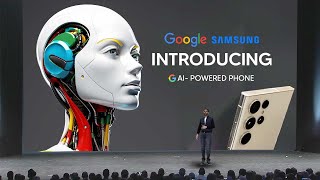
This YouTube presentation (LARRUZ) reviews Google and Samsung demonstrations of on-device generative AI in the Galaxy S24 series. Key capabilities shown include Live Translate for real-time two-way call and in-person translation (audio + text, up to 13 languages at launch), Chat Assist integrated into the Samsung keyboard, expressive writing styles powered by Gemini Nano, Android Auto AI summarization and reply suggestions, Transcript Assist and Note Assist for meeting capture and summarization, Circle to Search for gesture-based in-app search, user choice of on-device vs cloud processing for privacy, and a Pro Visual Engine for the S24 Ultra camera (50MP sensor, new 5x optical zoom, crop-to-12MP processing, generative edits, and AI-enabled slow-motion).
Chapters
So Samsung Galaxy recently had their crazy AI announcement and it was filled to the brim with super interesting things that I guarantee you'll want to know. So after watching the entire thing, here are the best bits that are AI related that I think you should all.
Pay attention to by providing real time voice translations while you're on a call. When you make or receive a call in a language you don't speak, the Galaxy S24 series can provide live translations of your call, both verbally and on screen. Right away.
Hola. Esta llamadas? Esta traduciendo y sub titular de forma simultanea.
Hello, Can I make a reservation for tomorrow at 7pm?
Hola. Puego a seruna reserva paramana all la siete de la noche?
Of course. For how many people?
Table for two, please. Mesa parados, por favor.
Under whose name?
Harrison Arizon.
Gracias.
Nos vemos siete de la tarde.
Thank you. See you tomorrow at 7pm.
Amazing, right? It's like having your own personal interpreter on your calls. The Galaxy S20's 4 series offers real time two way call translations within the native call app. It'll support audio and text translations for up to 13 languages at launch. And it all happens right there on the device, keeping your phone calls private. It'll even remember your language settings and what language each contact speaks, so you don't have to make updates before you have your next conversation. And Live Translate works no matter what kind of phone the other person is using. Even a landline. So if you happen to make a lot of international calls or enjoy exploring local hotspots while traveling, Live Translate makes it easy to have those conversations. These translations work in person too. Galaxy S24 can act as your personal interpreter whether you're lost and asking for directions or speaking to a merchant at a local marketplace. Excuse me, I'm looking for the Palace. Can you tell me how to get there? Walk about two blocks in that direction and turn left. Okay.
Estavien es muy fascinating.
It's very easy to find. You can't miss it. Thank you.
Gracias.
What you say will be translated both verbally and via text for the other person and vice versa. So you'll be able to communicate just like that. From calls in the native app to in person conversations. The Galaxy S24 to help you communicate in other languages seamlessly. That experience was built right into our Samsung keyboard to help you directly translate words or phrases as you type. And now you'll have a more intuitive translation available right in the chat window here. To show us how it works, please welcome Heejin.
In the past we used to only message in English, but now with Chat Assist we can communicate in Spanish too. When I told her, she couldn't believe it. Let me show you how it works. When you use Chat Assist, it detects the language and translates the message. And when I type my message in English, it translates what I wrote into Spanish. Oh, I should confirm that she's still free for dinner tomorrow. When a message came in, the translation showed up right under it. Let me reply.
So the on device translation was really, really cool. I'm pretty sure we know exactly what the application cases are there and I'm excited to see what some users tests are going to be because it's one of the first things that we've seen that is really, really cool. Quick thanks to the developments that we've had in generative AI and the next thing that was really fascinating from this event was of course the expressive styles which I'll show you guys right now.
It can also help us communicate better in our own languages too. You can select different styles of conversations on Google Messages, so when you're writing a casual message to a friend, you can choose a chill or excited tone. For work, you can choose to be more formal. There's even a Shakespearean tone when you're feeling a little whimsical. And this all happens on device on the Galaxy S24 series, thanks to Google's most efficient AI model built for on device tasks, Gemini Nano. And now with Photomoji on Google Messages, you can turn your photos into stickers and reactions, opening up whole new ways to express yourself. You can also make tone changes to your notes, chats and social media using the Samsung keyboard. So if you're writing a caption for your feed, you can apply this social tone for a more expressive, creative post. We're also making it easier to communicate while you're on the road. Android Auto brings the best of the Galaxy experience to your car, allowing you to safely navigate, access your favorite media and stay connected. Let's say you're driving and your friends are messaging you in a group chat. With the power of AI, you'll be able to set Android Auto to automatically summarize your group messages so you can keep in touch while staying focused on the road. Android Auto will also suggest relevant replies and actions you can take without touching your phone. So if you're on your way to meet a friend and they send you a new location, no problem with a single tap you'll be able to navigate to a destination you just received via text, easily share your eta, or even send a quick reply. Android Auto keeps you connected while you're on the road, and with Galaxy's Intuitive One UI right on your car's dashboard, you'll have a seamless experience that makes it easy to just get in the car and go.
So in that segment there we did get to see the expressive styles, which is really cool because it allows you to transform your writing with Generative AI and format it for any style or event, which is very, very useful if you're someone who has to switch between different environments rendering very quickly and some of that sometimes messes up formal and informal, just something that is really good at saving you some time. And of course Generative AI in the car on Android Auto, meaning that you can actually do a lot more while being hands free. Now next was Transcript Assist, which was really cool, and this is essentially a great way to take notes in a meeting.
I'm sure all of you have had that experience. When you're in a group meeting or lecture and you wish someone could take notes for you. Having a tool that helps you recall who said what and provides a quick recap of lectures and conversations can be helpful to everyone, including those who are hard of hearing. The native voice recorder app on our Galaxy devices has had speech to text available in different languages. Now instead of creating a basic transcript, Galaxy AI can distinguish between different speaking voices and will even create a short and sweet summary of what was said.
Now something that was similar to Transcript Assist was of course the Note assist, and I'm pretty sure everyone probably uses notes on a daily basis to maybe jot down some things. And having an AI system right there to be able to organize those notes is definitely going to be a game changer.
With Note Assist, it's so easy to organize my thoughts. Let me show you what I mean. When I'm in a meeting or a brainstorming session, I often jot things down quickly and need to reorganize my notes later to make sense of them. Here are some notes from a team project. I can tidy things up by adding a bit of structure like headings and bullets to my notes. Just like that. See how easy that was? And I can even select from different styles. Now I can quick share these notes with my team. But wait, they don't need to read everything I wrote down, they just need the key points. Luckily Galaxy AI can help with that. I can summarize all my notes into just a few key Bullet points. I'll show you how. See how simple that was. Whether it's a club meeting, a project brainstorm, or just your travel plan, NoAssist has got you covered.
Now, next, what we're about to see is AI powered search. And this is something that Google have been teasing with their search updates with generative AI. And I do think this is a pretty neat addition to how search is going to be working in the future.
You know, our phones are really a window to the world's information. And because humans are naturally curious, you probably come across things in your apps all the time that you want to learn more about. But when you're immersed in a moment of discovery, it can feel disruptive to stop what you're doing and switch to another app to learn more. So today we're introducing a solution I'm thrilled to unveil. Circle to Search, a new way to search anything on your Android phone using a simple gesture without switching apps. Thanks to breakthroughs in Google AI, you can now circle, highlight, scribble, or tap whatever you're curious about on your screen to learn more. So let's take this example where I'm interested in what a creator is wearing in their social post, but they didn't tag the brands. Today if I see something I'm interested in, I'd have to take a screenshot and then leave the app to search it. And switching between different apps can be kind of inconvenient and take you out of your flow. But now just long press the home button to invoke circle to search. And from there you can select any item, like these sunglasses to quickly uncover similar options and where to buy them without leaving where you are. You could also scribble the bag to see what that is. I've been really into this padded bag trend lately, so we'll definitely be checking these out. It's so amazing, right? Or if I wanted to know more about the boots instead, I could just tap on them quickly to look those up too. And just like that, your curiosity is satisfied. And when you're done, you can just swipe away and you're right back where you started. Or for example, perhaps you're browsing social and come across what looks like a really delicious corn dog that you want to know more about. With the power of generative AI, you can ask more complex and nuanced questions than ever before, so you can more easily understand concepts or topics through helpful information that's pulled together from across the web. So I can circle the corn dog and ask a question like, why are these so popular? And I quickly learn that these traits are Korean corn dogs. And they're trending because they feature a unique combination of flavors and textures, crunchy and gooey at the same time. And from there you can get right back to what you were doing. This is all possible due to Google's deep understanding of information in its many forms, paired with our world class ranking systems to deliver helpful, high quality information. And of course, Google has long been committed to keeping your personal data secure. And Circle to Search was built with privacy in mind. It's designed to use only the area you select on your screen to begin your search. Okay, so we've talked a bit about this exciting innovation, but let's actually see the magic in action. Say my friend texts me to plan for our upcoming trip to London. She loves vintage clothes and she wants to know if I know of any thrift stores around Camden Market. So I can just long press the home button and select the text in her message. Let's do that again and instantly see some options that thrift stores I can go to. Is that amazing? So it looks like London has a really awesome thrifting scene and I think this can one. It has a great rating so I think we'll go there Now. My friend also says that there's this chicken restaurant in Covent Garden that I guess serves an entire fried chicken. It sounds amazing, but I have absolutely no clue what she's talking about. But again, with Circle to Search, I can just long press the home button and I can circle the text here. And how amazing is that? It's this place called Chicken Sours and I can see all the information about it, including I can go in here and see some photos. That looks like some amazing fried chicken. We should definitely go there now. If you're anything like me, I'm sure you love watching videos on your phone. So let's say I'm browsing YouTube shorts and I see this kind of interesting hanging chair here. I'd like to know more, but I wouldn't even know what to say. So again with Circle to Search, I long press the home button, circle it right over the video. I use my finger or the S pen and up pops some results and see a bunch of different options here. And if I want to, I can reset circle and here are even more options and I can click on any of these. It's just so magical. I can just learn more about anything that I see with Circle to Search. The power of Google AI is just a press away no matter where you are on your phone, only on Android. Absolutely. And we're excited to announce that Circle to Search will be available across all three models of the Galaxy S24 series. This incredible new capability is the result of deep collaboration with Samsung and we're thrilled to bring the latest innovations from Google Search to Galaxy users around the world. We look forward to building on our extensive partnership with Samsung as we enter this next era of AI powered experiences. And with that, I'll hand it back to Drew.
Then of course they actually did have a small snippet where they talked about on device privacy where you can essentially choose whether or not you want to use the cloud to process your data or process it on your device.
And we know how important it is to safeguard your privacy along the way. So with the Galaxy S24 series, making decisions about your data is in your hands. We're giving you total transparency and full control. Under advanced intelligence settings. You can decide whether you want to allow online processing and full functionality of AI.
Now this is about to get crazy because this is where we get to their Pro Visual engine, which is their AI powered camera that can do some really, really crazy stuff.
Today, Galaxy S24 Ultra will maximize your creative freedom with a wide ranging suite of AI tools powered by an all new Pro Visual engine. Tara, are you ready to show everyone what the Galaxy S24's camera can do?
Yes, Hamid. I've seen posts that the S series is a must bring item for concerts. That's why when we went to see Band Tomorrow by together we brought along the Galaxy S24 Ultra to replicate the fan experience. See, although it's a dimly lit environment and we were far away, with the Galaxy S24's nightography and space zoom, we were able to zoom in to see txt as if we were in the front row and from up front in the dark concert hall we could clearly capture details, even their facial expressions.
And if you thought that zoom stuff was impressive, take a look at this AI powered camera from Samsung that allows you to do some incredible edits using the generative AI capabilities.
What does it do?
It's Samsung's smartest AI powered camera ever designed to announce the way people use zoom in their day to day. With the new 5x camera optical zoom lens with 50 megapixel sensor, they closed the gap between the 3x and 10x zoom lenses and found the optimal hardware combination for high quality photos and videos. This fresh new lens even delivers top notch optical quality in 10x zoom. Shot of us too.
That is impressive. How does it work?
The Galaxy S24 Ultra captures 50 megapixel images with the new 5x optical zoom lens. Then crops the center of the screen to create an impeccable 12millipixel image with no loss in image quality. Thanks to the new improved npu, the AI is faster and more accurate. This means it can perform multi frame processing and super resolution simultaneously from the get go. So cropped 12 megapixel images still have top notch quality. Galaxy S24 Ultra optimizes separate frames into a single exceptional image.
Wow. Bravo Hoofie. Applause. There's more. AI quickly analyzes images from both cameras even before you press the shutter. And based on the recognition of different types of subjects, it tunes details in each area. The AI touches up the skin, sharpens details like grass and trees, and even amplifies subtleties in clothing and hair to give you optimal results with maximum detail. Galaxy S24 Ultra's powerful AI technology is sure to again wow people with its unparalleled picture quality.
Impressive Samsung Galaxy's smartest AI powered.
Now if that wasn't enough, there's of course more ways to edit it. And we're seeing some really really cool uses of Generative Fill on Samsung's new device. That is going to be a major, major help. And we even had Mr. Beast showing us a live demo of how effective it actually is.
10 years I've led a team of camera and AI experts at Samsung Research where we developed several generations of of AI multi frame technologies that power the core of some of our most loved camera features such as nightography, Space zoom, high megapixel processing and Expert raw. And with the Pro Visual engine we are making it even easier for you to get pro level photos and videos even if you just point and shoot. Pro Visual Engine doesn't just help you get the shot, it also simplifies photo editing. When you're viewing photos in your gallery, your Galaxy S24 will automatically suggest editing options like here. Do you see how this picture captured the reflection and glare from the harsh overhead lighting? Edit Suggestion is recommending that we fix that with a quick press of this button. Provisual Engine helps us to remove the reflection and glare as if they were never there. And Generative AI opens up the possibilities of what you can create exponentially. You can realign photos and still create epic shots by magically filling the void. You can also move an object or person and generate a perfectly blended background where the subject used to be. Masterfully editing your creations for jaw dropping results. We understand that with new possibilities for technology, there can also be concerns. That's why with every generated image, we'll be adding a watermark to the image and a label in the metadata. And now you can create and watch a video in slow motion, even if you didn't record it that way. Tara, take it away.
In the past, slowing down an existing video required you to create each missing part frame by frame. But now with the Pro Visual engine, you can turn high resolution videos into slow motion with a simple long press. It will analyze each frame of the video and add AI generated images in between frames, allowing you to watch your videos in slow motion. Impressive, right?
Highlight the object to remove it, hit this eraser, hit generate. And just like that, I am floating on a giant chocolate bar. The other crane's gone.
Thank you, Samsung.
So now that the entire thing is done, what did you think of Samsung's new device? Their new Samsung Galaxy S24, I think. Are you going to be purchasing it? I think I might just be doing it considering that it's one of the only devices running with on device AI and the rate of AI is moving very, very rapidly. I definitely want to explore how this technology is being adopted into some of the hardware that we use on a day to day basis and if it's really effective. But so far what I've seen showing me that it looks to be very, very effective.










