Googles New "Text To IMAGE Model" Just CHANGED Everything (Now RELEASED!)
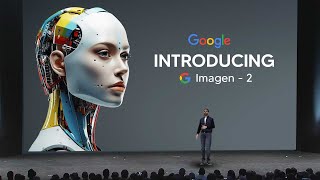
YouTube video (LARRUZ) demonstrating and evaluating Google's Imagen 2 text-to-image release. The presenter highlights Imagen 2's photorealism (fine-tuned on human aesthetic preferences), intuitive editing via Image Effects/Test Kitchen, inpainting/outpainting, text rendering, seed control, logo generation, Synth ID watermarking for provenance, and compares results to DALL·E 3 while walking through demos in Bard and Vertex AI.
Chapters
So Google actually just surprisingly released Imagen 2, which is their most advanced text to image technology. And I'm not being over the top when I say this, that this might actually be the very best text to image generator that we do have. And I'll explain the reasons why in just a moment. Now, this is very, very good. In fact, it's shockingly good because we didn't know that this was coming. And with the rise of Google Gemini Pro, it shows us that Google is taking this AI race very, very seriously. So, so right here you can see that Imagen 2 are most advanced text to image technology. Now, of course, everybody knows that text to image isn't something that is new, it's not something that we've seen for the first time. But this is very, very different because how Google have gone about this text to image generator and how they've implemented it into their website is very different and is exactly what I've been asking for for quite some time. So let's take a look at some of the key features, why this actually stands out and of course how you can get started. So one of the first things you need to understand, this isn't currently available in every single country, although it is available in most of the countries. So you should be able to use this. So if you are in any of the economic European areas, Switzerland and the uk, you're not going to be able to use the image generation because what they've done is they've actually added it to Bard. Bard has been updated today since it is the 1st of February and you would have known that Bard is getting an update if you did watch our last video now under here you can see that I've put all of the countries that are in the European economic area, which is which according to the recent post by Google, it isn't going to be out in these countries just yet. However, there are a few ways that I'll show you later that you can still access this really cool software. So let's actually take a look at the image generation and how good this is. Because image generation is one thing, but once I show you guys how they've implemented this, then that's when you guys are going to see why this is really cool. So here we can see that we have four high quality images and it's clear that Google's focus on this was actually on photorealism. So I'm going to show you guys some images in a moment and, and you're going to see just how good these images are because Google's photorealism is actually pretty, pretty good. And remember guys, one thing I want you guys to remember is that this is Google's Imagen 2 because Google had Imagen 1 and Imagen 2. So just remember that they're on their second iteration of this model, which just goes to show how big of a leap this is. And with these prompts we can see mosaic inspired portrait of a person. Their features are formed by a collection of small colorful tiles. Modern house on the coastal cliff, that is pretty cool. Studio portrait of a man with a grizzly bear eating a sandwich. That is pretty cool. And I think these ones are pretty diverse in nature. And show us exactly how good this image generation software is. Now you might be thinking, okay, this is good, but we've seen this before. But let's get into some of the other stuff because I can promise you guys this is much better than you guys think. So this is the Photorealism section. Now the images right here, they aren't scaled properly. That's why the images don't look as high quality. But in terms of the actual photorealism, if I upscale these properly, the these are pretty, pretty good. Now if you remember, if we actually compare this to some of the other ones, for example, like Dalle3 and I do have some comparisons coming on later on in the video, so you'll be able to see exactly how they compare to Dall E3. But I do think that the photorealism is really good because essentially what Google did was they actually trained this to be very photorealistic. In fact, in the notes they say that, they said that we trained a specialized image aesthetics model based on human preferences for qualities like good lighting, framing, exposure, sharpness and more. Each image was given an aesthetic score which helped condition Imagen 2 to give more weight to images in its training data set that align with qualities that humans prefer. And this technique improves Imagen's ability to generate higher quality images. So essentially they were able to get this model to perform really well because they fine tuned it on what humans really like. And something that I find as a little, really small cool detail is the fact that of course they've shown us that hands are something that do work. And if you aren't familiar why that is a thing, it's because earlier on, AI wasn't really able to generate hands properly and they would always be messed up. We can see clearly here that the hands do look 100% realistic. So there's not really a way to be able to tell from that. Now let's take a look at some of more images and I can't wait to show you guys some of the other features because it's absolutely, really just amazing. And then I'm going to show you guys the demo. So you can see right here that this is a really, really nice photorealistic image. Quite surprising actually, just how the lighting is. Like I said, I wouldn't know that this is AI generated. It doesn't look AI generated to me. But in fact this next image does look a bit more AI generated because it's got that. I'm not sure if this is like a bokeh effect or what kind of effect it is, but it definitely is like, I guess you could say have that AI generated thing, but Google's photorealism, it is definitely most 100% there. Now we do need to take a look at something else because this was one of the features that you may have not seen. So here we have outpainting from Google. Now, in other Google products that they did talk about, they have actually mentioned out painting and in painting before, essentially, if you don't know what that is, that's essentially where you zoom out and essentially where that image, you can just, essentially just increase the size of that. Now that is something that we did see in mid journey, but it is good that we are now getting this from Google as well. And I think this will be better implemented in Google just because of how they've made the software. And of course, like I said, they also did include inpainting, which is of course if you want to add something. Like right here in this example, they wanted to add a shelf and it looks pretty, pretty cool. And you can see they just said a shelf with a couple of books and vases hanging on a green wall. And then of course they just managed to add that right into the image. So I feel like that is basically, you know, it's essentially just Photoshop's generative fill. If you do remember Photoshop's generative fill, it was essentially just this, which you can access natively in Photoshop. And of course that was something that definitely went down well with a lot of people. And I'm sure that now that Google has it, especially with its Photorealism, it could definitely compete because we know that generative fill, while it's okay, it sometimes doesn't always give you the best results. So if Google manages to get this area right and currently you're going to see in Vertex that I don't think they gave us this feature, but you're going to see that it actually is really cool. Now, what we also did get was we also did get text rendering support. So essentially you can see right here that there is text being able to be put into these images with a remarkable degree of accuracy. So the prompt says a tube of toothpaste with the words symbol written on it on a bathroom counter. Advertisement and you can see that it's got the words all the way down to the blur really, really perfectly. Then, of course, a cup of strawberry yogurt with, with the words delicious written on the side. Sitting on a wooden tabletop next to a cup of yogurt is a plate with a toast and a glass of orange juice. And you can see that the text here looks very, very accurate. And it even manages to do it with like the, you know, the blur going on there and of course with different fonts that look really, really creative and stylistic. So I think that text rendering support is definitely one of the things that was really hard and was only recently achieved by, I think it was Dall E3 and Mid Journey. So now that Google has added this as well, it goes to show us that they are not messing around when it comes to this. And I'm sure that this image release is going to be there because they want Google's Gemini to be very, very good when it does release in its complete model. Now, Gemini Pro is actually pretty good, but of course, Gemini Ultra, they want that to be absolutely astounding. Now here is where we talk about the intuitive editing. So this, ladies and gentlemen, is Image Effects. So essentially, if you don't know what this is, this is from Google's test kitchen. And this is why I said this is probably even better than midjourney if you are using this. So essentially what you can do, you can see that when you generate a photorealistic image, you can essentially break up the words into different sections. And these different sections can be changed to your preference if you want to adjust how that image is. So you can see that he changed it from a jungle to a city and you can just simply break that down and it allows for greater creative freedom. So I really like this so much because being able to switch from city to jungle and just instantly get a new generation, I think that that is a feature that we have been asking for for quite some time in many of these AI generators, for example. And this is no hate to midjourney or whatever, but it's just a comparison like midjourney is absolutely incredible if you don't know what it is, it's arguably the state of the art model in terms of image generation. But you know, just how it is on Discord. It is a little bit harder to use than just a simple like drag and drop, you know, a simple, you know, drag and drop and just, you know, change things with, you know, just click of a button. And I know that they've made it easier and I know that they are working on a website. But if Google manages to roll this out, you know, globally, I think this will become more adopted because of how easier it is to use. So I think something like this goes to show us as well. And I'll show you guys the demo of this later because like I said, you can actually use this with a link in the description. So, so you can see right here there's other things at the bottom. HDR, 1990s, all of these things. You have to remember that the average person who's using image generation software, they don't know about every single photo style. They don't know what warm coloring is, certain types of film style. They know HDR 1990s, Renaissance style. They don't immediately have all of these in their head. So it is very, very useful that we get something that can actually give us that ability to brainstorm for us and then we can see, okay, we can change this part, we can change, we can change from landscape to this. And I think it's just going to give us a greater degree of creativeness to completing whatever project or whatever outcome that we do desire. So I think that this is really cool and this is definitely something that is an improvement over other models that we haven't seen before. So Google actually have done a great job on that bit. Now in addition, you can see that right here instead of photoreal portrait, you can see hand drawn abstract impressionist. So if you want a hand drawn one, you can simply change it. And then of course you can see that is how it looks. You can then of course as well you can share this and you can get the seed as well. So it's pretty much like midjourney in the sense that you can get the same seed which allows you to generate really similar images which are borderline consistent. So I think this is one of the things that, like I said from Google, coming from Google and their image effects. So if you want to actually use this, this is going to be different. Just to make the distinction clear, what we're seeing here is actually Google's image effects. And essentially what that means is that this is in Google's test kitchen so if you don't know what Google's test kitchen is, the test kitchen is the area in which that you can test new Google releases before they are essentially put out to the mainstream. So I guess you could say it's like an alpha version of the AI stuff before it is wildly rolled out. And there's a few different things there like music generator and an image generator and they're actually still pretty good. But I'm guessing that Google just, you know, wants to test them, get some feedback and then of course roll them out completely. So this is image effects and this is not Google Bard, but you can use this now. And I'm guessing that this is just a more advanced area. So like I said, I am a real, real fan of this because like I said, I think this helps out people more than you do realize. So there was also this as well. So logo generation. And you could see that they actually talked about how Google's new image generator, Imagen 2, which is of course now powering Bard, essentially prompt a clean, minimal emblem style logo for an ice cream shop cream background. You can see that that looks really cool. Then an abstract logo representing intelligence for an enterprise platform, vertex AI written under the logo. So I think that this is also once again, of course you can do this with ChatGPT. ChatGPT's Dall E3 is actually pretty good. But like I said, Google's coming over to here and as far as I know, when I was testing this out in Google's Bard, there wasn't really a limit on the amount of image generations I could have. So I think that this is really effective. For those of you who don't have a GPT4 subscription and you don't want to subscribe to anything, you just want to have your Google account, you want to go ahead, you want to create an image, you can go ahead and Bard and you can just do this straight away. So I think this is something that's pretty effective. And yeah, another thing is that these are pretty clean as well because the text looks pretty decent. And I would say that this is a win. This is definitely a very good win. Now there's also something that I wanted to include as well and that's of course the seeds like midjourney. So if you don't know what midjourney has, midjourney essentially has seeds. A midjourney seed number is basically just the number that allows you to direct the consistentness in the image generation process. So essentially it's just the starting point for the AI to Generate the field of visual noise and basically it's just a reference point that allows you to create more realistic slash consistent results across your work. So that's why I said that this is really cool because, you know, right now from Dall E3, we don't actually get any seed numbers. And even through you know, discord and midjourney, the way how you get the seed is you have to put slash type in. You know, a lot of people just don't want to do that. Like, I know it's fairly simple to someone who's using it all the time, but someone who's just getting started, you're really just going to want to be able to click a button, just copy and paste seed, because that's how majority of the things and apps that we use are. Now there was something that I think is good because Imagen 2 includes built in safety precautions to help ensure that generated images align with Google's responsible AI principles. And essentially it's watermarked with Google Synth id, which allows you to generate invisible watermarks and verify images generated by this software. So if you don't know what Synth ID is, essentially it just generates a synthetic id. So it's basically a digital watermark directly into the pixels of these AI generated images and that are imperceptible to the human eye. So if you ever want to check the validity of an image, you can do so with this software. Now, essentially what's good about this as well is that they've managed to make it so that even if you edit the image, so even if you add some filters, add some exposure, the watermark ID is still completely there. So there's no way. And you can see that we designed Synth ID so it doesn't compromise image quality and allows the watermark to remain detectable even after modifications like adding filters, changing colors, saving with the various lossy compression schemes most commonly used for jpeg. So I think this is really good because right now we are entering the era of images which we don't know are real or not. And if Google does manage to become the number one in terms of image generation, it's going to be good to be able to have something that we can actually fact check and then go back and say, okay, that is AI generated and that isn't AI generated. And I think that other companies should take a note from Google because this is something that we do need in the future. And right now, whilst it's not that big of a problem, I think in the future it will become a larger problem as more people start to realize. So let's go ahead now and take a look at some of these images as well. Because I wanted to look at some of the individual images. So this is a really cool, realistic one. Like I said, the photorealism with Google is really, really good. So the prompt is generate a realistic photo of a person looking off camera during sunset portrait mode. So the background is faded. Then of course we have this one right here. I really do like this one. I don't know why. It just, you know, ushers a sense of peace, I guess you could say. And it says generate a collage art with photorealistic images of oceans and plants with muted colors and 3D shading. That's mixed media. Then we have this one. I find that this one is really cool as well. Write a social media post and generate a mouth watering image that I can use for a buffalo wing festival that actually does look remarkably realistic. And I wouldn't be able to tell that that is AI generated. Maybe my eyes are awful, but just the lighting, the shading, definitely pretty, pretty incredible stuff there. And then of course Imogen 2, which is generating an image of a fashion show and a steampunk style digital art, zoom in on their face. Looks very, very effective. I mean, some of these right here don't look that, you know, accurate. But in the digital art style that is actually really cool. So if you've seen the digital art style, you know why that actually looks really, really cool. So essentially what they're trying to do with these, these images is trying to show how good the range is on these images. Because essentially what they're showing us is that, you know, there's a diverse, you know, a style set that you can apply to this. And it just goes to show us how effective this is and generate an image of a futuristic car driving through the mountain. And then of course generate a vibrant and lively image depicting an elephant partying in the heart of a lush, vibrant jungle. That, that should be in various colors and be adorned with fun. Now I'm going to show you one more image here. And then what I want to show you guys is the comparisons to Dalle 3. And like I said before, even though I'm doing these comparisons, don't forget that this is, like I said, Google's second iteration. Whereas this is, I guess you could say Dall? E3's third iteration. Because before they had Dall? E2, they had Dall? E. Then they had Dall? E2', they got Dall? E3. So I would say Just remember that, because I think that is the only fair way to compare it. So this is just generating an image of a cluttered alchemist workshop, which is filled with bubbling flasks, glowing crystals, and the tiny, luminous swirling within the bottle. So then, of course, we have Imogen 2 and Dall? E 3 on the right hand side. And I think this one here, if we're being honest, this one, Dali 3, does look pretty cool. But I would say a tiny luminous world swirling within the bottle. This one here kind of does. I mean, the nuances here actually do look better. From imogen2. I just think the understanding is better. But we never know when they're going to drop Dali 4. So it will be interesting to see what is done. There we go. We also do have this comparison. So Imogen 2, I'm on the left, and then Dall E3 on the right. So I guess they have different interpretations of, you know, what collage is. I guess that one's open up for interpretation. And of course, we got Dali 3 here as well in terms of generate photorealistic person looking off camera during sunset. And I think it's clear that Imogen 2, in terms of photorealism, just really, really wins in that sense, because I think the way that they train the system and in order to generate how that looks is particularly stunning. So we're going to take a look at some of these more, and then once we take a look at these, then I'm going to show you guys how it actually works and how you can actually use this. So you can see this one again, futuristic car driving through an old mountain surrounded by nature. I think definitely, Dali3 does look a little bit better here. That's completely fine. And then, of course, we have here, I think it's just different interpretations of what we're looking at, because like I said here, this one seems to be a little bit more playful, like a kids thing. And. And then this one here seems to be a bit more artistic in terms of what we're seeing. And of course, this one right here as well. So you've got this. This is like an image of some buffalo wings. And of course, this one on the right here doesn't really look as realistic. And then this one on the left, Google's one, does look really realistic. So right now, what I'm going to show you guys is a quick demo of the Bard, which you can actually use right now. Then I'm going to show you the image effects, which is essentially this one, which is the intuitive one, which is, I guess you could say a souped up version of what midjourney is supposed to be. So I'll take a look and I'll show you guys how those are. So here you can see we are now in Google's Bard, and I just simply asked it to make me an image of a car. And these are both powered by the same system. So when I go and show you guys the images from Image Effects, it's all going to be powered by the same system. So I said, make me an image of a car and it's chosen to essentially make me an image of some BMWs. Now, I didn't really do any kind of, you know, prompting, really good prompting there. I just simply said, make me an image of a car. And what I find cool is that you can generate one image and generate three pretty quickly. And I think it does generate a lot of images pretty quickly. Like for example, this image of an egg. That doesn't look as realistic. This definitely does. Like, I would say that, yeah, that's a real burger, the sauce and everything right there. And for this second iteration, I would argue that it's pretty, pretty realistic. So we click generate and then you guys are going to see how long it does take. I think it is pretty, pretty quick. I'm not sure how they managed to get it to be this fast, but the first time I generated these images, it was really, really quick. Like, surprisingly quick. And of course you can see here that I said generate an image of photorealistic food. And then of course, we do have those images here. So I think that, you know, it does really, really, really well. And I'm going to say create a picture, create a picture of a realistic soccer field. And then I'm just, and then I'm just going to see how that works. So I think this is good because like I said, one thing about this is that it doesn't seem to be any limit. It doesn't say that, you know, you've generated the maximum images right now. It just seems that, you know, you can keep on, keep on going, which is really good in terms of, you know, whatever you want to use it for. So this realistic image of a football field, I like this one, except that the, the lights do look a little bit weird. They actually kind of look like letters there. And of course, we've got this one. I mean, these, these ones kind of look like an arty style. Then of course, like I said, you can click generate more and then it is going to generate some more images based on what you want. Now, I really don't have any ideas for on what to generate, but yeah, I think it's. It's something that is pretty cool based on what you can do. Now I'm going to show you guys imaging 2 in Vertex AI because I think that that one is going to be much more effective. So here we are in Image Effects. And like I said, this is Google's test lab. So this is where you can test out different stuff. You can just sign in, it's free. And you can see there's text effects, music effects, and of course, here's where we go. So you can see it says silver coin with a smiling cat. Five words, catnip. So I'm just going to type in tab. I'm just going to go ahead and click Generate. And down here, like I was talking about before, this is where you can click these styles. Photorealistic, 35mm film, minimal, sketchy, handmade. You can also see the settings here. You can see the seed and, you know, can, you know, do whatever with that. So I'm going to go ahead and click Generate and then it's going to optimize my prompts. Going to go ahead and see exactly how long this takes. It only seems to be taking a few seconds, but okay, so that is pretty cool. Wow. That is actually really, really cool. Wow, that is. That is. That is surprising. So that was pretty quickly. They generated three image and then it was a silver coin with a smiling cat and words. Five catnips. And you can see five catnips was really, really it. I mean, it's done pretty well. I mean, I mean, yeah, this is actually kind of shocking because how easy this is to use. I can just Change it to 5, 10, 20. I can take it from words, symbols, shapes and colors. I can change it from a coin to a metal. Let me, let me change it to a badge. And I'm going to click Generate. And let's see exactly how that changes. So this is what I'm saying, guys. Like being able to change it to, you know, simple words that are related to what your thing is. And then you can see it kind of changes it. I mean, I guess this kind of looks like a badge. And then we've got a coin here, so. And a five catnips. And then we can change it to. Let's do 50 catnips right here. This was the initial prompt that they gave me. So there's no strange obsession with catnips for that matter, just so you guys understand. And then of course, 50 catnips. 50 catnips. 50 catnoPs. So yeah, I think this is really, really cool because, you know, you can, then you can change this so you can do dream aesthetic. Let me put dream aesthetic and let's add that. I mean, I don't know about you guys, but I find that this is just way easier to use in terms of image generation than like actually trying to think what do I want to use, what do I want to do, what kind of, you know, things, you know, how do I do this? And I think when this even gets even better, this is going to be something that is, you know, much more effective than some of the other things we're using. And I would argue that this looks really, really good in terms of, you know, just how quickly this is, just how quickly you can change the seed. So yeah, you can see that right here. This is really, really, really good to use in terms of being able to generate something really, really cool. Then I'm going to do one more. But like I was saying, I think, I think this is just going to show that Google truly understands that not only are they making an image generation software, they're actually also making themselves something that is of course a product. So I think that that is one of the most important things that you do need to understand here. And I think that that is something that is very important because they previously talked about how, you know, people can make better models, they can make better software, but if you can't make a better product, then people just won't use it. So I think that this is just a key showing us that, you know, if you have something so we can change this to Steampunk, then we can generate. I think that just shows us that this is something that we definitely do want. So we're going to do Steampunk City and then I'm going to see what this is like. And then we've got a Steampunk City here and then there's four images and that's. Yeah, I really like what we're getting here. So let me know what you guys thought are. I think that this is definitely fascinating. I think that Google has, you know, done very well here in terms of, you know, Imogen too. I think, you know, they definitely are on par with some of the other state of the art models that we do see. Let me know how you guys get on in terms of using this for yourself. I think that this is going to really change the game because other, you know, companies are going to now realize that yo, this, this user interface is pretty crazy. It's so easier to use. A lot of people are probably going to use this once they get the chance to. And. Yeah, let me know what you guys think. If you guys enjoy the video, I guess we'll see you for the next update.










