Googles New Text To Video AI "VEO" Is Actually AMAZING! (Googles SORA KILLER!)
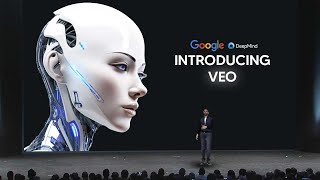
LARRUZ reviews Google's new text-to-video model Veo, which generates 1080p videos over a minute long with realistic lighting, consistent characters, and filmmaker controls like inpainting and outpainting. Google uses Gemini to understand prompts better, and the results outpace Meta's Sora.
Chapters
Google have finally announced their Sora competitor and I must say things are really starting to heat up because this model is really, really good. Now I got to be honest with you guys, this is not exactly new news, but I will say that they seemingly have updated this model because it was announced at Google's IO but the demo wasn't as impressive as it was then. So take a look at this. You can see that this new demo on just simple photo to video model. It looks absolutely incredible. I mean, if it wasn't for Sora being released a couple, you know, months earlier in February, if this was something that was just coming out and it was state of the art, we would say that this is very much so incredible. So this is Google's VEO VIO is their most capable video generation model to date and it Generates high quality 1080p revenue resolution videos that can go beyond a minute in a wide range of cinematic and visual styles. And it accurately captures the nuance, the tone of a prompt and provides an unprecedented level of creative control understanding prompts for all kinds of cinematic effects, time lapses and aerial shots or landscapes. Google have said that their video generation model is going to be available very shortly and it's going to be there to help create tools that make video production available to everyone. Now I'm going to show some of you guys more of the demos because they are rather impressive. So for example, right here we have this image of a woman opening what seems to be some kind of crystal ball or something, not really a crystal ball, but some kind of rock that contains another piece of rock inside. And then we can see that this is the video from that, a pretty stable video showing her opening the rock rock and giving us a look inside. That is pretty, pretty effective if you you ask me. Just based on the current image here we have another example. This is simply an image. I'm not sure if this is AI generated by their imaging software, but we can then see that from that image we then get this generated video and we can see that the woman completely turns her head from left to right and then the dog starts to blink and moves the other way. So I think this shows us the kind of examples that we can have. For example, that woman turning from there to there. It looks very, very consistent and very, very good. Another thing that I think you ought to pay attention to is the lighting. For example, the sunlight is coming from the right hand side of the image. Rays are beaming down. So we have the rays beaming down this way, which look really, really cool and Then of course you can see okay, and it's kind of hard to see, but you can kind of see that, like as she turns around, the shadows still look pretty, pretty consistent as the sun comes down. It kind of, you know, gives us that real effect. So it's pretty interesting that this model is able to accurately carry and is able to, I guess you could say, truly understand exactly what's going on with certain things and with very much consistency. So right here you can see that this is a woman that it seems to be in the middle of the laughter. And then we can see that when we click play, she opens her eyes and then she looks around and blinks in a very, very realistic way. Now, I would say that this is definitely a state of the art model for what this is. The quality looks amazing. The character consistency looks really, really good. And if we're being honest, we have to say that this is at least on Sora's level because of the way that this looks. I mean, this looks very, very good. Here we have the prompt being a lone cowboy rides his horse across an open plane at a beautiful sunset. Soft light, warm colors. That looks as realistic as it's going to get. I mean, I'm looking at the legs. The legs look pretty normal. I'm looking at the lighting, which is also something that is very, very hard to do. This kind of lighting where it's super, super realistic. I'm not even honestly sure how the AI system has managed to do that, because lighting is something that is so hard to do. But you can see the fact that the character consistency moves with the horse. The sun remains the same, and then the light is the rays that like, that is really, really impressive. And you might be thinking why they show certain demos for those of you who understand, like, you know, if you have a shot film before or you've ever, like analyzed, you know, these kinds of videos, I think you can truly, truly start to grasp the fact that this is AI generated, that there is a deep, deep level of understanding exactly what is going on in the image because it's right there, like it remains there. And then you can see that the sunlight comes back around. That is very, very remarkable. And not only that, but the entire lighting changes. So there's a remarkable, literally a remarkable degree of accuracy from this model that I have to say. Google have done a very, very good job. And you can see the shadows at the bottom as well. The. They do look very, very realistic too. Now, there's also a few more examples. This one is quite like the Sora example, you can see an aerial shot of a lighthouse standing tall on a rocky cliff. It's beacon cutting the early dawn waves crash against the rocks below. So we can see that the waves look very, very realistic. This looks very, very good. And we can see that all of the waves along here look real, really, really nice and consistent and coherent. There is one entire wave coming across and then we can see that it literally manages to crash inside the rocks. And as I look at this, this is genuinely some remarkable footage that I am seeing because it's truly, truly impressive what you're able to do when these teams put their minds together. So another example that we do have is a time lapse of the northern lights. Dark dancing across the arctic sky, stars twinkling, snow covered landscape. And this one looks really, really nice. You can see it's actually managed to capture the fact that this is not moving at all, but the fact that this is completely moving. And then of course the northern lights like the entire time lapse, that is genuinely pretty incredible because the thing is that with a lot of these clips, like it might be your first time seeing the dynamic range of these clips. Like I've seen a lot of these other clips before. Like, like I've seen a time lapse of the northern lights. Like I've seen, you know, this clip right here. Like I've seen this clip right here. As in the fact that I've seen how sunlight acts, I've seen the time lapses. And what I'm trying to tell you guys is that this model is genuinely really good. Like I wouldn't be hyping this up if this was just a mediocre model, but this model is surprising me in the consistency of certain things. Now there's also this right here. So a fast tracking shot down a suburban residential street lined with trees, daytime, a clear blue sky, saturated colors, high contrast. So this example is one where I'm guessing Google is probably trying to test how the consistency among the houses remains as you move forward. Because with any standard video model what would happen is as you move forward, these houses on the right hand side are the trees, you know, the grass right here, everything just kind of meshes and merges together. But I'm guessing that what you're about to see is a little bit different than that. So let me show you guys this one right here, you can see that the consistency is remarkably impressive. So for an AI generated video, this is just, it's so strange because you can literally see that the trees staying in the place. So is the grass. You know, you're driving down the street and everything looks very, very, very good. The only problem I would say with this clip is that it isn't long enough because I would have loved to see how it handled going further down in the same clip. Now, this is only a few of the actual clips that they have. We're about to get into some more of the demos because honestly, this is really, really impressive. We also have many spotted jellyfish pulsating underwater. Their bodies are transparent and glowing deep ocean. So here we can see this ocean clip. We've got jellyfish being, you know, transparent and moving. And we can see that once again, the character consistency of this is really, really good. And I think what Google wanted to show was that even with complex characters images, it manages to remain intact. Because this anatomy of jellyfish is not easy to do. Like, it's not really an easy creature because it's so wiggly, I guess you could say it doesn't have any bones. It just. It's like. It's basically like a piece of cloth. So simulating that is actually really, really hard. Like simulating cloth physics from a generative video model is pretty, pretty hard, especially with the way the underwater things go. So I'm guessing that with this, you know, example right here, it shows us how effective this is. Now there's also this right here. You can see that this is the time lapse of a sunflower opening with a dark background. And this one, I truly, truly like this example because not only is it a time lapse, which means that this model has to go from literally here to being able to predict exactly what's going to happen and being also able to predict exactly what's on the inside. It also has to do it in a fashion where it looks like a time lapse. And this is exactly what I'm seeing here. So we're seeing this model consistently have all the leaves. I'm not seeing any of the leaves actually meshing together. The leaves are looking pretty, pretty individual, which is remarkably good for Google. And we can see that. The only thing about this is that, you know, the center bit does look. And yeah, I think this also looks really, really good in terms of being able to do that. Now there's. There's also another example that I really do want to show you guys. And this is the extreme close up with shallow depth of field of a puddle in a street, reflecting a busy futuristic Tokyo city with bright neon lights, night lens flare. So the reason this one is so cool is because one of the things that's really, really hard to do. And one of the things that older video games don't really have is the ability to have this kind of reflection. Now the problem with this is that this was only, I guess you could say, not a recent breakthrough. But like, video games don't really have this feature just yet. And it's basically the reflections in puddles and stuff. They really don't have like effective reflections in puddles. That's why Nvidia actually made their new graphics cards, which are rtx. So I'm going to show you guys why this is so cool is because the different lights flashing in the background, you can see that the lights are actually reflecting exactly what's going on, which is remarkably impressive. Now I would say that this isn't probably the best example of this because with so many colors going on, it's kind of hard to see them. But you can see here like as the blue. So I'm going to show you guys this right here. So pay attention to this area over here. You're about to see that like, as it goes blue, this area goes blue here. And as it goes red, this area is a bit red here. So I think. And I'm going to show you guys, okay, why this is so crazy. And this is exactly what I'm talking about. Okay. Three years ago there was, you know, RTX on versus off. And it's basically literally just the kind of reflections that you get that can make the game a lot more realistic. So you can see that on the ground there. I think, you know, Cyberpunk 2077 is going to be the best one. But you can see that, like, if we look at how things are rendered, this is RTX off, you can see. So this is what it looks like. Pretty, pretty standard. And then it's going to show you guys in a moment. Okay. With RTX on, the much more realism in terms of the actual rendering. Okay. So you can literally see, okay, side by side that like one is blurry and one is super, super realistic. And the point is, is that like this kind of, I guess you could say, you know, rendering, which is, you know, done by this model. I'm not entirely sure how it's done. I mean, it's truly, truly, truly impressive. And that's why this entire VO model truly surprised me because, like, a lot of the stuff that's being done here is really done to a high degree like this close up. I mean, it's really, really, really impressive. And like, you know, looking at the RTX and stuff like that. It just goes to show that Google, I guess they were working on this model, but I'm guessing that when they wanted to release this model, slash, you know, show us a demo of this model, they really, really did want this to be good. And these are some of the recent. So yeah, now this wasn't the only thing that VEO is capable of doing. In the blog talk about how they have controls for filmmaking. So one of the things that we can see here is that you're able to edit exactly what's going on. Okay. And I'm guessing that what they're wanting to do here is make this available in not a film setting sense, but they kind of want this to be really good for you if you're using this in, you know, video editing processes. So this is actually going to be useful for those of you who are creating content or for those of you who are creating any kind of video that requires inpainting or out painting. So you can see right here, okay, if you click this, you can see drone shot along the Hawaii jungle coastline, sunny day. So we can literally see that looks really nice and really good. But if you wanted to edit something in there, for example, with this prompt, we can see that it's a drone shot along the Hawaii jungle coastline, sunny day. But the only thing that they've added is kayaks in the water. And then you can literally see that on the right hand side along with the kayaks, we can see that there is the decent reflection there. And it's really, really good because it allows you to edit in things with a simple text prompt. So I think this is really, really cool because it shows you what is capable of when you're able to really control the. The. I guess you could say so, yeah, I think this is something that is really, really effective and it's really, really cool. So this is going to be something that I guess we would have to see more on because the only things that we didn't get to see is of course, more examples of this. Now one thing that Google actually showed us was this one minute long video. And when they initially released veo, in terms of like showing it through the Google I O event, this was the clip that they showed us. Now this clip, I got to be honest, it wasn't as good as some of the ones that we've recently seen. Which is why I say that potentially they may have changed somehow some things in the model. But this one, the reason I did like this clip, like the only things I liked about this clip was the fact that it did maintain a little bit of consistency for quite some time. And there was this cool bit at the end that you're about to see where the car looks, literally goes through a tunnel. And then it shows like this whole new city, which is really, really cool. But I think what's weird with this is that the video started out in one location and then managed to go to a completely different location and then just ended up in this weird kind of trajectory. But I think it's, you know, kind of cool that they showed us this right here because like I said, this last bit actually looks a lot more realistic than some of the other clips. But, but it's very, very interesting because you can see that what you were able to do is that you were able to, I guess you could say, craft this storyline. So with the controls here, you can see that there were literally four areas. We had 1, 2, 3 and 4. And you can see that it's a fast tracking shot through a dystopian sprawl. Then it says a fast tracking shot through a futuristic dystopian sprawl. Then it's a neon hologram of a car driving at top speed. And then it's the cars leave the tunnel back into the real world city in Hong Kong. So for those of you who might have been confused the first time you've seen it, that is where the video shows us that it's literally able to really stick to whatever it is that the user requests. And then you can see that they've literally said that the video was not modified. And I'm glad Google actually added this disclaimer that the video has not been modified because previously they did get some, I guess you could say some kind of flack for that because they did edit the video a little bit. And I think whatever reason, this is Google, I don't know what it is, but Google's models, they haven't trained on enough data that generate like really artificial stuff. Like Google, for whatever reason, they've only trained on realistic stuff. Like they haven't trained on these kind of cities. Because if you've ever, and this is a weird niche thing, but only if you use AI every day. But basically, if you've ever used Google's image and model, you'll know that, like when you're generating images of futuristic cities, the quality just isn't there. Like I was trying to generate a steampunk city. I can guarantee you guys it was one of the worst images I've ever seen from an AI generated tool. It literally looked like something from Dall E2. That's not to bash Google. But the point is, is that once Google upgrades this model to be have trained on this kind of data, I can promise you guys, it's going to be really, really cool. The point here is that Google's model, whatever it is they've used, is that it works really, really well with whatever is actually realistic. Which is why in this area, when we go back to the real city, you can see just how much the quality actually increases. Now, there's also, of course, this right here. This is a moody shot of a Central European alley film noir cinematic, black, white, high contrast and detail. This is a really, really nice one because it shows the fact that it's able to get the European alley, it's able to get the noir cinematic. And of course, this is a moody shot. So I think what this shows here, like, to those of you who might not understand, is that it's able to get the theme, it's able to get the location, it's able to get also the high contrast, and it's able to get the camera angle that is, you know, moody, like the whole theme of it. It's able to get that really, really like, just capture the essence really, really well. Now, of course, there was this example as well, which is really, really nice. It's a crotchet elephant in intricate patterns walking on the savannah. And the reason I like this so much is because it's something that you just would never see. But with Google's model, it's showing us exactly how this would turn out. And it's really, really cool because for whatever reason, this elephant just kind of looks somewhat realistic and it is in slow motion, but it still looks very, very effective. So I think overall, what we do have here with Google's VO is truly, truly a stunning model because even the way, like, the rabbit kind of looks around as it's being held, and even though, you know, it is a little bit slow motion, you can see that the rabbit moves right there. And even in this example where the woman literally turns from right all the way over to left and she kind of blinks instinctively, which, strangely enough, looks really, really well. I think that, you know, what we have here where, you know, we've got the light flares, we've got the man still on the horse who's able to, you know, I mean, this just completely looks realistic. This doesn't look even AI generated at all. But I think overall, what we can see here in terms of the Consistency, being able to consist consistently generate, you know, scenes. Being able to accurately represent the kind of lights that's flickering. Being able to also change what is going on in the image. So for example, you know, edit kayaks in or whatever and being able to do one minute long videos where you're able to literally prompt it four different times and make, I guess in the Future, maybe in 10 years we're going to be making movies with this kind of thing. I think it just goes to show us how great Google are when they truly do work on something. So. So at a moment I'm going to show you this video from Google and I think it's really cool because in this video they show you like a little bit more in terms of what the is going to look like. So you can see right Here, this is VO. It's like a shot of a 1916 S convertible driving up to a Spanish Mediterranean place that looks really cool. You can see you've got all these people working around of it. You got this other clip right here and you can see it's the unedited, unedited raw output. Now another thing that I did think was really cool was that you could see in VEO that there were these things where you've got like four of these. So you got like four outputs. So I'm guessing that it's kind of probably going to be, you know, in some aspects kind of like Mid Journey or other AI tools where they give you, you know, certain abilities to create multiple clips at the same time. But there is something that we can see from the consistency of these clips is that they do look really, really good. Okay. And like I did say before, one thing that I am noticing is that there is this kind of slow motion thing going on. So I am wondering if that is just a thing that is just with their model. I mean it doesn't really matter that much. Like honestly you'd be surprised. Like when I used to edit videos, I remember just like, you know, finding something that was slow mo down and speeding up. So that is you know, not something that is too, too bad to deal with at all. But yeah, I should, you know, if you're watching this clip, I think it's pretty, pretty cool on how much detail you can actually add. And I honestly can't wait for Google to just, you know, finally release this because it would be really nice for us to finally have this.
Well, I've been interested in AI for a couple of years now. We got in contact with some of the people at Google and they had been working on something of their own. So we're all meeting here at Gilgal Farms to make a short film.
The core Technology is Google DeepMind's generative video model that has been trained to convert input text into output video.
It looks good.
We are able to bring ideas to life that were otherwise not possible. We can visualize things on a time scale that's 10 or 100 times faster than before.
When you're shooting, you can't reiterate as.
Much as you wish. And so we've been hearing that feedback.
Is that it allows for, like, more.
More optionality, more iteration, more improvisation.
But that's what's cool about it. It's like you can make a mistake faster. That's all you really want at the end of the day, at least in art, is just to make mistakes fast.
So using Gemini's multimodal capabilities to optimize the model training process, Veo is able to better capture the nuance from prompts. So this includes cinematic techniques and visual effects, giving you total creative control.
Everybody's going to become a director, and everybody should be a director, because at the heart of all of this is just storytelling. The closer we are to being able to tell each other our stories, the more we'll understand each other.
These models are really enabling us to be more creative and to share that creativity with each other.
Google basically said that this is going to be available soon through a wait list, so you can sign up here and maybe you're going to be able to get to use this fairly soon. But I think this is something that is really, really effective and something that looks really, really cool. So let me know what you think about Veo. Do you think Veo is better than Sora? Do you think it is worse? Do you think Google should just hurry up and release this? Let me know what your thoughts are because I would love to see. One of the only things I don't think I saw too much though, from this demo was the fact that I'm not trying to bash Google at all, but a lot of these clips were in kind of slow motion. So I'm wondering if. If there are any that are going to be in a lot more faster motion. Of course, you could always add 1.5 times speed, but maybe that's just what the native model is for Veo. So I think overall competition is good. And this shows us that Google is not out of the AI race yet, and they've got a lot of cool things that they are going to be releasing that truly will shake up the game.










