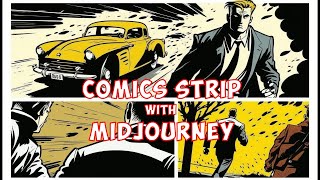
LARRUZ shows how to build a film-noir comic strip in Midjourney by layering constraints into prompts: add "detective crime" and "black and white," specify "nine panels," boost quality to 2, then refine with details like "action shot" and "escape scene." Midjourney often renders in color first, then converts to black and white.
Questions this video answers
Feb 28, 2023.
Quality set to 2.
U2 (upscale 2).
Chapters
In this video, I'm going to walk you through a step by step process on how to create a comic book stripe like this. And in the process show you why it is very important to be specific if you want something meaningful out of Mid Journey. Midjourney is a great tool, but it's really hard to get something specific with it. We will start with a very in general prompt. So a comic book scene from 1950s. Let's see what Midjourney comes up with. Okay, so here are the results. It looks pretty neat. It does look like a comic book. But I think we need more. Something more specific. I'm looking for more crime and black and white vibes. So let's modify our prompt. So now I added a detective crime in black and white in the prompt. Let's see what the results looks like. So this seems to be taking shape. This seems to be a detective and all. It looks good. Let's be more specific and add film noir. So I just updated my prompt. Film noir is basically like crimes, crimes related movies. And let's see what impact it has on the results. These images are a lot more darker, there's more black in it, There are detectives in there. And it does seem to be like a crime scene. Maybe we want more panels. Even though, like if let's say we put five or six panels, the Mid Journey is not going to generate exact number of panels. But I think it will still give us more panels. So let's experiment with that. Okay, so I just added nine panels. We could potentially use nine panels template for our comic strip. But let's see. I don't think it's going to give us like exactly nine panels, but it should be more than what it was giving in each of the single images so far. Now after that you will notice that it has increased the number of panels in each of the image. For example, in the second one you have 1, 2, 3, 4, 5, 6, 7, 8. It got close to nine. Here we have 1, 2, 3, four, five, six, seven. So it increased the number of panels. Not exactly nine, but I think it still looks pretty good. Let me increase the quality and I set the quality to two to get like a better quality images. So let's run this. Okay, so I actually like this. There's a crime scene vibe and there are detectives in almost all of the images. Now a fun fact is that Mid Journey first creates color images and then when we specifically asked it to convert it to black and white, it generated black and white out of those color images. So we can actually Try it in some other colors. So let's say we want to look at it only in yellow color. So I updated my prompt and it says yellow colors only. See what actually the yellow color only. Let's see what the results look like. Okay, so it's. It did add yellow color, but not in all of the images. Especially like one image. Three, I think it's the added some yellow color over here. So I change my prompt to color only yellow and here are the results. This looks much better compared to yellow color only. This looks good. But let's add what type of shot that we want. So I added two more details. First is action shot and then escape scene. So let's see what midjourney comes up with. Okay, I like it. This is nice. So now it. In almost all of the images, it added this car, which is. Somebody's running away in this car. So it did add the escape scene with some action elements. This is pretty good. Okay, I like the first one. So let's make some variation based on the first one. Okay, so these all look pretty neat to me. There is explosions going on in all of them. And that's based on the. The first picture that we selected. So I would say I like the second one. Let's upscale that. Click on U2. Now the final output looks pretty neat. Keep in mind that you can actually try other colors as well. So in this case, I specifically looked at yellow color, but you can actually look at some other colors, for example red, blue or brown, and compare the results. So in this video, we went from this way general description of simple comic book to a specific one that we want. And that's the power of Mid Journey. If you want something specific out of it, you need to provide very specific instructions. Now, I hope you like the content. This specific video was inspired from a blog post on Prompthero. AI I'm going to put a link to the original blog post. Hope you liked the content. If you did, please consider liking the video subscribing to the channel. Thanks for watching. See you in the next one.