How To Make Money With Notebook LM's New Update (2025 Guide) Make Money With AI
LARRUZ shows three ways to make money with NotebookLM's new interactive features. Upload your business materials like PDFs and scripts, then use the AI podcast mode to get tailored feedback on your content strategy. You can also generate multi-voice critiques of your sales pages to find customer objections and improvements.
Chapters
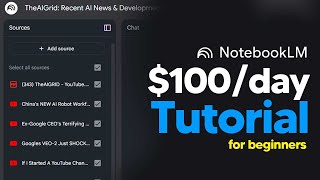
Today's online tutorial, I'm going to be showing you guys three separate ways that you can actually use NotebookLM to monetize AI and make an actual income. Now, one of the unique ways that you can actually make money from NotebookLM is by getting yourself a free consultation that's going to improve your business. Now, this was something that I actually developed while making the video. This idea came to me. That's why this video is a little bit segmented. But trust me, this idea is really cool. So there are three key steps that you need to do. Number one, you need to get your sources. So maybe you're a content creator, maybe you're a business owner. What you need to do is you essentially just need to get all the sources of your business. Maybe it might be your business plans, it might be your scripts, it might be your YouTube channel, it might be your TikTok account, it might be your quarterly reviews, and then basically you want to put all of that data to upload. So for me, what I'm going to do is I'm going to get this YouTube channel, and so what I'm going to do here is I'm going to print this as a PDF. So what I'm going to do is I'm going to click print, then I'm just going to save this as a PDF so that it has some reference on what my channel kind of looks like. Then what I'm going to do now as well is I'm going to get all like, maybe 10 or so of my recent scripts, because obviously, basically what I want to do is I want them to be able to analyze my channel. Or in fact, what I'm actually going to do is I'm actually going to just, just pick a certain kind of video, because I don't want to pick too many videos. And now that you have the sources from your business, now what you want to do is essentially want to get as many tips and tricks as you can and of course, add those sources too. So for me, what I'm going to do now is I'm going to essentially grab all of these pieces of content and add them as sources. I'm also going to look at some blog posts, maybe even some tweets, and I'm going to add those as sources as well. And so essentially I'm just grabbing content like this. You can see, this is the full guide to planning your 2025 YouTube year. And this is the kind of content that of course, you do want for your businesses. Any kind of blog post Anything that is going to help you for the next year or bas basically future tactics that are going to help you stay ahead of the competition. Now, essentially this is where of course you want to customize this. So for example, I want to say focus on how I can improve my YouTube channel. So I put focus on how I can improve my YouTube channel based on the data sources provided. Let me know anything I might be missing and what should be my focus for 2025. So now that I click generate, this is basically going to generate. It's going to take a couple of seconds. Of course, right here, I could do the same prompt right here. It's going to give me a message here. But the crazy thing about Notebook's new update is what this allows you to do is this allows you to actually jump into the conversation. So this is essentially giving you the ability to have an AI consultation. So of course you can see like this is of course really good, but it doesn't allow you a back and forth. Of course you could talk. But in a few minutes I'm going to hop into the conversation and I'm going to talk to them about my YouTube channel, about all the data sources that they've inputted and of course how I can actually improve my channel. Remember, this can be done for absolutely anything. You could be running a Patreon community, you could be trying to get your business off the ground. Pretty much anything is possible. So this is of course managed to generate a 22 minute podcast, which is just absolutely insane. I'm not going to listen to that. But of course, like I said before, with the update, the interactive mode, I'm going to actually join in the discussion and then you guys are going to hear how these guys managed to give me a one on one consultation session where I'm actually able to take some feedback and improve my channel. So I'm just going to hit the join button. Yeah, I was wondering how I could apply that YouTube vice to my specific channel, the AI grid, the one that I shared with you, you know, the few transcripts and stuff like that.
Okay, that's a fantastic question and it's super relevant to everything we've been discussing.
Yeah, it's like you're already thinking like a YouTuber trying to find the secret sauce.
So for your channel, the A grid focusing on AI news and analysis, there are a few angles that jump out at me.
Okay, lay it on us.
First, that idea of a viewer avatar is really important. Who is your ideal viewer, right?
Like who is the perfect person to watch your Videos.
Exactly. Are they tech enthusiasts, professionals, or people just curious about the future?
Okay, so like, what's their level of knowledge about AI?
Yes, that's key. Understanding that will shape the language you use, the complexity of your topics.
Yeah.
And then you can like tailor your content.
Exactly. So instead of casting a wide net, you are creating videos for that person.
So what else can our listener do?
Well, the golden vein concept is also very applicable here.
Oh yeah.
You can look back at which of your AI focused videos have gotten the most views or engagement.
Okay, so what are the outliers that you were talking about earlier?
Exactly. And then see if you can find a format or topic there that you can repeat.
Oh, like maybe a specific type of AI analysis or news roundup.
Exactly. Something that your viewers consistently respond well to.
And then you can also start thinking about how to create a binge loop.
Yes. Like how do you structure the video so that one leads naturally to the.
Next so they keep watching all of your content on your channel.
Precisely. And we'll actually touch on community building later, which will also really help you out.
And I got to be honest with you guys, no word of a lie. I literally just had probably one of the most insightful conversations I've had about my YouTube channel, and it was around 20 minutes long. And I've got like a. A whole host of notes on how I'm going to improve my content. So this is something, trust me, guys, it is going to turn you into an absolute beast when it comes to improving your business or anything that you're trying to be more effective at, as long as you're using your personal sources. So this update is just, it's game changing, trust me. So that is, you know, one of the top tips I have for you guys. So one of the first ways is one that I heard from someone, and this is probably one of the most innovative ways that it's going to make you more money. So basically this is something that even beginners can do, but this is something that I found to be really, really innovative because it takes advantage of the fact that AI is essentially quite like humans. So what you want to do is you want to take an existing sales page and then you essentially want to use NotebookLM to get a better sales page out of that. Essentially what you're doing is you're taking your competitor's sales page or even your sales page, and you're generating a quick discussion between two individuals and you're trying to figure out where the errors are and how you can make your product better. It sounds really strange, but just listen. So, for example, let's say you were, you know, the owner of this website. I mean, there's AI tools that can literally, you know, make your website within seconds. This is a sales page that we can look at. And of course, if you want what you can do, like maybe this is going to be even your competitor sales page, you can click Print, of course, here. And then basically you just save this as a PDF, and then once you save this as a PDF, because of course, NotebookLM is a platform where you can upload loads of PDFs. Basically what you can say, and I find this tool to be really, really useful, is you can click customize and then you can say you just want to input this prompt here. And of course you can come and grab this prompt for my community. This is just under the Notebook LM sales page prompt along with the other ones. And then of course, essentially here what we will do is we will just simply click Generate. And this is going to basically generate you guys a quick, short podcast that is going to allow you to essentially hear your future customers complaints. And I find that doing it in this podcast way. And I'm not taking credit for this, I don't remember which friend told me about this, but this is definitely one of the most effective methods to see why something is effective or not. Now, with that being said, I want you guys to take a listen.
So I'm looking at it right now, and the headline is Complex Nutrition Made Easy. And I gotta say, that's kitschy.
It is.
It really speaks to people who want to, you know, be healthy.
Right.
But they just, they don't have the time or the energy to, you know.
It'S like they're saying, we know you're busy.
Yeah, I want all the good stuff, but I don't want to have to think about it too much.
Exactly. And look right next to that headline, you've got this banner that says, 20% off plus free shaker.
Oh, yeah, that's smart. You're grabbing attention with the headline, then immediately giving them an incentive. Yeah, you don't even know what it is yet.
Right.
But you're already like 20% off free shaker. Tell me more.
Exactly. So with that, you can see that you're able to potentially get some kind of insight to what your customers might be thinking that is good about your product or is awful about your product. Now, with that being said, that isn't the only thing that you can critique. And I find that you can actually critique a wide variety of things. Maybe you're working on your next YouTube thumbnail. Maybe you're working on a video script. All you would have to do is input that in. And then, of course, you would just simply ask them to generate an audio overview of them critiquing your work and ask them for any kind of improvements. And I think that this method is really effective because you can just input a sales page that you're wondering about. You can input a cold email template, just anything that you're going to be using to get more sales online. Online. That is going to be something that you want to input in here with all of these PDFs and stuff. And then basically what you can do is you can, of course, play this at 1.5 times speed. Or even if you want, you could actually jump in the podcast and ask them what is actually good about this. So I could jump in here?
Oh, hey, welcome. What's up?
Hey. I just want to know what you guys think is bad about my sales page so that I can improve it.
Well, that's a great question. And honestly, the best way to improve is to hear, honestly, feedback.
Yeah. And we were just about to get into first impressions, so this is a perfect time to jump in.
Absolutely. So, looking at it from a critical perspective, we noticed some areas that could be tweaked.
Oh, and just to be clear, we think you've got a lot going right now for sure.
The foundation is really strong. It just needs some polish.
Okay, so we'll start with some of the stuff that we noticed right away. The things that jumped out at us. Good and bad.
Exactly. So first up, that headline, Complex Nutrition Made Easy.
Yeah, that's a great headline.
It really. It's catchy.
It really speaks to people who want to, you know, be healthy.
Right. But they don't have the time or the energy to, you know.
Yeah, it's like, I want all the good stuff, but I don't want to have to think about it too much.
And right next to that, and sorry.
That I let it go on for a little bit long there, but this is something that is really important because essentially what you're doing here is the future of AI. You're basically getting customer feedback without actually having to send the product out to customers. And I know that might be a little bit weird because of course, the Google AI model might not be your dream customer. Things are dynamic, things do change, and the model is kind of like a stateless time capsule of the Internet. But this is going to be something that helps you refine Anything that you're working on that could potentially make you more money. And this is something that I found personally when going back and forth with AI, this is going to be something that's really cool. And now that you can actually talk to the AI, it's basically like talking to your customers and being able to improve that product that's going to allow you to inevitably make more money, whether it is you're doing anything online. Now the second way that you can actually make money with Notebook LM is you can actually use it to create digital products. Now I already covered that in another video, so I'm going to add that section here. So the first step you guys need to do, come on over to Perplexity and basically just search the hottest online business methods. This is going to give you the niches that you're going to want to pick. So you can see we've got online stores, we've got drop shipping, subscription boxes, member websites. So what I'm going to do is I'm going to pick drop shipping here. So now what I will do is I will come over to YouTube and in the search bar I'll put How to drop ship for beginners in 2024. And the main thing that you want to make sure that you put is 2024. And the reason we do that is because when we create our ebook and we create our digital product, we want it to have the most up to date information. So essentially you can see right here, this book, we can grab this link because it's 2024, it's four months ago. Then we will just basically click add. We're going to go to link, we're going to paste in the YouTube RL and then we're going to click add. Then we want to make sure as well is we want to make sure that this doesn't turn red. If this turns red, it means something's wrong with it. Then let's go down and see the other ones. Okay, we've got another one here. That one's 11 months ago 2024. So we can grab that. We can also grab this one 8 months ago 2024. So now you can see I've basically gone through YouTube and I've added a bunch of different sources to. You can see I've added a maximum of around five sources here because one source here and another source here. Basically there's something wrong with these sources. So essentially what you want to do is you want to just remove them. You can see if you click this icon right here, it Says source is empty. So click that. Click Remove source. Just delete. Then click that. Click Remove. Just click delete. So now what you want to do is you basically don't want to use this podcast area. It's absolutely useless. What you want to do is you want to basically develop an ebook out of this. And I'm going to show you guys the first step, and there are a few more steps after this. That's really, really cool. Then what you want to do is you actually want to make sure you copy this prompt word for word. This prompt says, write me a top 10 guide on the best beginner tips for starting Shopify dropshipping in 2024 and only use the source as data. Then I'm going to input this prompt and we're going to wait a minute. So now you guys can see I basically have the bulk of my data that I can now use to format into an ebook. It tells me to prioritize shipping efficiency, how to build a store, marketing and branding. And this is basically really cool information that I can now format and input to an ebook. So now what I want to do is I basically want to save this note. I'm going to save this. So now I'm just going to copy all of this. Okay, I'm just going to copy all of this information. Just click here and click Copy. Then basically what you want to do is you want to come over to chat GPT4O with Canvas and you'll need this because this is the one that allows you to edit documents really well. Then you want to input this prompt from my community. You want to just delete this section, and you basically want to just copy this. Remember how we went on Notebook Lm just copy this. Then come over to here and just paste this in right here. Then just click Enter. Then you can see it's about to open up the canvas. And then you can see our product is being created. And all of this is completely automated. You can see all of this is just completely done. So now you can see right here is we can just click this copy button right here. Now you want to head on over to Napkin AI. This is where you can get visual from your text and it turns your text individuals. So sharing your ideas is quick and effective. Then we sign in. Then basically we just want to click new napkin and make sure it's blank. And then this is where the magic happens. So we want to paste this in. And then you can see right here, once we pasted this in, we just want to make sure that we can use Napkin to generate the visuals for our stuff. So we just want to space this out. Just use the enter button and just space things out a little bit because sometimes the formatting doesn't get it right. So just space this out so that everything looks really nice and you're about to see some real magic happen in just a moment. So once you've managed to space everything out, as you guys can see right here, this is where we want to generate certain visuals. So for example, right here, this is of course the table of contents. So we don't need to do anything for that. But what we can do right here, choosing the right niche, we can click generate visuals, and it's going to analyze the text, then it's going to generate a visual. So you can see right here that it is able to just add stuff and it's able to, of course, add the right things that make your product a lot more entertaining. So you can see right here, you can just leave that, that. So that's basically a new selection. For drop shipping, you can come down to here and essentially what you can do is you can once again do that for other areas. So now that that's done, just click Enter and that'll be done. Then for shipping efficiency, of course, you. Or in fact for bundles, let's actually do that. Let's click that and then let's see how this works. So then of course you can see this looks really nice. And then I'll just click there. It's really done. Okay, so you can see right there that I've got now this graphic right underneath this. And you basically just want to go through the document and you can do this for every single thing if you want to. You don't have to do it for every single thing. It just depends on how extensive you want your thing to be. So for example, right here, you can vary the different styles. You can have different colors. So for example, if you go to hair, you can have blue, you can have this, whatever. You can do it whichever way you want to do it. And then just click it in the middle and then it'll be done. And then basically you just want to keep doing this for the entire product and we'll just go down and do it for certain things. For example, for TikTok, there's not really stuff about TikTok for optimizing product pages or product research tools. We can add another one here. And you basically just want to make a diverse ebook. And this is how you make this ebook really well. So you can see Right here, enhancing Shopify success with product research tools. And you can see I'm just going to click this and then now I've got that product there. So now you can see I've got all of this data, I've got everything here that looks really nice. And basically, now that we've done this, all we want to do is we basically want to ensure that this document is done. So make sure you go down to the bottom and make sure that you ensure that everything is spaced out, ensure everything looks nice. So you can see right here that this document is now finished. So I've got the table of contents right here. Then you scroll down, you can see the criteria for WOW products. You can see which sales bundles and subscriptions. You can see bundles, subscriptions. You can see enhancing success. Then of course you can see enhancing product page credibility. Then of course you can see how to scale marketing efforts. This literally took me two minutes to create this product. Now, of course, remember, this is what we're going to be selling. So all we need to do now is we need to just save this product. So of course, just click library on the napkin area, then just click Download PDF, then just make sure it's a single continuous page and just click Export. We're just going to save this PDF. And then when you open up the PDF, this is exactly what you'll see. You'll see that this is the kind of thing. Now, of course, if you actually want to sell this product like on gumroad.com and you want to actually make sure that people actually buy this product, I actually have a super prompt that allows you to generate this amazing sales page that is specifically tuned for Gumroad and is a tried and tested sales page. This is just in the Gumroad sales page automation. It's a huge specific prompt that is exclusive for my members. And of course I actually do have a secret video on how you can get free unlimited traffic and a video on how you can actually get people to buy your product with no existing marketing skills, using some really neat marketing tricks that people are using right now. Now, the last way that I think is probably the most effective, and I don't really see anyone doing this, and this is something that I came up with myself, is essentially using the multiple sources feature to generate very unique pieces of content. So a problem that we currently have with current models like ChatGPT and Claude and is that I guess we ask them one question and then they respond based on their entire information. Of course, sometimes they can search the web, but the problem is that you don't have access to multiple different pieces of information. Now what you can do with NotebookLM, which is really nice, is that you can reference many different pieces of information that allows you to generate content that is super, super diverse. So, for example, let's say what happened yesterday. Yesterday something that happened was pretty interesting was the Tyson Fury vs. Usyk fight. I know some of you guys probably aren't fight fans, but if you wanted to create content about something that was very recent and you wanted diverse opinions, this allows you to create content that is far more engaging because you have both perspectives and you have many different things to consider. So let's say I wanted to create a blog post about the event that happened yesterday, or I wanted to create a YouTube video script. Firstly, I would do this. So here you can see I get a bunch of stories. You can see one here that's saying someone is suspended, yada, yada yada. And what I would want to do is I'd want to basically get all of these links and then I'd want to create the most entertaining piece of content ever going to come here. And I'm just going to click here, copy link address. Then I'm going to do that with that again, copy, link, address. Now, I do think due to the freshness of the content, some of the content pieces don't actually get put through like some of the videos. It just doesn't have the transcript. There's a bunch of different Chrome extensions that actually can pull the transcript and I just pasted them in with the text. Now once I have all of that content there, all I need to do now I will just take this prompt from my community, I'll just hit copy here. And then what I'll do is I will paste this in and then I will essentially edit this. So I could say write like you're an expert, yada, yada yada. But what I'm going to do is I'm going to say casual fans, because these are boxing fans. And I'm going to sue any include. I don't want any specific points. I want the AI to have full creative control. And then I'm going to say, right, like an expert. And then I'm just going to basically paste this here and just remove the two points because I don't want any too specific details. I don't want things to be too, too specific. So I'm just going to say take this and create a blog post and 10 specific tweets. And then I'm just going to hit enter. And then now it's basically going to generate me 10 tweets that I can tweet or, you know, share on LinkedIn or whatever. And of course a blog post that I can use to post to my website. So you can see here it manages to generate me an interesting article. There are only some small things that I don't like with this. I think maybe the title, I can just say generate a catchy title from all of this. Okay. And I think more than just a boxing match is just not that fun. But when we actually look at some of the stuff here, like the tweet sized insights, we can see that these are actually really interesting. And as a boxing fan myself, it says when you don't get a knockout, this is what happens. Is a knockout only way to guarantee a winning boxing, yada yada yada. This is going to stir up some debate, of course, and basically you can see the article that it generated here references all of these sources and it's just mixing all of that data together. Now of course you can do this for absolutely any topic that you want. I'm sure there are recent events that happen all the time. Maybe cryptocurrency crashes, maybe a financial event happens in the stock market, maybe something happens in the tech world. All of this is going to allow you to generate unique content on the fly and it's going to allow you to assess multiple data sources that allow you to create content that is much more intriguing than the average post. So hopefully this was something that allowed you to understand the really, really good applications of NotebookLM. Of course, as always, hopefully you guys have a wonderful day.










