How To Make PASSIVE INCOME With ChatGPT & Midjourney AI?
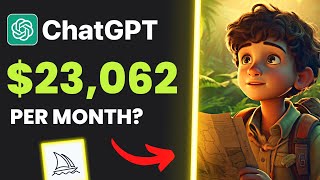
LARRUZ walks through creating children's storybooks with ChatGPT and Midjourney to sell on Amazon KDP. Some comparable books on the platform have earned tens of thousands of dollars. The tutorial covers generating text and illustrations with AI, assembling pages in Canva, and publishing the finished PDF.
Questions this video answers
January 7, 2023
Over $176,000 (claimed by speaker)
Chapters
This simple storybook for kids has made over $176,000 in passive income. In today's video, I'll show you how to launch a similar business, starting from generating the book idea, the main content, to high quality illustrations, and all of that by using the power of AI technology. So if you're interested in making passive income, keep watching until the end because I promise this video will contain valuable information you'll not find anywhere. I came across this idea while scrolling on Amazon looking for potential passive income ideas for my business. Then I found this product, which is a storybook for kids. You might say, okay, what's interesting about it? After doing my research, I was shocked by the numbers these sellers make by selling simple storybooks like this. As you can see, this book got 2,550 ratings. And if we multiply that by $6.47, which is the product price, you'll find out that the seller has made over $16,000 from this book alone. Let's see another one. This book got 1,940 ratings multiplied by $11.90. That'll be over $23,000. And this one has made over $81,000. The craziest is that you can publish these books 100% free using Amazon KDP. Then I said, okay, why not create a similar book using ChatGPT, publish it on Amazon, and generate a passive income that makes money while sleeping. So I decided to make this video to help as many people as possible. As you know, to create a good storybook, you first need to come up with a good story idea. So I asked the chatbot to generate a title for a storybook related to kids. And the first answer was the Magical Garden. I didn't like that we needed something more exciting, so I gave it another chance. The Magical Forest Adventure. Sounds good, but we can do better. The Adventures of Tommy and Timmy. The Search for the Lost Treasure. Okay, that sounds like a very exciting story we can start with. Then I asked the chatbot to give me more details about the story and it came out that the book is for kids between 5 to 8 years old and is about two young friends who embark on a thrilling adventure to find a lost treasure hidden in the jungle. I really like the idea, so I decided to move on with this one. The next step was to create the story outline. As you can see, the chatbot has generated the chapters and each chapter includes the scenes in detail. Chapter one, the Lost Treasure. Chapter two, the Wise Old Parrot. Chapter three, the Mischievous Monkey. Chapter four, the Thieves. Chapter five the hero's welcome. Now that we've generated the story outline, we can start creating the actual story content based on the chapters. All you need to do is copy the first chapter, in my case, the Lost Treasure, paste it into the chat, and set the prompt to write a rhythm story. Once it's done, read it, and if you don't like the results, you can always regenerate the answer until you're happy. Then I did the same to all chapters, and it only took a few minutes to realize that I now had a complete story ready to be converted into a book that could generate passive income without needing to write anything myself. If you think about it, it's actually crazy how fast we came up with the story idea in all the chapters along with the story content. But trust me, we haven't started yet because what comes next is mind blowing. So if you enjoy the video so far, please make sure to hit the like button. We all know that even if you have the best story idea, it won't be good enough without illustrations. And here you could easily pay thousands of dollars for artists to finish the illustrations. But what if I told you that all images you see on the screen were generated using an AI art generator for for 100% free? Would anyone believe that? You surely heard of AI art and how you can generate original images by typing some words. And this is what I did to finish my first chapter of the story. Let me show you how. When it comes to AI art generators, there are many options available. I've tried a lot of them and I found that Midjourney provides the best experience in my opinion. You can try it for free using the link below this video. Once you've joined their Discord server, click. You can see all recently generated images. There are millions of users, so you'll notice that new images are generated every second. To generate your image, you need to start a prompt. First type forward slash and then imagine. Once you do that, you can start explaining the image you want to generate. Go back to the story chapters you've generated before and copy the first one. In my case, it was Tommy and Timmy Discover the map leading to the lost treasure. Okay, so now we know the image we want to create. So again we type forward slash, then imagine and then your chapter topic. After the image has finished generating, two rows of buttons will appear, as you can see in the top row, U1, U2, U3, and U4. These buttons are for upscaling your chosen image, which means generating a larger version of it. In the bottom row, v1 v2, v3 and v4. These buttons create four new variations, similar in overall style and composition to your selected image. So to recap, if you click on U1 it will upscale the first image and clicking on V1 will create new variations of the first image. In my case, I like the first image, so I clicked on U1 to make it bigger. To save the image, right click and then open link. After that, right click again and save it to your device. Let's create the second image of the chapter. They decide to go on an adventure to find the lost treasure, but I want to keep the same style as my first image. So here's a simple tip. First copy the image link, start the prompt and paste the link before explaining the new image. That way you can maintain the same style. I like the second version, so I clicked on U2 to upscale. Then I did the same to all images and in about 30 minutes I had the illustrations ready to use. I won't repeat the process for all the chapters because the video will be too long, but you get the idea. Start section by section and generate the images based on your story topic. If you still need more help using Midjourney, I'll leave a detailed guide below this video. Now that we've generated the images, let me show you how to combine the text generated using ChatGPT with the images generated using Midjourney. To create a professional looking storybook, first head to canva.com and search for Storybook. Then click on Custom Create a Blank Storybook. After that, start by uploading the AI generated images to Canva. Then you can simply drag and drop your first image into the template. Now go to ChatGPT, copy the first part of the story and paste it on top of your image. You can now adjust the text as you like. You can change the color, the font style, add shadows, and more. I really like Canva because it's beginner friendly and it doesn't require any design skills and and on top of that, it's free to use. When you're done, click here to duplicate the template. Doing that will save you a lot of time because now you can add the new image and text while the style remains the same. After that, all you need to do is replicate the same process in all the chapters of your book and once you're done, save the book as a PDF print. Congratulations, you've created your very first Storybook successfully and there's only one step left to start making Passive Income, which is publishing your book on Amazon. Unfortunately, I won't be able to explain the entire process because this might take another hour, but instead I've left a step by step guide in the description below this video. Also, you can join my private Facebook group where I will personally answer all of your questions. To join the group for free, use the link in the description box. Here's a quick recap of everything you need to do. Step number 1 Generate the story idea using ChatGPT. Step 2 Generate the story outline and chapters. Step number 3 Generate the illustrations using Midjourney AI Art Generator. Step number 4 Add the story text to the images using Canva and save it as PDF. Print. Step number 5 Publish your book on Amazon using the guide in the description box. Step number six Please hit the like button and subscribe to my channel to see all upcoming videos. Thanks for watching and see you next time. Sa.










