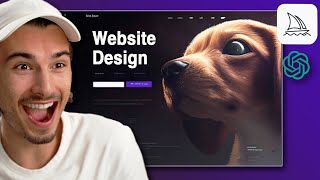
Use Midjourney to generate website visuals with prompts like "hyper realistic" and color keywords, then refine them in Photoshop. Feed ChatGPT and your AI images to freelancers or agencies to prototype a full site in minutes instead of weeks.
Chapters
And make sure to stick around for my second example. Trust me, that approach is so good, you won't regret it. With every day that passes, these new AI tools are changing the creative industry. And today we'll be looking at using artificial intelligence to create websites. This will really show you how to implement the AI aspect. So let's get right into it now. Today we'll be using two tools. ChatGPT for the content and Midjourney for the visuals, both of which I have beginner tutorials for on my channel. Now, before I start giving you the keywords and the prompts that you need to copy, paste here, which I will do, I want to talk about the website creation process and, and at which stage these tools are so damn useful. It's the very first stage, the ideation process, right? Every time you start into a new project, it starts with you having an idea. Then you sketch that out and over time it becomes more concrete and you start taking action on the ideas. Well, AI changes the game because the second you have an idea, you type in the keywords and all of a sudden it materializes and it's something you could already take and gift your freelancer or an agency, as in, that's what I'm imagining. Can you create that? So with the knowledge from this video, you'll be able to enhance your website creation process, no matter if you're a beginner or a seasoned veteran. So inside this code that I use, D anyway, I'll just go ahead and say imagine. And as an example, let's say I'm building out the AI Advantage brand, which I am, and I'm trying to create a website that houses all the blog posts, videos, products, newsletters, all that. So let's just say stunning website, matrix style graphics, name is DAI Advantage Website Hyper realistic, light purple, dark gray. And we don't have to give it v space 4 anymore because it's built in by default. So I'll just hit enter and let's see what I get. And while we wait, let me just tell you what type of person this is. Puts ahead the type of person that takes action. Not the type of person that plans for months and then wants to create something that is perfect. No, if you have a worthy idea, you could get it off the ground faster than ever before, just like we did right here. Look at that. I mean, that's stunning. So the important keywords that I used here are website Hyper Realistic. And then I gave it the colors too. But hey, you know, that's not exactly what I imagined. So it's 2022. Let me just reiterate that. No need to go back and forth with the agency. So. So what didn't work here is name the advantage. So we'll just delete that. I'll add shady supercoder character. And here's another tip. If you add the UI and UX keywords, it actually focuses more on the user experience on a website. Just don't forget to start with Imagine. And here we go again. Okay, wow, this is more like it. As you can see, there's more interface items and the more specific I get in my descriptions, the more specific the output will be. And just take a second to realize this. I started to record this video six minutes ago. Okay, so not just have I generated eight website designs while I did it, I also explained the whole process to the camera here. What this means is that in 10 minutes you could easily come up with 40 variations here and then pick the one you like and move on. Okay, so for tutorial purposes, I'll play around with this a little more and I'll see you soon. Okay, so after just 10 more minutes, I arrived at something that I actually really like, except of these elements on the left that with Photoshop's Content Aware tool, I could remove in like a minute or less. I'm really liking this as a starting point for my website. And the next step would be either communicating with a freelancer or agency you're working with, or simply bringing that into Photoshop and removing some of these elements. Now, yes, you could also create images that are clean if you remove the UI and UX keywords. And with my Spot Healing Brush tool, this couldn't be any easier. I mean, come on up here. We can use some of that sweet, sweet machine learning powered Content Aware fill and remove all of this in mere seconds. So, hey, that literally took less than a minute. Now, I could use this as a background for my website, or I take a completely different approach here and we go back to midjourney. And this one I really like. Check this out. So let's say we really like the Apple layout. And if you would have worked with agency or a freelancer, you would have went ahead and said, hey man, I really want a website for my company in the style of Apple. And people are like, all right, minimalistic fonts and everything. We can do that. Now what you can do is simply screenshot the Apple website, go into discord, send a message with this picture, then I right click the image, say copy link, and when I tell my journey to imagine I simply post the link and after a comma, let's just say matrix style and hit enter. Now the AI is going to create a similar website to the layout of Apple, while keeping in mind that you want to go with a matrix style in your branding and boom. An Apple like website that you created by yourself with the support of AI. Now, I don't think I have to tell you how freaking powerful this is. You could simply take any website on the Internet and start doing this. Just for fun, let's take the GitHub homepage here, copy, link, post it and let's say Puppy Rescue website UI ux. And here we have a Puppy Rescue website in the style of the GitHub homepage. Mind blown. So now if you hop over to ChatGPT, you could simply tell it. Write me copy for the landing page of a Puppy Rescue website based in Central Europe. Copy this, copy the image, send it over to agency or freelancer and boom, you're well on your way to creating a website in less than 10 minutes. What does this mean? I'll tell you exactly what that means. The speed of execution, especially for individuals where it's just you and your laptop, just 100x in a lot of categories, websites is just one of those. And if you're able to use these tools and act fast, you have one hell of an unfair competitive advantage towards anybody who doesn't. And very soon on this channel, I'll be talking to web designers that are using this tool in their daily work. So look out for that video. I hope this helped out and I'll see you soon.