How To Use ChatGPT Scheduled Tasks Tutorial (ChapGPT Tasks Tutorial 2025)
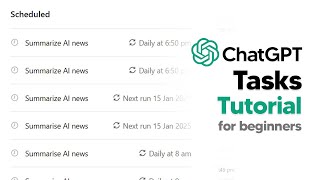
LARRUZ walks through ChatGPT's new Scheduled Tasks feature, showing how to set up daily reminders and automate recurring work. Examples include weekly AI news summaries, platform-specific content generation for YouTube and TikTok, meal planning, and market research. The feature uses web access and multi-layered prompts, though it's still in beta with occasional glitches.
Chapters
So OpenAI just released chat GPT tasks, and in this video I'll actually be showing you guys how you can really take advantage of this new update for beginners, for anyone advanced, because I think most people have actually missed what tasks are. So essentially, if you actually want to use tasks, just go up to the top menu and then just scroll down and you'll be able to see GPT4O with scheduled tasks. So this is essentially where you can ask ChatGPT to follow up later with a certain time and date. Now, this is particularly powerful, but like I said, now that I've seen a lot of people making videos on this stuff, I think most people haven't truly grasped what this is able to do for you and what it's going to be able to do for you in the future. So I'm going to show you guys the basic way to use this and then the most advanced way to use this. So, for example, something that you know you can really do with ChatGPT tasks is you can use a natural language and simply use your prompt and say, remind me to shower every day at 5pm and that's going to be the most basic thing that I could do. But I'm going to show you guys exactly how this works. So you say something super basic, like, cool, remind me to shower every day at 5pm and then you can say, got it. I'll remind you every day at 5pm to shower. Now, this is the most basic type of task that you can build, and I see people running off and doing things like this, but this just isn't the majorly effective thing that you want to do. Now, of course, here you can edit it, but right now, in beta, when you do click edit, it does kind of glitch out. You can pause it, but that does also glitch out. At the moment, I'm sure they will fix that. But when you click View All Tasks, this is where you'll be able to see your scheduled tasks and manage those. Now, I'm going to delete that one because I don't actually need a reminder to shower. That's something I do every day. But I will show you guys how to actually take advantage of this update in a really effective way. So most prompts are singularly based from what I've seen, so it might be like, remind me to shower as we said before, but they don't add anything on with the text that has been generated by ChatGPT, and they don't take advantage of the kind of tools that ChatGPT does have. So if we go back to the scheduled tasks, you'll notice that ChatGPT actually has some things such as search the web. And this is going to be something that you can actually use. Then I can list the tasks. So, so I will say provide a list of key AI news stories and highlight their importance for AGI. So that is going to be an example of the kind of prompt that I would use that is actually useful. Because number one, you can see I've got the date every Sunday. This is chosen because at Sunday, that is where the week wraps up. And that's going to give me a nice date of information so that moving forward into the week, coming Monday, I'll know exactly everything that happened in the week from last week. Then I can say provide a list of key news stories. This is going to be using the search function, which is really useful. Like I said, most people won't take advantage of this. And then I can say from that text, highlight their importance. Okay? And not just highlight their importance, but for AGI. So I could say highlight their importance for robotics, I could say highlight their importance for, you know, social media, or I could say, you know, for example, post labor economics. But the point here is that when you're actually using ChatGPT tasks, you want to craft a dynamic prompt that allows you to get the most out of these scheduled tasks. And this is going to be something that is just far more valuable than a very basic interaction. And once you do have that, it's going to be much more useful for you to interact with the model on this reoccurring basis. So, for example, something that I did as well was I did something that was around content creation. So what I did, and I recently created these ChatGPT task prompts and there are just many, many ones here that are really, really useful. But let's say I grab one of those and I paste them in here. So this was one that was called the YouTube content. And I said, every day at 6:00pm, or I should say, you know, every weekend at 6:00pm, create a YouTube script based on an AI news summary for the YouTube platform. Or in fact, what I could do is I could do for the TikTok platform, and then I'm going to go ahead and schedule that. So I could say create a YouTube script based on AI news for the TikTok platform and then you can go do that. Now the reason that this is once again so effective is that you can see that this is going to give you information that you can then go off and do something with. And I think that is going to be the most powerful use of this as well. And now another thing that we have is social. So for those of you that want something else, what you can do is, and I think this is really useful because ChatGPT already has a decent amount of your data. I can grab one of these social prompts. So for example, local events. So I can grab this prompt right here. This is just available in my community, by the way, link in the description. But essentially I can paste this in and I can say every Friday at 6pm and I will say Fridays because of course, you know, most people, they work Monday to Friday. So I will say every Friday at 6pm and then I can say list the interesting events happening in the city. So for my city it would be London based on X interests. And I would say my interests are sports, music and let's just say AI. Okay. And then now because of that I could have this model that is going to be able to search the Internet. And every Friday at 6pm as the weekend decides to creep up on us, as it always does, I'm now going to be able to look at events and going on around the Internet. So now I can put that in. And now every Single Friday at 6pm I'm going to get a listed London event and I'm going to be able to see what's going on. Now if you want to be able to check exactly, you know, the kind of things that you're going to be, want to be able to do with this automation, I would say that it's worthwhile experimenting with the kind of things that you want to be searching. So just go into another chat, then just go for GPT4, okay, and just use the search bar and just maybe even search if what you want is going to be able to be done in a standard prompt. So I could say, you know, list, list, list all AI news from today. So I could do that and I could see, okay, which websites it's going to grab from. So it talks about meta, it talks about Google AI, it talks about OpenAI, it talks about all this stuff. And you can see right there, that is going to be the kind of news that I'm going to be able to get. And I say, okay, this is pretty decent and this is the kind of information that maybe I could use from something. Or, or I could say list all events going on in London this weekend. And then this is just an example of what it would send you. So you can see right here, here is The London event. So you can see right here, these are going to be some events that maybe I'm interested in gaming. I'm going to go to the PlayStation tournaments. Maybe I'm going to go to this bottomless brunch. Maybe I'm going to go to the, you know, the London Art Fair. It's just something that is pretty useful and I think something that people would genuinely use to, as opposed to a very basic prompt because we know that life is changing, the world is changing and you want to be connected to the Internet and connected to these dynamic events. Now another thing that I would use is I would also be using this for market research. So for, you know, whatever industry you might be in. Now for me, I love looking at stocks and crypto, so I have a really basic one here, but it's stock analysis. Every Sunday at 6pm, identify promising stocks for the week ahead. And in the AI niche, slash sector. Okay? And that is going to be something that I can do and I can say, you know, based on the week's previous moves, okay, so I can add that if I want to. And that's going to be something that essentially every Sunday, 6pm I'm going to get a prompt from Chat GBT. It's going to push a notification saying, look, here are six weeks, okay? Or here are seven. Or in fact I could actually specify that could say identify five promising stocks for the week ahead in the AI niche based on the week's previous moves. And that would be something that's a multi layered prompt that allows me to extract the most information out of this. Because a lot of people are saying that tasks are useless. Tasks are useless. I don't think so. So for example, I could say that and of course I could, you know, say that and then I could, in fact I could probably, you know, I could say every day. And in fact I'm going to schedule this to, you know, when this is just recording. So I'm going to do every day at 2:31am because right now it's 2:30, I am in the UK, so I'm literally just going to say that and then in a moment it should prompt me with that and I will show you what is going to happen when I get that response. Now I do want to say as well, sometimes what will happen is that unfortunately the models will make mistakes. As in right now, as the model is currently in beta, there are a few issues that are being ironed out. So if you find that some of these prompts do not work, trust me, that it will work. And another thing that you want to do as well is, is you want to go into your notifications and you want to turn on notifications so that way you won't miss when those notifications actually do occur. Now, of course when you set these up, another thing that you can do is you can edit these. Like I said before, it's actually working now. So you can set these for daily, weekly. And of course you can see right there, the automation just came through. So that's really useful. And it just input these into the chat. So it said, okay. Based on recent market movements and developments in the AI sector, it's here are five promising AI focused stocks to watch for the upcoming week. It says Nvidia, it says Microsoft, it says Alphabet, AMD and Baidu. So this is going to be something that's really, really interesting and something that's actually useful. Now of course I could change this and what I could do is I actually could put this to a time when the market closes or I could put this to a random time throughout the day. So I could say maybe at like 8pm and I could say daily and I could say. Or in fact I could say weekly. Right, right. What I could do because I say weekly at Sunday, what I could do is I could say search for the most promising companies that have earnings this week. Okay. And earnings, essentially this is when a company discloses their earnings and usually there's going to be a volatile price movement. So I could say certain of the most promising companies with high expected earnings this week. Okay. And that's something that I could do, analyze AI stocks and I could keep that there. And that's going to provide me with, with a decent amount of value. Now of course I could also change this to crypto. If you someone into crypto, you could do this every single day. And of course, like I said before, you've got content creation. And another thing that you could do as well, something that I find really, really useful is this prompt right here is going to be like a meal plan prompt. So you could say, you know, every Sunday at 9am create a weekly meal plan with a grocery list. I prefer this cuisine and I have that allergies include X amount of meals that are relatively cheap and easy to make. So maybe you're someone that, you know, you do your weekly shopping on a certain day. You're a very routine and regimented person. This is going to help you every week once you've got those notifications turned on to have certain pieces of food or have a varied diet and maybe you don't want to stick to a very stale diet. You want AI to come up with it and you want to say, you know what? Out of this ingredient, that ingredient, that ingredient, I only want it to, you know, take five minutes, ten minutes to cook. Whatever that is going to be something that you can do with these automations that make it really, really powerful. And I think most people haven't really realized just how game changing this is. So this is going to be something that I personally do. Some of my favorite examples are monthly compile major events in whatever industry for potential attendance. A monthly one is list all the conferences that I'm going to be networking at this month and there's other ones like stress management provides stress management strategies for this profession. And there's just a bunch of different ways that you can actually utilize this that I think most people are simply missing. But I wanted to make this tutorial to show you guys just how you can get the of ChatGPT tasks for yourself. And I can actually have those push notifications now ChatGPT will email you, but those emails are pretty useless in the sense that they actually bring you back over to the chat. They don't display the information in an email so it's quite best just to use the app on phone and when the notifications pop up, just click those notifications and then go into your app. If you enjoyed this video, hopefully to see you in the next one.










