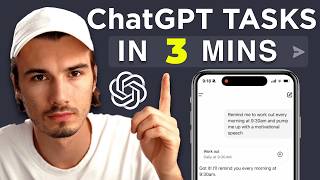
ChatGPT's Tasks feature lets you schedule recurring prompts up to 10 at a time, with notifications on desktop and mobile. It works best for personalized reminders that use your Memories or Custom Instructions, or daily summaries you can follow up on with questions.
Chapters
ChatGPT has a brand new feature called Tasks and many people seem confused by this one as it is not obvious how this could improve your life in any way, shape or form. And while there's definitely a point there, I want to quickly show you what this feature is about and how to get the most out of it today, as proper usage of this is not as basic as the initial interface implies. But using this feature only makes sense in one of two scenarios that I'm going to outline in this video. So if I go into my Web interface of ChatGPT here and I go up to my profile, I can click Tasks and I will be greeted with the screen that has various presets for me. Now, I could either pick one of these or refresh the site for new suggestions, or I could try my own. Basically all tasks can be broken down into what and when. So this would be the what wake me up with a custom compliment on my prompting skills. And then the when would be every day at 9am let's just begin with one of the default ones like make sure I relax this weekend. And you can see a basic prompt prompt in here. You can just send this and ChatGPT creates this task for you that you can now manage in two ways. One of them is by editing it directly in here. Now, in here I could either pause or resume the task and set a schedule for this. So if I want this to repeat every Saturday morning, I could change that. In this case we're going to cancel out. And now if I go back to the tasks, I can see a list of all of the tasks that I have either scheduled or that are recurring right now. You can have up to 10 of them here in your scheduled tasks overview. Generally speaking, there's a four tasks per hour limit on this. So what about the two scenarios that I mentioned earlier? It's quite simple as the 1 category of scenarios where a task makes sense is where you're leveraging the fact that ChatGPT knows things about you, meaning you have to be using the memories or the custom instructions feature for it to have context on you and your life memories are turned on by default, it automatically corrects different snippets. The more advanced way to do this is custom instructions where where you craft custom informations on yourself. I teach this in more detail in the AI Advantage community. The simplest way is just going to personalization, turning memories on and using ChatGPT for a while. Then it will learn about you. As it learns things about you, you turn chatgpt into a custom notification sending type of assistant. So all of a sudden if you set up a task for it to compliment you every morning in creative ways, it will give you some suggestions and sometimes you do have to follow up by saying create a task. Or you can include this in the original prompt like so just to make sure. And and now I have a daily task at 9am that will use my custom instructions in here to compliment me every day. Now you can do this for desktop notifications or on your phone through mobile notifications. All right, so the second scenario where tasks really make sense is when follow up interactions would make sense. For example, if you set up a task that summarizes the news for you every day, then that might be potentially better than just getting a notification from a news outlet because you can actually go into here and ask follow up questions about the information and use all the ChatGPT tools like for example web search to further research and interact with these topics. As mentioned, if you want to check out various use cases, you can check out this video description below. We put various prompts in there that you might want to consider and if you want to stay up to date on all new AI releases and therefore be one of the first people to find out once OpenAI releases something like their Operator product which is rumored to be their up and coming agentic framework, then check out Music and use that I post every single Friday where we look at all of that week's AI releases that you you can put to work today. All right, now go out there and get creative setting up some tasks for yourself and leave a comment below on what this feature could be used for. I'll see you soon.