How To Use Gemini Deep Research (BEATS Perplexity!) Google Gemini Deep Research Tutorial
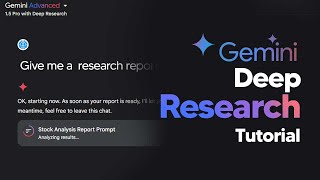
LARRUZ walks through Google Gemini's Deep Research feature, which browses up to 48 websites and compiles cited reports you can export to Google Docs. Two demos: analyzing autonomous vehicle sensors and generating stock lists with sentiment scores and insider trading patterns for 2025.
Chapters
In this online tutorial, I'm going to be showing you guys exactly how to use Google's new Gemini advanced 1.5 pro deep research. This online tool is absolutely game changing. For anyone that uses the Internet on a day to day basis. Think of it like Perplexity, but on steroids. So without wasting any more time, let's get into what makes this tool actually amazing. So in order to activate this, you're going to want to go to the top left hand side and then hit the dropdown menu and ensure you are on 1.5 Pro with deep Research. So now you can see that this is activated. It's not any of the other models. You are ready to go. Now this is completely crazy because you're able to get a vast amount of information summarized into a complete document. So what you first want to do is figure out exactly what it is that you want. Firstly, what I'll do is I'll use one of the example documents and then we'll go to something more specific. So for example, what I can do is I can look at this and I can use this and you can see I've input a very, very basic prompt. It says, help me research autonomous vehicle sensor trends for my robotics essay. Now what Google will do now is it will now build a step by step plan in order to achieve this goal more effectively. You can see right here, it's giving me six steps, six complete steps. And from those six steps, it's going to gather data around the web. Now this is an important step because here things can kind of mess up. But this is where you want to double check the plan. You can see it's going to find research papers, it's then going to find the different kinds of sensors, it's then going to find the current information on the current trends and it's going to find the challenges and limitations. Lastly, it's going to find all the information on autonomous vehicle sensor technology and then it's going to analyze the results, then it's going to create a report and I just need to sit back and wait in a few minutes. Now what you can do here, if you don't like this plan, you can click Edit plan and you can maybe change something. So let's say for example, you wanted it to research Reddit for any machine learning engineers that have worked on this kind of thing, maybe you could ask it to do that. So you just Simply say search reddit2 for up to date industry insights. And then now once I've edited this plan, you're going to see that it adjusts the plan according to my research goals. It'll take just a second. And then now you can see the sixth step right there. It says look on Reddit for relevant threads on autonomous vehicle center technology. Now you can see it's going to do that and I'm going to be able to get that report. So now I click start research. This is where the magic happens. So right now your agents, I'm not sure if it's one or if it's multiple, but I'm guessing that it is probably multiple. Agents are scouring the Internet on your behalf, looking around to see if they can find anything useful. You can see right now it's browsing through 48 websites looking for information that is useful to you. Now you'll know how far this is done via this right here. You can see that there is an icon that is like a circle icon and it's slowly filling up with purple in terms of the color there. And once that is entirely purple, you'll see that your research report is done. Now, of course you, during this time, if you want, you could go ahead and click over to these websites, but I wouldn't recommend that. I just recommend going to another tab or simply doing something else. So you simply wait. You can see right there, we're nearly halfway there. And in a moment I'm going to show you guys exactly what I've managed to do. Also, you can see that this agent is actually doing everything correctly because the last step, it is actually going to Reddit. So we know that the instructions are rather effective. And the reason that this is so crazy is because you don't have to spend hours and hours browsing on Reddit to find something anymore. This is, this is going to be something that gives you all the information that you need. So here we are. After several minutes, you can see that the research request has been completed and now we get a completely comprehensive report of everything that is going on in the autonomous vehicle sensor research space. Now, I'm not an expert on autonomous vehicle sensor research, so for those of you out there that are, you know, you're going to have to double check this, but I think the main thing that this is showing us is just how effective this tool can be. I mean, when we take a look at what it's able to do, it's able to give us a table. And anytime it manages to say something, so for example, it talks about IM use, you can actually go ahead and look at the source to where that has come from. So you can click Learn more and you can see exactly where that source has come from. So with every paragraph there is a cited source. You can see all three websites here. So if anything confuses you, you can double check this, verify it and make sure that your model is not hallucinating. Because sometimes we find pieces of information and we genuinely can't believe they are true. Now this is something that I am going to incorporate into my daily workflow. I have a ton of research that I do onto a day to day basis and this is something that's going to help me save a tremendous amount of time. Now of course with this, what you can also do is you can of course open this in Google Docs and now it essentially is going to create a do document with all of this information which you can do many different things with. For example, if we open this in Google Docs, you can see right here we have the entire document that is around nine pages long. And at the end you can see all of these works being cited. Now of course, like I said before, if you're in the Gemini workspace era, you can hit this button and you can talk with this document even more, gaining a lot more insights. Alternatively, you could turn to NotebookLM and of course ask them to make a podcast about this and of course understand all of this kind of information. Because whilst nine pages of research is quite good, the idea for this kind of tool is to save you time. So of course searching through nine pages of information might not be the best thing to do. You can just simply ask it questions about the content here or if we even went back to Gemini, you could simply ask it questions about this stuff right in the chat bot here. So there's many ways for you to do this. Now I was completely blown away by this technology and I wanted to show you guys some real world use cases for for this stuff. So most of you guys don't know this, but I'm someone that I would call an avid investor. I'm always looking for the different ways that you could potentially find that next stock that is going to triple within the coming years. And it's always possible, you just have to do a ton of research. Now I thought to myself, what would be the best way to utilize Gemini Pro's advanced research abilities. And that's when I decided to create a super specific prompt that allows me to get all of the data that I need whilst maintaining speed and accuracy. So I actually spent the last several hours creating some really specific prompts so that I could utilize them for this, I've actually got an entire prompt library here for my community. So if you are in my community, this is something that you can access. But down here, I'm going to show you guys one of them. And this is just too good not to share. This is my investment research automation. And this is basically a prompt that allows me to use this AI tool to get research insights really, really quickly. So you can see here it says, create a comprehensive stock analysis report focusing on the top 10 stocks showing unusual positive mentions, companies with significant pattern activity in emerging technologies, stock with strong institutional buying patterns and correlation between social media sentiment and price movement. Also take a look at insider trading patterns and institutional ownership changes and present these findings in a detailed report with growth probability scores for 2025. Now, using my prompt library, I can simply take this and trust me, there are tons of tons more that I made earlier. Like I said, you guys can join my community. There's a lot of resources there. But when I put this prompt in, I got a completely comprehensive guide that shows me the top 10 stocks with unusual positive mention patterns. I also got stocks with strong institutional buying patterns. I got correlations between certain stock sentiment and the price movement. I also got insider trading patterns and institutional ownership changes. You can see it also gave me a breakdown on growth probability scores for 2025. And the document just goes on and on. So this is something that, like I said before, I'm going to be using every single day. And this is not just something for, you know, stocks. You can utilize it in a vast array of different ways. And this is something that I spent so long prompt engineering and I think I've managed to figure it out. As always, you can change your plan if you wish. You can instruct it to go to a certain website, then do something else. And honestly, this AI tool is just absolutely incredible. And I can't believe we didn't have access to this before. And of course, if you want access to my Google Deep research prompt library, don't forget to check out the community. It's just there in the prompt section. And it is really useful because trust me, one thing that you don't want to do is you don't want to use the wrong prompt because sometimes Gemini can misunderstand it. Just make sure you keep your prompt simple, straight to the point, and you're clear on exactly what outcome you do want. Let me know if you guys are going to be using this tool. I personally am going to be using this every single day. And if there's anything else that I missed. Don't forget to leave a comment down below so that other individuals can benefit from that too.










