I Found A New AI Business That No One Knows! (Hurry!)
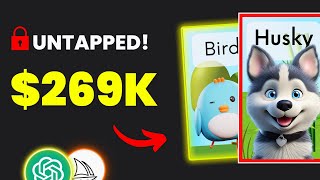
YouTube tutorial by LARRUZ (July 2, 2023) showing how to start a low-competition business selling printable flashcards for kids using AI. The host demonstrates market validation on Etsy, idea generation via ChatGPT, image creation with Midjourney (prompting and customization), assembling cards in Canva, and a marketing tip to add free coloring pages to increase conversions.
Chapters
This underrated product makes $270,000 and has almost no competition. So in today's video, I'll show you how to start a similar business with the help of AI. From coming up with ideas in a matter of clicks to designing the final product and making it look professional. And keep watching because I will reveal a trick to stand out and make more money. So make sure you start taking notes because I promise you'll not find a video like this on YouTube. Let's get straight to the point. Printable Flashcards for Kids Education Flashcards are a fun way for kids to learn stuff by matching the image with the relevant word, which could be about animals, shapes, numbers, colors and so on. Now if you search for printable flashcards on Etsy, you'll notice that there's a demand for it and also very low competition. And as the chart shows, the product is going up, which was also the case last year around this time, which means it's a great time to jump on this trend. If you're wondering how I came across this idea, it's because I recently created A list of 22 winning digital products and this one was one of of them. You can check out the rest of the products using the first link in the description. People are selling printable flashcards in many different niches and styles. This listing is selling farm animals flashcards and this one is selling Alphabet flashcards. Or this one is about matching the shapes. So the possibilities to make money with this business idea are endless. And I'll show you later how to come up with unique ideas in a few clicks. And all These listings get lots of consistent reviews, which is a good sign that the product is selling well. So we can see that this store is making around 6k a month month and made over 200k since the store opened. And another store is making 2k per month and over 70k since it started. And the best part is that there isn't much competition, which makes it easier for you to make sales, especially with the trick I'll show you later in the video. Let me walk you through the process of creating the product, starting with brainstorming ideas for your flashcards. And to do that there are two ways and the second is actually my favorite. The first will be by going on Etsy and manually checking your competitors listings. So you simply check stuff like how many cards they include, the style being used, the images, product descriptions, titles and so on. Then go through the reviews and read what people like and what they don't like because this will help you Stand out by creating something better. Now, the second way is my favorite, which is by automating the process using ChatGPT. So here, for example, I asked the Chatbot to give me 10 flashcard ideas in the animal niche. And as you can see, we got many cool ideas with the description explaining each one. So we can now create something about animal names, for example, animal sounds, baby animals, and so on. And you can also use ChatGPT to come up with niche ideas if you don't know what to create. So I really like the baby animals idea since we saw on Etsy that similar listings are doing great. So what you need to do now is basically copy the one you like and paste it into the chat. The chatbot gave us 10 flashcard ideas that we could create. So once you come up with a product idea, you have to turn it into a finished product, which starts by creating the main component of the flashcards, the illustrations. And to do that with AI, I don't think there's a better option than Midjourney. And in my opinion, Midjourney is by far the best AI image generator at the moment in terms of customization options and image quality. Besides that, it's very cheap. And with the $10 plan, you'll have full commercial rights to use the images. But to make it more interesting, I'll test some free alternatives against Midjourney and compare the results. But first we need to write the prompt, which is basically a line of text we use to generate AI images. And I personally like to keep it simple. Sometimes split my prompt into three sections, subject, style and customization. So based on our Chat GPT answer, the first illustration would be a puppy. It also suggested including adult animals alongside their baby animals, which is a great idea. So in this case, the prompt subject will be a dog with a puppy. As for design styles, there are so many cartoon style, hand drawn style, oil painting style and more. But since we're creating animal illustrations, I think the Disney cartoon style will work best, especially for kids. So now we have a dog with a puppy in Disney cartoon style. And don't forget that we will use the same prompt in free alternatives to mid journey. So stay tuned to see what happens. The only thing left now is the customization. So in my case, I would like my design to be on a white background because I plan to remove the background later. Other customization options include colors, lighting, environment, mood, and more. So now we have the subject, which is the dog with a puppy, the style, which is Disney cartoon style, and the white background for the customization and as you can see on the screen, here's how the image came out using Midjourney. And I think that looks very professional. You might be wondering how the free alternative did. Well, I don't know if you really want to see that. I'm not forcing you to use Midjourney because in the end, it's your choice to use any other tools you like. So what you need to do now is repeat the process until you finish all illustrations. And once you're done, you can move to the most fun part, which is designing the flashcard on Canva. Because if you don't know Canva has a tool to help you design printable flashcards for free. Simply head to Google and search for Canva Flashcard Maker. Then open the first link and click on Create a Flashcard. As you can see on the screen, Canva provides different flashcard templates you can edit and use. So start by uploading the illustrations you've created in midjourney. After that, choose the template you like or think suits your niche. So what you need to do now is replace the illustration illustration and change the word label. You can simply drag and drop the illustration into the template, but as you can see, we need to remove the background. And if you use Canva Pro, you can do that with only one click. Then adjust the size of the illustration and make it fit the card. And finally change the word label and repeat the same process until you finish all illustrations. You can also change the card's color or choose another font if you like. At this point, we've created the main card, which includes the illustration and the word combined. However, we still need to create two more versions, one with only illustrations and the other with word labels. Once you're done, save the templates as a PDF print. And just like that, you've successfully created your printable flashcards. And now, as promised, let me tell you my marketing trick that will help you stand out and make more money. So if we look at our competitors, you'll notice that everyone is pretty much the same. They all provide a bundle of flashcards and that's it. But as I always say, you need to provide extra value to stand out on Etsy. So what you can do is offer something for free. And I believe that providing coloring pages in the same niche as the flashcards is the best option. And to generate the coloring pages using Midjourney or another alternative, you can use the prompt you see on the screen. So now, when your customers see that you offer high quality flashcards plus coloring pages as a gift. Trust me, they will not think twice about making the purchase, because who doesn't like free stuff? This is a well known marketing technique and I'm sure you've seen it somewhere when you go shopping. And all you need to do now is keep making different designs and then list them on Etsy to hopefully start seeing results. And that was the end of today's video. I hope you found it helpful. If so, please hit the like button and let me know in the comments. Thanks for watching and I'll see you soon. If you've made it this far in the video, then I'd like to say thanks for your support and I want to congratulate you for being one of the few people who takes everything seriously. See you next time.










