I Found A New AI Business That No One Knows! (AI Crystals!)
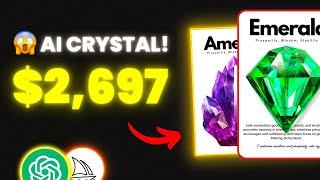
A LARRUZ YouTube tutorial demonstrating how to create and sell "crystal meaning cards" quickly using AI and design tools. The presenter validates the niche (low competition, examples of listings with estimated revenues), shows how to generate card text with ChatGPT, produce realistic stone images with Midjourney, remove backgrounds and bulk-create printable card pages in Canva, and offers a fulfillment path selling digital PDFs or Printify-produced wall art via Etsy.
Chapters
I found a product that's making thousands of dollars with only 1000 competitors and I haven't seen anybody talking about it on YouTube. So today I'll show you step by step how to start a similar business in under 10 minutes with the help of AI. From planning the product and coming up with ideas in a matter of clicks, to designing the final product and making it look professional. If you keep watching, you'll learn how to stand out from the crowd and make more money. So make sure to start taking notes right away because what you're about to see is mind blowing. Let's get straight to the point. Crystal Meaning Cards Crystal meaning cards serve as guides that introduce you to the world of crystals. Each card highlights a specific crystal, offering insights into its unique energy properties. Now, if you search for crystal meaning cards on Etsy, you'll notice very low competition. And if we look deeper, we'll see many of these listings are getting new sales consistently. Even if we go on Amazon and search for the same product, we'll notice low competition with high demand. For example, this listing sells printable crystal meaning cards with an estimated revenue of $2,700. And this listing is selling the same, but with an estimated revenue of $7,800. Which is crazy. And they're not the only ones, as many other listings are making a lot of money as well. And I'll show you later how to generate hundreds of these cards in one click. People are selling these cards in many different ways and styles. This listing sells printable cards and this one sells editable cards. Or this one sells square shaped cards. So the potential to make money in this niche is limitless. And that's what you'll learn in today's video. As a quick reminder, I'll soon reveal the strategies that allowed me to grow this channel quickly. So click the link in the description and join the waitlist so you don't miss out on the offer. When it comes to creating these cards, the first thing we need to do is analyze what's already selling to create something similar. I probably said that 100 times, but you don't need to create something new to make money. Check what's already working and add your unique touch. Looking at this bestseller, we can see that they offer 400 cards for $50. You may think that creating that many cards would take a long time. Not at all, because I'll show you how to make hundreds of them in a matter of clicks. And if we look at the design, we'll notice it's very simple. The stone's name, the meaning of it, the image, the properties and an affirmation quote. Knowing the structure of the design will help us create our own later, and reading the description will help us get more info such as the size of the design and some other information. And then I want you to go through as reviews as possible, the positive and negative ones, because this will help you create the best version of your product. I recommend creating a table for the positive and negative reviews. For example, if someone says the design is complicated, that means we need to keep our design simple. Or if someone said the font is hard to read, that means we have to make it bigger and so on. Now that we know what the design should include, we can head to ChatGPT and ask the Create 10 printable crystal meaning cards that include the the name of the stone, the meaning, the properties, and the affirmation quote. And everything should be organized in a table. Instead of 10, you can put the number you like. I'm just showing you an example here. Okay, after you press enter, you'll get the required information organized and ready to use. Using this method, you'll be 100 times faster than your competitors since you don't need to research every stone and come up with all the information. So after generating the card content in ChatGPT we need to move to midjourney where we will create the stone images and after that we will put everything together. Spoiler we will the results came out amazing. Now as you know to generate AI images you need a prompt that describes the image and for the stones I need a close up shot that looks realistic. So here's the prompt that I wrote. First we have the stone name followed by high quality close up white background 4K realistic look and it will generate professional looking images as you can see on the screen. But let's say you have 100 stones, it'll be hard to keep changing the stone name in the prompt formula. So here's the solution. Open the chat where you've generated the stones list and put the prompt formula. Ask to write a prompt for for each stone on your list and in seconds you'll have the prompts written for each one. And all you need to do is copy the prompts one after another and paste them into midjourney to generate the images. And after generating the stone images we need to remove the background. I personally enjoy using Canva as all I need to do is upload the image and click on Background Remover to remove the background. So remove the background for all stones and save them to your device and then you'll be ready to start designing the cards. And keep watching because in a minute I'll show you how to design hundreds of cards with one click. Start by creating a new design on Canva using your preferred dimensions, and then upload all of the images with the background removed. So, looking at the template, I'm planning to put the name of the stone at the top, followed by the meaning and the image. And at the bottom we can put the description and the affirmation quote. So I spent some time and this is how the design turned out. And with this design we can create multiple versions. So we can use a dark background with a glowing white font for example, or we can even resize the card and make it square. So feel free to get creative as this will make you stand out. Now, to create the rest of the cards, you typically duplicate the and change the content for each stone. But this will take so long if you have a lot of cards to create. So here's what you can do instead. After creating the design, click on Apps on the left hand side and search for Bulk Create. Then choose the first option. Enter data manually and you'll notice a table appear on the screen. Go back to ChatGPT where you've generated the table of contents and select the table from the top to the bottom and copy the content. Then head back to Canva, click on the first row and paste everything. As you can see, we now have everything organized from the stone name all the way to the quote. And if everything looks good, click on Done at the bottom. Now in this step, we need to connect the data with the elements in our design, starting with the stone name. Right click on the stone name in your design, choose Connect Data and pick the stone name. Then we have the meaning. Simply do the same. Right click Connect Data and choose the meaning and do the same thing for the rest of the elements. Once you have everything connected, click on Continue and then Generate pages and like magic, you've generated all cards at once. As you can see, the content has been added for each one and all you need to do now is some tweaks to make them ready. Start by replacing the stone image. By simply dragging and dropping them into the design. You can check and edit the spacing between the elements to ensure everything fits well. And at this point, your cards should be done and ready to sell. As we've seen before, most listings sell the cards as digital products. This means they only sell the design in a PDF format and the customers print the cards themselves. Now, of course, I highly recommend selling digital products, which is something I've explained multiple times on my channel. But for this product, let me show you how to stand out by selling crystal cards as physical wall art, because I searched for that on Etsy and I couldn't find any listing offering crystal meaning wall art, which could be a great opportunity for you. The best way to start with the lowest cost possible is by using Printify, which is in my opinion the best print on demand platform. So first you'll need to sign up for a free Printify account. After that you'll have access to all products as you Printify has a huge product catalog with many options, but before we select the product we want to sell, we need to connect our Etsy store to Printify. All you have to do is go to the left, click on my store and then add a new store. As you can see, Printify allows you to integrate with many different platforms such as Shopify or WooCommerce. But for this video we need Etsy. So I'm going to click on Connect to Etsy. After that, log into your Etsy store and you'll be ready to go. The next step will be to choose a product to sell. If you click on the catalog, you'll see many categories. In my case, I want to sell wall art, so I'm going to choose posters. As you can see, there are many options, but I'll choose this one right here. After that, click on Start Designing. Now, you can add and customize your product here. First, choose the poster sizes by clicking Product Variants. At the top you'll see a list of the available sizes and the production cost and you can select as many as you want. After that you must upload your design and ensure it fits the print area correctly. And if you click on Preview, you'll see what your design will look like. Like once you're done, click on Save Product. In this step you can edit the product information such as the images, title, description and pricing. As for the title and description, the best thing you can do as a beginner is to check similar listings to yours for inspiration. Or you can even use ChatGPT to help you with that. So if we scroll down a bit more, we'll see the pricing section. As you can see we have the retail price which is the amount you'll sell the product for. The profit is how much money you will make for each sale, and the production and shipping cost, which is how much it costs to fulfill your order. Now remember that you can always go back and edit this info in your Etsy store, so don't overthink this step. Once you have everything ready, click on Publish. And just like that, you've listed your product on Etsy. So now when you get an order, it'll be automatically sent to Printify. Printify then makes the order ready and ships it straight to your customer. So let's say you got an order for $30. You then go to Printify and order the product for $15. Printify will print the order and ships it directly to your customer. That way, you've made a $15 profit without worrying about printing, shipping, or even inventory. I also suggest selling both digital and physical versions of your cards to maximize your chances of making money. Thanks for watching and good luck.










