I Found A New AI Business That No One Knows! (TikTok Automation!)
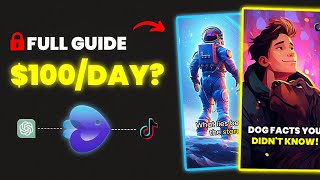
LARRUZ shows how to use InVideo AI to generate faceless videos for TikTok and YouTube, then monetize them through affiliate links. The workflow takes about five minutes per video, costs roughly $20 a month for HD without watermarks, and requires around 1,000 followers before you can add bio links to ClickBank or Amazon products.
Questions this video answers
Up to $100 per day.
Starting as low as $20 a month.
About five minutes.
1,000 followers (1k).
Seven sections: duration; platform; topic; voiceover and script style; background music; additional information (call to action/reference).
Chapters
I found a new AI business that no one is talking about. But this time anyone can do it from anywhere in the world. It has the potential to make up to $100 per day. And the best thing is that you don't need an Etsy account, midjourney subscription or any prior experience. You only need your phone and InVideo AI, which will turn your line of text into custom videos. But not only that, because besides the new business idea, you'll learn how to make hot trending YouTube videos without putting any effort. So I want you to pay close attention as this video has a gold mine of opportunities. You might be wondering now what this is all about. Well, let me tell you. TikTok Automation. I came across this idea While scrolling on TikTok and I stumbled upon this account that uploads spiritual kind of videos. At first look, you might think there's nothing special about this, but trust me, it's more than you think. And I'm pretty confident this account makes makes hundreds of dollars consistently. How is that possible? This is what we will discover later in the video. But first let me walk you through InVideo AI, which is the tool we will use to start this business and automate the video creation process. So what is this tool? Create a YouTube short about how far we've come when it comes to space travel. Make it epic and use a deep Australian male voiceover.
Ever wondered how far we've journeyed into the cosmos? Well, our space sojourn started in 1957 when a Soviet satellite, Sputnik, first breached our atmosphere.
This is exactly what InVideo AI does. It turns your idea into cool looking videos by only writing a simple prompt. Hmm, but wait a second. Add subtitles, make the music louder and change the voiceover to a British female voice.
Ever wondered how far we've journeyed into the cosmos? Well, our space sojourn started in 1957 when a Soviet satellite, Sputnik, first breached our atmosphere.
And this is how easy it is to make changes just by writing some words. And if you think this is all, wait until we dive deeper into this tool's abilities. And don't forget that I'll show you how to start a TikTok automation business using this tool. But first, it's important to understand how everything works. Okay, so to access InVideo AI, you can use the first link in the description box and you'll be redirected to this page where you can create a free account. When you enter InVideo AI, you'll land on this simple Dashboard. And the first thing you'll notice is this text box right here. And this is the simplest way to use InVideo AI. So for example, I could type create a two minute video about cats. InVideo AI will start planning the script, the voiceover, and creating the video for you.
Ever wonder why your feline friend purrs when you pet them? This soothing sound can be quite the mystery.
This is actually not that bad. However, it's not the best way to generate high quality videos because to create something professional, we have to write more detailed prompts. So if you keep watching until the end, you'll get my prompt formula that will guarantee you the best results possible. But what you can also do is select a workflow from the dropdown menu right here, which has four different options. YouTube shorts, YouTube explainer, recent events video, and the last one, script to video. And depending on what you select, you'll be asked to provide different info. Now remember that understanding this is key to starting the TikTok automation business, which we'll explore later in the video. Okay, so let's say we want to create a YouTube explainer, which is the best option if you want to start a faceless YouTube channel? For example, after selecting this option, you'll notice a few additional boxes. The first thing is the video duration and the drop down menu here lets you pick how long you want your video to be. For this example, I'll go with 10 minutes. Following that, we need to provide more info about the video. So in this box right here, you tell the AI exactly what you're looking for. And remember, the more details you provide, the better. I recently discovered this new channel that makes pet related videos Their most popular video about cats got almost 2 million views. So I'll try to create something similar using AI. So I can write something like create a video about nine crazy facts about cats. But in the following box you can be creative and provide direction for the overall look of the video. For example, I want my video to start with a crazy fact to grab the audience's attention and I want it to be funny, engaging and dynamic. Also, I want to end the video with a question to build more engagement. So as you can see, it is important to provide as many details as possible to get the best results. The next thing you will be asked for is the background music. And depending on the video, you can choose the type of music that suits you best. For this one, I think fun music is a good option. Then we have the voiceover settings. You need to specify the gender and choose A voice from the list and there are different options with different accents. I will choose a female with a clear American voice. You also have the option to add subtitles, but I'm going to leave it for now. And when you're done, hit Continue. As you can see from filling the boxes, we now have a fully detailed prompt. So now click Generate a video. After that, the AI will give you other options to customize the video further. And these selections may vary depending on the video you're making. So first we have the audience and we can choose between cat lovers, pet owners, or animal enthusiasts. I think cat lovers is the best option here. We have the look and feel of the video, so I selected Bright. And as for the platform, I chose YouTube. Once you're happy with your selections, click on continue and InVideo AI will start its magic. And after about five minutes, the video was created. And this is how it came out.
Did you know that a cat's brain is 90% similar to a human's brain? Yes, you heard that right. Your feline friend might be understanding you more than you think. Ever wondered why your cat disappears in a blink of an eye? That's because cats can run up to 30 miles per hour. Yes, you heard it right. Your adorable lazy furball is a secret speedster.
As you can see, the video came out really well. And as a content creator myself, it's honestly mind blowing that this is all done by writing a line of text. So the video is basically done now. But let's assume you didn't like a specific part and want to make some edits. Luckily, this tool makes it so easy to make changes. The first option will be to use this text box underneath the video. And what you can do here is give a text based command to change or add something. So for example, you can request to add more scenes, delete a specific clip, change the music, the voiceover, or whatever you like. The second way to make changes is is by clicking the edit button. And here you have the option to either edit the media or edit the script. Now if we click on Edit media, we'll see all the videos and images used in the video. Underneath the clips, you can see the corresponding text for that media. You'll also notice that when you select a clip, the related text will be highlighted in yellow, just as you can see. Let's say I want to change the intro clip with something more catchy like a funny cat clip, for example. What I can do is search for new clips using this search bar right here. And you'll get lots of media to pick from and to replace your current clip. Hover over the new one and click Replace. Or alternatively, you can upload your own media using this button. Something else you can do is edit the video script. So let's say you don't like this part right here. You can basically delete that and the AI will adjust the video and the voiceover according to your changes. Or you can change the sentences, making them shorter or longer, and the video will adjust accordingly as well. Another cool thing you can do is click on this media icon next to the sentences and adjust the keywords for this media. So here you can type new keywords and the AI will find footage that matches the keywords you entered. How cool is that? But the most exciting feature is the export to the timeline, which will allow for detailed edits and full customization of your video. This feature is currently in the alpha stage and will be available soon, so once you're happy with the results, click on export to easily save the video to your device. But here are a few things to keep in mind. If you want, you can use this tool for free, but the video will be in low resolution and have a watermark on top, which I don't recommend. However, if you're serious about video creation and starting a side hustle, I highly recommend upgrading to a paid plan starting as low as $20 a month. This will give you many cool features such as unlimited exports, high quality resolution, access to premium footage, and more. And this is also what you'll need for the TikTok automation business that I will show you in a minute. But before we move to that, let me quickly show you a feature that can help you create viral YouTube videos. And this is the recent Event Video Workflow. As an example, the new ChatGPT update is now trending and I believe that making a YouTube video about it will potentially gain views. So I can select that workflow and ask to create a YouTube video about the recent ChatGPT updates. But the crazy part is here as you can provide an article link and the AI will use it as a reference to create the video, which is actually mind blowing. After that, click on Generate Video and like magic, you have a trending video in a couple of minutes.
In a world where artificial intelligence continues to evolve at breakneck speed, OpenAI has once again raised the bar. They've recently introduced new features for ChatGPT, their popular AI, chatbot and other AI tools. These updates are set to revolutionize the way we interact with AI.
And now, after we've learned how this tool works. It's time to reveal the TikTok automation business and the question remains, how is this account made making hundreds of dollars? Well, the answer is by promoting related affiliate products. If we check the bio, we'll see popular clickbank products such as the Soulmate sketch or the Wealth DNA code. They have three popular accounts in the same niche and in every video they promote these products. Some videos, as you can see, got millions of views and are still getting attention to this day. So considering all of that, there's no way they're not making money. And if we look at the videos, they're very simple. But I'll show you how to use InVideo AI to to create better looking videos and start a similar account to promote your own products. Please keep in mind that this is not something that will make you rich overnight. It's just a basic business idea with the potential to earn you some extra money on the side. And it all starts with picking an affiliate product to promote, which I've explained multiple times in previous videos. But one of the easiest methods is by using websites like clickbank or Digistore. Or you can also promote Amazon products for example. For this example, I've picked this one, which is an online course for dog owners. The next step will be to open a TikTok account, which is very easy. And then we can start the most fun part which is content creation, starting with brainstorming video ideas. And to do that I've three different ways for you and the last is a more Advanced1. Number one is by using ChatGPT. Simply ask the bot to generate video ideas for your selected niche and you'll get endless ideas to choose from. Let's use this one as an example. Dog Healthy Tips. Basically copy the idea and head to InVideo AI and select the YouTube Shorts workflow. I know it says YouTube Shorts, but as you know it's the same format as TikTok. Anyway, start by filling the box with the video details as we've learned before and choose the voiceover settings. And then comes the subtitles. Yes, you heard that right. You can add subtitles to make your video more engaging. And you actually have different styles to choose from as well. They all look pretty good, but my favorite is word by word. Once you're done, hit, continue and then generate a video.
Ever wondered how to keep your dog in peak health? Hydration is key. A dog needs one ounce of water per pound of body weight. Daily exercise is vital too. 30 minutes to two hours depending on breed. Don't forget monthly heartworm prevention and yearly vet checkups. And remember, a balanced diet is a game changer. No chocolate, onions or grapes keep your pup healthy and happy.
So by using this method you can generate hundreds of videos in a very short time. Another way to create videos is by using articles related to your niche. For example, I found this article about training tips for dogs. What I can do now is copy the link, go to InVideo AI and open the shorts workflow again. I'm going to start by giving details about the video, but this time I'll add the article link and ask to use it as a reference. And InVideo AI is smart enough to turn this article into an engaging short.
Unlock the secret to effective dog training first, use positive reinforcement. Reward good behavior, don't punish the bad. Be consistent in your methods and household rules. Remember short training sessions throughout the day. Beat longer ones, make training fun with play sessions and celebrate all progress. Even small improvements. Incorporate training into daily routines. Try hand signals. They can be more effective.
So the key to success with this business idea is is consistent uploading. And once you hit the 1k followers mark, which is not too hard on TikTok, you can add a link to your bio to promote your affiliate products. And at the same time, I highly Recommend Experimenting with YouTube by creating long form and short form content. But now is the time to share my prompt formula which will get you the best results possible. And this formula can generate all types of videos. It's built out of seven different sections, the duration, the platform, the topic, the voiceover and script style, background music and any additional information. So the duration is how long you want the video to be, 5 minutes, 10 minutes and so on. And the platform could be for example YouTube, YouTube shorts, TikTok, Instagram, etc. And the topic is what the video is all about. As for the voiceover, you need to specify the gender, accent and tone, and the script style could be storytelling, easy to understand, etc. The background music depends on the video, so it could be calm, epic, inspiring, etc. And finally the additional information which could be a specific call to action, a reference link, etc. So if we put everything together, this is how the final prompt should look like. Create a three minute YouTube video about the history of space exploration. The video should feature a deep male voiceover with an Australian accent speaking in an informative yet engaging tone. The script should be storytelling, making complex information easy to understand and should include key milestones from the early days of rocketry to recent Mars missions. The background music should be inspiring and cinematic, building a sense of awe and discovery. Additionally, the video should include visually stunning footage of space missions. Use this article as a reference. The call to action at the end should encourage viewers to subscribe for more educational content. So as you can see, the prompt is super detailed and includes every part of the formula. All you need to do now is copy this prompt, head to Invideo AI, paste it into the text box you see in the dashboard, and click on Generate a Video.
Have you ever gazed at the night sky and wondered about the mysteries it holds? Since the dawn of time, the vastness of space has captivated our imagination. It's a boundless expanse, a cosmic tapestry that has intrigued everyone from ancient stargazers to modern scientists. Our curiosity, as insatiable as the universe itself, has propelled us to look beyond our own planet, to seek answers to questions that have puzzled humanity for centuries. What lies beyond the stars? Are we alone?
So no matter what type of video you want to create, Whether for the TikTok automation business or YouTube channel, this formula is the key. If you want to try it out yourself, click the first link in the description and sign up for a free, free InVideo AI account. That was the end of today's video. Thanks for watching and good luck.










