I Made The Same Image In Every AI Program Ever
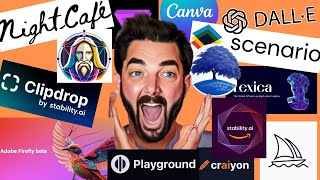
Matt Wolfe runs the same prompt through 16 AI image generators to compare results. Midjourney and Leonardo come out ahead for quality and ease, while SDXL and Lexica also perform well. Scenario stands out for game assets.
Chapters
In this video, I am going to show you the absolute best AI image generator on the Internet. I mean, probably because I'm going to show them all to you every day. There's a new video that we see that says, is this the Mid Journey killer? Is this the Stable Diffusion killer? This is better than Dall E4. Well, in this video we're just going to try them all. Let's just put them all in the ring and use the same prompt and then just put them all side by side by side by side. And then you can decide which one you like best. Let's get into it. We're going to pick one prompt, we're going to use that same prompt everywhere, and see how these different tools vary from each other. Now, to start, let's jump into automatic 1111. This one is the most complicated to set up, has the most options, has the most features, but is probably overkill for 99% of people who are trying to generate AI images. It would also be very difficult to compare Automatic 1111 to all of the various tools out there, because Automatic 1111 is really just a user interface to play around with different models that exist. And if you go to a site like Civit AI, you can see how many models out there that you can play around with and test inside of automatic 1111 and well, it would be impossible to test them all. But if you really want to go down the automatic 1111 stable diffusion deep dive rabbit hole, I do have other videos that deep dive on this topic specifically. However, let's start with the base model, the stable diffusion 1.5, because this is probably the most popular, most used stable diffusion model. And let's go ahead and generate the prompt that we're going to use for the rest of this video. I don't want to overcomplicate this prompt. I want it to be a fairly simple prompt. I don't want to have to put a ton of details in it. Because in my opinion, the future of AI art isn't necessarily prompt engineering. It's being able to get the image you want with as simple of a prompt as possible. A blonde woman on an urban city sidewalk, with skyscrapers in the background on a beautiful sunny day. That's the prompt I'm going to use for all of these tools. I'm not going to add any extra artists, any extra modifiers, nothing like that. I want to see what this somewhat simple prompt gets us in all of the various tools that we're using. And ideally, by the end of this video, you'll have a couple favorites that you'll probably want to use yourself. And I imagine you're not even going to really need to use something like automatic 1111 and this stable Diffusion platform that we're using here. Now I like to boost the sampling steps up to 40 when I'm generating images like this. And I like to do a batch size of four. So we get four different images and then I'll leave everything else the same. And for each of these different platforms, I'm going to pick my favorite image from each platform. So Here are the four images that Stable Diffusion 1.5 generated for us. Here's the first one, here's the second one, third one fourth one. Quite honestly, none of them are that great because there's so much better models to use inside of automatic 1111. Now if I had to pick a best one from here, I'd say it's probably this one. Now the next one we're going to test is Midjourney. This is probably the most pro popular AI art generation app that's out there. It's using its own proprietary model behind the scenes. And this one you actually still need to generate inside of Discord. So let's go ahead and open up Discord. We'll type Imagine and then we'll paste in our same prompt here a blonde woman on an urban city sidewalk with skyscrapers in the background on a beautiful sunny day. And by default is going to generate it in mid journeys version 5.2 model. And let's see what this looks like. And just on first glance, all of these images crush what we get outta stable diffusion 1.5 just using Midjourney's default settings. They're not super realistic. They all look kind of cartoony. Out of all these, I would say the bottom right is probably the best looking one. Got the most details to the skyscraper in the background and looks the least cartoony. And then I'm gonna add one extra little prompt. I know I said I wasn't gonna do this, but I wanna see if I can get a more realistic image. So I'm gonna do the same exact prompt, but I'm just gonna put Dash Dash, Style Raw. And if we do Style Raw, we should get a slightly more realistic image. And here' we add Style Raw. The images look a little bit more photorealistic. I think my favorite is this top right one. I just like the extra color that's in the background. You can see some street lights and some cars on the sidewalk and a skyscraper right here. I think number two is My favorite, using the raw style. So Mid Journey, in my opinion, is one of the easiest ones to prompt. If you put a basic prompt, you usually get pretty dang good images. However, Mid Journey also has some of the least amount of features. They are adding tons more features. They now have zoom out, they now have pan left, right, up, down. But it is still sort of a downside that you have to use it in discord, and you can't quite get as much variations as you would get out of some of the various Stable Diffusion models that exist. Next, let's try out Adobe Firefly. This is Adobe's proprietary diffusion model, which is actually completely trained on images that they had the rights to use. So it's all based on stock photography from Adobe stock or images that were in the public domain that were free to use and train on. So let's go ahead and paste our prompt in here. A blonde woman on an urban city sidewalk with skyscrapers in the background on a beautiful sunny day. Now, right off the bat, these are a little more cartoony, a little less detailed. I would say slightly better than the stable diffusion 1.5 model, because stable diffusion tried to be realistic but just kind of failed. This one's not even trying to be realistic. It's trying to be more cartoony and art like. However, over on the side here we have content type of photo, graphic and art, and it's selected on art right now. So if we went to photo and regenerated, we get much more realistic results. This one has a very weird composition, but this one looks pretty dang. I mean, that's a pretty realistic image. Thumbs up. Just for fun, let's generate it in the graphic content type and see what we get with that. Once again, a much more cartoony look. All right, moving on, let's use Stable Diffusion xl. This is sort of the newest iteration of what we were looking at earlier when we were playing around with stable diffusion 1.5 and automatic 1111. This has been trained on so much more data and just an improved model over time. And you can actually use this one for free over at Clipdrop C. Let's go ahead and paste our prompt in here. Click Generate and see what we get. You can see these are quite improved over what we got out of stable diffusion 1.5. I'm not even sure which one's my favorite. Out of these ones, they all look pretty dang good. I'd say this one's probably the least realistic of them. I think I'm going to go with this one right here. Being my favorite. All right, now let's try Dall? E. This is one of the very early ones that really got this AI art trend going by comparison, doesn't usually generate the best images versus the newer models that are available. But let's go ahead and give it a spin. I'll paste our prompt in here and click Generate. And as you can see, they kind of leave a bit to be desired. Not the best, most detailed images. I'd say out of all of these, this is probably the best one. Now, I'm going to pop open the Edge browser here. We're going to use Microsoft Bing's image creator, which is powered by Dall E. But a lot of people speculate that this is a newer generation of Dall? E. So we were just using Dall E2. This is supposedly a more modified, more improved version of Dall? E. Let's enter that same prompt and say, see if using Dall E inside of Bing is better than just using OpenAI's basic Dall E. Now, if we take a peek at these, you can tell they're improved a little bit. I still wouldn't say they're amazing, but it's definitely better than what we were getting out of Dall E2amoment ago. Of these, this one, I believe, came out the best. Next, we're going to play around with Deep Floyd. Deep Floyd doesn't really have an amazing user interface anywhere yet. It's sort of just code. There was a hugging face space a little while ago that let you generate with Deep Floyd. That seemed to have disappeared now, but you can still play with it over on replicate.com. we'll paste our prompt in here, we'll submit it, and let's see what we get out of this. And, well, yeah, one of Deep Floyd's big claims to fame is that it can actually generate text now in some of the images, but still leaves a little bit to be desired when it comes to actual humans. You can see an example that they give on the site. It actually says welcome to the future. So it generates text inside of your AI images, but the images themselves. Yeah. All right, so from here on out, the rest of this video, I'm going to test different platforms that generate AI images, but pretty much all of them use one of the existing models that we've already tested. That's one of the things about all of these AI image generators. In fact, if you look on Future Tools and you click on the Generative Art section, there's over 200 tools available for Generative Art. But a dirty little secret here is pretty much all of them are running one of the platforms underneath it that we've already tested. Midjourney is kind of its own thing. It's proprietary, they don't have an API, nobody else really uses it. But everything else is pretty much either using one of the Stable diffusion models under the hood, using Dall E under the hood, or using Adobe Firefly under the hood. Many of them have their own fine tuned models and additional pipelines within their code that give them their own sort of unique image. But underneath the hood, the code that's running is really the code from one of the tools we've already seen. So next up, let's try scenario.com. scenario.com is really designed specifically for creating game assets. That seems to be its core use case. Here's some images. I was messing around with my own face trained into it. That is one of the benefits of something like Scenario is that you can actually create your own generator and train yourself into it. So I did some of that. I mean, some of them didn't come out very great. But where it really shines is when you try to create some of these game assets. Let's go ahead and click on Generate Images. Let's use one of their signature models here that's built in. And let's use character portraits since we're generating a person here. They also have this extra prompt builder where you can add some additional modifiers to the prompt. But I'm not going to mess with any of those. We're just going to go ahead and leave it. The standard default prompt generate four images. This is another one that I believe. I'm not 100% sure, but I believe is using Stable diffusion under the hood. It's just a sort of fine tuned, trained model for in this case, character portraits. But in the case of some of their other image generators, game assets. Let's go ahead and generate this image here. And here's what we got out of it. I mean, there's sort of cartoony looking images. Again, it's designed to create game assets. So we got something that looks like it could be a decent game asset. This looks like it could be right out of Unreal Engine or something like that. I'd say of these four, this first one's probably the most realistic. So let's go ahead and call that one the best of these four. All right, next up is Blue Willow. This is one that claims you can generate unlimited images for free. But again, this is one that, well, you've got to use it inside of their discord. This one's also using Stable Diffusion under the hood. Let's go ahead and jump into discord here. So let's go ahead and paste our prompt and generate this one directly with Blue Willy. And here are the four images that Blue Willow generated for us. Very similar to what we'd get out of a newer model from Stable Diffusion. A little bit better than stable diffusion 1.5. Maybe not quite as good, or possibly on par with Stable Diffusion xl. This one down here looks like she's standing on some train tracks. I think I like this bottom right one the best. So we'll go ahead and upscale number four here. And here's what that looks like. They seem to have added some of the features that Midjourney recently added with some of the panning features. I believe that's what those arrows are. Let's go ahead and pan right and see if that actually works that way. So there you go. They actually have a panning feature as well. I believe this might be a zoom out feature. Yeah. So Blue Willow's taken a page right out of the Mid Journey playbook and added pan left, right, up, down, and a zoom out feature as well. All right, now let's check out Night Cafe. You can see the various models. They have stable diffusion 1.5, stable diffusion XL 0.9, stable diffusion XL beta. They also have Dall E2 built in. And they also have stable diffusion 2.1. So we've already tested stable diffusion 1.5. We did that straight in automatic 1111 earlier. We already played with SDXL 0.9 when we used it inside of clip drop. SDXL beta was essentially 0.9, just trained on a little bit less data. So it's not going to be quite as good as 0.9. Dall E2 we've already played with in Microsoft. So let's use Night Cafe to test stable diffusion 2.1. We'll paste our prompt in here. And then they have some various style presets. So we'll go ahead and use nightcafe's custom style here. So here's what we get when generated with stable diffusion 2.0 plus Nightcafe's custom presets. None of them are really that great. This one looks like a girl kind of running, but it's blurry. This one, the girl's got her back to us. You can't even see how the face came out. I can't tell if she's topless or if her shirt's just the same color. We've got an okay image here, but there's really no quality inside the face. And then, man, that's just ugly. So of these I would say that's the, our best one. Here's our upscaled version. It did actually improve the quality of the face a little bit when we upscaled. So that's good to know. Next up is Lexica and once again Lexica is using stable diffusion behind the scenes, but they have their own fine tuned stable diffusion model that I don't believe they've opened up for anybody else to use. So if we click on Generate here, you can see under Advanced Settings they have their own lexica aperture version 2 and version 3 and it's actually their own custom trained model, which is pretty dang impressive. So let's go ahead and paste our prompt in here. Definitely got its own sort of style to it. This one's got some funky leg going on to it. Not sure what happened there. That one's not too bad. That one looks like a Barbie doll or something. I think this is probably the one that came out the best of these images. Now just for fun, let's go ahead and see what Lexica Aperture version two gets us. And here's what version two gave us. A totally different style. Actually it almost. This one here almost looks like a Grand Theft Auto image or something. None of these look very realistic, but they do have a very stylistic feel to them. I think this one's my favorite of these just because of that GTA 5 look that it kind. All right, now let's move on to crayon, spelled C R A I Y O N. Not really my favorite user interface because they plaster the site with ads. But I believe this one's using Dall E behind the scenes. I don't know what version of Dall E they're using, but I'm usually fairly unimpressed with the images that they generate. So let's go ahead and paste our prompt in. Let's select photo as the style here and let's go ahead and click Draw. And this one spit out nine images. But yeah, there's like no quality to these images. I can't say a single one of these images looks even remotely. What is going on there, Even remotely decent. Yeah, that's borderline nightmare fuel. And so, oh my gosh. Yeah, of these, I guess that's the best one. This one I'm going to have nightmares about. All right, let's get out of here. Next, let's play with Canva. Canva actually has their own built in AI image generator. Now, once again, I believe, don't quote me on this, I'm not 100% sure, but I believe this is using stable diffusion under the hood. Let's go ahead and paste our prompt in here and let's use photo as the option and create our image. There's image number one. Yeah. There's our second image, there's our third image and there's our fourth, which actually looks like a normal human being finally. So I'm not sure what version of stable diffusion they're using, but most of the images aren't great. But I guess every once in a while you get one that's okay. I use Canva every day. I don't really use their built in AI art generator. I still make mine in either Mid Journey or Leonardo, which is one we're going to talk about in a minute. And then I pull them into Canva because Canvas, well, you saw what it does. All right, now let's talk about Playground AI. This one is another one that's a front end user interface for a bunch of different models. We can come over here on the right and you can see it's got Dall E2, stable diffusion 2.1, stable diffusion 1.5 and Playground version 1, which is their own model that I don't know too much about yet. I think it's stable diffusion underneath, but I don't know for sure. Let's go ahead and paste our prompt in here and let's look at the filters. They have available. Delicate, delicate detail. Radiant symmetry. Cinematic, cinematic. Warm royalistic masterpiece. Let's just go ahead and leave it on none and see what the Playground version one looks like. Let's pump up the quality and detail to 40 and let's set our number of images to four. And let's go ahead and see what these look like. So first thing I noticed is this generated these super fast. I mean, not amazing images. They definitely lack some quality, but it was ultra fast. I'm going to crank up the prompt guidance a little bit to 12, bring our quality up to 60 and let's generate one more time. Okay? Okay, it got a little bit better. I mean, this one looks just like a cartoon drawing. That one has like no detail. But these top two got a little bit better. I'd say maybe this one's the best. Just out of curiosity, let's see what happens if we add a filter to it. Let's throw the masterpiece filter onto it and generate one more time. Okay, that changed it quite A bit. What about cinematic? Okay, okay. Cinematic's not too bad. Definitely not realistic, but not a bad image. Dreamlike Dot Art is similar to Playground where it has a bunch of different models that you can try, but it's got different models that are available. It has the stable diffusion 1.5, but it's also got this dreamlike photo. Real dreamlike Anime Realism engine Neurogen Kandinsky let's go ahead and start the Kandinsky model since that's the one that it has set by default. Here we'll paste in our prompt. It has a negative prompt pre filled in for us. So let's just go ahead and leave it and let's generate a square image. And here's what we get. Get very cartoony but not bad images. I think this top right one's probably my favorite of those. Let's go ahead and generate one more time. But this time let's use this realism engine 1.0. See if it gets much more realistic. It automatically generated a negative prompt for us again. And these are actually pretty decent. That one's looking pretty realistic. These really aren't that bad at all. I think this model's pretty decent. That one's looking really realistic. I think that's probably the most realistic of the four. That one's pretty good. But I think when you start to zoom in on the face face a little bit, you lose some of the detail. Same with that one. That one, there's something off about it. I can't quite put my finger on it, but this one looks really good. I'd say that's probably my favorite of the four. And finally, let's move on to Leonardo, which is probably my favorite. I'd put it about level with Mid Journey. I love using Leonardo because they have some additional built in pipelines and their own sort of trained models that work really, really well. Specifically Leonardo Diffusion works really well. And this RPG 4.0 works really well. So let's go ahead and generate one with Leonard Fusion here. I'm going to click Generate with this model. You can see some previous images that I use for one of my YouTube thumbnails. Let's go ahead and replace this with our prompt here. We'll leave our model as Leonardo Diffusion. We'll turn on this Leonardo style. That's their own custom pipeline that they've got to add some extra magic to it. Let's leave the prompt magic turned on, the high contrast turned on. And here's what Leonardo generated. Got this one, this one, that one one, and that One, I would say of these, this one's probably the best looking. And then let's run this one more time. This time let's run RPG 4.0. This is another fine tuned model from Leonardo themselves. We'll use the same prompt and let's go ahead and generate with the RPG 4.0 model. And you can see this one generated some pretty decent images as well. Of these, I think this one probably came out the best. All right, so there's one last thing I want to try out with Leonardo. They actually have this new feature called Leonardo Alchemy, which they describe as a powerful new image generation pipeline, which in improves contrast adds more details and really just boosts the images overall. So let's go ahead and turn Alchemy on and then we get a new dropdown up here with a bunch of different options. So for this one, let's go ahead and turn it on photography. And using the exact same prompt we've been using, let's generate one more time. And here's the images we get from that. There's a little bit of a realism boost to it, but also you could still kind of tell they're not real images. I would say this one here, the face probably looks the best, but I'm not quite sure what's going on with her clothes over the shoulder here. And that's pretty much what Leonardo's capable of. Now. My favorite is probably Midjourney for creating really super realistic images. But I love Leonardo's user interface. There is so many different options and settings and buttons and things that we can tweak over here in Leonardo. And that is pretty much every single AI image generator that's out there. Now, I know there's other platforms out there. If you look on future tools, there's over 200 AI generators out there. But again, every single one of them that exists pretty much uses one of these tools behind the scenes, either using Stable Diffusion under the Hood, Dall E under the Hood, or Adobe Firefly under the hood. And Midjourney is kind of its own standalone thing. None of the other tools are using Midjourney under the hood. So although there are plenty of other AI generators out there that I didn't touch on, there really isn't any other publicly available ones that are using tech that's outside of what we just looked at. Also, I know there's going to be a lot of criticism on this video of people going, you can get much better images out of Stable Diffusion XL or you can get much better images out of Blue Willow or Midjourney or Dall? E or name your AI art generator by changing the way you prompt. And I know that you definitely can get better results from each of these tools. I wanted to demonstrate what would happen if you took a basic prompt without having to do any crazy prompt engineering and adding all sorts of additional artists and prompts and trending on ArtStation and Unreal Engine and whatever, you know, name the add on prompt that everybody tells you to use. I wanted to see what would generate the best images using a simple, easy prompt and then compare all of those. You definitely, definitely can get better images out of stable diffusion 1.5 if you tweak a ton of buttons and settings and you get really detailed with your prompts and you add in all sorts of negative prompts and you do all of that kind of stuff. But personally I don't believe that is the future of image prompting. I think the reason that Midjourney has gotten so popular as an AI art generator is almost anything you plug in there is going to turn into a good looking image. You don't have to. To get super unique and creative with your prompts, you could plug in a blonde woman and no other information in the prompt and you're gonna get a good image. Stable Diffusion, Dall? E, some of these other tools, you're not gonna be able to just plug in that basic prompt and get something amazing midjourney. Maybe Leonardo, maybe Lexica. You will. So here is the comparison of all of them on one screen. Here we've got Blue Willow up in the left. That one's fairly decent. That's using Stable Diffusion. Behind the scenes, here's one that Canva generated, which looks pret. Once again, also Stable Diffusion. Here's Cran. I think out of all of them that one generated the absolute worst image. This one is using Dall? E underneath the hood. We have Dall E2 inside of Bing, which generated pretty decent images. Much better than the regular Dalle 2 that you get on the OpenAI website. Deep Floyd, which is really known for being able to add text to images. It's not great for doing photographic people images. You've got Dreamlike, this one came out pretty decent. Adobe Firefly, not bad at all. Leonardo and Leonardo Alchemy. I think they made really, really amazing images. They don't look like photographs. Nobody's going to look at that and be like, oh, I can't tell if that's real or a photograph. But they're pretty good looking images. You have Mid Journey Raw, which in my opinion Gets us the closest to photorealistic. Out of all of the image generators that are out there right now, you have just standard Midjourney without adding the raw prompt, which makes really good images. It's a creative, interesting image, but it looks like it could be out of a video game. It doesn't look like a real photograph. We have Lexica Aperture down here, which I think actually generates really, really good images. It looks similar to me, like what we would have gotten out of mid journey version 4 maybe, but definitely still not photorealistic. We have Night Cafe down here using stable diffusion 2.0. Not great. Definitely lacks a lot of detail. Playground version 1, this was the best image we managed to get out of it. I was not super excited by any of the images that one generated. Scenari this one, again, is really designed for creating game assets. Asking it to create a sort of photorealistic picture of a blonde woman is sort of out of the scope of what it's really good at. Here's stable diffusion 1.5, the one we opened up with. Again, you can get amazing images out of stable diffusion 1.5 if you get really creative and build out these really long, intense prompts and really adjust a lot of the settings inside of the backend platform. And then we have stable diffusion XL, which is definitely a big boost over 1.5, and stable diffusion 2.0 down here, which you can actually use for free on Clip Drop right now. That makes some really, really good images right now as well. Now, as far as cost on these Blue Willows free canva, I'm not sure if the AI is free to use within it or not, or if you have to be a paying subscriber. I'm a paying subscriber, so I do see it in my Canva, but I don't know, 100% crayon is free to use, but I mean, why would you. Dall e on Bing is free to use. Dall E on OpenAI. I believe you have to use some of OpenAI credits to be able to use that Deep Floyd is free to use right now. Dreamlike Art is free to use Adobe Firefly is free to use Leonardo. You can get something like 150 credits a day to use Leonardo. Midjourney is not currently free to use Lexica Free Night Cafe, you get a certain amount of free image generations per day. Playground free to use Scenario, I believe you get a certain amount of generations to use per day. Stable diffusion 1.5 and stable diffusion XL are also so both free to use in my opinion the best ones to use Leonardo Leonardo Alchemy Midjourney Midjourney Raw Scenario if you're creating Game Assets stable Diffusion XL is really really good as well. And I'm also really impressed with what you can get out of Lexica Aperture. So there you have it. There's pretty much every AI image generation model. Again, check out FutureTools IO, click the Generative Art button. You'll see 219 as of this recording. AI art tools there's so many fun tools to play around with. Go check them out. You know my favorites. But I'm sure everybody's got different opinions and the you are at prompting the more complicated platforms you could use to get better and better images. If you just want simple and easy to use, Mid Journey is the best. If you want to really, really dial things in and get creative with the prompt and get an image that's exactly what you have envisioned in your mind. Leonardo is probably the best. And I can simplify this entire video by telling you that if you need Game Assets Scenario is probably the best. So hopefully you found this video helpful. If you did, give it a thumbs up. Maybe consider subscribing to this channel for more videos about AI and AI tools and AI tutorials and all that sort of cool stuff. And if you haven't already, check out Future Tools IO once again. I really really appreciate you. Thank you so much for tuning into this video. I will see you guys in the next one. Bye Bye.










