Ideogram 2.0 is my new Favorite Image Gen! | First Look
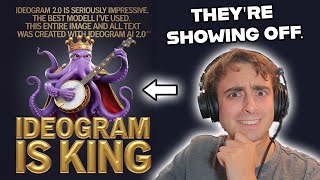
LARRUZ tests Ideogram 2.0's new style controls, Magic Prompt suggestions, and iOS app. The text rendering and design coherence beat Flux and DALL-E 3 on most tests. Free tier gives 10 daily credits; $8 a month gets 400.
Questions this video answers
10 credits per day (free)
$8/month plan provides 400 priority credits per month
Chapters
Ideogram 2.0 is amazing and I have had early access since about a week ago, and this was one of the most difficult image generation models to keep a secret from you guys. I know I'm a little bit late to the party on making a video about this due to some personal family reasons. However, I really do think I have some valuable insight for you guys because I've been using Ideogram since the beginning and it's been one of my favorite image generators since. Since it came out, they've taken a really interesting approach to 2.0. It's not just the new model, but a whole new feature set. You'll notice in the prompt bar. Now down at the bottom they have auto mode and then five different fine tunes or loras. I'm not sure exactly what they are, but different styles that you can apply to your images. So they've got a general use one, a realistic one design, 3D, and then anime. I typically leave things on auto and then it detects through your prompt which one of these to use, but I've found these to access a whole new level of power within the image generation that Ideogram AI can provide. Let's start off with like a basic comparison between all five of these models. So we're going to turn magic prompt to off, leave it at one by one, and then the rest of the settings on the side are going to be default. So we'll start with the general model. Anthropomorphic Lemmon character in the middle of a heated medieval duel with an anthropomorphic watermelon character. Epic fight scene. And then we'll move on to the realistic. And then we'll move on to design, finally 3D and then anime. So first up here we've got the general model, and you can see this model is pretty prone to realism. We didn't exactly specify a specific style of art for any of these prompts, just used the different models. And you can see it does a pretty decent job with general model just having, you know, a lemon character fighting a watermelon character. Although I will say the watermelon character has some trouble becoming, you know, more human or anthropomorphized. Overall, this is a pretty difficult prompt though, so I'm not surprised. Then we can move on to the realism model, which seems to have at least lighting and overall imagery that resembles more of a real photograph. Although I will say general is still mighty realistic. Not a huge difference between this realism model and the general model. I think if you're going for you know, a fantasy portrait or something like that. Obviously, this model is going to give you something that looks a lot more like a real photo versus some digital art. And next up, we see our first major change by moving to the design model. And this is entirely 2D. All of the images it created were 2D. So this is obviously going to be for, like, creating logos. You know, maybe if you're trying to create, let's say, a mascot for a company, something like that. That's kind of what this all reminds me of. But you can see with this model, we have faces on both of the characters this time, no matter what. So with a not very realistic prompt, we could say this model seemed to pull it off a little bit better. Although you can kind of tell, especially with these faces and stuff, that it's not really meant to do this kind of work. Like I said, it's more or less designed to do the design work like it's titled, but it can still pull off some of these more advanced prompts decently well. And now we move on to the 3D model, which is arguably probably the best choice for this prompt. And it does a pretty decent job at, again, giving both of the characters faces and having them battle it out. These all look pretty good. I would say these are the best generations yet again, for this prompt, because the 3D style or the 3D model matches this prompt the best. And I think that you get some really, really nice detail out of these. It really does have this nice 3D aesthetic to it. Not quite like a Pixar movie, but again, it doesn't look like a very rudimentary 3D render from a PS1 game or something like that. And finally, we have one of my favorite models or one of my favorite styles. This is the anime. This one is super interesting. It does the 2D animation style really, really well. And not just anime, by the way. It does other cartoons pretty dang well. But you can see it definitely does have, like, an anime aesthetic. The color palette, the lighting, the whole design is very much anime. And I really, really enjoy this style. I really, really enjoy this model, especially converting things that weren't previously anime into an anime style. That is one of my favorite things to do with this new Ideogram 2.0 anime. But yeah, I think that this also suits this prompt pretty well. I just think that this model or style always gives me something interesting to look at, and I'm never really disappointed with it. So that is probably the biggest change that I've seen from Ideogram. 2.0 is these five new styles or five new fine tunes based on different styles. I don't know exactly how it works under the hood, but it's pretty awesome. Honestly. I think a lot of image generation websites give you too many styles to choose from or none at all. And this kind of sits right in the middle. It's enough options to give you some creative exploration, but not too many that it's overwhelming. And also I do love the fact that they have an auto mode which works really well and just picks the best model for whatever use case. Now folks, magic prompt here on the side, which is one of my favorite Ideogram AI features, has also gotten an upgrade, obviously to be able to select the correct model here, but just in general, creating AI better prompts, prompts that create better images. And I pretty much always leave magic prompt on. I almost never shut it off. I mean, you can prompt this thing so lazily and so simply. You can just say something like, make me an image of the fruit wars with a bunch of explanation points and click, generate. And yeah, I've got to say guys, this very much does look like the quote unquote, fruit Wars. You can see it really does. A pretty complex prompt. You know, people holding signs, we want pie. Citrus is the best. Strawberries are the best. And you can also see that, yes, the text in this model is really good. Some of the best that I've ever seen, hands down. I mean, just in this prompt alone, it got it all right off the bat. And you can see that for each one of these four images we got different magic prompts. So it gives you a very wide variety as well. You can see this one was actually in the general style and it did a pretty good cartoon style. I think like this looks like a straight up Adult Swim cartoon or something like that. And same thing with this one, especially with the text. And then this one actually used the design. And again, I think that comes out very clearly with the faces. Alright, let's get away from the cartoon fruits. I'm sure you guys want to see tests in other categories. By the way, Ideogram AI also has always had a really, really nice way of doing portrait versus landscape where you can kind of shape the image exactly how you want. I'm going to stick with a 4x5 for this one. We're gonna essentially peg it to realistic mode. Gonna leave magic prompt on dramatic street photography, photo shot on film, bearded man with a tabby cat sitting on his head in New York City. We'll say, actually it's gonna be an orange tabby cat. A loose half burnt cigarette hangs out of the man's mouth and he candid style at the camera and we'll let you know, magic prompt work off of this. And with that realism style, guys, I gotta say this is mighty impressive, especially with the cigarette hanging out of his mouth. I mean, check these images out. How many flaws can you really notice? Looks like a pretty realistic image to me. I mean, obviously the cat kind of sitting on his head is a little bit unrealistic, but. Oh, and then this one's obviously a little screwed up. However, I think at least two of these are pretty darn believable. See now we're starting to get into the area of I want to compare this model against like Flux Dot one, which is kind of one of those leading competitive models right now. So let's send this on over to Flux Dot one via Grok and okay, straight out. I gotta say that's a pretty great image from Flux. Now is it better than Ideogram though? I think that there definitely is some qualities to this image that I like. But, but obviously that cigarette looks pretty ridiculous. Doesn't look as realistic. And you can see the saturation on this side. It looks like an edited image. It looks like something that was made with AI in that sense. I mean, it's still difficult to tell, don't get me wrong. But this one has a lot more natural tones and colors and I think that's due to the realistic preset inside of Ideogram. And to be fair, it's also something that can be seen in the other Ideogram images as well. Not just that first one. I mean, this one's pretty screwed up, but I do like the colors of the image overall. And this one I think has a very natural filmic look to it. Whereas again, this one kind of has that saturation and contrast that can typically seen with AI generated images. And now I just gotta know what's Chat GPT going to do with Dall E3? You see, I think Dall E3 here, you know, it's not a bad image and whatever, but we've got two cats instead. And again it's very saturated, very contrasty, not a bad image, but doesn't have that same natural feel that we're getting from the Ideogram realistic preset. Let's move on and try some logo design. You know what, let's make a new logo for the channel. I don't know if I'm actually going to use it, but tech themed logo for a YouTube channel, lemon themed VR, AR AI logo name is Matved Pro, let's say. And again, the reason I can kind of prompt it so lazily and so poorly is because Magic Prompt is just gonna fix it for me. And of course we're gonna do one by one for the logo and just jotting some ideas down quickly into Ideogram we get pretty decent logos. Again, the text is spelled right every time, which is pretty awesome. This one's a little bit messed up, but all the others not too bad. Let's try logo for a coffee shop that only sells to frogs. Come up with a fancy name for it. And again we can directly instruct Ideogram AI to generate specific things like come up with a fancy name. And it will because Magic Prompt seemed to have picked Frogs Brew for all of these. But I think they're pretty decent logos. We have a frog here with you know, the coffee mug and then some food. I like this one especially because it's got the pond in the background and we've got coffee beans. So this would be I guess like a coffee bean company. So I kind of actually like this one a lot with like the steam and stuff. This is a pretty nice logo. Then we've got this one and this is the fancy frog. You know, he's got the top hat, he's got the cane here with the coffee cup. And again Frogs Brew spelled with unique letters correctly. And then finally we've basically got like a Starbucks esque logo. Welcome to Frogs Brew. Simplistic, but works pretty well. I think this is a pretty good example of how the design mode in Ideogram AI you can just jot something like really simple in and get like nice logos. Impressive stuff. Alright, so let's get into the anime section of things. Again, this is one of my favorite new models inside of ideogram 2.0. I can't wait to show this to you guys. If I go and do like let's say a portrait mode. I want to do an anime poster to start off. Poster for a new anime about let's say an unexpected team up between Obama and Trump. So we're gonna include famous people. Yes. By the way, Ideogram is pretty loose with its prompts. Lately I've had trouble doing things like firearms, but famous people seems to not be an issue for it. Come up clever anime title and overall theme. Again, you can kind of prompt this thing like it's chatgpt and immediately you guys can see why. This is one of my favorite favorite new features in Ideogram. The. The anime mode is awesome. Even I didn't see this coming. And it's got like this manga panel style. I love the anime renditions of both of these past US Presidents. I mean it does a fantastic job at capturing their character and then putting it in that an format. It's incredible. And it's smart too, you know, unexpected team up. And then it has him saying oh, I even I didn't see this coming with a little manga panel. I mean it's perfect. I love this. You can see apparently these two are battling now against everybody. Something like that. It's supposed to be an anime poster, so that makes sense. But it does such a great job at again capturing them as if they were these anime characters. It's. It's fantastic. And again, this one's got the White House in anime style. And by the way, that's another thing that we can do. We can describe pretty much any famous place. I think I have to make up for something here. Stonehenge in anime style. And we could just send that through and there we go. Perfect. Anime Stonehenge. We've even got some little anime characters randomly in there. I think this one is really, really nice. But this is like an actual image that I would expect to see of Stonehenge in an anime. I mean it's pretty much perfect. This whole style that Edu Graham has in here for anime has got to be the best. Fine tuned one point blank period. Alright, let's go all the way to 16 by 9. Epic scene from a Spongebob anime. Patrick and Squidward are in an epic battle for the secret formula. I mean, honestly guys, I don't think I've had this much fun with an AI image generator since maybe Dall E3 originally released. Something like that. It's really that good for me. Ideogram is number one. Just because it has these new styles. It has this level of quality and coherence that is ridiculous. You can see. Looks like the prompting did not go too well here. I think that the magic prompt is probably fine here, but the model is going to get pretty screwed up with spongebob stuff. Oh, actually I'm wrong here. The magic prompt did screw up in this case. Let's try turning it off and then regenerating. And there you go. Okay. I think spongebob is way too corrupted and way too much in the database for it to transcend into anime style reasonably. However, in my previous testing I did get a pretty decent anime Squidward who is apparently strumming a Guitar. And speaking of looking at some of my past images, let's go over some of these. I posted a decent amount of these on my Twitter account, but I was doing some testing. For example, here we have Kirby smoking a cigarette as a detective. Intense, detailed scene. And by the way, this isn't even using magic prompt. Did a pretty decent job. I think this one was easily the best image, but it understands Kirby. It understands the detective scene it was able to pull through. This is something that, I'm gonna be honest, I don't think a single other image Gener would be able to do right now. You can see Flux one through. Gronk has no idea who Kirby is supposed to be. I mean, it gives us a nice image, but not what we are looking for. This is absolutely more of what I was looking for. I was also able to generate a pretty decent President Kirby as well. Again, let's try this one in Flux one does a pretty great job actually. Not in that traditional Kirby anime style like the actual show, but pretty accurate. Kirby says President Kirby with correct text. I think I definitely still prefer this one though, because it seems more like a real scene from a real Kirby TV show episode. Here's a test that I ran with a 3D style render of a lemon character with the 2.0 for ideogram 2.0 above him. All these came out pretty decent. This one I actually uploaded on my Twitter because I think it's really nice. It looks like again, a poster or something like that for a Pixar movie. This was really impressive as well. This is like Elon Musk anime you can see. Has the Tesla rockets and the Tesla cars in the background, all in the perfect anime style. And again, capturing his character as if it was a real anime. And yeah, I mean, I have a ton and ton of examples on here. Even tried to create memes with Drake in them. Didn't really work out too, too well, but it did a pretty decent job at spelling for this at least. Also trying famous characters like Rick from Rick and Morty, which are classically strangely difficult for AI models to get correct. Again, with the anime style. It does the best variations of cartoons and was able to produce this result, which I thought was pretty impressive. Grok does a decent job at this. It is the same character, but not in that traditional style of the TV show that you expect to see. I really do think the realism in this model is impressive. The skin textures, its ability to recreate people who are famous. Here's some more examples of that. But Walter White blowing Bubbles, for example, or Walter White as an anime character. Overall, I think the conclusion I'm trying to come to is that ideogram 2.0 is easily 1 of the best, if not the best image generator I've ever used at this point that's including features in the app, along with the overall quality of the different styles it can produce. There is one really interesting new feature that I haven't yet mentioned to you guys, and it's this color palette mode. This allows you to pick from a bunch of different pre made color palettes or even create your own with custom value, which is really interesting. Let's try the pastel color palette at first for testing this feature. We'll do a basic prompt for a pirate ship in a cove and give it a shot and you can see it definitely starts to adhere to that pastel color palette. We've got those light pinks and greens and everything in there. Now let's switch up the color palette. Let's go for jungle this time, which is dark and rich greens. And there we go. It definitely is able to follow those color palettes. This one looks a little bit more realistic maybe, but in general you can see they have a huge major impact on the overall image and how it looks. It definitely works quite well. And the fact that you can actually make your own is really awesome. Let's do like a Christmas color palette here and see how that works. And definitely has some of those more Christmassy colors in there. You can see it's still trying to generate our prompt though, which is pirate themed, so probably not the best color palette for it, but gives us interesting results regardless, I think. And oh yeah, these pirate ships all look look pretty dang good. This is classically something that used to be very, very difficult for image generation models, but Ideogram is starting to handle this quite well. Famous characters, different styles, different versions of text. It's really all there. High quality, high ability to follow the prompt and even lazy prompt it with magic prompt. Really nice feature set. It's hard to ignore Ideogram as one of the top competitors in the AI image generation scene. I mean, truly, it's kind of my go and it's been my go to for a long time now. It can get pretty uncensored. As we can see in this example, we've got a perfect Pikachu Pokemon art. The list really just goes on in terms of the different capabilities that it has to reproduce. I know there's a lot of die hard midjourney fans out there, but I seriously encourage people to give Ideogram AI a shot. It's worth checking out. Right here you can see their different plans. Again, not entirely free, but you can do some generation for completely free with 10 credits per day and then with the $8 a month plan you get 400 priority credits a month. Yeah, there are other features too that I didn't really go over, like the ability to do upscaling the edit feature which essentially lets you do image to image. I don't know. I would love to hear the arguments from people as to why you shouldn't be using Ideogram or why you should choose Mid Journey over Ideogram for something like Flux. I understand it because you can do fine tunes. In fact that was my last video. I just did a video about fine tuning Flux and the different benefits it can offer and it absolutely does have benefits. But that's because Flux is open source for closed source models. I really don't know if it gets much better than Ideogram as a platform. Again though, I might just be biased. I've been using Ideogram and I've loved it for quite some time now, so I would love to hear your opinions down in the comments below. I will see you guys in the next video. Again, there is so much to talk about. Lots have happened in the AI space. Mid Journey finally has free trials back open again. I think they're feeling the heat from Ideogram. Mid Journey also fully released their web app finally which has taken forever. Oh, Ideogram by the way also launched an iOS app which is pretty nice, works just like the website and I've been using it. We've got Lindy 2.0 which if you don't know what that is, I'll probably be making a video on it if it turns out to be as good as it seems. There's a new music generators out that a lot of you probably don't know about. Etc, Etc, the list goes on. I have a huge list of stuff I want to talk about and cover so stay tuned on the channel, get subscribed and I will see you in the next one. Goodbye.










