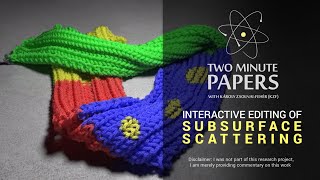
Subsurface scattering is light bouncing inside translucent materials like skin and marble. Simulating it accurately takes thousands of calculations per ray, but a new method lets you edit materials and see changes instantly without re-rendering everything.
Chapters
Dear fellow scholars, this is two minute papers with subsurface scattering means that a portion of light that hits a translucent material does not bounce back from the surface, but penetrates it and scatters many, many times inside the material. Now, if you have a keen eye, you recognize that there are a lot of materials in real life that have subsurface scattering. Many don't know, but our skin is a great example of that, and so is marble, milk, wax plant leaves, apple, and many others. If you would like to hear a bit more about subsurface scattering, check the second part of the video that you see recommended in the corner of this window, or just click it in the description box below. Subsurface scattering looks unbelievably beautiful, but at the same time it is very expensive because we have to simulate up to 30 thousands and thousands of scattering events for every ray of light. It really takes forever. And if you'd like to tweak your material settings just a bit, because the result is not 100% up to your taste, you have to recreate or what graphics people like to say, re render these images. It's not really a convenient workflow. This piece of work offers a great solution where you have to wait a bit longer than you would wait for one image, but only once because it runs a generalized light simulation. And after that, whatever changes you apply to your materials, you will see immediately. You can also paint the reflectance properties of this material that we call albedos and get results with full subsurface scattering immediately. Here's another interactive editing workflow where you get results instantaneously and the result with this technique is indistinguishable from the real deal, which would be re rendering this result image every time some adjustment is made. With this technique, you can really create the materials you thought up in a fraction of the time of the classical workflow. Spectacular work. Thanks for watching and for your generous support, and I'll see you next time.