Is The New Web Browsing in ChatGPT Any Good?
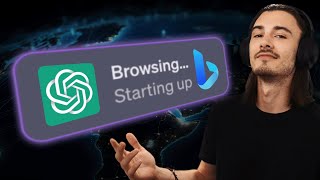
LARRUZ tests ChatGPT's re-enabled web browsing against the May version and WebPilot plugin. The tool frequently fails to browse, returns generic outputs, and respects robots.txt restrictions. For reliable results, copy and paste content directly or use WebPilot instead.
Chapters
ChatGPT just got Internet access. Internet access to GPT4 users is rolling out this very week again, because in May 2023 they released browsing with Bing to everybody, but after a month it just disappeared. But now, end of September 23rd, they re enabled it and everybody with ChatGPT plus has access already. So today we'll look at what is new because something changed, and then we'll go ahead and compare some of the use cases we found back in May to the new version. And at the end of this video, you should be fully informed what's changed and how you can use this to your very own advantage. So to kick things off, here's a quick overview. You need a ChatGPT plus account to access this for now, but the way you enable this is settings, beta features, and then here browsing with Bing. And then you'll be able to go into this dropdown and use it as. So this is just the way it was before, but under the hood it changed a little bit because if you look at the announcement from OpenAI here, they market this as this massive event where ChatGPT has now access to the Internet. But the truth is we've had that because before, through Bing, but also through plugins, if you've been following the channel, you'll know that you can enable this plugin called Web Pilot. And it essentially does the same thing as browsing, but it's not that reliable. So today we won't be comparing Web Pilot or Bard to the new Bing browsing. That's a topic for another video, but we'll simply be comparing Bing now to Bing back in May. So what changed on the surface is this little browsing indicator works a little differently now. It shows you each step that it's taking as a preview. And also they updated the way ChatGPT interacts with this robots Txt file. If you're not familiar, that is a part of every single website and it essentially governs how bots are allowed to interact with the given website. So nobody knows exactly why they took it down, but the public reasoning was that their crawler went behind paid walls and into parts of the website that weren't supposed to be accessed, and that's why they had to take it down. So that changed now, and website owners are going to be able to effectively control how ChatGPT interacts with their site. If you're a website owner, you can go to this page and see how that would be implemented. But today we'll be talking about what this means for you as a ChatGPT user. Let's get into it. Okay, so for the first step, we'll be looking at ChatGPT creating an advertising campaign for us with the power of Bing browsing. So back in May, right on launch, I showed you this very simple prompt that uses a link inside of it in order to gather context from the websites that we share. Okay, so we're going to go step by step and test the same thing and compare the results. So here's the original prompt. We go to browse with Bing and paste it. So as you can see, it's a very simple prompt asking for advertising campaign for my prompt engineering course targeting AI enthusiasts. And then here we have a link. So all we do is press play as before and I'm curious to see how the results changed. Okay, so for the first try I didn't even use Bing. Let's do it again. So on the first attempt it doesn't even use browsing. So as you can see back then it went to it right away. I didn't even have to try multiple times. But it seems like I have to make my prompt more specific. So let's do that. I'll just say review the course URL for more info. Save and submit. And now it does it. Okay, so that's minor, but essentially I needed to be a lot more specific to get this to browse the Internet. And it's done. And what changed here is we don't get to expand this anymore. We don't see the step by step that it followed. It just says finish browsing and then it gives you the information, but it couldn't access the details. So let's run this again. Okay, there you go. Fail number three. It did it. But this is not advertising campaign. And now it finally worked. So certain things didn't change. You need multiple attempts to make this work properly. But there you go. This is the first draft. I could regenerate this multiple times. Seems to work. But what about the results? Are the different, are they better? But honestly, from already what I'm seeing, I don't love this. It's not taking the in depth approach as before and it doesn't give me detailed information from the landing page that I wanted. That's the main point here. So let's give this two, three more attempts before we move on and write this capability off, because this is not what I'm looking for. Yeah, seems like all of these results are very generic compared to the more tailored results that we got back here in May that actually considered what's on the website. So let's move on to the next one. Let's see if this theme reoccurs. But I want to try one more thing before we move on and that is enabling custom instructions. Because I have my own custom set here and now it should be more tailored towards my very own needs. So let's have a look. There you go. That's way better. So you need to be more specific than back in the day, but this is due to the changes in GPT4, not to the changes in browsing. So I like this answer way better already because it gives me more strategies, it goes more in depth. But again, it didn't really use browsing here. Right. So if I regenerate, is it going to keep ignoring it? And yeah, it seems like it keeps ignoring it. So either I'm doing something super wrong here or it just doesn't work. So I would say the first use case here, big fail. Let's see see how it performs with our next test, which is going to be a research task. I would chatgpt to look at YouTube content creators and craft me a message to reach out to them. So here we are. This is the same prompt as Back in May and what I'm asking for is two tasks. First of all, find every AI YouTuber with over 50,000 subscribers. Secondly, use a conversational tone to write an outreach email proposing a potential collaboration. And I'll disable custom instructions here. And the first try just says it will start two hours later, but it never does. Okay, we have a bit of patience, let's try again. Oh, shall I proceed? Yes, please proceed. So it seems like they're using more of a model that is linked to the code interpreter. Advanced data analysis that is more action oriented, where it takes these step by step approaches and talks to you as opposed to GPT4. That just gives you the best thing right away. And no, it can't search YouTube. No, not available. So it's just browsing for a list of AI YouTubers and. And then it does a rough estimate, but this is not based upon real world data. So let's try again. But this is not looking great. It's not able to access what we want it to. But as you can see, every time we rerun it, it ends up in another destination. So if you don't specify anything, it's just going to make its best guess. Another error and okay, here it pulled from this website. I guess this is okay. I guess this is decent. This kind of works. It shows the article it referenced, it's not perfect and it's not taking the data from YouTube as I wish it did, but. But hey, here it asks if it should continue. I'll just say yes again and then we have to say yes again. So this is clearly a different model than raw GPT4 and it finally does what we wanted, but it doesn't do it step by step. It's just not a very efficient way of working. But at least it's got us something. But luckily I have another use case prepared here which should actually get us useful results, as this relies more on ChatGPT's ability to talk to you than it does on external data, although it uses that too. So let's do it. And this prompt comes from this video Land your dream job with these ChatGPT tricks where I use ChatGPT to prepare for an interview. Basically I set it up to be an interview coach that practices with me and here's the prompt. So you simulate a high level interview for digital marketing analyst position and then you give it a bit of context, you give it a job description and this one I had to update from my original test because the last job description is not available anymore. So we're going to go for this data analyst role on Glassdoor and we're also going to include the Microsoft website as context. So I wanted to be aware of Microsoft's mission and vision before it interviews me. So I wanted to be aware of the company's mission and values before it starts interviewing me, because that's kind of essential and we have no resume. So I'll delete this and let's have a look how this works with browsing. Well, it doesn't use browsing again, I have to regenerate multiple times. Okay, but we won't give up here. What if I did the same thing with WebPilot, which is a plugin that essentially replaces Bing because it can search the Internet? Well, there you go. It fires right away. This is what we wanted to see. Right? And just so this is complete, we're also going to test the same prompt on Bing chat here. So as you can see, it decided not to search the Internet although we clearly included multiple URLs. So this is not the way either for anybody in the comments trying to suggest that, hey, why are you not just using Bing? It's just not that good yet. That's why I avoided and yeah, same thing if you rerun it. So this just doesn't want to access the Internet. Let's have a look at WebPilot over here and look, this is what I was looking for. Read the Microsoft website, get the data and then based on that form, your questions. Same thing for the job description. It got all the content and the details, so let's just test it with a simple prompt. What job is this about and what is the salary? If it didn't look inside of the website, it can't know what the salary is. So 121k would be the correct answer and it just completely fails. It talks about a different job, a different salary. Let's give it one more chance. But this is not looking good. Yeah, so now it's better. But it didn't get the details that we wanted. Not great, not terrible. So it seems like if we use Web Pilot, it works better than Bing right now because it actually uses the web search. But let's be real here, not all of the features that are coming out are the next killer use case. And this is one of those examples. This might explain why in their announcement they just said that the new thing is the fact that the websites will be able to restrict the usage. And it feels like a lot of websites did just that. So basically we got the same feature that we had back in May with a new GPT model under the hood that is more action oriented. That's good, I like that. But it doesn't seem to engage the browsing if I need it and that is kind of a big deal. And if it uses the browsing, I have no control over it. It doesn't even show me what steps it took. And generally this is just not a reliable tool right now. So here's my recommendation. If you want to use browsing, feel free to experiment with this. But I'd still rather stick to Web Pilot, which has been my go to replacement over the past three months and it still seems to work well. But don't expect miracles from this either. It's going to be able to go to the website and gather some data, but not all the data. So from this future that we're so excited about where AI has access to all of the Internet and is like fully up to date, it's not the case yet, maybe in a few months, but as of now expect nothing but a surface level search that this will do for you and Bing. Hmm, still not where we want it to be. And here's my recommendation to run this out. If you actually want data from the websites still, the best way to go about it is just deleting this link and including this data from the job description here. Like so and then you can do the same for the company website and then I guess I'll just copy over the values here and then there you go. Here. It works. This is the way to make it work. So you just copy the content into here instead of using Bing browsing and just hoping for the best. This is a controlled way to get results, but hey, maybe somebody had a different experience or they're able to share how they do it. For me right now this doesn't really work. I'm going to stick to copy pasting things into ChatGPT and if you want productive results, so should you. I hope this was helpful and I still encourage you to check out the videos that I talked about today because they're full of interesting use cases with browsing as of right now, just don't expect it to work reliably and be aware of the fact that many sites blocked ChatGPT from accessing them. So while the underlying language model here might be a better one, the browsing function seems to be a weaker version of what we got in spring. Nevertheless, I'll keep exploring.










