Learn ANYTHING With The Power Of ChatGPT Plugins
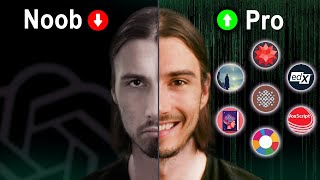
A tutorial-style YouTube video by LARRUZ (June 14, 2023) demonstrating how ChatGPT plugins can augment learning. The speaker argues that plugins let users access curated/opinionated search (Metaphor), course catalogs (edX), interactive learning platforms (Brilliant.org), full lecture material (Open Lecture), YouTube transcript summarization (Voxcript), flashcard generation (Quick Recall), and charting (Diagram/Dagger M). The video emphasizes combining plugins (and optionally WebPilot/Wolfram) to create personalized study workflows and saves time by compressing long lectures or gathering course options. Pricing and practical tips (retrying stuck plugins, forcing plugin use in prompts) are also given.
Chapters
AI is absolutely going to change the entire educational system as we know it. And some of These new released ChatGPT plugins are the canary in the coal mine. Even I was surprised by how much you can actually do inside of ChatGPT. Now when it comes to education, Chat GPT, dude, you can interact with various educational resources across the Internet, directly extract materials from university lectures, and even craft personalized and interactive learning experiences all within ChatGPT. This can save you a lot of time and provide a brand new learning experience which is kind of fun. So with that being said, let's dive right in. And just so you know, all of this info comes from the plugin database that we crafted recently. So if you go to the article that I linked in the description below, you will find a little guide and a link to the notion template. With all of the ChatGPT plugins mapped out and with the search function you can look for certain keywords like education, which will show you 55 plugins. So today we picked the best ones from these and I'm about to show you how to put them to work. So let's start by looking at a plugin that really stands out here. So, so if I go to the plugin store and I look for metaphor, you will get access to an unexpected set of capabilities here because metaphor is all about data that has been actually provided by humans. So you have a layer of human feedback on top of all the objective data and keywords that you find on the Internet. In other words, you layer human opinion on top of objective data. And this can be incredible for learning because opinions narrow down the scope of what you need to learn, what you need to look at, what you need to consider. You gotta have an opinion. Let me show you this. In practice, if you, if you utilize this prompt formula, look for the top number courses for experience level learning topic. So let's just say top 10 courses for beginners learning video production. Now if I send this message, metaphor is going to engage and it's going to use all the ratings and human opinions that are baked into it to provide you with a list that has a little bit more of a flavor than what you're used to from ChatGPT. And there you go, 10 results. And I actually know some of these. And I'll tell you that these are some of the results that are less awesome obvious, which I love. I think here makes a lot of sense to contrast that with the Bing browsing feature. So let's see what ChatGPT4 with Bing browsing enabled comes up with for this query. And there you go, look at that. A completely different set of results. And I would say these are way more general, because if you look at this, it just opened up Bing search for top 10 video production courses for Beginners and clicked one of the top links and gave you that exact list. Now, when I told you metaphor is a little more opinionated, well, that is a good way to initially communicate it. But what's really going on here? There's a concept called neural search underlying underlying this search query, where from all the results, all the links that the people click, all the preferences and reviews, all that data flows back into the search and forms the future results that this provides to you. Their claim to understand the intention and the meaning behind your question, which I found to be true in my searches. So I strongly recommend you play around with this. And as you know, you can even start combining that. So we could turn on Wolfram next to this and combine that layer of understanding to your search with the layer of depth that Wolfram provides. But that one I covered in a different video. Just remember that all the plugins we covered today can be combined with everything else you learned on this channel. All right, so next up, we have edX. So edX is quite simple to describe because what it provides is access to a database of courses, universities, boot camps, training programs, all across the Internet, all across the world. And by using the service and enabling the plugin here, you get to search that entire database. So if I go ahead and say look for the top 10 courses for beginners, learning, machine learning, and you know what, double learning. But that's what this video is all about, right? Yes. So we'll just run this, and as you will see, it will go into that database and give you a variety of choices. And as you'll see in a second here, this one is a little more academic. And all the links here come from within the database. So if I click on any one of these, you'll see it goes to the EDX site. And there you go. Just the first result showed us a Python bootcamp that starts today that I could enroll in right now. A course by IBM, another course by IBM, and by saying three more, we'll get more options here. And this is actually the one I was looking for. Harvard CS50 introduction to AI with Python, and then another Harvard course, and another IBM course. So, as you can see, this is an excellent database. Just be aware that it's limited to what is available on edX, which is a lot. And if you're Looking for courses or boot camps, this is one of the places that you would want to consult today. I would like to introduce you to brilliant.org a one stop learning app that turns expanding your horizon into an exciting adventure. Think of it as participating in the game of learning. Brilliant.org, you see, is your go to resource for mastering math and computer science in the most interactive way possible. For example, picture yourself diving into mind bending concepts while actually having a blast. Pretty cool, right? And that's because Brilliant actually turns learning into a game packed with intriguing challenges and friendly competitions. It's like navigating through a cosmos of knowledge alongside other seekers, all while enjoying the ride. Now, as you might expect, I have a sweet deal for you. You can try out the awesomeness of Brilliant.org for an entire month for free. Just go to Brilliant.org TheAIAdvantage or hit the link in the description below. So why wait? It's time to embark on an incredible journey of learning that'll sharpen your intellect and equip you with the skills needed to stay relevant in our digital world. And you can do that by immersing yourself in the endless galaxy of knowledge with brilliant. Org today. All right, so the next one here literally goes deeper on what we just talked about. It takes the courses, but it actually goes into the courses. You can ask for the materials discussed within. Now, obviously this doesn't work for all courses because not all university courses in the world are freely available on the Internet. But guess what, a lot of them are. And you can access them through the Open lecture plugin in ChatGPT. Now, as I say, this allows for targeted learning. So if you're looking for a specific piece of information from a legitimate source, well, this plugin is your friend. Now, specifically this focuses on college level education and mostly you'll find history, science, technology and philosophy. So let's just go ahead and ask it. Can you explain large language models in AI, but what you will find sometimes that it uses vanilla GPT4 to answer this question. So what I'll do is say using Open Lecture and with this little trick, you force ChatGPT into actually using the plugin you enabled. There you go. As we can show on screen right now, I ran this prompt a minute ago and it actually ended up using only GPT4. So now we're actually using Openlecture and it's going to get you a whole new set of information. And I gotta say, I actually find this a little more useful than the GPT4 explorer explanation, because there it Kind of gets technical. It gives you a bullet point list. And this is structured like a lecture. Look, it starts out by telling you what the point is and then it goes into how do they actually work, what are the applications, what are the limitations? Like that is legitimately the setup you would have with a lecturer that thinks about how to teach this concept. Right? Let's introduce them, then let's tell them about how do they actually work, what can they be used for and what are the limitations. And also you get references to all the four MIT lectures that this was based on. So this is really powerful in my opinion. Whenever I try to learn about a new topic, I enable open lecture because GPT4 would give me something like this. Here's a bit more details on how they work. It talks about training, generation, capabilities, ethics. So the GPT4 result is a great summary, but it's not a learning path that has been carefully laid out for you. Okay, moving on to the next plugin, we're going to talk about voxcript, which does one thing very well. It searches all of YouTube's transcripts and provides you with that information inside of GPT4. Very useful stuff, as per usual. We'll go into the plugin store and install the voxcript plugin. And for this example, I'll take this interview with Sam Altman that came out recently, super recent and inside of ChatGPT. I'm just going to say create a short summary of the video and then I post a link with Vox script enabled. Once I run this, it will summarize the entire transcript of this video without me having to watch the 30 minute conversation. Now this is extremely useful for obvious reasons. You can compress hours of lectures into minutes of reading or maybe even seconds. Look at how short this is. Nice. Now, will you miss some information? Obviously. But as you might already know from watching the channel, you can take the context that this provides and keep going with it, create articles from it, do further research, or interactively ask questions about the content right here within ChatGPT. Very powerful stuff. So now the only limit is your creativity because this really unlocks all of YouTube University, which is a genuine thing in 2023. And here's an extra tip. If I actually enabled Web Pilot, which is a plugin that gives you capabilities that are similar to browsing with Bing and GPT4. So now if I let it generate the summary and I follow up with what are the most important parts of the video based on the current news in AI, it will use WebPilot to search the Internet. Take the key pieces of information and news and contrast that with your video and it will actually make the content extremely relevant to what is happening today in the world. And if I run this prompt, it will give you a list of the most important parts of the video based on today's news. And honestly, combining a long form interview of one of the leaders within this space with current news gives you some of the best basis for research and article writing or whatever you might be doing with this information moving forward, you can literally prompt it to do anything from here and you have all the context that you need in this answer. Okay, and the last category is going to be about generating interactive study materials. And firstly it's the hidden ability of GPT4 to generate flashcards for you. If you're not familiar, these are great for memorization or test preparation. What you will need to do here is sign in with Google, but once you did that, we can enable the plugin and create some personalized and interactive study materials for for ourselves. And what I'll also do here is enable the WebPilot plugin as we're using this as a browse with Bing substitute and by saying using WebPilot plugin, search and create a list of 10 essential AI terms with beginner friendly explanations. Then use the Quick Recall plugin to create a deck of flashcards. And I'll just go ahead and run this and let's see what we get here. And look, as you can see, WebPilot also fails just like Bing does sometimes. And if it gets the stuck like this, what I do is I just stop generating and rerun the prompt. And usually one or two reruns do the trick if it gets stuck. And there you go. Second attempt works perfectly. It's generating various AI terms for beginners. And in the end it should use the Quick Recall plugin to create flashcards for us, which we can then talk to with ChatGPT. There you go. And I hope you're picking up on these little tips that I kind of sprinkle all over the video, because really by using the name of the plugin and saying then use the Quick Recall plugin, you can set up a sequence of operations. So first we want to research and then we want to create the feature flashcards, right? Not the other way around. But again, as per usual, you can copy all these prompts from the video's description. Okay, so this did take three attempts, but it generated flashcards from the 10 terms that it researched on the Internet. And now we have custom and interactive learning Material that we can actually use within ChatGPT. Look, if I follow up with the prompt, start reviewing the flashcards, ask me about what's on the back, and I will answer with the word on the front. And with that we have an interactive learning experience within ChatGPT. And you can obviously even take this and use it for your lecture, skills classes or just self learning within here. But here's the first one. All right, let's start the review. Here's the first card. This term refers to the capability of a machine to imitate intelligent human behavior. It's about creating machines that can learn from experience, perform tasks usually requiring human intelligence and improve their performance over time. What is the term? And now I need to provide the right term. I think we're talking about the broad term of artificial intelligence here. Let's see, let's try that out and see if this is correct. Oh, and look at that usually tells you if it's correct or not. And here it just continues to the next flashcard. But if I look above, I can see that the front was what is artificial intelligence? So my answer there was correct. And if I read the next one, my guess would be machine learning. And just like this, you can keep talking to ChatGPT and it will keep asking you questions and it will keep quizzing you by itself. I personally really love this approach. So again, if I look above, indeed, that was machine learning. Okay, so the last plugin for today is a very powerful one. This one is called Dagger M, AKA Diagram. And what this allows it to do is very simple, yet extremely useful. It allows you to build charts, graphs and even more. So let me show you in practice what this actually does. And as we did before, I'm going to enable web pilots to get browsing here. So what I'll do here is run a simple prompt, use web pilot to collect data on the rising adoption of the Internet. Then create a bar chart using diagram to analyze and visualize increase over time. Perfect. Let's see what we get here. Nice. So this worked perfectly. Look, it got all the exact data from the Internet. Now it's creating the bar charts to visualize our data. And there you go. This is exceptionally good for a quick prompt inside of ChatGPT. You can even access it on their website. So as you can see, when it comes to education, the possibilities here are vast. But the real power hides when you start combining some of these plugins because a lot of times they do one specific thing right, they create diagrams or they look into lecture materials. But you can start combining those specific specific things. I showed you a few examples, but by accessing the full plugin database you can go way deeper than that. Come up with your own combinations and then please go ahead and share them in the comments below or in our Discord server. The power is within your hands now and for $20 a month for ChatGPT plus this is really unparalleled value if you find a use case for this to further yourself or your professional career. Now if you enjoyed this video and you want to learn more about a specific plugin that is probably the deepest of them all, check out this video about Wolfram because that plugin is really exceptional when it comes to the possibilities. It is super so deep and it is so multifaceted. I really recommend you check out this video because by combining Wolfram with some of the stuff we discussed in this video you'll be able to go further than most people with the power of GPT4 and plugins.










