Make PASSIVE INCOME Selling AI Puzzles! (Don't be late!)
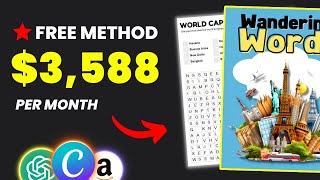
LARRUZ shows how to create and sell word-search puzzle books on Amazon KDP using ChatGPT, a free puzzle generator, and Canva. Pick a niche with ChatGPT, generate puzzles, design the book in Canva, and publish on KDP. Translating into other languages reaches less-competitive markets and increases revenue.
Questions this video answers
August 13, 2023
$3,500 per month (estimated)
$1,600 per month (estimated)
$2,800 (estimated)
2,020 topics (speaker's request)
Chapters
This puzzle book came out three weeks ago and it's making an estimated $3,500 per month. And this one came out only two weeks ago making an estimated $1,600 per month. Or what's even crazier, this book was released at the end of the last month and it's getting lots of daily sales with an estimated revenue of $2,800. So in today's video I'll show you how to beat your competitors by starting a similar business but 10 times faster with the help of AI from coming up with product ideas. All the a professional looking product and if you keep watching, I'll give you a powerful trick to 10x your revenue. So I was looking through Amazon's best selling products when I came across the new releases in word search games and what left me speechless was that these books were published less than a month ago and are already generating thousands of dollars in revenue. And as you know, everyone can create and publish similar books using Amazon kdp, which you'll learn in today's video. To get started, you must come up with a theme for your book and this could be, for example, something about summer, maybe trav, dogs, nature, etc. There are different ways to come up with a niche for your puzzles, but I'll show you two of my favorites. The first will be by heading to ChatGPT and asking to create a list of niches for word search books. Once you do that, you'll get broad niches and from there you can begin narrowing down the results. So let's say you like the transport and vehicles niche. Basically ask the chatbot to give you a list of topics related to transport and vehicles. As you can see, we now have sub niches related to the main niche and you may now create a book about classic cars, motorcyc, air travel, space travel and more. After that you need to start analyzing these ideas and check how similar books are performing. The second way to find ideas is using the best sales and new arrivals. All of these books are proven to work and are making money, but of course we don't want to copy the idea as it is. So let's say you want to create a word search book in the dog niche like this one. Simply head to Chat GPT and generate a list of topics related to dogs. That way you can pick a sub niche and create something similar to what's already working. But if you don't have the time or tools to research, don't worry. I've compiled a list of 50 winning niches for Word search books. Each has been hand selected and analyzed so you don't have to. So if you're interested, you can check the list by clicking the first link in the description. And now let me show you the product I decided to create. So I did more research and found that books targeting adults are currently popular. And this travel theme book is doing great now. So why not create something similar? So I first went through the listing to learn more about the product. After that, I went to ChatGPT and asked to generate a list of 2020 topics related to travel. And based on these different topics, we're going to create our book. I plan to create two puzzles for each topic, giving us a total of 40 puzzles at the end. And you can do more or less as you like. I'm just showing you an example. As you know, word search puzzles contain two main elements, the words that need to be searched and the puzzle itself. Let's generate the words. First. Simply ask the bot to create a list of words related to the first topic, which in my case world capitals. And to make it more engaging, I asked to include a fact related to the topic. So people, while having fun, I asked for 20 words. As I plan to create two puzzles per topic with 10 words each. So all you have to do next is keep generating the words until you finish all topics. Then I suggest making a Google sheet that lists the topics and the words to keep everything organized. And once you do that, it'll be time to create the puzzles and finish the book on Canva. So to create the puzzles, we'll use this free website, which I'll put a link to in the description box. The title is not necessary and you can put anything here. And then you have to choose the number of rows and columns and that depends on you want your puzzles to be. In my case, I'm targeting adults, So I think 15 by 15 will be good. After that, you need to enter the words. Simply head back to the spreadsheet and copy the first 10 and then paste them here. Then you need to choose the word directions. Again, that also depends on the difficulty of your puzzles. After that, you can choose the colors. I prefer black for the text and light gray for the grid. And for the solutions, also black and gray. Once you're done, click on Generate Word Search. And finally click on Download Puzzle Image and Download Solution Image. And as you can see, you'll get two images, the PU puzzle and the solution. After that, you can replace the words with the next 10 to generate the next puzzle and keep doing the same thing until you finish all the topics. I also recommend creating a folder for each topic that includes the puzzles and the solutions just to keep everything organized. So after creating the puzzles, you can start designing the book's interior on Canva. Start by determining the size of your book. To do that, check similar listings on Amazon to see what book size they use. So as you can see in this example here, the book's dimensions are eight and a half by 11 inches. After that, head to Canva custom design using these dimensions. Start by uploading the first puzzle and placing it in the middle. Then you can add a new text and enter the search words. You can also add the topic name, puzzle number and some illustrations if you like. After that, click here to duplicate the template, change the image and text with the new puzzle, and repeat the same process until you finish all topics. Then you can start working on the solutions pages which will be at the end of the book. Simply add the solution image alongside the puzzle number and do that for all puzzles in your book. Once you're done, download as PDF, print and move on to the next step which is cover creation. And again, you'll need the correct dimensions. Head to Google and search for Amazon KDP Cover calculator. Open the first link and fill in the required information. After that, click on Calculate Dimensions and then Download Template. After downloading, head back to Canva and create a new design according to the dimensions from your downloaded template. But what I like to do before I start designing is to upload the PNG file and drag it into my template. Then press Shift+R on your keyboard and you'll notice a ruler appears on the screen. Then use the ruler to create guidelines based on the template to ensure your design fits correctly and then you can get creative and start designing the book cover. This is how my cover came out. I used ChatGPT to come up with the book name and midjourney to generate the illustrations. I suggest placing your downloaded template above your design and reducing transparency to make sure your design fits correctly. Once you're done, download the COVID as a PDF print. And just like that, your Word search puzzle book should be done and all you have to do is publish it on Amazon. If you don't know how, you can check out this video on my channel where I show you step by step how to publish your book on Amazon. And now as promised, let me show you what I think could help boost this business. As you know you can publish your book in different marketplaces on Amazon and what I think would work is to translate your book into other languages to target different audiences. Also, the competition will be less because if you search for word search books, you'll notice over 20,000 results. But if we search for Spanish word search book, you'll notice the results are down to 1,000 only. I found this listing that offers a Spanish word search book. It was published four months ago and now takes over $1,000 monthly and this Italian version also makes $1,200 per month. So let's say I want to translate my travel book book into Spanish. Start section by section and ask the Chatbot to translate into Spanish, and you'll realize you'll have the entire book translated in a few minutes. After that, you can repeat the same process to generate the new puzzles. Then head to Canva and make the necessary changes to the template, save it as a PDF, print and upload it to Amazon. And by doing this, you'll increase your chances of making more sales by targeting new people. Thanks for watching and good luck. If you've made it this far in the video, then I'd like to say thanks for your support and I want to congratulate you for being one of the few people who takes everything seriously.










