Massive ChatGPT Upgrade Is Here (Vision and Voice)
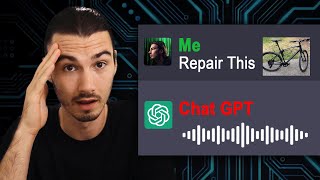
ChatGPT now has vision and voice. It reads text in images, understands scenes, and speaks back with a text-to-speech model that can clone voices from a few seconds of audio. The update struggles with faces and raises privacy concerns.
Chapters
OpenAI just revealed ChatGPT's brand new capabilities. Now you're going to be able to upload images and use your voice to interact with ChatGPT, making these models useful to so many more use cases and people. This, plus their new voice model is going to be able to recreate your voice from just a few seconds of you talking. So what exact capabilities have been added here and what does this mean for your use case of ChatGPT in your everyday life? They're not playing around here. This is a serious update and we're about to break down every detail of it. All right, so first let's talk about the biggest part of this announcement, which is the image recognition. So let's have a look at the demo of this feature that shows off how ChatGPT is going to be able to take in your images. And if you're looking at this and telling yourself, hey, Igor, that's fantastic, but other large language models are already able to do this. Even midjourney can take an image and describe what's going on in it. Well, the point is that this is not even close to any anything we've ever seen before. This goes in depth, it can read text properly and it understands the relationships of the various objects in the frame. But to really understand this, we need to go back to March 2023, when OpenAI announced GPT4. And if you remember correctly, the entire announcement was based around showing the multimodal GPT4. Not sure if you recall this, but Be My Eyes was one of their launch partners. And essentially they were saying, hey, this multimodal model is going to be used to help people without eyesight. And then back in March already they showed examples of how well this performs forms. Right? So this was one of the examples. Two shirts in different colors, and then it just recognizes it perfectly. All right, that's pretty basic. But then beyond that, they showed the second example, and this is the one that is unmatched until today. It's free images that result in a joke, right? And this difference in quality is what I'm talking about here. Because if you look at some of These other multimodal AIs, they're just not that good. Several of these have these image recognition capabilities where you can feed an image into it and then it recognizes it. And here's a Reddit post from three weeks ago where somebody got access to Be My Eyes that has early access to these features. The level of detail and deep understanding of a picture like this is unmatched. I mean, look at that it picks up on the text, it picks up on all the little details inside of this picture. So yeah, obviously we'll test this extensively on the channel, but the point here is this is far beyond everything that we have access to as of now. And why is this so interesting? Well, because you're going to be able to feed it essentially every single photo you have on your phone, every document or even a screenshot. The variety that image recognition brings is, is really unmatched and for a lot of people it's going to be easier to communicate that way than specifying the right words in the right places inside of the prompt. And look, you can even draw on top of images, making the input more specific as per usual, resulting in more specific outputs. But at this point this should be noted that there is a massive weakness of this capability. It's not good with people and it's not going to be good with people anytime soon. Look, even in the blog post it says ChatGPT is not always accurate and these systems should respect individuals privacy. So while I think that even if they had these capabilities, they wouldn't release them due to privacy and safety concerns, as of right now, it's not going to be good on picking up on people or their facial expressions, which would obviously be one of the biggest unlocks here. Not happening right now though. That is a major limitation right here. But for anything utility based, what a feature this is, you're going to be able to replace a lot of YouTube tutorials by just taking a picture of your problem and asking how do I fix this? Or how do I achieve XYZ outcome? And before we move on to the next point, which is the voice recognition and voice generation that they added, now you have to realize that all these new features are going to live on top of top of what it already does. It adds to the picture, it expands the functionality. It's not like this is a separate thing. You can still prompt with words only, but now you get the option of adding a picture. But now let's talk about the next feature which is the new voice features. So essentially they're adding a mode where you're going to be able to use your voice to input and then ChatGPT talks back to you. So you're going to be able to have a conversation with this.
We want to hear a bedtime story. Tell us a story about the super duper sunflower hedgehog named Larry. Start with telling us a little bit about him. Larry was a unique hedgehog unlike any other.
Now if you follow the Channel. You know that I've created a tutorial on how to do this yourself as a beginner a few months back. Right. We use Telegram and you could have voice input and output and we just used a little bit of code to achieve that. But now you're gonna have the capability natively inside of ChatGPT. But that's not where this ends. Because at first I saw this feature, I was like, all right, been there, done that. Talking with AIs, with your voice. Sounds great in theory. In practice, it's not that practical. I have it on my phone, I don't end up using it pretty much ever, to be honest. But that's not what this announcement is about. This is just one of the things they're doing with the new capabilities. But there's something new and really big here too, and that is the fact that there's a new text to speech model by OpenAI. So up until now, they only had voice recognition, Right? So when I spoke into my phone, you could use Whisper, that we also covered multiple times on this channel to transcribe your voice, so you could turn your voice into text. But what changes now is that you're going to be able to change text that comes out into voice. Now, if you're an AI enthusiast, you already know that there's many companies doing this, right? 11 labs is the highest quality one. And then there's a plethora of alternatives like Uber Duck that you can use to emulate other people's voices. But with most of them, the quality is not that high. And what they did here is their brand new model is at a quality level that I would essentially call equally as good as 11 labs, which makes this big Best in class. And here's the crazy part, you're going to be able to use a few seconds, just a few seconds of your very own voice to create your own voice model. Now, I know what you're thinking. That is scary. And they're also thinking this because they're not rolling this out to everybody yet. Yes, this is already available with other companies, but rolling this out natively with ChatGPT is a whole different beast. And that's what they're holding up for now, but it's pretty much ready to go. And they're integrating a part of that functionality here. And the part we're getting is they took five different speakers, recorded their voices, and that's what we're getting right now. So you're going to be able to use the speaker voices to voice your messages. Let's Just briefly look at some examples here so you understand just how good this is. So here's an explanation from let's say, Amber. The phrase potato potato comes from a song titled let's call the whole thing off. That's really good.
And then let's use Sky Think the phrase potato potato.
And maybe a quick story from COVID Once in a tranquil woodland, there was.
A fluffy mama cat named Lila.
Not bad, right? But hey, we've seen this before. Why is also this part so interesting? Well, it's because of the other features of ChatGPT that are so capable. This thing is super powerful once you combine it with the reasoning of GPT4. And this is perfectly illustrated in a practical example by their partnership on launch here. Because what they're doing is they're partnering up with Spotify and they're using this technology for voice translation on podcasts. How do you think what this means is that you'll be able to have every podcast in every language seamlessly, right inside of Spotify. That's pretty amazing. If you don't speak Spanish, you're going to be able to open up any Spanish podcast and say, translate to English. And then in the voice of the speaker, it's going to translate it to English. So we're getting image recognition and voice capabilities. But if you bring that together with the capabilities of GPT4 and the new Dall E3, you get a beast of a pride product because you're going to be able to put in images, get images out, you're going to be able to interact with voice, get voice back out, and all of the knowledge of GPT4. So now, as per usual on this channel, the big question here is what actual use cases is this going to unlock? Because as you know, I always try to cover the practical aspect of these tools. So let's just spend a few seconds looking at some use cases from my free ebook that you're probably familiar with, and let's see how these would change with the brand new release. So first one right here, generate ideas. So here in the original prompt, we manually asked it to come up with eight ideas for a workshop and then we gave some specifics. And here's the deal. You're not going to be giving up on this prompt, right? You can still use this, but what you could do now is you could upload images of flyers of other workshops that you're looking at where you find the offer really enticing, and then it's going to use those flyers in the idea generation. So this one is actually a great example because we're asking it for a step by step instruction on how to start a vegetable garden at home. And then we struggle to give it context for what our current vegetable garden and situation looks like. Well, what if we just shorten the prompt like this and provide an image of the location where the vegetable garden is supposed to be located? Providing that image is going to give it so much more context. And doing that manually would take sentences. And most people couldn't be bothered to do that. And that's why I think this is such a big update, because you're going to be able to add detailed context. And as you know, detailed context produces details, detailed and high quality answers. But most people are not good at or not willing to add that. But now you can just use your phone, you snap a picture and the context is right there. You're going to be able to infuse your prompts with a lot of context really easily. And as you know, a picture says more than a thousand words. So look, it is yet to be determined what exact use cases are going to really stand out. But one thing is for sure, this is going to make the entire model so much easier to use because all you're going to need is a short prompt and the image for context to get useful results. And then if you add custom instructions on top of that, you have the instructions in the prompt, your personal context in the custom instructions, and the image is going to provide all the other context that is needed. You know that I have dozens of tutorials on prompting on this channel. We explored custom instructions, plus we now offer a service where we create a personalized set of custom instructions just for you and your role. And then we're going to explore this image recognition capability in a lot of depth work, going to be contrasting it with all these use cases. We're going to be looking across the Internet and showing you how to enhance your very own life with these powerful new capabilities. I'll see you soon.










