Microsoft COPILOT - Your New AI Best Friend
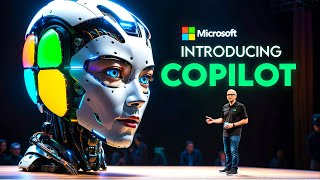
Microsoft Copilot is an AI assistant built into Windows 11, Bing, Microsoft 365, and Designer. It can search your files, draft documents, generate images with DALL-E 3, edit photos, and analyze data. Access it from the Windows 11 taskbar with Win+C or through Bing and Edge.
Questions this video answers
September 26, 2023.
Win + C.
DALL·E 3 (referred to in the transcript as Dall E3 / Dalle three).
50 inches and 85 inches.
Surface Pen, Surface Mobile Mouse, Surface Laptop Studio 2, Surface Laptop Go 3, and Surface Hub 3.
Chapters
Microsoft has just announced its next step in AI integration, Copilot. This is a new feature that combines the power of chat interfaces and large language models with real world applications. In this video, I'm going to tell you everything you need to know about Copilot and why it's going to change the way you work and play. So Copilot is basically an everyday AI companion that helps you with a variety of tasks, from finding information on the web to to creating content to learning new skills. It is integrated across Microsoft's product range including Windows 11, Microsoft 365, Edge and Bing. You can access it as an app or with a right click on your PC. It uses contextual understanding to harness the web, your user data and your real time PC activity to give you personalized and relevant suggestions. And it does all this with a seamless user experience that lets you chat with Copilot like a friend. And it's actually pretty easy. It will be available with the free Update to Windows 11 on September 26th. So if you have a compatible device, you'll be able to get Copilot with this update. And if you don't have a compatible device, don't worry. It will also be available on Bing, Edge and Microsoft 365 in the following months. So you can still enjoy the benefits of Copilot on the web or on your mobile devices. Now, let me show you some of the amazing features and applications of Copilot that will blow your mind. First of all, let's Talk about Windows 11 and Copilot. Windows 11 is the latest operating system by Microsoft. It's designed to be faster, safer, and more visually appealing. And with Copilot, Windows 11 becomes even more powerful and productive. You can use Copilot to speed up your tasks and ease your cognitive load. For example, you can ask it to find files, open apps, set reminders, or send emails with just a few words. You can also use it to learn new things or get help with your homework. For instance, you can ask Copilot to explain a concept, solve a math problem, or generate a summary of a text. And you can access it from the taskbar or by pressing Win C on your keyboard. Now, Windows 11 has also improved AI driven features in apps such as Paint and Photos. For example, in Paint, you can use Copilot to generate realistic images from text prompts using the Dall E3 model from OpenAI Web, which is an advanced new neural network that can create images from text prompts. You can use it to create logos, icons, illustrations, or anything else you can imagine. Just type what you want to see in paint and let Copilot and Dalle three do the rest in photos. Copilot lets you professionally edit your pictures. With tools like Generative Expand, you can extend your photo's background while maintaining its quality. The Fill feature allows you to substitute unwanted objects or people with realistic content. Meanwhile, the Erase tool helps you effortlessly get rid of blemishes or imperfections. Next up, let's talk about Bing and Edge. As you may know, Bing is Microsoft's search engine and Edge is their web browser. Now, with Copilot, Bing and Edge become even more intelligent and personalized for you. One of the coolest new features is the Bing Image creator. This new tool, powered by copilot and Dall E3, lets you craft amazing images for various purposes like social media, graphics, invitations, and logos. Just tell it what you want and Copilot will suggest designs Another feature of Bing and Edge is the personalized search experience based on your user chat history. This means that Copilot will remember what you asked before and use that information to give you better results in the future. Suppose you asked it last week about the history of jazz music. Now, if today you're searching for popular music venues, it might recommend jazz clubs or places known for live jazz performances. If you enjoy online shopping, Microsoft Shopping offers an AI enhanced experience to help you find great deals and compare prices from many retailers. With Copilot, you can search for items, get suggestions, read reviews, track your orders, manage your favorites, and even earn cash back. Additionally, Bing and Edge also support a new feature called Content Credentials. This is a way to watermark AI generated images for authenticity and provenance. Content Credentials allow creators to attach extra information to their images when they export or download them. By including this information, creators can receive more recognition for their work, connect with others online, and enhance transparency for their audience. And it is also useful for consumers who want to verify the source and quality of the images they see online. Now let's move on to Microsoft 365 copilot, which is the suite of productivity apps that includes Word, Excel, PowerPoint, Outlook, and Teams. And now with Copilot, Microsoft 365 becomes even more collaborative and creative for you. One of the key features here is actually a new AI chat. This is a new AI assistant that helps you with your enterprise tasks. You can use it to create content, catch up on what you missed, and get answers to specific work questions. In Word, you can draft documents, improve grammar, and generate summaries with this tool in in Excel, Microsoft 365 Chat helps you create charts, analyze data and get insights in PowerPoint. It assists in designing slides, adding images and creating captions in Outlook. It's useful for composing emails, setting reminders and managing contacts in teams. AI Chat helps you work with colleagues, share files and participate in calls. This new feature uses contextual understanding to harness your work data and apps to give you personalized and relevant suggestions. It also uses natural language processing to understand your queries and generate natural responses. And it uses large language models to create high quality content that matches your style and tone. This new AI chat is both a work and learning tool. It helps you explore new features in Microsoft 365 Apps and learn skills related to your interests. It's also a great way to receive feedback on your performance. Think of it as your daily AI companion and enhancing your creativity, productivity and skills. Finally, let's talk about how Copilot enhances Designer, which is a graphic design tool that enables you to craft high quality visuals quickly. The app incorporates AI and again leveraging OpenAI's Dall E3 to produce images from textual descriptions. It also offers innovative features like Generative, Expand, Fill and Erase to improve your designs seamlessly. Integrated with Microsoft 365, designer can be accessed from any associated app or the web. It's compatible with apps like Word and PowerPoint, allowing easy import or export of designs. Think of Designer as your go to AI companion for rapid and impressive design work. The File Explorer is getting an update too, and now it has a clean, modern look. The old complicated interface is gone, replaced by an easy to use homepage, a clear address bar and a faster search box, making it simple to find and manage files. It's not just about looks though. The new Gallery feature is great for photographers and those who work with visuals as it makes viewing photos easier, almost like using a built in photo app. There are also new updates that let people keep track of file changes without having to open them. Now, with the rise of hybrid work environments, collaborative tools have become more crucial than ever. One of these tools is Microsoft's Surface Hub 3. It's a device that aims to improve how we work together. It's compatible with Microsoft, teams rooms on Windows and has a clear display available in two sizes, 50 and 85 inches. What's special about it is the AI enhanced features. The 50 inch model, for example, brings new features for working together. It has Portrait, Smart Rotation and Smart A V that change the way teams can use content. But the part that stands out the most is Copilot in the whiteboard app. This feature, along with Cloud intelliframe, makes brainstorming and visualizing ideas smoother than ever before. Alright, so essentially, Copilot is a feature that blends chat interfaces and large language models for practical uses. It works on Windows 11, Bing Edge, and Microsoft 365. Devices like the Surface Pen, Surface Mobile mouse, Surface Laptop Studio 2, Surface Laptop Go 3, and Surface Hub 3 are specially designed by Microsoft to highlight Copilot's AI capabilities. These devices not only support Co Pilot, but also enhance the AI experience. With them, you can access Copilot anytime, anywhere and interact through typing, speaking, writing or drawing. Okay, I hope you enjoyed this video and learned something new. And if you did, please give this video a thumbs up and subscribe to my channel for more updates on AI. Thank you so much for watching and I'll see you in the next one.










