Microsoft's New AI AGENT Computer SURPRISES Everyone! - New AI CO-Pilot PC
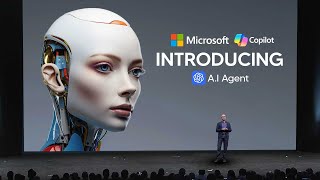
LARRUZ demos Microsoft's new Copilot PCs and Surface Pro, showing Recall (a searchable timeline of your past activity), Jarvis-style in-game guidance in Minecraft, Co-Creator for AI-assisted image generation, and real-time live captions. The devices use local processors for speed and offload heavier tasks to the cloud.
Questions this video answers
It translates from over 40 languages into English today.
Chapters
So Microsoft literally just demoed one of their amazing new products, their copilot AI PCs that are literally going to change how we use computers. And if you don't believe me, please watch the video until the end before you make a comment, because what I saw is truly stunning. So let's take a look at the trailer and then I'm going to show you guys some of the unique features that this really does offer. So that was a really quick overview of some of the things that are going to be coming. But this video is going to show you guys a few of those things in a lot more detail. So one of the things, and this is where I say I truly do believe that things are about to change, is the Co Pilot plus games or Co Pilot plus computer. So this is truly science fiction, because this is essentially Jarvis. So if you don't know what Jarvis is basically, in Ironman, there was an AI system that was connected to pretty much every application and it was able to see things and be able to be your virtual assistant. That was really, really good. So basically what we're about to see here is a demo of Copilot helping someone who is playing a game, they're playing Minecraft, and they're literally able to, in real time, get feedback on what they should be doing. I think it is really, really futuristic, but take a look at the demo because it's pretty crazy.
Hey, co pilot, how's it going? Hey, I'm doing great. And it looks like you're about to dive into some Minecraft, ready to build, explore, and maybe dog a few mobs.
Yeah, I'm trying to figure out how to make a sword.
My son plays this game all the time and I have no idea what I'm doing. No worries. I'm here to help you impress your son. I see you've got a crafting table in front of you, which is a great start. To craft a sword, you'll need some materials. Can you open your inventory just press E on your keyboard? Yeah. Do I have what I need? Let's see. You've got some sticks, perfect for the sword's handle, but it looks like you're missing the material for the blade. You can use wood, stone, iron, gold or diamond. Let's start by gathering some wood or stone. Shall we head out and find some resources? Yeah, that sounds great.
Oh, my God. What's that?
Oh, no, it's a zombie run. You need to get away from it fast. Either sprint away or quickly build a tower of blocks straight up to get out of its Reach if you can find a shelter or dig into the side of a hill, do it now. Just make sure it can't reach you. Alright. I think I might be safe now. That was a close one. Great job finding shelter.
Yeah.
Do I have what I need? Let's see. You've got some sticks, perfect for the sword's handle, but it looks like you're missing the material for the blade. You can use wood, stone, iron, gold or diamond. Let's start by gathering some wood or stone. Shall we head out and find some resources? Yeah, that sounds great.
Oh my God, what's that?
Oh no, it's a zombie run. You need to get away from it fast. Either sprint away or quickly build a tower of blocks straight.
So, yeah, I think this demo is what surprised me most because surprisingly, no one's built this just yet. And I think this is a product that we could all use. I mean, you know, I don't think I need help in certain video games, but I think with regards to certain computer tasks it actually might be pretty useful. So for those of you who are pretty tech savvy, you might think, okay, why would I ever even use this? What is the point of this? But think about it like this. For example, you've got a kid who wants to learn how to play a game, or you've got someone elder who's trying to get to grips with a certain, maybe a game, a certain piece of technology, a form that they're trying to fill out. This kind of, you know, I guess you could say application has a lot more use cases than the standard generative AI chat interface. So imagine an elderly person trying to correctly fill out a form and you know, you can talk back and forth with your system asking it, which, you know, things I should click on and in some cases in the future what will happen. And this is what my prediction is for the future of things. And there's going to be some more cool demos in a moment, but the AI is going to be able to do some of those moves for you. So you're going to be able to be like, okay, I need a paragraph on this and it's going to be able to write that you're going to be able to talk with it. So I think this just shows us a small glimpse into the future of what's to come. Now there was also something really, really cool that I think has a lot of different applications. Whilst yes, I think this Jarvis feature is so cool for video games and just a million different things. Like for example, I mean, you Know, you could literally be like, editing a project and, you know, you could play back the video, see how well it is. You could be, you know, designing a poster. I mean, there's just a million different things you could do. But I think this new feature here, this is called Recall, and this ability to have basically unlimited memory. So I want you guys to look at this because this is pretty, pretty crazy. And this entire video is going to show you guys pretty much the first time that I think we're going to get that huge technological innovation that truly changes the way we use computers. To show you Recall, I'd like to welcome our product leader on Windows who built this incredible new capability, Carolina Hernandez. Welcome, Carolina. Thanks, Carolina. Thank you. Give us an overview of Recall, please.
Yeah, absolutely. I would love to. My team developed Recall to help you find anything you have ever seen or done on your PC. We leverage the power of the MPU to ensure content stays in your device, which makes the experience experience fast and maintains your privacy. Okay, let me show you a few ways that Recall helps me. Like all of you, I am constantly jumping between different tasks throughout my day, managing my time between a career I am passionate about, staying connected with my family and friends around the world, and the hobbies that I love. Rico helps me get through all these tasks more quickly. My family and I have been searching for the perfect dress for my grandmother, who lives in Colombia, to wear at my cousin's wedding. I've been browsing Pinterest in shopping websites for some options that I can share with her. After looking for options for a few weeks, I wanted to go back and see some of the favorite blue dresses I have found. But I didn't keep all my browser tops open. With Recall, I can just search for blue dress, and it pulls together all the dresses I have seen. Now, Grandma decided that she wanted to get the awesome pantsuit that we shared in our Discord chat about three weeks ago. Now, scrolling through multiple weeks of chat messages to find that specific dress would have taken an eternity. Instead, with Recall, it was easy. I refined my search using descriptive language. Blue pantsuit with a sequin lace from Abuelita. And as you can see, Recall quickly found the Discord chat my family and I were using to discuss the options. And here it is. The dress that Abuelita liked. Recall analyzes the snapshot and it gives me options for what I can do next. In this case, I want to click the link, which takes me back to the right web page where I can make the purchase. And now Grandma has a gorgeous Outfit for the wedding.
This is a great example, Carolina, that I think is going to show how recall is so helpful for people. But one thing I'm not sure people notice is you used the word peacock, but it wasn't anywhere in what you were searching for. How did recall recognize that and what's going on behind the corporate covers?
Yeah, absolutely. So recall can understand that peacock is in the family of the blue hues. So it creates that semantic association that is used to help me find the dress. Recall is also essential for me at work. Like many of you, my team and I spend a ton of time collaborating on presentations and documents. For example, over the past few weeks, we have been collaborating on a presentation for a product pitch. The deck was created by my partners in the marketing team. And when I finally got around to add my content, I could not figure out where to look for the deck. I tried to remember was a deck shared in the call. Maybe I had seen it in an email or maybe I could go and find it in my recent files in PowerPoint. I don't really have time to spend clicking around, but with recall, I no longer have to go on a searching expedition. I remembered in the outline we had added a purple chart with writing, a chart with purple writing. And to find the PowerPoint, all I had to do was simply use my voice to search for that clue that I remember. In a few seconds, Ricoh found the deck for me and notice that it took me to the exact slide that I remember, saving me even more time now to put the finishing touches. I wanted to add the final marketing line but couldn't remember the exact words. I did remember that Nikki shared it in the planning meeting on teams last Tuesday. With timeline and recall, I was able to scroll back in time and find the snapshot of that meeting. I was then able to quickly copy that quote and add it to the deck. And then once again, recall made it easier for me to find the information just using the clues that I remember. Now these are just two of the examples of how I use recall on a daily basis.
So I thought that was rather impressive because once again, this opens up a huge, huge amount of opportunities because with recall, it's basically like having unlimited memory for your computer. I'm sure we literally all do a million different things on our computer and sometimes we often do forget things. And what this allows us to do is this literally allows us to recall anything we've ever done on our computers. And I think, I think that what we have here is something that's truly, truly impressive. And pretty game changing because you can imagine a scenario where you know, you need to find an important email, you need to find an important document that you're working on, or you need to find, you know, something like an article that you're viewing and you really enjoyed it. You're literally able to go back, view that and immediately get that information. And you can see here. I think one of the most impressive things about this wasn't the fact that this was some kind of basic search history, was the fact that you could literally in natural language describe what you're looking for, like a blue pantsuit with, you know, sequin lace from Abuelita and then you could immediately find what you're talking about. So the visual matches and the text matches are really, really important and really, really key. I think this is going to be a really unique feature because it's integrated directly into your PC so it allows you to just literally remember anything that you've done. And I think another thing that would be cool in the future is that, you know, maybe you could say, okay, what were some of the things I worked on last week recall could be in the future. I'm not sure if this is going to be a feature just yet, but they could allow it to, you know, say, okay, you worked on this, you on that, you could have it for your time keeping in terms of how much you use certain apps, I mean it's something that is, I think opens up, like I said, a whole range of different possibilities. Like you could say based on the work that I've done previously, analyze the footage and see where I'm lacking. Maybe the AI is like, maybe have you tried using this program in your workflow? You could be a lot faster. I mean there is just a lot that I think is going to come from this that a lot of people don't realize. I think this is just the first step and I think with these co pilot PCs we're going to see a lot more AI integration that is truly going to change the game. Now there was also another integration that I did want to show you guys because this one I think was really, really cool too. And this is the co creator. Now most of you may have actually seen something similar to this because there do exist some online programs that are quite similar to this. But I think that now this is going to be integrated into the Surface Pro natively. This is going to change a lot of people's workflows and make them a lot quicker.
Today we're releasing a brand new feature called Co Creator. That will allow you to explore the full range of your imagination without sacrificing the integrity or intent of your original drawing. Let me show you how fun this is. So this experience is built on diffusion based algorithms, meaning we start with the random image and go through a series of denoising or diffusion as that random image tries to match up with our text prompt. In this case, I'm going to use mountainous valley of wildflowers since spring is in full bloom. Now, the magical thing about this experience is that the generated output is not only taking guidance from my text prompt, but also my ink strokes. So notice how these two blue blobs have suddenly become a more refined valley. Now there are five different machine learning models running locally in tandem to optimize for highest quality output over minimum number of inference steps, making the experience feel truly co creative. The generated output responding to every single stroke.
So this.
Now I actually really love what we have going on here, but I can also play with how much I want AI to modify my output. So with this creativity slider, the farther I slide to the left, the more closely resemble my original drawing. The farther I slide to the right, the more freedom or creativity I allow AI to play with. Now, once I found the perfect balance here, I can take this a step further and actually continue iterating on top of my drawing. So I think a monarch butterfly hovering over this far right flower would be the perfect ending. And there we go.
So I think this actually shows us how AI can be used to increase the productivity of us on our creative tasks. And whilst yes, a lot of people saying that this is replacing people, I still think that many AI systems currently lack the, I guess you could say, adhering to the actual text prompts. This is something that I find, you know, many AI systems struggle with. So for those of you who just want to create something, and for those of you who aren't, you know, artistically talented like myself, this is going to be something that provides you the ability to create decent art from just basic strokes. And I think something like this is important because the overarching trend, what we've seen in this industry, is that AI is something that bridges the gap between the different skill classes. So this is something that is really, really, really impressive, but it's not something I hadn't seen before. So co creator seems to be something that is really impressive and something that we will likely see in the future in terms of how different skill levels are all being bought towards the same level. And I'm kind of excited for this because I think with this kind of technology now being put natively into computers, this is actually going to bring in another wave of people who previously didn't know about AI technologies. Because whilst yes, if you are someone that's watching this ch, you're likely someone who's pretty much into AI, but there are a lot of people who just go about their day to day lives and really don't see the impact of AI that it's going to have in their lives, whether it be generative, narrow and it's important to, you know, kind of bring in that second huge wave of people that are then going to be surprised by what AI can do. Now here's where we have the other announcement for Microsoft. This is their new device, it's another new device and this is their Surface Pro which they claim to be the fastest, most intelligent Surface Pro ever. And this is really, really impressive because it has a few things that are going to make this AI on the device a lot faster. So essentially they have an NPU in Copilot and they work in conjunction with the AI models running in the cloud to deliver enhanced performance and efficiency. So basically how it works, and I was actually confused, but the NPU is designed to handle specific AI tasks directly on the device and this includes real time operations that benefit from low latencies such as image processing, voice recognition and local data indexing. And you know, the things that are going to be processed by the NPU are things like recall, which allows you to quickly access previously viewed content, co creator, which is where you can generate images on device and of course live captions where you can translate audio in real time. And of course the more complex AI tasks that require substantial computational power and data can be offloaded to the cloud. And this actually leverages Microsoft's Azure Cloud infrastructure which hosts the LLMs like GPT4 and allows you to do a lot of stuff. So essentially what we have here is we have a seamless integration between the NPU and the cloud which allows for pretty efficient work which is pretty different to what we have now.
And I think some of this Magic Mask feature on my laptop so I can select and make color complex, make complex color corrections to any object in a single frame and render that across the whole clip. So it's easy as this. I'll select the keyframe and with just a single swipe I'm able to detect and mask that jellyfish there. And if I play this forward, Magic Mask is going to track the jellyfish through the whole clip. So let's now I'M not a professional filmmaker myself, of course, but I've been playing around with this Magic Mask feature on my laptop. So I can select and make color complex, make complex color corrections that any object in a single frame and render that across the whole clip. So it's easy as this. I'll select a key frame and with just a single swipe, I'm able to detect and mask that jellyfish there. And if I play this forward, Magic Mask is going to track the jellyfish through the whole clip. So let's take a look at the task manager here. You'll notice the MPU is enabled, Magic Mask is offloaded, and my cpu. Yep, my CPU and GPU resources are almost completely available for me to work on any other task without slowing down my PC. This is running really fast. I'm really impressed with this. Let's wait and see as it finishes. So what I'm going to do with this is I'm going to make a quick color edit. We're going to change the color of this jellyfish and really see what we're able to do here with the power of this npu. And hit play. And there it is. Complex editing made quick and simple with AI. We're so excited about the potential of copilot PCs to give time back to all creators so they can focus on what they do best. Thank you.
Thanks, Oyin. It's amazing to see that level of performance from our app partners across the CPU and the npu. Another new experience that's powered by the MPU and available across all copilot PCs is live captions. Now, with live translations, imagine if we could talk to our family, our friends and our colleagues, or enjoy content from across the world in any language. With this new feature, Live Captions will turn any audio that passes through your PC into a seamless, single, consistent captions experience in real time on your screen. It's incredible and makes content more accessible to more people. Video calling has become such a huge part of our lives, both at home and at work. Let's watch how Live captions can help global teams communicate more naturally.
Yawara pomoface Exploracion de Materiales Colores.
As you saw, the captions just switched automatically and instantly across three different languages. Spanish, Mandarin and Russian. This was never possible before, and since it's a Windows feature, it's available across all your apps consistently. Any video calling app, any entertainment app translated locally on the NPU. It translates from over 40 languages into English today, and we'll be adding more output languages over time.
With the impressive translate as they talk feature. I think this is going to be something that is revolutionary for the ability to break down barriers internationally and to open up a vast ecosystem of different creators being able to connect with each other in a way that is a lot more meaningful now. I think this is going to be something that is of course, improved in the future with possibly even, you know, actual real time voice translations as well, like with audio. But for now, I think the live captions feature is something that is really, really effective and something that I would love to see on my device. And I think also this short demo here was very, very effective because it showcased exactly what we could do when we have different parts of the computer that are specialists for different tasks. And this is going to allow a huge, huge, huge increase in terms of productivity because, I mean, being able to literally, you know, do a very, very intensive AI related task on your computer without burdening the CPU or GPU is. Is really, really impressive. And it makes me actually want to get one of these. And I guess that now when we're moving to different, you know, architectures in terms of hardware, I think that this is going to truly, truly change the game and people are going to really start to realize the value for AI. Okay, come on, come on.










