Microsoft's New AI PC is Like Having GPT-5 Run Locally! (Copilot+ PC)
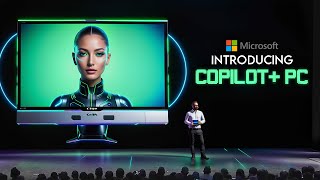
Microsoft's Copilot Plus PCs run AI locally with dedicated silicon handling 40+ trillion operations per second. Key features include Recall, which indexes your personal data on-device, Co Creator for AI image editing, and real-time translation across 40+ languages. Prices start at $999.
Chapters
So Microsoft just introduced a whole new category of Windows PCs called Copilot plus PCs. And they are being hailed as the fastest, most intelligent Windows PCs ever built. We're talking next level computing power here with brand new silicon capable of an absolutely insane 40 plus trillion operations per second. Just let that number sink in for a minute. 40/trillion operations every single second. That's the kind of raw power we're dealing with. And it's all thanks to dedicated AI hardware baked right into these copilot plus PCs. But it's not just about raw power. Microsoft has redesigned these copilot plus PCs with AI at their core. They've completely reimagined and revamped the entire Windows ecosystem, from the silicon chips and operating system core all the way up to the application layer and cloud integration. This is the most significant change to the Windows platform in decades. One of the coolest capabilities is something called recall. Like, if you've ever been in that frustrating situation where you know you've seen something before on your PC or but you just can't remember where the heck it was, maybe it was a file, a website, an email. You know you've encountered it. But digging through everything to find it is just a massive hassle. Recall solves that problem in the most incredible way imaginable. So it can literally organize and index all the information you encounter based on relationships and associations that are unique to each individual user. Instead of just dumping everything into folders like we've been doing for decades, Copilot PCs catalog it all in a way that mirrors how our own brains work. That means you can scroll through a visual timeline and use intuitive cues to find exactly what you're looking for. All that data indexing and recall happens locally on your device. For maximum privacy and security, your personal memories and experiences stay right there on your PC. Out of the cloud. Now, another insanely cool feature is called Co Creator. And it's going to be a game changer for anyone who's even remotely creative or artistic. Basically, Co Creator lets you generate and edit images right from familiar apps like paint and photos. Using a combination of text prompts and digital inking, you describe what kind of artwork or image you want to create, maybe sketch out a rough idea. And then the AI takes over and starts cranking out visual concepts in near real time right there on your PC. But here's where it gets really wild. As you keep iterating and tweaking the image, feeding more text prompts or ink strokes to the AI, it keeps evolving and updating the artwork based on your inputs. Oh, and a big downside of cloud based image generators is their generation limits and long wait times. Co Creator changes that by running directly on your Copilot plus PC, you can generate as many images as you want without any delays thanks to the powerful AI hardware. Another new feature that has me crazy excited is live captions with real time translation. Like if you're watching a foreign film or TV show, listening to an international podcast, or jumping on a video call with colleagues from around the world, you it can automatically translate the audio into English subtitles for you in real time. So essentially instant translation from over 40 different languages into English captions that just appear on your screen as the audio is playing. And don't worry about being offline and missing out on this because the translation processing happens locally. Also, if you spend a lot of time on video calls, the new Windows Studio effects will significantly enhance your experience. These AI powered effects automatically adjust lighting, apply creative filters and help you maintain eye contact, making you look and sound better without any extra effort. It actually optimizes the camera feed in real time so you always look your best. Now the new AI features aren't just for Microsoft's apps. They've teamed up with big names like Adobe Creative Cloud, DaVinci, Resolve, Capcut and more. This means you can use apps like Photoshop, Lightroom or Premiere Pro with incredible AI powered performance. And don't worry about these PCs being too expensive. Microsoft has worked with major PC makers like Acer, Asus, Dell, hp, Lenovo, Samsung and their own Surface lineup to offer these Copilot Plus PCs at affordable prices starting at just $999. You get amazing power and AI capabilities. It's a fantastic deal for the performance you're getting. Microsoft's own new Surface Pro and Surface Laptop models are the flagship Premium Copilot Plus PCs decked out with all the latest hardware and software candy. The Surface laptop in particular looks like an absolute beast, with options for 13.8 inches or 15 inches, displays up to 22 hours of video playback, battery life. I'm talking frame rates and multi core power that can outmuscle Apple's vaunted MacBook Air by up to 58%, and all while delivering better battery life too. Just let that marinate for a second. A Windows laptop outperforming MacBooks while also lasting longer on a single charge. Also, every single Copilot Plus PC comes locked down tight with the Microsoft Pluton Security processor enabled by default, protecting you against all sorts of nastiness. Plus, they've Built in a bunch of new privacy controls and safeguards so you can decide exactly what data gets saved and what doesn't. You're always in full control of your personal info. Oh, and let's not forget about copilot, the AI assistant that's just a single tap away on these new keyboards with a dedicated Copilot key. This revamped version of the AI Helper is twice as fast and way more capable than before, thanks to all that specialized hardware under the hood. Now, because it's baked right into the os, it works seamlessly across all your office apps, web browsers and even third party software. Speaking of third party apps, devs are going to have a field day with the new Copilot SDK that Microsoft is releasing. They've essentially opened up the AI smarts powering these Copilot Plus PCs, allowing developers to deeply integrate Copilot assistants into their own apps and services. We're talking AI powered autocomplete for code editors, intelligent tagging and search for creative software, automated data analysis and visualization tools. What really puts this over the top though, is the new Windows Store AI App hub that Microsoft has cooked up. It's sort of like an app store, but specifically curated for AI enhanced applications optimized for Copilot PCs. You'll be able to easily discover the latest and greatest AI powered software experiences, all fully optimized to leverage that dedicated AI silicon. This is the future of Windows apps. Now I know there's been a lot to take in with this Microsoft's new Copilot plus PC lineup, but let me bring it all home with one killer flagship feature Scenario AI. This is essentially an overarching intelligent digital assistant that can understand and engage with you across multiple apps, websites, documents, your entire digital environment. You can ask it open ended questions or give it tasks and it will dynamically split up the workload, coordinating the different AI capabilities on your Copilot plus PC to get the job done in the most efficient way possible. Let's say you're working on a big presentation deck and you get stuck trying to visualize some complex data and numbers. So you tell this AI I need help explaining these analytics and it will instantly get to work. It might tap into Copilot Coding Assistant to generate a custom data visualization app from your spreadsheet info. Then it can have the AI Art generator cook up some graphics to visually represent the key takeaways, while the AI writing tool crafts clear explanatory bullet points in your voice and style. The possibilities are damn near endless. Because scenario AI can marshal all of the different AI capabilities in these copilot plus PCs, breaking down complex tasks into a coordinated multi AI workflow. Best of all, it operates using simple natural language prompts and queries. Seriously, we're entering a whole new era of human computer interaction here. The real world benefits for productivity, creativity, accessibility and just making our digital lives plain easier are mind blowing to think think about. These copilot plus PCs from Microsoft are absolute game changers and I cannot wait to get my hands on one. Alright, so I tried to cover all the big key details and flagship features, but I'm sure there's so much more these PCs can do. And if you're even half as hyped as I am, though, this is clearly a massive advancement for PCs as we know them. Let me know what you think down in the comments. Which features have you most excited? But for now, that's a wrap. Hit that like button if you enjoyed this video. Smash that subscribe button if you haven't already and I'll catch you in the next video.










