MICROSOFTS NEW Insane AI TOOL SHOCKS The Entire Industry! (FINALLY ANNOUNCED!)
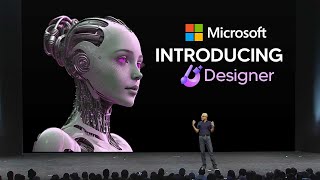
LARRUZ demos Microsoft Designer, an AI image tool powered by DALL-E 2 that generates images, edits templates, removes backgrounds, and creates simple animations. It's in preview with a U.S. waitlist, positioned as a simpler alternative to Canva and Adobe Firefly for creators without design skills.
Chapters
So Microsoft just announced their new AI tool which is going to be coming out very, very soon. And it's in direct competition with Adobe's new Firefly tool. This is Microsoft Designer. And right now we're going to take a look at the trailer. You see right here on the webpage that it says stunning designs in a flash with the Microsoft Designer. And essentially what we're looking at here is something that can design things very, very quickly using artificial intelligence. Now if we take a look at the trailer here, you can see that Microsoft Designer is, is very, very good. You can see right here that this is something that is about baking designs. And you can see right here in this little box that it says, try AI Generated Images. What's also cool is that on the right hand side you can see that we do have a bunch of images that are instantly generated. And what these templates are is instantly editable files that we can instantly use. You can see right here that it says continue editing or we can download these. Now, of course, as the tutorial goes on, we, we see many different, more designs and many different things that we can use. As you can see right here, it says AI Generated Images. And I'm guessing that this is going to be powered by Dall E. Now later on in the video, I will demo the tool because I do have access to this because there is a wait list that you do need to sign up for. But it definitely does look very, very interesting from this trailer. And the software is actually pretty, pretty cool. And you can see right here that this is going to be a direct competitor to Canva also. And as they've also made some new AI tools, so the AI race is clearly on. And let's take a look at how powerful this tool really is. So you can see right here that we do have the Designer Preview. Now this is what it looks like when you sign into Designer. And this is of course something that they are slowly, slowly rolling out now on the wait list. I do believe that there is going to be U.S. priority first. I'm not sure exactly why, but if you do sign up to the wait list and you do sign up right here, one thing that they do mention is the United States will get access first. So that is something to bear in mind. Now, let's just say an Instagram post about my birthday cake or maybe let's just see what this is capable of because this is going to be my first time actually using this. But I'm actually familiar with a lot of creative software, so I've decided to say an Instagram post about my dog's third birthday. And let's see exactly what we can generate. So we click Generate. And of course on the right hand side, it's going to come up with a bunch of stuff that we can use. Now you can see right here that we do have a decent amount of designs to choose from. And. And then of course, once we click them, we can of course zoom into them, see how they are. Then if I move this tool, we can then minus out. And what we can also do is we can also actually edit these. Now, I think some of these are actually very interesting. Some of these are actually really cute. So for example, this one here we click customize design. And now you can see right here that we can literally customize this with the font. And this definitely does look really, really good. Now, I do want to say that this might be a little bit basic compared to some other AI tools, but people already use PowerPoint and this is going to be something that the average user is going to love because it instantly creates many different things. Now what's also cool right here that you can all see is that if you want, you can also generate the images. Now, from the looks of this, it does look like this is actually using a Dalle 2. I'm pretty sure that Microsoft wouldn't have their own image generator. That's not Dall E2, because that's essentially the same image generator that powers Bing's image generation software, which they did actually launch recently. And this is the image creator. It's essentially just Dall E2, but it's just inside Microsoft's Bing. And of course you can see right here that it is powered by Dall E. So what I'm going to do quickly just to test this is I'm going to just test a previous prompt that I did already. I tested a McLaren 650s as a previous prompt. Like you can see on the right hand side right there. I'm going to go ahead in Microsoft Designer and test this prompt out just to see if there are any secret tweaks. So you can see right here from Microsoft Spings Image Creator and and then also from here that these images are pretty much the same. You can see that although the quality looks pretty much the same, these images are relatively just powered by dall e2. I think that there might be some discrepancies maybe because Microsoft might want something that's a little more vector based, just because that's the kind of designs we're dealing with. But so Far, it does look like this is going to be the kind of thing that we're going to be dealing with. Now, I'm going to change this to put an Instagram post about my new McLaren and then I'm going to see exactly what kind of things we can do here because it's definitely very interesting to see the kinds of different styles that we're able to create with this. So you can see right here that we do get a bunch of different variations, but some of these don't look too good, especially since we are looking for a kind of really, really cool vibe. Now, what's cool here is that they actually do have some small videos and some small GIFs. So you can see right here there's this little animation which of course does look rudimentary and doesn't look too great, if I'm being completely honest with you guys. But at the same time, you are able to customize this to make it yourself. So if I click yes, let's just start a new design. You can see right here, this is where we can change the font. We can change the font to pretty much everything. I'm pretty sure we can also change the colors. So for example, we might want to just grab the color of the car and then just do that. Then we might want to grab this color and then do it for the wheels right there. And, and you can see that is how we can make the design a lot more effective. So definitely changing the color schemes very quickly is definitely something that you can do. But since this is an AI program, that is something that I would expect it to do automatically because it's using your visuals in order to generate these templates. Now, of course, if you click on Copilot up here, essentially what this will do is this will help you with your idea generation. So if you just click Generate Ideas, this is going to be exactly where you, you get many different kinds of ideas that you can use. And if you don't want to do this, you can simply just use this and I guess you could say, do the design as much as you want. So of course you can see right here on the left hand side we've got the generate, where of course this is powered by Dall E2, so you can simply generate images and drag them in and just make a new template. We've also got photos, so there's also some original photos which are already there that I'm guessing are from Microsoft's stock library. We've got graphics which are definitely very useful for us because there are going to be many times where we're going to need these graphics. And of course we've got stock videos which are going to be very, very useful as well. Now what I'm going to show you guys is the different variations that it can come up with. Because every single time you run a generation, it can come up with many different designs. So don't be afraid to continue to use different variations as you wish. So right here I've decided to say an Instagram post about new AI software. As you can see right here, it's actually pretty cool depending on the kinds of images you use. The only problem that I do see currently with this is is that it doesn't really take the color schemes from that image and apply them to the brand template. So one thing that would be pretty useful is if it automatically took the color scheme from the image, like the greens, the silvers and the human colored skin, and then applied it immediately to that image. Maybe it's got a different way that it categorizes different colors, but so far it doesn't really look like it does this, apart from this one right here. So I'm going to just word this differently and see if I can get some different prompts because it also does say keep trying different variations. So, such as a post wishing Happy New Year in red colors with motion. So I'm going to say an Instagram post about a new AI robot with green and silver colors with motion. And let's see exactly how much better that is than this. Because some of these do look pretty decent. I mean, like this one right here looks pretty nice. If you're a beginner, you have to understand that this stuff is going to be game changing for you because it's going to level up your entire business or whatever your Instagram is going to be about. So let's just generate these and let's see exactly how crazy this software really is. So you can see right here that since I've added the colors now, now it's definitely much more better. You can see that I've added green and silver colors. And because I've also added the with motion right there, it definitely shows you that these are now all videos. So this one right here adds animations to the text and a little fade. This one right here does the same. This one right here also adds many different animations. A defo it for sure does look really, really nice. In fact, this one right here even adds some strange drawing animation over this. And it's definitely really, really a step up from what we had before. So, once again, I think the deal with Microsoft Designer is that the better you prompt it, the better the output is going to be. And you can see that from here. Since I've added with motion, it actually adds and animates some text onto many of these images. Now, of course, you can see right here that this one isn't good because I put white on white text. But it definitely just goes to show how great this definitely is. So I'm going to use some more examples, and I think this one is definitely pretty decent. But you do have to remember that you can then go ahead and edit these templates if you really do want to. Now, of course, another thing that you can also do is you can of course change the side. So many people do understand that, you know, you can change the side to, for example, landscape. Maybe you just wanted a landscape post because that's the platform you're working with. Of course, you can also change it to portrait, because many people know that short form stuff like TikTok YouTube shorts, Instagram posts are definitely very popular. And maybe you just want to post this on your story. Definitely going to be something that's very, very useful with your design. What you can also do is you can also scroll down and see different templates. Now, this was just based on the prompt for an Instagram story. For now with your design, what you can also do is if you scroll down to visuals, what you can see right here is that you can see that there is photos. Now you have a scenario where you have the selection right here which shows you recommended for this design. So based on your prompt and based on what you're creating, you have something that says this is recommended. So if you click, for example, let's say I click. Let's just click this image right here. You can see that once I click this image and I go on to show more. And let's image right here. Once I actually click on this image, you can see that right here. This small tab pops up and it does say Inspire me. Now, once I click this Inspire Me tab, you can see right here, it essentially changes the color scheme to what it thinks. And you can see right here that there are just many different color schemes. Now what's also cool is that on some of these, you can actually remove the background. So there's this effect right here that removes the background on some images. And you can see right here that this didn't work that well. On some images it does work a lot better. So delete this image. If we select one that's a lot easier to get. So if I do this image and if I select Remove background, this should do it a lot better. And you can see right there that that is something that is definitely going to be useful for people looking to quickly crop out images. Because as someone with extensive Photoshop knowledge, I know that going into Photoshop, then uncropping out the image or removing the layers, it definitely can be pretty, pretty annoying to do. So. So it's definitely cool to see that. Then, of course, what you can also do is you can also play this right here to preview how your animation is going to be. Now, of course, another thing as well, while you're designing, this is a really cool feature. So while you're messing around with your designs, what you have is on the right hand side. Copilot is simply generating new ideas with the current images that you do have. So if you remember, at the start I only had these two pets, this cat and this dog. And since I've added this, it's actually created some new animations on the right hand side which are definitely very, very interesting. And you can see that I can just click them right here and I can simply move to these designs, some of them being videos and some of them are going to be just images. But it's definitely a really interesting tool because I do think that right now it's definitely in its early stage. And what's interesting as well is that this was actually announced, as you can all see right here, on October 12, 2022. So this was definitely something that people didn't really notice that it was going to be coming. So it's definitely something that kind of slid under the radar, but I do think that they're going to be adding more features to it. So I want to see if I can probably create something really good right here. Now, I've read some reviews and from what I gauge is that this is still in its rudimentary phase. And I'm guessing that Microsoft are just kind of releasing this just in its early stage. Now, sometimes when you are editing, there aren't going to be any designs available because I'm guessing this is a very, very specific one. It doesn't really know what I'm talking about, but I'm guessing that there's going to be many different features that are going to be added because as you know, Microsoft do not want to lose this AI race. Now, something really cool here, and this is something that Canva does actually have, and it's actually something that I do use from time to time is essentially a brand kit. You can see right here that this is a brand kit. And essentially what this is is essentially just your colors, your fonts, and everything that is to do with your brand. Of course, you can see right here that this is something that Microsoft are trying to add as well. You can see right here it says choose fonts, colors and design styles that best represent your brand. Now, this is definitely interesting because it seems like Microsoft is trying to compete with Canva and Adobe Firefly. All of these tools are definitely going to be very interesting, but I'm not sure if Microsoft will win this because Canva did just drop some new amazing AI tools which, which I will talk about. But it's going to be interesting because Microsoft definitely does have more of a finance. It'll be interesting to see if they do leverage that ability to just deploy that capital and just invest more in this because it definitely could be good because a lot of people do use PowerPoint more than they do use stuff like Canva straight away. So, for example, if we wanted to create a brand kit, let's say we choose our colors. So for the AI grid, it's black and then of course purple. And of course we're going to have some grays in there. Grays. And then maybe so. And then I'm going to go to fonts, then I'm going to choose a simple font because they don't actually have too many fonts on this. That is a small problem that I'm pretty sure they will fix. I did see that on some blog posts, people did too many fonts. So let's just say that for the heading for the subheading and you can see right there that that is the post right there. Now, definitely very, very interesting because it does seem pretty basic, but at the same time it is something that is very useful if you do have a brand because it instantly just changes the colors to exactly what you want. Now, of course, like I said, you can click Inspire me and it's going to change around those colors as well. Now, of course, there are actually some good templates here. So, you know, maybe you're looking for something specific, maybe you want that for your brand and you see really, really nice. You can simply change that. So, for example, something like this, I think this might actually work a lot better. So yeah, something like this would look really, really better. And of course, we do have an effects panel right here. Maybe I could blur the background on this. And let's see if we have. And we've got. Yeah, so the blur on the background there does look pretty well. If I could lower the opacity, I think this might look really good. Brightness too much of the darkness. So yeah, I think that definitely looks a lot better than some of the others. But yeah, it's definitely really good if you're trying to create content at scale. And like I said, if you then go onto the right hand side here, you can see that there are going to be some animations. So overall this, I do think this tool is definitely really cool. It definitely is going to be competing with Canva, but I do think that Microsoft does have the edge because what they probably will do is they'll probably integrate this into the 365 suite. So it's probably going to be there next to PowerPoint, next to Word, next to that stuff. So I'm pretty sure it's going to be easier for people to use this rather than them going over to other AI tools. So for now I think this tool is definitely very useful. And of course, like I said, it's still in its preview, which means that it isn't fully released yet. And of course as well, there are also some videos here which you can just add as backgrounds. It's definitely very interesting to see exactly where you can add these. I'm not exactly sure where the layers are. I'm pretty sure I can position and send to back. So yeah, definitely very, very interesting to see exactly how this all works. But yeah, let me know what you think about Copa. Now, another thing here as well that I forgot to mention. If you are using this designer and you do have easy access to this, as in you've got early access, just check this tab right here and it's going to show you exactly what's new and what's being updated. So you can see that right here they're continually adding some features, new feature, your design is ready, use them as is or customize to find your brand posts on social media. They're consistently adding new stuff all the time. So I'll be checking this tab to see exactly what they add to this. Of course, right now it does seem pretty basic, but I do think that this is definitely going to be better in the long term. But as I was saying, I do expect this to get better in the long term and Basic and based on how Microsoft definitely do move right now with AI, I do think that they're going to be doing a lot in terms of, you know, focusing on different parts of the AI spectrum. I think Microsoft definitely want that lion share. So, yeah, you can definitely export this as well. And all you need to do is simply just click that download button right there. You can just remove the watermark, and then you can simply download that right there. So definitely a very, very cool AI tool. I would say that, you know, you, if you're creative, you're going to understand exactly how this works. As someone who uses a lot of AI tools, I think this will improve for certainly. But yeah, it's definitely going to be very interesting to see where this tool goes. And let me know what you think about this tool. Do you think this is great? Do you think this is crazy? Do you think this is awful? Because Microsoft are going to be releasing tons more tools and many different companies are going to be releasing these tools in the future.










