MICROSOFTS NEW Insane BING Image Creator SHOCKS The Entire Industry! (NEW SOFTWARE ANNOUNCED!)
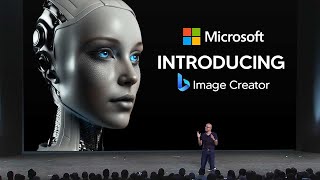
LARRUZ demos Microsoft's new Bing Image Creator, which uses OpenAI's DALL·E2 to generate images directly in the browser. The free tool limits outputs to 1024×1024 pixels and uses a credit system, while DALL·E2 tends toward realistic imperfection compared to MidJourney's higher-detail results.
Questions this video answers
March 22, 2023
buildbing.com/create (referred to as Microsoft’s create-images page)
1024-by-1024 pixels
A lightning icon with a number (speaker shows '24') indicating boosts/credits
DALL·E2
Chapters
So Microsoft are now bringing Dall E's AI image generation into Bing and Edge. So, as you all know, Bing's AI has been absolutely insane. They've integrated ChatGPT into it. Now they've decided to add something else into the software, which is Dall E2. Now, essentially, if you don't know what Dall E2 is, Dall E2 was the system built by OpenAI that essentially is really good at making images from a natural language. So essentially it's like midjourney, but it's a little bit more realistic, and it was built on some earlier versions. So, of course, this is Dall E's second model built by OpenAI. And you can see that it is built on learning a bunch of images, trained on a bunch of data. And then when you input natural language, such as a koala bear riding a motorcycle, you can all see right here that it outputs the very accurate image. And there's many different ways that you can also use this, by replacing certain things in certain images, and it does it pretty effectively. Now, this is now powering Bing Chat, as you can all see right here, which means that we now have something else in our chat. Now, this is quite similar to ChatGPT's multimodal feature, which I'll get into later. But this is actually really cool, because now it means that this is a new feature that Microsoft has added. If they continue adding features this quickly, then honestly, I truly wonder what the future of Bing is going to be. So in order for you to understand this, essentially, the image that you can all see right here is that it is a simple way for people to generate images within the chat. And I think Microsoft's goal here was not just to simply add Dall E to its product list, but simply integrate it right into the chat, because it's much easier to use and the interface is honestly much simpler because you're literally talking with someone. So this is definitely going to be a very effective method of getting people to actually use the software. So, something to note, as you guys can see right here, I did actually try and use this. As you can all see right here, I says, can you create an image of a galaxy? And I said, I'm sorry, I cannot create an image for a galaxy for you. The chatbot does not support images. Now, currently, you can use this. I'm going to show you how to do it in a moment, but it is in a weird state. I'm not sure if it's rolled out in certain parts of the country or maybe just you know, different countries. But what we do know is that it doesn't seem like it's actually available in Bing Chat right now. I think it's only available for those who are in the extreme beta or alpha, you know, the exclusive wait list. And if you try and go on the wait list, it's a bit weird because Microsoft has updated the page to just simply let everyone use it. So I think in a couple of days it's gonna be actually in there. But if you do want to actually use it right now, you can head over to this page right here and it says create images from words with AI. So this is Microsoft's new, I guess you could say web page. And you can all see here that this is how you use it. So I'm going to hop into it right now and I'm going to show you exactly how this works, how you can use it. And we're going to go through some tests and I'm going to just compare it to some other image generation software because I do think that the race is heating up, especially with midjourney being really good and of course, many other companies jumping in this space too. So once you head on over to Microsoft, build Bing.com create you'll be presented with this image right here or this screen or this page, whatever you want to call it. And you can all see right here you can suggest yourself a prompt. So right here on the right hand side, you can see that it says surprise me. So if you don't know how to use the software, you can just click surprise me, which I'm going to go ahead and do. And as you guys can see right here, essentially what it's now doing is it's creating a prompt for you. And then of course it says a white marble bust of a robot on a yellow background 3D and we're going to click Create. Now you can. It's very interesting to note the different styles between many image generation softwares. And I do think that Dall E2, the one that's powering Microsoft's new image creator, is much more realistic in terms of its style. So for example, right here, even this example right here, it does have a realistic art style to it. It's not really cartoony. It doesn't really seem like midjourney and many other image generators that we've previously used. Now what's interesting here is that this does seem to be taking quite a long time, but so I'm guessing that maybe the integration isn't that good. But yeah, you can See right here, that this is the image generation that they've had. And it says created with AI. Now of course, another thing to note is that these images do look pretty good. Okay, I'm not going to lie to you, these images do look pretty good quality. The resolution is also pretty good. As always, if you're ever wondering why the text here is a bit confusing, if you've ever used Midjourney or any image generation software for AI, it never really gets the text right. It always struggles with text. There's only one model that currently gets the text right and that's by Google. And it's pretty weird that Google has tons of research papers on AI where they show absolutely incredible stuff that's just miles ahead of the competition. But their current software is just simply failing. So as you can all see from the snippet right here, Google is the only company that actually gets this right. Their 20 billion parameter model actually gets text right. I know you can barely see it, but over time Google has increased this. But like I said, they haven't actually released this to the public yet. Like I said, Google seems to be light years ahead, but their current software that they've deployed to the public doesn't seem to be that great yet. But let's go back to the image generation. These images are actually pretty high quality. And if you're wondering why these images were created slowly, Microsoft does have a kind of credit reward system. I'm guessing that they want to incentivize people to, you know, spend money on this. So if you see in the top right hand corner here, I'm not sure if you can see this, but you can see that there's this lightning icon which with the number 24 next to it. Now essentially what this is, is this is the number of, you know, I guess you could say boosts that you have. This essentially shows you how quickly you can create image generations and you know why? Certain ones take longer. So the one I just had there, I don't think I used the boost. So if you use the boost, it actually is quicker. But of course if you want to buy them, essentially it's going to cost you. So essentially these are definitely really good. They definitely are really high quality. I would say that things do look pretty decent here. But of course this is powered by Dall E2. Now, now what I do want to show you as well guys, is the differences in image generators. So this was from this prompt. So I'm going to put this into mid journey and just compare and see exactly how the different prompts. The same prompts works in different engines. Then you can see exactly if this is exactly like Dall E2. Maybe it's a little bit Microsoft tuned. Maybe Mid Journey is better, or maybe Mid Journey is worse. But let's go ahead and see those prompts. So you can see right here with that same prompt, this is Mid Journey. Now, if you don't know what Mid Journey is, it's essentially a tool that was developed by some developers who just really wanted to make badass image generation, and they've done a pretty good job. It's only a team of nine people, honestly, and really shaking up the world. So you can see right here that this is the image that I've generated now. This is mid journey version 4. And the quality in these images is definitely very good. I do like the way this looks. I don't know if this is better, but I do think that there is a little bit more detail. You can see that with this image. If I just get out my tool, there are some specific things that I do like. Like, you know, the. The shadows here, the marble. We actually do get the marble texture there. Just the details in this. It definitely looks really cool. Not that these ones aren't bad. It's just that I think Mid Journey might do a slightly better job. I think the problem with Dall E2 is that it's just focused on realism. So as you guys can see right here, this definitely does look realistic. These definitely do look a bit more detailed. You can see that there are different curves. There's the shape, there's the entire bust. This one here looks like some kind of warrior with potentially some kind of, I guess you could say cape. Not really a cape, but some kind of armor. And this is just version four. So this wasn't even Midjourney's best one. Now, if we go on to version 5, this is where Midjourney is even more realistic. You can see that it uses a lighter tone here. And I would argue that this is slightly worse, but it's still very good. Okay. Because you have to remember this is only the company's version 4, 5. Okay. And they've, you know, come a long way in such a short time. So these. These versions are increasing, increasing. It just goes to show, where could we be in 10 years in AI? Guys, this is definitely very interesting. So across the board, I would say that this isn't as good as Mid Journey, if I'm being honest with you guys. We're going to test some more prompts just to See exactly how that works. But it's definitely very, very interesting to see the differences. So this is Mid Journey and then this is the. The Microsoft creator one now. And when it does get integrated into chat, I do think it's going to be useful and I do think that that will have a much more lasting impact on people using it, because we do know that ease of use is something that is more important. And right here, if this is in chat and you're just like, hey, can you generate an image of this? This is definitely going to be something that's easier. Because the problem with Mid Journey is that you do need to, you know, have specific prompts. For example, you need to add in like a dash dash this and dash dash that to add all these specific things. Things. And I'm pretty sure that Microsoft are going to make this way easier to use with just a bunch of buttons. So I would argue that this is in the future. I would argue that this is probably going to be better because Microsoft are likely making a bunch of people work on this. So let's try out some different prompts. I'm going to ask Microsoft to create those prompts. So let's say surprise me. And I do think that these surprise me prompts are within the confines of what they think might look good. So just bear that in mind. So let's see what they give me. And it says an astronaut skateboard, Skateboarding in space. Pixar, in fact. That. That's kind of boring. I don't. I don't. One of these original ones. Okay, so futuristic scene with skyscrapers and hovercraft. Digital art. So let's go ahead here and just paste this in and let's go ahead and see what this is. I'm gonna go ahead. And it's created and it's using one of my boosts, which is fine. You can actually regenerate these with Microsoft Rewards. I'm not too familiar with that, but. But if you are, that's how you do it. Right here we can look at the images that Microsoft's Bing image creator has done, which is just Dall E2. But you can see right here that this definitely does look really good. But when I show you the Mid Journey ones, you're definitely going to want to see the comparisons. I do think that for a free image generator, though, that these are definitely really interesting. I will say that this does have some limitations because right now what we do have is we only have images that are 1024-by-1024 pixels. So that might be a limitation that some people do have. And of course, you know, if you actually use Dall E2, there's. There's a lot of advanced features that you can use there. But this is not bad. But I'm gonna go ahead and show you guys Mid Journeys 1. So this is Mid Journeys version 5, their latest version. And you can see here in the four images that we have, if I'm being honest with you guys, this is miles better. Now, I don't want to, you know, just say that this is way better. You know, Bing's image creator is terrible because I do believe that there are, you know, specific uses and if you do have better prompts that, you know, the limitations are set by the prompt. So I will be honest with you guys. Mid Journey is. That's all they do. All they've done is image generation. And OpenAI is working on ChatGPT and Dall E2, so they, you know, do have their, you know, focus split. But for Mid Journey, I got to be honest, like, an image like this is really good here. All the details in the building, there just isn't that level of detail right here. But I'm guessing that that what they've done here is that they've created this one more of like a painting. So, for example, if you were to look at a painting, this is what it would look like. Whereas with this, it's more got the digital art style, which is like what people do when they have concepts for games and movies. And this is also midjourneys version 4. So this is the version 4 one. I haven't upscaled these images, so if I wanted to, I could definitely upscale these ones and there would be a lot better quality. But overall, it's still very interesting. Now I'm going to try one last one, which is going to be a little bit more realistic because I wanted to just explore something that they've already done and something that I think that they've already done really well. So I'm going to choose one of these images that look really good, and then I'm going to go ahead and pick one of these, and then I'm going to regenerate them. So let's find something that they have I'm trying to pick out of here. Okay, let's try this one. Okay, so this kind of looks pretty realistic. Now this is where things get absolutely interesting and we see the true potential and true use case of Dall E2, and where this really excels. So you can see right here that this looks super Realistic. I would argue that this looks like. I would not be able to tell that this is AI generated. If I saw this image on Google Search, I would think that this is really, really a real image taken somewhere. And of course, please remember that this is a very, very basic prompt. It's very, very simple. But the images that we are getting are very, very high quality. And I do want to say that the reason some of these images do look so realistic is that some of these images do have imperfections in just the way that the lighting is, you know, some very, very small things. And it actually does a very, very good job. Here, guys. Now this is actually free, so you can actually use this. And yeah, all you need to do is just have like traditional Microsoft account. And you guys can see right here that a lot of these images look absolutely stunning. And you're going to see the comparisons to Mid Journey. So this is version four of Mid Journey. And like I said, the version four one of Mid Journey, sometimes you do get realism. I mean, you can alter the prompts. I don't just want to be like, you know, this is all you get. But I just wanted to include the same prompts just to show you what's on the base level. And then of course, this is version 5. So version 5, once again, is realism. Just. It's just ridiculous. So, yeah, I would say that, you know, this does look real, but it looks too perfect. I mean, I wouldn't say that was fake, but, you know, everything is just perfect in this image. Whereas with the, you know, Dall E2, you can just see small imperfections that make it look a lot more realistic. And if I had to go with which one looks real, like, which one actually doesn't look like it's AI generated, I would have to say Dall? E 2. So I would say that if you're thinking about, you know, using an image generation software and, you know, just using this, then I would say that, you know, this one here is definitely super realistic, but it's quite limited in its scape because with Mid Journey, you can have many different things. You can create tile for game textures. But yeah, it's definitely cool. I would say that this is something that you can use, something that's really cool. And yeah, let me know what you guys think. You know, the rate of AI is progressing very, very quickly. There's always a lot to cover and I'd love to see if there was something about this software that I did miss. So with that being said, leave a comment and we'll See you on the next one.










