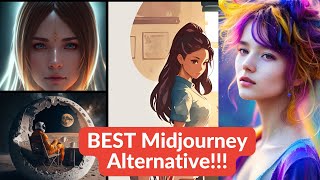
A short narrated YouTube demo (by LARRUZ, uploaded Feb 18, 2023) that introduces Blue Willow as a free, unlimited-image-generation alternative to MidJourney. The video summarizes Blue Willow’s Discord-based workflow, key commands (e.g., /imagine, --nl negative prompt), aspect-ratio options, and demonstrates image generation, upscaling, and variations, then compares results to MidJourney—noting Blue Willow’s strengths on natural scenery and weaknesses on human faces.
Questions this video answers
February 18, 2023.
LARRUZ.
About 25 images (lifetime free plan).
/imagine.
--nl (dash dash nl).
Chapters
If you know anything about AI generated art, you are probably aware that Midjourney is the best available option at the moment. Especially with their version 4. No other model is coming even close to them in generating realistic looking images. However, there is one major issue. Mid Journey is not free. With the free plan you get about 25 images in the lifetime and after that you have to pay per month. If you like Mid Journey's interface and want a free option, there's a good news. There's a new bot in town. It's called Blue Willow and they have kept the interface very similar to Midjourney. So in order to explore it, simply click on Join the beta. It will take you to their Discord server. Once you join the beta, you will be brought to this getting started channel. They promise unlimited image generations compared to only 25 images from MidJourney. So let's first go to FAQs and rules Word creating images that could cause harm, offenses or controversy. And this includes. Okay, so it has to be. You need to be careful about. Not safe for work material. I'm interested here in FAQs. The co founders are actually anonymous, so we don't know who they are. What makes it unique from other AI text to image generators. So according to them, Blue Willow is like a Google Flights for AI models. It enable users to find the right model depending on their goal. Unlike other AI text to image generators, Blue Willow is an aggregate of multiple AI models, including models like Stable Diffusions. All right, so who on the images, the images that you have creation, so you own them. And this is where they talk about the supermodel that picks the best model for a given. Okay, so I think enough with the documentation, let's play around with it. Right, so before that let's look at the FAQs regarding prompts, just a few basic options. One is the negative prompt. So that's going to be dash dash nl. So similar to Midjourney. The other ones are you can set the aspect ratios so always add area from so horizontal Command as like R3X2 or 2 by 3. These are the only two options available. And you can also do image to image. So in that case you will provide a link to the image where it is stored, then the prompt and then whatever option parameters you want to provide. So in this case no 3D and photograph. Okay, so it's very basic. There are no sliding or adding chaos or other parameters like Midjourney. Now in order to generate images there are two options. Either you can go to this rupee test, so you will see people are generating images. So in order to generate an image, you can simply type slash imagine. So it's very similar to Mid Journey. So let's say the prompt is waterfall in the forest, right? So that's one way of doing it. The bot actually takes your prompt and it will start generating it. There's another way where you can simply right click on the bot, click message and it will take you to your own private channel. I've been playing around with it, but let's play with some prompts. So let's say dash Imagine. Then we want to create a natural scene. So it's a very basic prompt. And then the bot actually takes your prompt and start generating the image. It will take a few seconds. Okay, so it completed image generation. It generated four different images. I don't know why one of them is in the frame, but anyways. So similar to Mid Journey, this is labeled image 1, 2, 3, 4. If you want to upscale any one of them, you simply click on the corresponding number. So for example, if I want to upscale this fourth image, I would simply click New form. At the same time you can use this v1, v2, v3, v4 to generate different variations. So let's say I want to use the same this fourth image and want to generate four different variations of this image, right? So Simply click on V4 and it will start generating it. If you want to rerun a certain prompt, you simply click on this cycle, it will rerun the prompt and generate images again. This was the upscaled version. And now the four variations based on those, they actually look pretty nice. Not bad at all. Okay, let's play around with the options. So there were just two options. One was setting the aspect ratio. So let's play around with it. Let's say three by two hit enter. Okay, nice. So we had four different images in with three by two aspect ratio. Let's try the other one which was dash. Dash. No. So let's say we want images without water. Keep it this. Okay, so now we have four different images and there doesn't seem to be any water. So it seems to be following the commands pretty nicely. Let's play around with it. So. So let's try some other prompts. Let's say cyberpunk sports car. And we want the aspect ratio to be three by two. Actually, yes. These are not banned, but for some reason they are out of frame. Let's try some food images. You Beth? You bet. Okay. I'm actually pretty impressed. It did a pretty good job. The details Are there salmon looks pretty nice. And then there are roasted vegetables with it. And the arrangement is also pretty good. So I think like with a little bit of tweaking, you can generate pretty good images. I think it would be a nice comparison to compare some of the images generated by Mid Journey and Blue Willow by using exactly the same prompt. So let's head over to a Mid Journey server. Let me see if I can find some nice images. Okay, actually we can do image to image, right? So let's see, what is this? So images of lines running. So let me actually copy the same prompt from here. Sorry, that's the user. I'm going to copy your prompt. But it's just for testing purposes. Imagine and then we simply provide the prompt. Okay, so here are the results. It seems like it's completely ignore the lines in this case. Like here's the results from Midjourney and then we have the corresponding result from Blue Willow. Here's another one that I found. Pretty cool. Superman in Iron Armor. Okay, let's try this. Now one thing to notice is Blue Widow actually uses stable diffusion. Mid Journey v4 is now a proprietary model. So we don't know in. Stable diffusion usually needs a lot more detailed prompt compared to Mid Journey. Like midjourney. I think some disk does some prompt engineering and it modifies your original prompt. But for stable diffusion models, if you want really good images, you need to provide a really detailed prompt as well as the negative prompts. So that could be like one reason that we are not getting as detailed images here compared to Midget Journey. Like in this case, Blue Willow actually generated more like cartoonish images for Superman. Let's try this one with Nike Max 95. Actually these results are pretty nice. Okay, next I want to try some artistic styles. Here is one. Taylor Swift in the style of Leonardo Da Vinci with a sketch. I definitely drew a sketch. I'm not sure if it's the style of Da Vinci. While we are at it, let's do style of Picasso as well. These are nice looking images, but I don't think they are in style of Picasso at all. In general, you notice that stable diffusion based models always have trouble making images with faces. So that seems to be true even in this case. Let's look at some side by side examples in this case. Exactly same prompt was provided to both Blue Willow and Mid Journey. One thing you will notice that Blue Willow does a pretty decent job whenever natural scenery is involved. However, Mid Journey seems to work much better whenever there are human beings. So for example, in this case the faces are well formatted. The Blue Willow tend to deform faces in some cases, and that's a known problem with stable diffusion. But overall I think the results are pretty consistent. Midjourneys definitely stands out. I don't think there's a direct competition between the two because they are catered towards completely different audience or user groups. I would say that Blue Willow is like V2 or V3 of mid journey models, but it's still a completely free unlimited image generation option. So if you are just exploring AI image generation, I would recommend and encourage definitely you check out Blue Willow. It could be a good starting point. I hope you like this video. If you like the content, consider subscribing. Thanks for watching. See you in the next one.