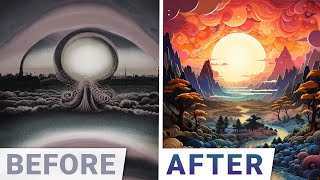
A Two Minute Papers (Dr. Zsolnai) video reviewing Midjourney's text-to-image capabilities. The presenter compares improvements across versions (v1 → v5 → v5.2), highlights remaining artifacts and stylistic behavior, and demos convenience features such as zoom/pan, prompt weights, permutation prompts, and prompt-shortening. A sponsor message for Weights & Biases appears near the end.
Chapters
Dear fellow scholars, this is Two Minute Papers with Dr. Zsolnai. Today we are going to have a look at the newest features. Midjourney, a text to image AI offers. Note that this is somewhat similar to Stable Diffusion, an open text to Image AI that we can run at home for free. But here a subscription is required and some of them cost quite a bit. So is it worth it? And what do we get for this money? Well, I would say two Quality and convenience. Let's talk about quality first. If we asked midjourney version 1 just a bit more than a year ago, for a scene with desert dunes and camels in front of the Great Sphinx of Giza, we got something like this. Or this. But when asking version 5 to create the same, we get this. Now that is an incredible improvement in just one year. However, in the prompt we also asked for a highly stylized result and it seems to have ignored that. Also, these images have some artifacting and the camels feel a little copy pasty. Yes, it's almost as if just one or two camel types were copied over many times. No matter, because version 5.2 is already out and it fixed that too. And the results are breathtaking, stylized results. Loving it. And when asking for a high contrast surreal Collage, with version 5, we got something like this. While version 5.2 is a little more imaginative. I like this one a great deal better. Now, as a counterexample, when asking for vibrant California puppies, the results are a toss up. These could easily pass for two images from the same model, and both are excellent. So this was about quality. And Midjourney has a great deal to offer when it comes to convenience. For instance, whenever we create an image and we are happy with the result, but not with the framing, we can now ask it to zoom out. If we have an eye, we can say, okay, but whose eye is this? And there we go. Fantastic. And we can not only zoom, but we can also do some panning. Little AI, tell me, what's next to this creepy guy? Oh yes, of course, another creepy guy. And there are tons more convenience features in this. For instance, it supports prompt weights. For instance, if we ask for a wooden teapot, we we can even put more emphasis on the wood part and we get this more like wood, less like a teapot, and then even more. Note that the free Stable diffusion can also do this. It also supports one of my favorites for productivity and that is permutation prompts. This is really underrated if we are sure that we wish to get a painting of a bird, but we are not quite sure which bird we can add multiple birds in the same prompt. This will give us all four bird types without having to create four prompts for it. And for the first sight, this does not seem like a big thing, but this really is. Especially that Midjourney supports multiple permutations and even nested ones. With this, we can try out tens of ideas with just one prompt. This is an incredible multiplier for your brain. I absolutely love this. And finally, it can also help us shorten our prompts. What is that? Well, if we have tried out way too many ideas and have a big bloated prompt, it can help us sort out what parts of this actually matter. Then it gives us five new prompts that are progressively shorter and shorter and but all of them will try to retain the heart and soul of the original one. So these are some of the cooler features of Midjourney. There are so many of them. For instance, we haven't even talked about Remix Mode and more so what do you think? Are you using Midjourney? Is it worth the money or is it free stable diffusion all the way for you? Let me know in the comments below.
Weights and Biases provides tools to track your experiments in your deep learning projects. Using their system, you can create beautiful reports like this one to explain your findings to your colleagues better. It is used by many prestigious labs including OpenAI, Toyota Research, GitHub and more. And the best part is that Weights and Biases is free for all individuals, academics and open source projects. Make sure to Visit them through wnb.com papers or just click the link in the video description and you can get a free demo today. Our thanks to Weights and Biases for their long standing support and for helping us make better videos for you.
Thanks for watching and for your generous support and I'll see you next time.