New GPT-4o Mini is Here & More AI Use Cases
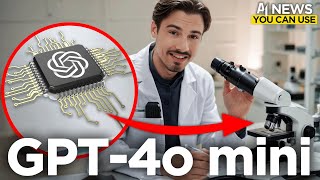
OpenAI released GPT-4o Mini with GPT-4o-level performance at much lower API costs. Mistral dropped new code and math models, Claude launched on Android, and Stanford released Storm, an open-source search and writing tool. Other releases include Hyper AI's video generator and Aura Flow, an open-source image tool.
Questions this video answers
$0.15 per million input tokens.
$0.60 per million output tokens.
$2.00 per million tokens (March 2023).
$0.70 per million tokens (the day before).
$0.24 per million tokens (post-change).
Chapters
I don't know about you, but I thought AI would be slowing down over summer, but nope, that's not happening because this week has been packed with AI releases ranging all the way from a brand new OpenAI model GPT4O mini over potentially the best new open source image generator. I don't know that one is up for debate, but then we also have new research out of Stanford showing an open source alternative to Perplexity. It's mid July, yet things are still moving at the speed of light. So without further ado, let's have a look at every single piece of AI news that you can actually use. Which means we only look at the applications that you can put to work today. Starting off with GPT4.0 Mini. All of this started when some people on Twitter picked up on the fact that hey, yet again on lmsys Chatbot arena that you might be familiar with. It's a site where people can rate chatbot outputs and depending on the ratings, there's a leaderboard which is supposed to express which model is the best. On this site a mysterious new model appeared. It was referred to as GPT Mini. And the most interesting thing about this brand new model was the name upcoming GPT Mini. Very suspicious. Especially if you consider the fact that GPT4O, current state of the art model by OpenAI has also been tested on the same site before its release. Back then under the name I'm a good GPT2 chatbot and a few variations and now I thought that was going to be the story for this week's news you can use. But OpenAI just kicked in the door across their social media platforms and they officially announced GPT4.0 Mini, which is extremely relevant to the entire ecosystem of apps built on top of OpenAI models. Now this release might not be as relevant to the ChatGPT power users like me and many of you, but let's look into this and show you why this actually really does matter. I think the most interesting part of the story is just the trajectory that the AI space is on right now. It's just undeniable that we're moving at the speed of light. And I don't think that is an exaggeration because look at this yet again we got a brand new super capable model. It beats all the other small models on the typical benchmarks that you would want to look at. Matter of fact, it's sort of close to GPT4O. Look at that. MMLU 82 versus 88. We talked about this before, but these signal digit Differences don't really make a difference. It's really some of the more subjective qualities of these models that make a better or a worse user experience Experience when it comes to minor difference like a few points here. But there's a thing that is not objective at all. It's the price of these models. And if you're building on top of this, or if you're using an app that charges your subscription fee, that is building on top of this. Now I could list virtually every app in existence because there's some sort of AI integration everywhere now, all the way from Microsoft Excel to Notion. It doesn't matter. You have this little AI assistance everywhere now and they all built on these API endpoints in the background. And up until now this was the most efficient one. GPT 3.5 turbo ranking at 69.8 on MMLU. This is a significant upgrade in that and here's the punchline, the pricing is ridiculous. We're looking at 15 cents for a million input tokens and 60 cents for a million output tokens. If you assume a 8020 distribution between input and output, you arrive at these numbers which you can then compare to previous models. So remember, GPT 3.5 Turbo is what the ChatGPT that released to the world was built on top of. And in March 2023 the price of a million to tokens was $2. Just yesterday the price of that API endpoint was $0.7 per million tokens. And from today on out the price for a million tokens is $0.24. That's almost a 90% discount if you compare it to what we had a year ago and if you compare that to the text davinci003model, which was the state of the art model before ChatGPT just two years ago, there was also a 90% decrease in cost between that and the original 3.5, resulting in a 90 cost decrease in just two years. Plus as mentioned, it crushes GPT 3.5 across pretty much all metrics. I guess the TLDR is cheaper and better and hopefully some of the savings will be passed down to the consumers using all these products. And it doesn't just end there. You might also ask yourself, hey, this is GPT4O mini and GPT 3.5 was just text. Is this also multimodal? Yes it is. It supports text and vision in the API today with support for text, image, video and audio inputs and outputs coming in the future. So the full multi modality will come with this once it's ready. But for now we Have a better model that's cheaper and it can do vision amazing for the space. And in the spirit of the show, I'm not just reporting on this because it was announced it's available. Look at that here for platform.OpenAI.com playground, you can actually switch from GPT4.O to GPT4O mini and and start using this today. Needless to say that by changing one line of code, if you have been using GPT4.0 in your application, you can switch this over to Mini and start saving cold hard cash today. All right, so next up I would like to show you a tool that brings GPTs outside of the ChatGPT interface. And they're also the sponsor of today's video Chatbase Co. What does it exactly do? Well, exactly as described, it brings GPT features out. So side of the ChatGPT interface, you can build standalone chatbots that are shareable on your website or with your team in a standalone interface with Chatbase. And it actually has some advantages as it seamlessly integrates into things like Notion or takes in a lot more data than a GPT does. With it, you can build bots for customer support, lead generation, and it requires no code. Let me show you how it works in practice. So it really could be any simpler. I used my Gmail account to log in and on the free account you get to create one chatbot. And this is what it looks like, super simple. And what I'll be doing here is I'll be migrating one of my GPTs over to Chatbase. And this is what I always said when building GPTs, if you put in the work once, they're going to be transferable to other services, other LLMs. And this is a perfect example of that. So in this case you can see there's a few tabs here with files text, website, Q and A and Notion text really are the instructions. So what we're going to do is we're going to copy all of these instructions for the Igor around the world GPT that I use all the time. We use this to create new projects prompts for thumbnails whenever you see me in one of the different situations. The prompt behind that was probably created with this GPT. So I'll just copy it over here in the files. I could upload various files, just like with a GPT, I don't need them in this case. Same thing for the website. You could crawl different sites and include the data from it directly. And the Q and A tab would be really useful for a customer support Chatbot where you know that the customer is going to be asking a certain type of question or maybe a set of 40 questions. You can include all of them here. And last but not least, you can integrate notion, which is actually fantastic because we organize all of the AI advantage in the notion. Again, in this particular case, this GPT literally just uses the instructions and doesn't need any integrations. But if I wanted to connect it to my to do list so it has awareness of that, I could do it like so. And it doesn't end there. They offer integrations with Zapier, Slack and so much more. All of it within a no code interface. But at this point I'm really done with my basic setup here. I could just click create a chatbot and it will do do all the work for me and I will have a usable and shareable interface. I'll just say I would like to generate an image of Igor the rock climber and it will give me the full prompt as I just set this up to be a prompt generator. Perfect. And if I head on over to these connections I could include this bot inside of our company Slack or hook it up to other apps with Zapier where it actually starts pushing buttons, doing things. Something that is way more tricky if you actually do it with a GPT. You need API endpoints. Here's simple integrations. To try this out for yourself, head on over to Chatbase Co, which allows you to create your first bot for free. Again, thank you so much to Chatbase for sponsoring this video. And now let's get back to the next piece of AI news you can use. Alright, I also want to talk about the Mistral releases very briefly here. They released two brand new models, one specializing in math and one specializing in code. Codestrol is a 22 billion parameter model. Mathstral is a 7 billion parameter model, so a very tiny one that would fit on mobile phones. Here you have the benchmark results for the math 1 if you care to look at that. And here you have the benchmark results for the Codestro model, beating out Code Llama in most areas. And both of these released under Apache 2.0 license, which makes them usable for commercial purposes. Now look, if you're just a consumer looking for the best models when it comes to code generation, you want to look at Claude 3.5, Sonnet and for many other use cases, GPT 4.0 is probably best. I created a video last week comparing Claude projects with GPTs, talking about all the differences and in which use cases you would want to use those to model. Releases like this are really only relevant to developers, but I briefly wanted to cover them because it is AI news that you can use. Okay, this one is going to be very easy to cover. It's the Claude app for Android. We covered the iOS app release when it came out. They did promise Android app in the future and it's here now. So if you're a Claude user and have an Android phone, I actually find myself using the Claude and ChatGPT apps on the phone regularly. But that pretty much concludes this story and now we can move on to the next one, which is very interesting. So this is a brand new image generator and some people are claiming that this is the new king in the open source category. I'm not sure about that point. I think a lot of that is subjective, but it's very, very good. And it very closely adheres to the prompt, which I love to see because with things like Midjourney, they're extremely aesthetic. But it doesn't adhere to every single word you put into the prompt. You include some details just to find out that the generator ignored them in what it produced. With this model. That's not the case. It's called Aura Flow and you can find it on this website called File, which is the company behind this. You have to log in with your GitHub account to access this, but I would actually recommend it because not just that this model is great. Also, this FILE website is fantastic. There's a lot of models that are hosted on here, ranging all the way from SDXL Stable Diffusion Free all the way to some models that you would only find inside of something like ComfyUI. And if you're not a user of those advanced workflows and tools, and having a website with some of these is fantastic. For example, Animate Div Video to video is one of the things that you see across the Internet here and there, and you're just like, wow, how did they achieve that? Well, a lot of the magic hides inside of ComfyUI, but on this website you can actually dig up some of these models and get your hands on them. So that's just a quick recommendation to explore this. It's not paid, this is not sponsored. I just generally think this is a great selection of various models that you won't run into on a daily basis. Again, these different variations of animated workflows are the thing that caught my personal attention the most. But then you can also create illusions and a variety of other things. It's a great little playground, but now let's talk about aura flow again, because this is truly open source and it's extremely good. Okay, so I just wrote a little prompt from scratch about a wide shot of an otter surfing a big wave barrel while drinking a pina colada. A few more details like dolphins and a description of the lighting in here. This should do it. Let's see what we get from this brand new model and I'll be looking out for the prompt adherence here. Like the dolphins in the surrounding. Okay, look at this guy. This might be a little too realistic. Let me add cartoon style to this and see what we get. Now, beyond my super basic first attempts here, I would recommend you look at these examples. These might be a better representation of what it can do. Some of these are seriously impressive up there with some of the best models available. And it can also do text. So if you want a deeper dive on all things aura flow, I would strongly recommend you check out MadFit Pro's video. I gotta say, Matt, I watched this whole thing and you've been putting in some serious efforts into your content. Loving the background music and the storytelling in the beginning here. So if you want to learn more about this, check out Matt's video over on his channel. And look at that. The cartoon otter actually worked out quite nicely. As you can see, it includes all the details, including the backlighting and the big wave. Not perfect, but as always, we would need to iterate over this. But that's not the point of this video. The point of this video is showing you what's new. And another thing that is new is actually a prompting guide for Gen 3, the State of the art video generator from the company that released it. So they released their very own prompting guide, which I just love to see. They're good on the education side with a lot of the other companies. They just hope that content creators create this for them and will lovingly do that. But in this case, I just love having all these various keywords and techniques curated by them with various examples. If you're into Gen 3, check out this guide and also you might enjoy this video that I created and we just uploaded a few minutes ago about all the best AI video generators. We tested them all with the team, ranked them. It's all in one video for you. And here's a guide on how to use the best one. Gen 3. All right, moving on to the next release this week. This has been very surprising and it actually ties into the video here. One of the tools I reviewed there and that I was very Surprised by was Hyper AI and they released a brand new 1.5 version of their video generator that now can do 8 second videos and you can extend them with 4 seconds at a time. And they have a new upscaling feature where you can upscale it to full hd, which I just love to see. Naturally, a lot of these video workflows are just putting together five to ten tools. You generate a prompt in GPT, then you put that prompt into midjourney. Then you take the image from a journey, put it into Dream Machine. Dream Machine creates the video. You upscale it with something like Topaz Labs, just to bring it into editing software like Premiere 2. Use one clip. I love to see some of these tools merging and one day we'll probably have one app that has it all built into it. Might even be editing software like Premiere Pro. Anyway, the point being Hyper is bringing some of these together and their model is actually supporting surprisingly good. And it's surprisingly good in a way that is non obvious at first sight. I don't think it's best in class at any specific thing like Hyper Realism or Shots of Nature, but it's really good at keeping things subtle. What I mean by subtle is that these movements aren't over the top. A lot of times you get artifacts with other video generators and then the thing is unusable. It either blurs it or weird things appear, or stuff morphs and just becomes unrealistic. Hyper is very careful with what it does and often the movement is just subtle. That's really the word for this. It does it consistently in a way where it's not obvious that this might be AI. And that's why I really like this release. If you go something to Gen 3 that arguably has the best quality, you're going to be paying a dollar for every 10 seconds you generate. And the generation is super non consistent. If you want a usable shot, usually you have to run it two, three, four times. A lot of times, five, six, seven times. That means one shot is going to cost you multiple dollars every single time. Whereas in here you have some free tokens. You can just try it out, generate some things and most of them work. It's way more consistent. Now you're not going to be able to get these ext shots from it, like these transitions that Gen3 does. But if you just want to turn an image or a text prompt into a subtle little video, something that moves and is slightly animated, this is the tool for you. Again, for a full breakdown of how this relates to all the other tools and Generators in the space. That's what I created this video for. But yeah, hyper is quite good. Let's just reuse this little otter prompt that I just wrote here and see what we get from a text to video outputs. All right, so here we have our auto. Oh, look at that. This is actually quite impressive. I like the visuals of this. And okay, so it's a bit weird in the eye, but you can see what I'm saying here, right? None of this movement is crazy. It just goes for this subtle animation. Even though it does that, I think it still lost it somewhere around the eye. But it looks really good. Like this is the type of thing you regenerate two or three times and you get something usable as opposed to a lot of other models where you just give up after doing it five to ten times. Great tool. And on the Explore page you can obviously find some better examples of what this actually does. Like this capybara going about its day. Oh, and by the way, if you're enjoying this video, which obviously a lot of research and production went into, then leave a quick like it really does help the channel. Now let's move on to the next piece of AI news you can use. All right, the next up we have a very interesting release here from Stanford. This is called storm, which stands for Synthesis of Topic Outlines for Retrieval and Multi Perspective Question asking. That's a mouthful. Essentially this is an open source alternative to perplexity coming out of Stanford. And this was brought up to me not on Twitter and YouTube. This actually came up inside of the AI Advantage community. I held an office hour session on Monday and Jacob, one of the winners of the public challenge we held, actually brought up this tool and then also shared how he's using it in his everyday workflow. Man impressed everybody with a GPT debugging GPT in the public challenge and now he's in here educating other people about what's going on. This is exactly the type of stuff that I love seeing within the community, which by the way now is segmented into free areas, areas we have an LLM, a creative and a no code area. And then we assign people based on their interest. And we're also creating group chats now so you can really find your pocket within the community to connect with like minded individuals or you don't do that at all and you just consume all the info in the learning center. Up to you. But I just love that the community is now also informing our YouTube content here. But anyway, I found this very interesting because yes, you heard me. Right. This is an open source approach to what Perplexity does, and it's quite simply explained in this graph. So basically, if you look for a question inside of an LLM, you put the question in and it looks at the world knowledge it has and it gives you answers straight up. This works differently. You give it a question or a topic and then it goes into the Internet and finds various sources and articles and creates a custom outline from all those articles. Okay, so that's the first step and only afterwards it does the second step where it simulates a conversation with LLMs between a Wikipedia writer and a topic expert, depending on what topic you're handling, to debate all of the information in the outline and to get you a full length article written in collaboration by them. But it's based on the outline, it's not based off the world knowledge of the LLM that gets added to by the Wikipedia writer and expert, but the base of it really is what it finds on the Internet. And that's how this works. It has been fully open sourced on here and there is a live demo that you could try out right now. And after giving it a specific title of the article that we want to write here and a short description. Obviously, the longer you make this, the more context it has to write a good article for you. But you probably know that by now if you're watching this channel. And then we just generate and there we go. But already after about 15 seconds of me talking here, it has the first step completed. Now it's browsing the Internet and finding various sources to include in this outline. And this is how a lot of these tools work. Now look, we never got an in depth look at how perplexity works under the hood, but you can assume something similar to this and Sooner or later OpenAI will make their own play in this space and probably just team roll everybody like they just did with GPT4. Oh, Mini. But yeah, as of now, we have these incremental and open source steps. Pushing the envelope. All right, I had to restart this, so it took me two generations, but here I have the resulting article. You can see various headlines, we have markdown formatting. I can show the whole thing as a PDF. And look, yes, this does have a little bit of this ChatGPT flavor because it is written by ChatGPT, but the information is super relevant. Look, it has all the various details from articles on the Internet today because it searched the Internet today. I mean, it goes into all the history which you might not want, who knows? And I gotta say While brushing over it, it looks really solid, except of the fact that it doesn't include some of the benchmarks or the images. But the good news is all of this has been cited. So you can actually go in here and look at the various articles I've looked at. This One is from November 2, 2023. The evolution of language models. Okay, fair enough. Let's see if it actually considered the OpenAI blog or anything from today. That is kind of an essential thing thing in this process. Isn't it May 14? Nope, it's 2023 May 15. Let's have a look at the process here. It first spawned an ethics specialist, then an Internet historian, AI researcher and a basic fact writer. So these multiple agents discussed this article and produced the final results. That is interesting. It used Wikipedia pages as reference, but from what I can see, all of these sources while varied. The newest one seemed to be from May 15th, 2024 and not today. So just be aware of that. I really wanted it to pull in today's things, but there you go. One attempt sort of worked. Didn't really do what I wanted it to considering that literally the GPT4 Mini was announced today. So again, just make sure to double check the results for a lot of other purposes. This might be great. And last but not least, I always like to include some inspirational story in our news roundup here. And this is something you can absolutely use and matter of fact, it's an example of how other people have been using AI. I always like to feature these here and there. This one is from the Metablock and it's just a look at what people will have access to here in the future because the study buddy in Zulu is an AI tutor for schools in Africa. And I think these are the use cases that are so non obvious to a lot of us people here sitting in the west living a comfortable life. And sure we have many other struggles, a lot of them psychological, that might be weighing on you on a day to day basis. And considering the impact of technology, it's always important to look at the world holistically rather than just your personal situation. I realized that when we watch these videos, usually we filter everything through the lens of our own life. Well, that's the whole point of this. I'm creating this show for you so you can find AI tools that work for you. But sometimes it's important to zoom out and think about the fact that open source releases like the Mixture Model or the New Aura Flow or this perplexity alternative with Storm will be empowering. The entire globe sooner or later, I guess. And this little bot that is a learning tutor for people that speak a completely different language. It's just something I love to see. And look, this still has been using llama 2, yet 3 million students use this to aid their learning process. So just think about that next time you look at one of these serious releases like GPT4 mini. This is not just going to be benefiting you, this is going to be benefiting the entire world. With access to mobile phones, I guess. But most of the world has that at this point, right? And anyway, this has been another fantastic week. My hope is that you found something that is useful to you or one of your loved ones. If you enjoyed the video, subscribe. Because I do this every Friday and that's all I got. See you in the next one.










