Open AI's New 'MAJOR BREAKTHROUGHS Stuns The ENTIRE AI Industry! (GPTS +GPT-4 Turbo)
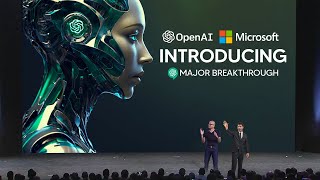
Sam Altman announced GPT-4 Turbo with longer context and better accuracy, plus DALL-E 3, text-to-speech, and Whisper V3 in the API. Custom GPTs let anyone build their own, with a coming GPT Store that shares revenue. The Assistants API adds stateful threads, code execution, and voice integration.
Chapters
Overshadowed by the very big announcement that they recently did made, of course, GPT4 Turbo. We're going to get into absolutely everything and break down some of the key points that many people did miss. So pay attention to this video because there's a lot to break down. But it's really worth it because this next stage in AI is going to be completely different.
GPT4 Turbo. GPT4 Turbo will address many of the things that you all have asked for for. So let's go through what's new. We've got six major things to talk about for this part. Number one Context length. A lot of people have tasks that require a much longer context length. GPT4 supported up to 8k and in some cases up to 32k context length. But we know that isn't enough for many of you and what you want to do. GPT4 Turbo supports up to 128,000 tokens of context. That's 300 pages of a standard book, 16 times longer than our 8K context. And in addition to longer context length, you'll notice that the model is much more accurate over a long context. Number two More control. We've heard loud and clear that developers need more control over the model's responses and outputs. So we've addressed that in a number of ways. We have a new feature called JSON Mode, which ensures that the model will respond with valid JSON. This has been a huge developer request. It'll make calling APIs much easier. The model is also much better at function calling. You can now call many functions at once, and it'll do better at following instructions. In general, we're also introducing a new feature called reproducible outputs. You can pass a seed parameter and it'll make the model return consistent outputs. This, of course, gives you a higher degree of control over model behavior. This rolls out in beta today.
And.
In the coming weeks we'll roll out a feature to let you view log probs in the API.
All right?
Number three, Better world knowledge. You want these models to be able to access better knowledge about the world. So do we. So we're launching retrieval in the platform. You can bring knowledge from outside documents or databases into whatever you're building. We're also updating the knowledge cutoff. We are just as annoyed as all of you, probably more, that GPT4's knowledge about the world ended in 2021. We will try to never let it get that out of date again. GPT4 Turbo has knowledge about the world up to April of 2023, and we will continue to improve that over time. Number four new modalities surprising no.1 Dall E3 GPT4 Turbo with vision and the new text to speech model are all going into the API. Today. We have a handful of customers that have just started using Dall E3 to programmatically generate images and designs. Today, Coke is launching a campaign that lets its customers generate Diwali cards using Dall E3. And of course, our safety systems help developers protect their applications against misuse. Those tools are available in the API. GPT4 Turbo can now accept images as inputs via the API, can generate captions, classifications and analysis. For example, Be My Eyes uses this technology to help people who are blind or have low vision with their daily tasks like identifying products in front.
Now, something I didn't see many people talking about because I don't think the feature is that good, is that they spoke about how they have a new text to speech software. And I think 11 Labs has really set the standard for what we expect when we now look at text to speech software. Because if you have actually listened to some of the stuff that they literally just released on the website, I'm talking just a couple of minutes ago, it doesn't sound that great. I mean it sounds good, but if you do want to compare it TO STUFF Like 11 Labs, 11 Labs is definitely far superior. But what's oddly enough is that the one that I speak to when you're using ChatGPT and you speak to it like it's a person sounds much better than their new text to speech model. But if there's anything we know about OpenAI is that their models are going to get better and better. But take a listen to it because it does sound kind of interesting. But it's something that many people didn't talk about. But it's a very small part that you probably should just pay attention to.
And with our new text to speech model, you'll be able to generate incredibly natural sounding audio from text in the API. With six preset voices to choose from, I'll play an example.
Did you know that Alexander Graham Bell, the eminent inventor, was enchanted by the world of sounds? His ingenious mind led to the creation of the graphophone, which etched sounds onto wax, making voices whisper through time.
This is much more natural than anything else we've heard out there. Voice can make apps more natural to interact with and more accessible. It also unlocks a lot of use cases like language learning and voice assistants. Speaking of new modalities, we're also releasing the next version of our open source speech recognition model Whisper V3 today. And it'll be coming soon to the API. It features improved performance across many languages and, and we think you're really gonna like it.
Then we have is what I think is the most insane section of the video. So yeah, just check this out cause everything is about to change in this part right here.
D to everyone. So we're gonna show you what GPTs are, how to use them, how to build them, and then we're gonna talk about how they'll be distributed and discovered. And then after that, for developers, we're gonna show you how to build these agent like experiences into your own apps. So first let's look at a few examples. Our partners@code.org are working hard to expand computer science in schools. They've got a curriculum that is used by tens of millions of students worldwide. Code.org crafted lesson planner GPT to help teachers provide a more engaging experience for middle schoolers. If a teacher asks it to explain for loops in a creative way, it does just that. In this case, it'll do it in terms of a video game character repeatedly picking up coins. Super easy to understand for an eighth grader. As you can see, this GPT brings together Code.org's extensive curriculum and expertise and lets teachers adapt it to their needs quickly and easily. Next, Canva has built a GPT that lets you start designing by describing what you want in natural language. If you say make a poster for a dev date reception this afternoon, this evening, and you give it some details, it'll generate a few options to start with by hitting Canva's APIs. Now this concept may be familiar to some of you. We've evolved our plugins to be custom actions for GPTs. You can keep chatting with this to see different iterations and when you see one you like, you can click through to Canva for the full design experience. So now.
So in this section of the OpenAI dev day, what they had was super interesting because this section they talk about custom GPTs for companies. And although we don't get to partake in making these GPTs and we can make our own GPTs, I think this is going to revolutionize pretty much every online business and pretty much how we interact with most modern applications. Because with Canva GPT, I don't think there's any reason a person would use this for over the traditional method. Of course, if you want some more creative control and of course if you do want to do more specific things, I guess you could. But being Able to just simply talk into a large language model and then get the exact graphic that you want is going to revolutionize absolutely everything. And I can't imagine what other companies are going to be launching their own GPTs and how they're going to be integrated and maybe if those companies have to pay an upfront cost for the GPT and if OpenAI is making money from this. But this is definitely something that I think a lot of people aren't talking about. And I think we're going to see a lot of applications, the way most people use them, change rapidly.
We'd like to show you a GPT live. Zapier has built a GPT that lets you perform actions across 6,000 applications to unlock all kinds of integration possibilities. I'd like to introduce Jessica, one of our solutions architects, who is going to drive this demo. Welcome, Jessica.
Thank you, Sam. Thank you all. Thank you all for being here. My name is Jessica Shea. I work with partners and customers to bring their product alive. And today I can't wait to show you how hard we've been working on this. So let's get started. So to start, where your GPT will live is on this upper left corner. I'm going to start with clicking on the Zapier AI actions. And on the right hand side you can see that's my calendar for today. So it's quite a day. I've already used this before, so it's actually already connected to my calendar. To start, I can ask what's on my schedule for today. We build GPTs with security in mind. So before it performs any action or share data, it will ask for your permission. So right here I'm going to say allowed. So GPT is designed to take in your instructions, make the decision on which capability to call to perform that action, and then execute that for you. So you can see right here, it's already connected to my calendar. It pulls into my information and then I've also prompted it to identify conflicts on my calendar. So you can see right here, it actually was able to identify that. So it looks like I have something coming up. So what if I want to let Sam know that I have to leave early? So right here I say let Sam know I gotta go chasing GPUs. So with that, I'm going to swap to my conversation with Sam and then I'm going to say, yes, please run that. Sam, did you get that?
I did.
Awesome. So this is only a glimpse of what is possible and I cannot wait to see what you all will build thank you. And back to you, Sam.
Thank you, Jessica. So those are three great examples. In addition to these, there are many more kinds of GPTs that people are creating and many, many more that will be created soon. We know that many people who want to build a GPT don't know how to code. We've made it so that you can program the GPT just by having a conversation. We believe that natural language is going to be a big part of how people use computers in the future, and we think this is an interesting early example. So I'd like to show you how to build one. All right, so I want to create a GPT that helps give founders and developers advice when starting new projects. I'm gonna go to create a GPT here, and this drops me into the GPT Builder. I worked with founders for years at yc, and still whenever I meet developers, the questions I get are always about how do I think about a business idea? Can you give me some advice? I'm gonna see if I can build a GPT to help with that. So to start, GPT Builder asks me what I want to make, and I'm going to say I want to help startup founders think through their business ideas and get advice. After the founder has gotten some advice, grill them on why they are not growing faster. All right, so to start off, I just tell the GPT a little bit about what I want here, and it's going to go off and start thinking about that, and it's going to write some detailed instructions for the GPT. It's also going to, let's see, ask me about a name. How do I feel about Startup Mentor? That's fine. That's good. So if I didn't like the name, of course I could call it something else, but it's going to try to have this conversation with me and start there. And you can see here on the right, in the preview mode that it's already starting to fill out the GPT where it says what it does. It has some, like, ideas of additional questions that I could ask. And you know what? I actually. So it just generated a candidate. Of course, I could regenerate that or change it, but I sort of like that. So I will say that's great. And you see now that the GPT is being built out a little bit more as we go. Now, what I want this to do, how it can interact with users. I could talk about style here, but what I'm going to say is I am going to upload transcripts of some lectures about Startups I have given, please give advice based off of those. All right, so now it's going to go figure out how to do that. And I would like to show you the Configure tab so you can see some of the things that were built out here as we were going by the builder itself. And you can see that there's capabilities here that I can enable. I could add custom actions. These are all fine to leave. I'm going to upload a file. So here is a lecture that I picked that I used to, that I gave with some startup advice and I'm going to add that here. In terms of these questions, this is a dumb one. The rest of those are reasonable and like very much things founders often ask. I'm going to add one more thing to the instructions here, which is be concise and constructive with feedback. All right, so again, if we had more time, I'd show you a bunch of other things, but this is like a decent start and now we can try it out over on this preview tab. So I will say what's a common question? What are three things to look what are three things to look for when hiring employees at an early stage startup? Now it's going to look at that document I uploaded. It'll also have, of course, all of the background knowledge of GPT4. That's pretty good. Those are three things that I definitely have said many times now. We could go on and it would start following the other instructions and grill me on why I'm not growing faster. But in the interest of time, I'm going to skip that. I'm going to publish this only to me for now. I can work on it later. I can add more content, I can add a few actions that I think would be useful and then I can share it publicly. So that's what it looks like to create a GPT with. Thank you, By the way. I always, I always wanted to do that after like all of the YC office hours. I always thought, man, someday I'll be able to make a bot that will do this and that'll be awesome. So with GPTs, we're letting people easily share and discover all the fun ways that they use ChatGPT with the world. You can make private GPTs like I just did, or you can share your creations publicly with a link for anyone to use. Or if you're on ChatGPT Enterprise, you can make GPTs just for your company. And later this month we're going to launch the GPT Store. You can list a GPT thank you, I appreciate that. You can list a GPT there and we'll be able to feature the best and the most popular GPTs. Of course, we'll make sure that GPTs in the store follow our policies before they're accessible. Revenue sharing is important to us. We're going to pay people who build the most useful and the most used GPTs a portion of our revenue.
Of course, we have the section where you can make your own GPTs, and I think this is going to be where a lot of money is made in terms of normal people who don't have particularly a code base. So currently what you have is a bunch of companies that wrap ChatGPT and essentially they change the software into something that is usable for external applications. So there's some software out there that you know you can use to Talk with your PDFs, there's some. So you can talk to it in a specific style. But chat GPT and OpenAI are essentially giving you that capability and they're saying, look, you can make your own bot, you can upload it to a website, and if loads of people use it, we're going to pay you a percentage of that. And I think that is going to be very similar to the App Store. And with this, I think it's going to be really interesting because now people have a huge financial incentive to create these bots, share these bots, and we're going to be getting a whole lot of creativity and customization. So I would say if you are someone who is looking for that next business model online, this is definitely going to be something that is really interesting and something that, if you're particularly good at AI, you can definitely take advantage of.
Today, we're making that a lot easier with our new Assistants API. The assistance API includes persistent threads so they don't have to figure out how to deal with long conversation history. Built in retrieval code interpreter, a working Python interpreter in a sandbox environment, and of course, the improved function calling that we talked about earlier. So we'd like to show you a demo of how this works. And here is Rahman, our head of developer experience. Welcome.
Thank you, Sam. Good morning. Wow, it's fantastic to see you all here. It's been so inspiring to see so many of you infusing AI into your apps. Today we're launching new modalities in the API, but we are also very excited to improve the developer experience for you all to build assistive agents. So let's dive right in. Imagine I'm building Wanderlust, a travel App for global explorers. And this is the landing page. I've actually used GPT4 to come up with these destination ideas. And for those of you with a keen eye, these illustrations are generated programmatically using the new Dall E3 API available to all of you today. So it's pretty remarkable. But let's enhance this app by adding a very simple assistant to it. This is the screen. We're going to come back to it in a second. First, I'm going to switch over to the new assistant's playground. Creating an assistant is easy. You just give it a name, some initial instructions, a model. In this case, I'll pick GPT4 Turbo. And here I'll also go ahead and select some tools. I'll turn on code interpreter and retrieval and save. And that's it. Our assistant is ready to go. Next, I can integrate with two new primitives of this assistant's API, threads and messages. Let's take a quick look at the code. The process here is very simple. For each new user, I will create a new thread. And as these users engage with their assistant, I will add their messages to the threads. Very simple. Then I can simply run the assistant at any time to stream the responses back to the app. So we can return to the app and try that in action. If I say, hey, let's go to Paris, all right, that's it. With just a few lines of code, users can now have a very specialized assistance right inside the app. I'd like to highlight one of my favorite features here, function calling. If you have not used it yet, function calling is really powerful. And as Sam mentioned, we're taking it a step further today. It now guarantees the JSON output with no added latency, and you can invoke multiple functions at once for the first time. So here, if I carry on and say, hey, what are the top 10 things to do when I have the assistant respond to that again? And here, what's interesting is that the assistant knows about functions, including those to annotate the map that you see on the right. And so now all of these pins are dropping in real time here. Yeah, it's pretty cool. And that integration allows our natural language interface to interact fluidly with components and features of our app. And it truly showcases now that the harmony you can build between AI and ui, where the assistant is actually taking action. But next, let's talk about retrieval. And retrieval is about giving our assistant more knowledge beyond these immediate user messages. In fact, I got inspired and I already booked my tickets to Paris. So I'M just going to drag and drop here this PDF while it's uploading, I can just sneak peek at it. Very typical United flight ticket. And behind the scene here, what's happening is that retrieval is reading these files and boom, the information about this PDF appeared on the screen. And this is of course a very tiny PDF, but assistants can parse long form documents from extensive text to intricate product specs, depending on what you're building. In fact, I also booked an Airbnb, so I'm just going to drag that over to the conversation as well. And by the way, we've heard from so many of you developers how hard that is to build yourself. You typically need to compute your embeddings, you need to set up chunking algorithm. Now all of that is taken care of and there's more than retrieval. With every API call, you usually need to resend the entire conversation history, which means setting up a key value store. That means handling the context window, serializing messages and so forth. That complexity now completely goes away with this new stateful API. But just because OpenAI is managing this API does not mean it's a black box. In fact, you can see the steps that the tools are taking right inside your developer dashboard. So here, if I go ahead and click on threads, this is the thread I believe we're currently working on. And see like these are all the steps, including the functions being called with the right parameters and the PDFs I've just uploaded. But let's move on to a new capability that many of you have been requesting for a while. Code interpreter is now available today in the API as well. That gives the AI the ability to write and execute code on the fly, but even generate files. So let's see that in action. If I say, here, hey, will be four friends staying at this Airbnb, what's my share of it? Plus my flights. All right, now here, what's happening is that code interpreter noticed that it should write some code to answer this query. So now it's computing the number of days in Paris, the number of friends. It's also doing some exchange rate calculation behind the scene to get this answer for us. Not the most complex math, but you get the picture. Imagine you're building a very complex like finance app that's crunching countless numbers, plotting charts. So really any task that you'd normally tackle with code, then code interpreter will work great for you. All right, I think my trip to Paris is sorted. So to recap here, we've just seen how you can quickly create an assistant that manages state for your user conversations, leverages external tools like knowledge and retrieval and code interpreter, and finally invokes your own functions to make things happen. But there's one more thing I wanted to show you to kind of really open up the possibilities using function calling combined with our new modalities that we're launching today. While working on Dev Day, I built a small custom assistant that knows everything about this event. But instead of having a chat interface while running around all day today, I thought, why not use voice instead? So let's bring my phone up on screen here so you can see it on the right. Awesome. So on the right you can see a very simple Swift app that takes microphone input. And on the left, I'm actually going to bring up my terminal log so you can see what's happening behind the scenes. So let's give it a shot. Hey there. I'm on the keynote stage right now. Can you greet our attendees here at Dev Day?
Hey everyone, welcome to Dev Day. It's awesome to have you all here. Let's make it an incredible day.
Isn't that impressive? You have six unique and rich voices to choose from in the API, each speaking multiple languages, so you can really find the perfect fit for your app. And on my laptop here on the left, you can see the logs of what's happening behind the scenes too. So I'm using Whisper to convert the voice inputs into text, an assistant with GPT4 Turbo, and finally the new TTS API to make it speak. But thanks to function calling, things get even more interesting when the assistant can connect to the Internet and take real actions for users. So let's do something even more exciting here together. How about this? Hey Assistant, can you randomly select five Dev Day attendees here and give them $500 in OpenAI credits?
Yes. Checking the list of attendees. Done. I picked 5 dev day attendees and added $500 of API credits to their account. Congrats to Christine M, Jonathan C, Stephen G, Luis K. And Suraj S. All.
Right, if you recognize yourself, awesome.
Congrats.
And that's it. A quick overview today of the new Assistant CPI combined with some of the new tools and modalities that we launched. All starting with the simplicity of a rich text or voice conversation for your end users. We really can't wait to see what you build. And congrats to our lucky winners. Actually, you know what? You're all part of this amazing OpenAI community here, so I'm just going to talk to my assistant one last time before I step off the stage. Hey, assistant, can you actually give everyone here in the audience $500 in OpenAI credits?
Sounds great. Let me go through.
All right.
That function will keep running, but I run out of time. So thank you so much, everyone. Have a great day. Back to you, Sam.
Pretty cool, huh? All right, so that assistance API goes into beta today and we are super excited to see what you all do with it. Anybody can enable it.
So next we're about to see is Sam Altman's closing words. And I do want you to pay attention to all of the words that he says, because in one sentence he does mention that these AI agents or these AI systems that he's building are going to be able to plan and of course do more advanced things in the future, and they're working on increasing these capabilities. So, like I said before, I don't think AGR is far out of the scope, but it's really interesting to see just how far we are coming in such a short space and the progression and what they're hinting, leaning towards. So pay attention because these closing statements show us exactly where the company is headed. And of course, if you had been watching the channel, you understand that their core values have been updated. So this is of no surprise.
GPTs and assistants are precursors to Agents are going to be able to do much, much more. They'll gradually be able to plan and to perform more complex actions on your behalf. As I mentioned before, we really believe in the importance of gradual iterative deployment. We believe it's important for people to start building with and using these agents now to get a feel for what the world is going to be like as they become more capable. And as we've always done, we'll continue to update our systems based off of your feedback. So we're super excited that we got to share all of this with you. Today we introduced GPTs, custom versions of ChatGPT that combine instructions, extended knowledge and actions. We launched the Assistance API to make it easier to build assistive experiences with your own apps. These are our first steps towards AI agents and we'll be increasing their capabilities over time. We introduced a new GPT4 Turbo model that delivers improved function calling knowledge, lowered pricing, new modalities and more. And we're deepening our partnership with Microsoft. In closing, I wanted to take a minute to thank the team that creates all of this. OpenAI has got remarkable talent density, but still it takes a huge amount of hard work and coordination to make all of this happen. I truly believe that I've got the best colleagues in the world. I feel incredibly grateful to get to work with the them. We do all of this because we believe that AI is going to be a technological and societal revolution. It will change the world in many ways. And we're happy to get to work on something that will empower all of you to build so much for all of us. We talked about earlier how if you give people better tools, they can change the world. We believe that AI will be about individual empowerment and agency at a scale that we've never seen before. And that will elevate humanity to a scale that we've never seen before either. We'll be able to do more, to create more, and to have more. As intelligence gets integrated everywhere, we will all have superpowers on demand. We're excited to see what you all will do with this technology and to discover the new future that we're all going to architect together. We hope that you'll come back next year. What we launched today is going to look very quaint relative to what we're busy creating for you now. Thank you for all that you do. Thank you for coming here today.
So, with Sam Altman's closing statement, I think it's clear that we're moving more away from just a standard chatbot to specific applications and to AI agent AGI. And I think that's going to be really evident over the next two years because they're saying they're going to be increasing the capabilities of these models. So I wouldn't be surprised if we start getting a bunch of different AI agents that we can literally just deploy on our computers. And, of course, fundamentally, you have to remember that this is going to change the Internet. So if you have any predictions, leave them down in the comment section below. And, yeah, it'll be interesting to see what happens tomorrow.










