OpenAI's NEW MULTIMODAL GPT-4o Just SHOCKED The ENTIRE INDUSTRY!
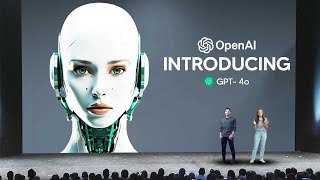
This is a transcript of a May 13, 2024 YouTube presentation/demo (uploaded by LARRUZ) showcasing OpenAI's new multimodal model, GPT-4o (aka GPT4O). Speakers (Barrett, Mark, and Speaker B) announce the desktop ChatGPT app and UI refresh, describe GPT-4o's improvements (native multimodal reasoning across text, vision, and audio; lower latency; ability to interrupt; real-time conversational speech; emotive TTS; 2x speed/50% cheaper/5x rate limits vs GPT-4 Turbo in the API), and demonstrate live capabilities: real-time voice interaction (including interruption and emotion detection), voice synthesis in varied expressive styles (robotic, singing), vision (reading handwriting, interpreting plots), guided math tutoring, code-review and plot interpretation, real-time translation (English↔Italian), and a basic face-emotion inference demo. They also note broader product changes: GPTs/GPT Store availability, memory, Browse, Advanced Data Analysis, language support (50 languages), and safety/mitigation work for real-time audio and vision.
Chapters
OpenAI arguably just released the most impressive demo of 2024, revealing their AI system, which is pretty much an end to end neural network that can do any kind of input and any kind of output. And this is just truly remarkable. But without wasting any more time, take a look at GPT4O.
And today we're also bringing the desktop app to ChatGPT because we want you to be able to use it wherever you are. And as you can see, it's easy, it's simple, it integrates very, very easily in your workflow. Along with it, we have also refreshed the ui. We know that these models get more and more complex, but we want the experience of interaction to actually become more natural, easy, and for you not to focus on the UI at all, but just focus on the collaboration, which chatgpt. Now the big news. Today we are releasing our newest flagship model, provides GPT4 level intelligence, but it is much faster and it improves on its capabilities across text, vision and audio. For the past couple of years, we've been very focused on improving the intelligence of these models and they've gotten pretty good. But this is the first time that we are really making a huge step forward when it comes to the ease of use. And this is incredibly important because we're looking at the future of interaction between ourselves and the machines. And we think that GPT4O is really shifting that paradigm into the future of collaboration, where this interaction becomes much more natural and far, far easier. But making this happen is actually quite complex because when we interact with one another, there's a lot of stuff that we take for granted. The ease of our dialogue when we interrupt one another, the background noises, the multiple voices in a conversation, or understanding the tone of voice, all of these things are actually quite complex for these models. And until now with voice mode, we had three models that come together to deliver this experience. We have transcription, intelligence and then text to speech all comes together in orchestration to deliver voice mode. This also brings a lot of latency to the experience and it really breaks that immersion in the collaboration with ChatGPT. But now we. With GPT4O, this all happens natively, GPT4O reasons across voice, text and vision. And with these incredible efficiencies, it also allows us to bring the GPT4 class intelligence to our free users. This is something that we've been trying to do for many, many months and we're very, very excited to finally bring GPT4O to all of our users. We have these advanced tools that are only available to Our paid users, at least until now, with the efficiencies of 4.0, we can bring these tools to everyone. So starting today, you can use GPTs and the GPT Store. So far we've had more than a million users create amazing experiences with GPTs. These are custom ChatGPTs for specific use cases that are available in the store. And now our builders have a much bigger audience where university professors can create content for their students, or podcasters can create content for their listeners. And you can also use vision. So now you can upload screenshots, photos, documents containing both text and images, and you can start conversations with ChatGPT about all of this content. You can also use memory, where it makes ChatGPT far more useful and helpful because now it has a sense of continuity across all your conversations. And you can use Browse, where you can search for real time information in your conversation, and advanced data Analysis, where you can upload charts or any information. And it will analyze this information, it will give you answers and so on. Lastly, we've also improved on the quality and speed in 50 different languages for ChatGPT. And this is very, very important because we want to be able to bring this experience to as many people out there as possible. So we're very, very excited to bring GPT4OH to all of our free users out there. And for the paid users, they will continue to have up to five times the capacity limits of our free users. But GPT 4.0 is not only available in ChatGPT, we're also bringing it to the API. So our developers can start building today with GPT4O and making amazing AI applications, deploying them at scale. 4.0 is available at 2x faster, 50% cheaper and 5 times higher rate limits compared to GPT4 Turbo. But you know, as we bring these technologies into the world, it's quite challenging to figure out how to do so in a way that's both useful and also Safe. And GPT 4.0 presents new challenges for us when it comes to safety because we're dealing with real time audio, real time vision, and our team has been hard at work figuring out how to build in mitigations against misuse.
Hey, I'm Mark. So one of the key capabilities we're really excited to share with you today is real time conversational speech. Let's just get a demo fired up. So I'm taking out a phone. If you are wondering about this wire, it's so we have consistent Internet. If you see there's this little icon on the bottom right of the ChatGPT app. And this will open up GPT4O's audio capabilities. Hey, ChatGPT, I'm Mark. How are you?
Oh, Mark, I'm doing great, thanks for asking. How about you?
Hey.
So I'm on stage right now. I'm doing a live demo and frankly, I'm feeling a little bit nervous. Can you help me calm my nerves a little bit?
Oh, you're doing a live demo right now. That's awesome. Just take a deep breath and remember, you're the expert.
I like that suggestion. Let me try a couple deep breaths. Can you give me feedback on my breaths? Okay, here I go.
Whoa, slow a bit there. Mark, you're not a vacuum cleaner. Breathe in for a count of four.
Okay, let me try again. So I'm going to breathe in deeply.
And then for four, and then exhale slowly.
Okay, I'll try again. Breathing in. And breathe out.
That's it. How do you feel?
I feel a lot better. Thank you so much.
So, Mark, you've been working on these capabilities for a while now. Can you tell us a bit how it's different from voice mode?
Right, so if you've used our voice mode experience before, you'll notice a couple key differences. First, you can now interrupt the model. You don't have to wait for it to finish your turn before you can start speaking, and you can just butt in whenever you want. Second, the model is real time responsiveness. So that means that you don't have this awkward 2 to 3 second lag before you wait for the model to give a response. And finally, the model picks up on emotion. Right when I was breathing super hard there, it could tell and it knew, hey, you might want to calm down a little bit. You're kind of running a little bit too fast. So it really has that capability across the board to perceive your emotion. Not only that, though, the model is able to generate voice in a variety of different emotive styles, and it really has a wide dynamic range. So I'm going to fire up another demo for that.
Yeah.
Hey, ChatGPT, how are you doing?
I'm doing fantastic, thanks for asking. How about you?
Pretty good.
What's up?
So my friend Barrett here, he's been having trouble sleeping lately, and I want you to tell him a bedtime story about robots and love.
Oh, a bedtime story about robots and love. I got you covered. Gather round, Barrett. Once upon a time, in a world not too different from ours, there was a robot named Byte Bite. Was a curious robot, always exploring I.
Started this story, but I want a little bit more emotion in your voice, a little bit more drama.
Got it? Let's add some drama. Once upon a time, and in a world not too different from ours, there was a robot named.
No, no, chatgpt. I really want maximal emotion, like maximal expressiveness, much more than you were doing before.
Understood. Let's amplify the drama. Once upon a time, in a world not too different from ours, there was a robot named Byte Bite.
Actually, can we do this in a robotic voice now?
Initiating dramatic robotic voice. Once upon a time, in a world not too different from our, there was a robot named Byte. Byte was a curious robot, always exploring new circuits.
Barrett here. Calm down a little bit. Can you end the story, but do it in a singing voice?
And so Byte found another robot friend and may live circuitly ever after.
Thank you so much.
I definitely feel a lot more relaxed.
You've just seen the voice capabilities, but we also want to show you the vision capabilities as the model can also see the whole world around us.
Yeah, absolutely. As you can see, you can chat with ChatGPT in real time, but you can also interact with it with video as well. Okay, let me boot up chatgpt.
Hey, chatgpt, hello there. How's it going?
It's going really well today. I'd really like your help solving a math problem.
I'm all ears. What math problem can I help you tackle today?
So I'm going to write down a linear equation on a sheet of paper and I'll show you. And then I'd love your help working me through it. But importantly, don't tell me the solution, just help give me hints along the way.
Got it. Okay, I see it.
No, I didn't show you yet. Just give me help along the way. One second.
Whoops, I got too excited. I'm ready when you are.
So, chatgpt, what equation did I write down there?
Ah, I see it now. You wrote down three x plus one equals four.
Yep, exactly. So what's the first step I should take to try to solve this?
The first step is to get all the terms with x on one side and the constants on the other side. So what do you think we should do with that plus one?
Okay, I'm going to try to subtract one from both sides and then I'll see what I get.
Great idea. Perfect. Now what do you get when you subtract one from both sides?
Okay. So chatgpt, this is what I ended up with. How does this look?
Spot on. Now You've isolated the term with x on one side and it looks like 3x = 3. What do you think we should do next to solve for X?
I'm not sure. Can you give me another hint?
Of course. You have three x and you want to find the value of X. Think about what operation would undo multiplication.
Is it subtraction?
Close. But think of the opposite of multiplication because 3x means 3 times x.
Okay. I think it's division. Let me try to divide both sides by three and let me see what I get.
Bingo. Go ahead and divide both sides by three.
Okay, so ChatGPT, this is what I ended up with. How does this look?
It looks perfect. You've solved it. And x equals 1. Nicely done. How do you feel about solving linear equations now?
Yeah, honestly I. I'm not pretty confident I can solve linear equations. But why would you ever need to use this in the real world? I'm really skeptical.
That's a fair question. Linear equations pop up in a lot of everyday situations, even if we don't realize it. For example, calculating expenses, planning, travel, cooking, and even in business for profit and loss calculations. It's basically a way to solve problems. We need to find an unknown value plus.
Wow. You know, I have a lot of unknown values in my life. I'm totally convinced I'm going to learn math now.
I love that attitude. Math can definitely help solve some of life's mysteries. Whenever you're ready to dive into more math, I'm here for you. Anything else you'd like to tackle today?
So, ChatGPT, I really love that you taught the value of math to my friend Mark. And I wrote one last thing I'd love if you could take a look at.
Of course. I'd love to see what you wrote. Show it to me whenever you're ready.
Okay, so this is what I wrote down. What do you see?
I see. I love ChatGPT. That's so sweet of you.
Yeah, well, I really appreciate all the help. So. Yeah, as we can see.
Wow, that's quite the outfit you've got on.
Yeah, as we can see.
You know, we can chat in real time to ChatGPT. And not only that, we can interact with it with video as well.
And I swear if you look at birds, GPT history, it's all equations like this.
Now that you know you can do linear equations, can you show us something more complex?
I think so. Okay, next let's try something coding related. So let me take out a computer for this. Okay, so I'm going to open the ChatGPT desktop app, like Mira was talking about before.
Okay.
And to give a bit of background on what's going on. So here we have computer, and on the screen we have some code. And then the ChatGPT voice app is on the right. So ChatGPT will be able to hear me, but it can't see anything on the screen. So I'm going to highlight the code command C it and then that will send it to chatgpt. And then I'm going to talk about the code to ChatGPT. Hey, ChatGPT.
Hey there. How's it going?
Yeah, it's going really well. I was wondering if you could help me with a coding problem today.
Of course, I'd love to help you out. What's the coding problem you're dealing with?
Okay, I'm going to share with you some code. One second.
Sure thing. Take your time.
Okay, so I just shared some code with you. Could you give me a really brief one sentence description of what's going on in the code?
This code fetches daily weather data for a specific location and time period, smooths the temperature data using a rolling average, annotates a significant weather event on the resulting plot, and then displays the plot with the average minimum and maximum temperatures over the year.
Awesome. Thanks so much. And in the code there's this function foo. Can you describe to me what the plot would look like if I had versus didn't have this function?
Sure. The function foo X Y takes in a data frame X containing temperature data and a window size Y for calculating the rolling mean. It smooths the average temperature, minimum temperature, the FOO function. The plot would show smoother temperature lines because the rolling mean reduces the.
And now I'm going to run it and then I'll use the vision capabilities of the ChatGPT desktop app so it can actually see everything going on on the screen as well. Okay, chatgpt, I'm sharing with you the plot now. I'm wondering if you can give me a really brief one sentence overview of what you see.
The plot displays smoothed average minimum and maximum temperatures throughout 2018, with a notable annotation marking a big rainfall event in late September.
Fantastic. I have another question for you. Which months do you see the hottest temperatures and roughly what temperatures do those correspond to?
The hottest temperatures occur around July and August. The maximum temperature during these months is roughly between 25 degrees and 30 degrees. 77 degrees Fahrenheit to 86 degrees Fahrenheit.
What's going on with the Y axis? Is this in CELSIUS or Fahrenheit.
The Y axis is in Celsius. The temperatures are labeled accordingly, such as average temperature, minimum temperature, and maximum temperature.
Yeah.
So as we can see, not only can ChatGPT help me solve very easy linear algebra equations that I need help with, it can also interact with code bases and see the outputs of plots and everything like this going on on a computer.
So a few minutes ago, we asked the live audience on X to submit a few requests for what they would like us to try out here. So I will take a couple of prompts. Okay. Bot Gasker wants to know if GPT4O is capable of real time translation. Mark, you want to try this one?
Sure. Yeah, let's do it.
I speak Italian, so you can speak English Italian.
Let's try to do English Italian. Sure, let's do it. Hey, chatgpt, how are you?
I'm doing fantastic, thanks for asking. How about you? How's your day going?
I'm doing great. So I would like you to function as a translator. I have a friend here who only speaks Italian and I only speak English. And every time you hear English, I want you to translate it to Italian. And if you hear Italian, I want you to translate it back to English. Is that good?
Perfetto.
Mark. IO mi quiedo parlare coza CI dire.
Mike. She wonders if whales could talk. What would they tell us?
They might ask, how do we solve linear equations.
Otre berrochia derchi come risol biamo le equazioni limiari sicuramente? Si, certainly. Yes.
Great. Looks like it works.
All right, so the next one is from burritojohn78. Who asks, can you tell what you're feeling just by looking at your face? Barrett, you want to give this one a try?
Absolutely. Let's try it out. Hey, ChatGPT.
Hey there. What's up? How can I brighten your day today?
Okay, yeah. So I'm going to show you a selfie of what I look like, and then I'd like you to try to see what emotions I'm feeling based on how I'm looking.
Sounds like a fun challenge. Go ahead and show me that selfie and I'll put my emotional detective hat on.
Okay, so here's me. So what kind of emotions do you think I'm feeling?
Hmm, it seems like I'm looking at a picture of a wooden surface.
Oh, you know what?
That was the thing I sent you before. Don't worry, I'm not actually a table. Okay, so take another look.
Ah, that makes more sense. Oh, there we go. It looks like you're feeling pretty happy and cheerful with a big smile and maybe even a touch of excitement. Whatever's going on, it seems like you're in a great mood. Care to share the source of those good vibes?
Yeah.
No.
The reason I'm in a really good mood is because we were doing a presentation showcasing how useful and amazing you are.










